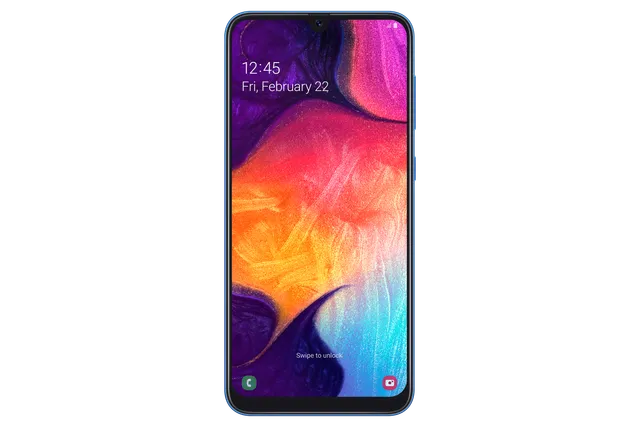
Phone · Samsung Galaxy A50
Stock firmware and official updates for the Samsung Galaxy A50 (SM-A505FN), by region.
 Austria ATOBuildA505FNXXU9CWB4AndroidAndroid 11Security patchMar 2023ReleasedApr 3, 2023DetailsWhat's newAustria DREBuildA505FNXXU9CWB4AndroidAndroid 11Security patchMar 2023ReleasedApr 3, 2023DetailsWhat's new
Samsung's official release notes, newest first.
• Overall stability of your device has been improved.
Released for 76 CSCs: *, 3IE, AMO, ATL, ATO, AUT, BGL, BHT, BOG, BTU, CAC, CAU, CNX, COA, COS, CRO, CYV, DBT, DCO, DHR, DNL, DRE, DTM, EUR, FTM, HUI, ITV, MAX, MBC, MBM, MEO, MET, MOT, MSR, NEE, O2C, O2U, OMN, OPV, ORS, ORX, PHE, PHN, PLS, PRT, ROM, SEB, SEE, SEK, SFR, SIM, SIO, SKZ, SWC, TCL, TIM, TMH, TMS, TMZ, TNL, TPH, TPL, TRG, VD2, VDC, VDF, VDI, VGR, VIP, VOD, XEC, XEF, XEH, XEO, XEU, XEZ
Source: Samsung• The security of your device has been improved.
Released for 76 CSCs: *, 3IE, AMO, ATL, ATO, AUT, BGL, BHT, BTU, CAC, CAU, CNX, COA, COS, CRO, CYV, DBT, DCO, DHR, DNL, DRE, DTM, EUR, FTM, HUI, ITV, LUX, MAX, MBC, MBM, MEO, MET, MOT, MSR, NEE, O2C, O2U, OMN, OPV, ORS, ORX, PHE, PHN, PLS, PRT, ROM, SEB, SEE, SEK, SFR, SIM, SIO, SKZ, SWC, TCL, TIM, TMH, TMS, TMZ, TNL, TPH, TPL, TRG, VD2, VDC, VDF, VDI, VGR, VIP, VOD, XEC, XEF, XEH, XEO, XEU, XEZ
Source: SamsungTaken from the SM-A505F; this model can differ (chipset, network bands).
Austria MAXAustria MOBBuildA505FNXXU1ASC7AndroidAndroid 9Security patchMar 2019ReleasedMay 15, 2019DetailsDownloadAustria TRGBuildA505FNXXU9CWB4AndroidAndroid 11Security patchMar 2023ReleasedApr 3, 2023DetailsWhat's new Bosnia & Herzegovina BHTBuildA505FNXXU9CWB4AndroidAndroid 11Security patchMar 2023ReleasedApr 3, 2023DetailsWhat's new
 Bulgaria BGLBuildA505FNXXU9CWB4AndroidAndroid 11Security patchMar 2023ReleasedApr 3, 2023DetailsWhat's new
 Croatia CROBuildA505FNXXU9CWB4AndroidAndroid 11Security patchMar 2023ReleasedApr 3, 2023DetailsWhat's newCroatia DHRBuildA505FNXXU9CWB4AndroidAndroid 11Security patchMar 2023ReleasedApr 3, 2023DetailsWhat's newCroatia VIPBuildA505FNXXU9CWB4AndroidAndroid 11Security patchMar 2023ReleasedApr 3, 2023DetailsWhat's new
 Cyprus CYVBuildA505FNXXU9CWB4AndroidAndroid 11Security patchMar 2023ReleasedApr 3, 2023DetailsWhat's new
 Czechia O2CBuildA505FNXXU9CWB4AndroidAndroid 11Security patchMar 2023ReleasedApr 3, 2023DetailsWhat's newCzechia TMZBuildA505FNXXU9CWB4AndroidAndroid 11Security patchMar 2023ReleasedApr 3, 2023DetailsWhat's newCzechia VDCBuildA505FNXXU9CWB4AndroidAndroid 11Security patchMar 2023ReleasedApr 3, 2023DetailsWhat's newCzechia XEZBuildA505FNXXU9CWB4AndroidAndroid 11Security patchMar 2023ReleasedApr 3, 2023DetailsWhat's new
 France BOGBuildA505FNXXU9CWB4AndroidAndroid 11Security patchMar 2023ReleasedApr 3, 2023DetailsWhat's newFrance FTMBuildA505FNXXU9CWB4AndroidAndroid 11Security patchMar 2023ReleasedApr 3, 2023DetailsWhat's newFrance SFRBuildA505FNXXU9CWB4AndroidAndroid 11Security patchMar 2023ReleasedApr 3, 2023DetailsWhat's newFrance XEFBuildA505FNXXU9CWB4AndroidAndroid 11Security patchMar 2023ReleasedApr 3, 2023DetailsWhat's new
 Georgia CAUBuildA505FNXXU9CWB4AndroidAndroid 11Security patchMar 2023ReleasedApr 3, 2023DetailsWhat's new
 Germany DBTBuildA505FNXXU9CWB4AndroidAndroid 11Security patchMar 2023ReleasedApr 3, 2023DetailsWhat's newGermany DCOBuildA505FNXXU9CWB4AndroidAndroid 11Security patchMar 2023ReleasedApr 3, 2023DetailsWhat's newGermany DTMBuildA505FNXXU9CWB4AndroidAndroid 11Security patchMar 2023ReleasedApr 3, 2023DetailsWhat's newGermany VD2BuildA505FNXXU9CWB4AndroidAndroid 11Security patchMar 2023ReleasedApr 3, 2023DetailsWhat's new
 Greece COSBuildA505FNXXU9CWB4AndroidAndroid 11Security patchMar 2023ReleasedApr 3, 2023DetailsWhat's newGreece EURBuildA505FNXXU9CWB4AndroidAndroid 11Security patchMar 2023ReleasedApr 3, 2023DetailsWhat's newGreece VGRBuildA505FNXXU9CWB4AndroidAndroid 11Security patchMar 2023ReleasedApr 3, 2023DetailsWhat's new
 Hungary TMHBuildA505FNXXU9CWB4AndroidAndroid 11Security patchMar 2023ReleasedApr 3, 2023DetailsWhat's newHungary XEHBuildA505FNXXU9CWB4AndroidAndroid 11Security patchMar 2023ReleasedApr 3, 2023DetailsWhat's new
 Ireland 3IEBuildA505FNXXU9CWB4AndroidAndroid 11Security patchMar 2023ReleasedApr 3, 2023DetailsWhat's newIreland METBuildA505FNXXU9CWB4AndroidAndroid 11Security patchMar 2023ReleasedApr 3, 2023DetailsWhat's newIreland VDIBuildA505FNXXU9CWB4AndroidAndroid 11Security patchMar 2023ReleasedApr 3, 2023DetailsWhat's new
 Italy HUIBuildA505FNXXU9CWB4AndroidAndroid 11Security patchMar 2023ReleasedApr 3, 2023DetailsWhat's newItaly ITVBuildA505FNXXU9CWB4AndroidAndroid 11Security patchMar 2023ReleasedApr 3, 2023DetailsWhat's newItaly OMNBuildA505FNXXU9CWB4AndroidAndroid 11Security patchMar 2023ReleasedApr 3, 2023DetailsWhat's newItaly TIMBuildA505FNXXU9CWB4AndroidAndroid 11Security patchMar 2023ReleasedApr 3, 2023DetailsWhat's new
 Kazakhstan SKZBuildA505FNXXU9CWB4AndroidAndroid 11Security patchMar 2023ReleasedApr 3, 2023DetailsWhat's new
 Kyrgyzstan CACBuildA505FNXXU9CWB4AndroidAndroid 11Security patchMar 2023ReleasedApr 3, 2023DetailsWhat's new
 Latvia SEBBuildA505FNXXU9CWB4AndroidAndroid 11Security patchMar 2023ReleasedApr 3, 2023DetailsWhat's new
 Luxembourg LUXBuildA505FNXXS9CWA1AndroidAndroid 11Security patchJan 2023ReleasedFeb 3, 2023DetailsWhat's new
 Mongolia MBCBuildA505FNXXU9CWB4AndroidAndroid 11Security patchMar 2023ReleasedApr 3, 2023DetailsWhat's new
 Netherlands DNLBuildA505FNXXU9CWB4AndroidAndroid 11Security patchMar 2023ReleasedApr 3, 2023DetailsWhat's newNetherlands PHNBuildA505FNXXU9CWB4AndroidAndroid 11Security patchMar 2023ReleasedApr 3, 2023DetailsWhat's newNetherlands TNLBuildA505FNXXU9CWB4AndroidAndroid 11Security patchMar 2023ReleasedApr 3, 2023DetailsWhat's newNetherlands VDFBuildA505FNXXU9CWB4AndroidAndroid 11Security patchMar 2023ReleasedApr 3, 2023DetailsWhat's new
 North Macedonia MBMBuildA505FNXXU9CWB4AndroidAndroid 11Security patchMar 2023ReleasedApr 3, 2023DetailsWhat's new
 Poland OPVBuildA505FNXXU9CWB4AndroidAndroid 11Security patchMar 2023ReleasedApr 3, 2023DetailsWhat's newPoland PLSBuildA505FNXXU9CWB4AndroidAndroid 11Security patchMar 2023ReleasedApr 3, 2023DetailsWhat's newPoland PRTBuildA505FNXXU9CWB4AndroidAndroid 11Security patchMar 2023ReleasedApr 3, 2023DetailsWhat's newPoland TPLBuildA505FNXXU9CWB4AndroidAndroid 11Security patchMar 2023ReleasedApr 3, 2023DetailsWhat's newPoland XEOBuildA505FNXXU9CWB4AndroidAndroid 11Security patchMar 2023ReleasedApr 3, 2023DetailsWhat's new
 Portugal MEOBuildA505FNXXU9CWB4AndroidAndroid 11Security patchMar 2023ReleasedApr 3, 2023DetailsWhat's newPortugal TCLBuildA505FNXXU9CWB4AndroidAndroid 11Security patchMar 2023ReleasedApr 3, 2023DetailsWhat's newPortugal TPHBuildA505FNXXU9CWB4AndroidAndroid 11Security patchMar 2023ReleasedApr 3, 2023DetailsWhat's new
 Romania CNXBuildA505FNXXU9CWB4AndroidAndroid 11Security patchMar 2023ReleasedApr 3, 2023DetailsWhat's newRomania COABuildA505FNXXU9CWB4AndroidAndroid 11Security patchMar 2023ReleasedApr 3, 2023DetailsWhat's newRomania OROBuildA505FNXXS3ASK9AndroidAndroid 9Security patchNov 2019ReleasedDec 2, 2019DetailsDownloadRomania ROMBuildA505FNXXU9CWB4AndroidAndroid 11Security patchMar 2023ReleasedApr 3, 2023DetailsWhat's new
 Russia SERBuildA505FNPUU9CWB4AndroidAndroid 11Security patchMar 2023ReleasedMar 24, 2023DetailsWhat's new
 Serbia MSRBuildA505FNXXU9CWB4AndroidAndroid 11Security patchMar 2023ReleasedApr 3, 2023DetailsWhat's newSerbia SEEBuildA505FNXXU9CWB4AndroidAndroid 11Security patchMar 2023ReleasedApr 3, 2023DetailsWhat's new
 Slovakia ORSBuildA505FNXXU9CWB4AndroidAndroid 11Security patchMar 2023ReleasedApr 3, 2023DetailsWhat's newSlovakia ORXBuildA505FNXXU9CWB4AndroidAndroid 11Security patchMar 2023ReleasedApr 3, 2023DetailsWhat's newSlovakia TMSBuildA505FNXXU9CWB4AndroidAndroid 11Security patchMar 2023ReleasedApr 3, 2023DetailsWhat's new
 Slovenia MOTBuildA505FNXXU9CWB4AndroidAndroid 11Security patchMar 2023ReleasedApr 3, 2023DetailsWhat's newSlovenia SIMBuildA505FNXXU9CWB4AndroidAndroid 11Security patchMar 2023ReleasedApr 3, 2023DetailsWhat's newSlovenia SIOBuildA505FNXXU9CWB4AndroidAndroid 11Security patchMar 2023ReleasedApr 3, 2023DetailsWhat's new
 Spain AMOBuildA505FNXXU9CWB4AndroidAndroid 11Security patchMar 2023ReleasedApr 3, 2023DetailsWhat's newSpain ATLBuildA505FNXXU9CWB4AndroidAndroid 11Security patchMar 2023ReleasedApr 3, 2023DetailsWhat's newSpain PHEBuildA505FNXXU9CWB4AndroidAndroid 11Security patchMar 2023ReleasedApr 3, 2023DetailsWhat's newSpain XECBuildA505FNXXU9CWB4AndroidAndroid 11Security patchMar 2023ReleasedApr 3, 2023DetailsWhat's new
 Sweden NEEBuildA505FNXXU9CWB4AndroidAndroid 11Security patchMar 2023ReleasedApr 3, 2023DetailsWhat's new
 Switzerland AUTBuildA505FNXXU9CWB4AndroidAndroid 11Security patchMar 2023ReleasedApr 3, 2023DetailsWhat's newSwitzerland SWCBuildA505FNXXU9CWB4AndroidAndroid 11Security patchMar 2023ReleasedApr 3, 2023DetailsWhat's new
 UK & IRE BTUBuildA505FNXXU9CWB4AndroidAndroid 11Security patchMar 2023ReleasedApr 3, 2023DetailsWhat's newUK & IRE XEUBuildA505FNXXU9CWB4AndroidAndroid 11Security patchMar 2023ReleasedApr 3, 2023DetailsWhat's new
 Ukraine SEKBuildA505FNXXU9CWB4AndroidAndroid 11Security patchMar 2023ReleasedApr 3, 2023DetailsWhat's newUnited Kingdom O2UBuildA505FNXXU9CWB4AndroidAndroid 11Security patchMar 2023ReleasedApr 3, 2023DetailsWhat's newUnited Kingdom VODBuildA505FNXXU9CWB4AndroidAndroid 11Security patchMar 2023ReleasedApr 3, 2023DetailsWhat's new
• The security of your device has been improved.
Released for 76 CSCs: *, 3IE, AMO, ATL, ATO, AUT, BGL, BHT, BTU, CAC, CAU, CNX, COA, COS, CRO, CYV, DBT, DCO, DHR, DNL, DRE, DTM, EUR, FTM, HUI, ITV, LUX, MAX, MBC, MBM, MEO, MET, MOT, MSR, NEE, O2C, O2U, OMN, OPV, ORS, ORX, PHE, PHN, PLS, PRT, ROM, SEB, SEE, SEK, SFR, SIM, SIO, SKZ, SWC, TCL, TIM, TMH, TMS, TMZ, TNL, TPH, TPL, TRG, VD2, VDC, VDF, VDI, VGR, VIP, VOD, XEC, XEF, XEH, XEO, XEU, XEZ
Source: Samsung• Overall stability of your device has been improved.
Released for 76 CSCs: *, 3IE, AMO, ATL, ATO, AUT, BGL, BHT, BTU, CAC, CAU, CNX, COA, COS, CRO, CYV, DBT, DCO, DHR, DNL, DRE, DTM, EUR, FTM, HUI, ITV, LUX, MAX, MBC, MBM, MEO, MET, MOT, MSR, NEE, O2C, O2U, OMN, OPV, ORS, ORX, PHE, PHN, PLS, PRT, ROM, SEB, SEE, SEK, SFR, SIM, SIO, SKZ, SWC, TCL, TIM, TMH, TMS, TMZ, TNL, TPH, TPL, TRG, VD2, VDC, VDF, VDI, VGR, VIP, VOD, XEC, XEF, XEH, XEO, XEU, XEZ
Source: Samsung• Overall stability of your device has been improved. • The security of your device has been improved.
Released for 77 CSCs: *, 3IE, AMO, ATL, ATO, AUT, BGL, BHT, BOG, BTU, CAC, CAU, CNX, COA, COS, CRO, CYV, DBT, DCO, DHR, DNL, DRE, DTM, EUR, FTM, HUI, ITV, LUX, MAX, MBC, MBM, MEO, MET, MOT, MSR, NEE, O2C, O2U, OMN, OPV, ORS, ORX, PHE, PHN, PLS, PRT, ROM, SEB, SEE, SEK, SFR, SIM, SIO, SKZ, SWC, TCL, TIM, TMH, TMS, TMZ, TNL, TPH, TPL, TRG, VD2, VDC, VDF, VDI, VGR, VIP, VOD, XEC, XEF, XEH, XEO, XEU, XEZ
Source: Samsung• The stability of Camera has been improved. • The security of your device has been improved.
Released for 66 CSCs: *, 3IE, AMO, ATL, ATO, AUT, BGL, BTU, CAC, CAU, CNX, COA, COS, CRO, CYV, DBT, DCO, DHR, DNL, DRE, DTM, EUR, FTM, HUI, ITV, LUX, MAX, MBM, NEE, O2C, O2U, OMN, OPV, ORS, ORX, PHE, PHN, ROM, SEB, SEE, SEK, SIM, SIO, SKZ, SWC, TCL, TMH, TMS, TMZ, TNL, TPH, TPL, TRG, VD2, VDC, VDF, VDI, VGR, VIP, VOD, XEC, XEF, XEH, XEO, XEU, XEZ
Source: Samsung• Overall stability of your device has been improved. • The security of your device has been improved.
Released for 77 CSCs: *, 3IE, AMO, ATL, ATO, AUT, BGL, BHT, BOG, BTU, CAC, CAU, CNX, COA, COS, CRO, CYV, DBT, DCO, DHR, DNL, DRE, DTM, EUR, FTM, HUI, ITV, LUX, MAX, MBC, MBM, MEO, MET, MOT, MSR, NEE, O2C, O2U, OMN, OPV, ORS, ORX, PHE, PHN, PLS, PRT, ROM, SEB, SEE, SEK, SFR, SIM, SIO, SKZ, SWC, TCL, TIM, TMH, TMS, TMZ, TNL, TPH, TPL, TRG, VD2, VDC, VDF, VDI, VGR, VIP, VOD, XEC, XEF, XEH, XEO, XEU, XEZ
Source: Samsung• Overall stability of your device has been improved. • The security of your device has been improved.
Released for 1 CSC: SER
Source: Samsung• The security of your device has been improved.
Released for 66 CSCs: *, 3IE, AMO, ATL, ATO, AUT, BGL, BTU, CAC, CAU, CNX, COA, COS, CRO, CYV, DBT, DCO, DHR, DNL, DRE, DTM, EUR, FTM, HUI, ITV, LUX, MAX, MBM, NEE, O2C, O2U, OMN, OPV, ORS, ORX, PHE, PHN, ROM, SEB, SEE, SEK, SIM, SIO, SKZ, SWC, TCL, TMH, TMS, TMZ, TNL, TPH, TPL, TRG, VD2, VDC, VDF, VDI, VGR, VIP, VOD, XEC, XEF, XEH, XEO, XEU, XEZ
Source: Samsung• The security of your device has been improved.
Released for 67 CSCs: *, ATL, ATO, AUT, BGL, BHT, BTU, CAC, CAU, CNX, COA, COS, CRO, CYV, DBT, DCO, DHR, DNL, DTM, EUR, ITV, LUX, MAX, MBC, MBM, MEO, MET, MOT, MSR, NEE, O2C, OMN, ORX, PHE, PHN, PLS, PRT, ROM, SEB, SEE, SEK, SFR, SIM, SIO, SKZ, SWC, TCL, TIM, TMH, TMS, TMZ, TNL, TPH, TPL, TRG, VD2, VDC, VDF, VDI, VGR, VIP, VOD, XEF, XEH, XEO, XEU, XEZ
Source: Samsung• The security of your device has been improved.
Released for 9 CSCs: 3IE, AMO, DRE, FTM, HUI, O2U, OPV, ORS, XEC
Source: Samsung• The security of your device has been improved.
Released for 66 CSCs: *, 3IE, AMO, ATL, ATO, AUT, BGL, BTU, CAC, CAU, CNX, COA, COS, CRO, CYV, DBT, DCO, DHR, DNL, DRE, DTM, EUR, FTM, HUI, ITV, LUX, MAX, MBM, NEE, O2C, O2U, OMN, OPV, ORS, ORX, PHE, PHN, ROM, SEB, SEE, SEK, SIM, SIO, SKZ, SWC, TCL, TMH, TMS, TMZ, TNL, TPH, TPL, TRG, VD2, VDC, VDF, VDI, VGR, VIP, VOD, XEC, XEF, XEH, XEO, XEU, XEZ
Source: Samsung• The security of your device has been improved.
Released for 65 CSCs: *, 3IE, AMO, ATL, ATO, BGL, BTU, CAC, CAU, CNX, COA, COS, CRO, CYV, DBT, DCO, DHR, DNL, DRE, DTM, EUR, FTM, HUI, ITV, LUX, MAX, MBM, NEE, O2C, O2U, OMN, OPV, ORS, ORX, PHE, PHN, ROM, SEB, SEE, SEK, SIM, SIO, SKZ, SWC, TCL, TMH, TMS, TMZ, TNL, TPH, TPL, TRG, VD2, VDC, VDF, VDI, VGR, VIP, VOD, XEC, XEF, XEH, XEO, XEU, XEZ
Source: Samsung• The stability of Camera has been improved. • The security of your device has been improved.
Released for 69 CSCs: *, 3IE, AMO, ATL, ATO, BGL, BHT, BTU, CAC, CAU, CNX, COA, COS, CRO, CYV, DBT, DCO, DHR, DNL, DRE, DTM, EUR, FTM, HUI, ITV, LUX, MAX, MBC, MBM, MEO, MET, MOT, MSR, NEE, O2C, O2U, OMN, OPV, ORS, PHE, PHN, PLS, PRT, SEB, SEK, SFR, SIM, SKZ, SWC, TCL, TIM, TMH, TMS, TMZ, TNL, TPL, TRG, VD2, VDC, VDF, VDI, VGR, VIP, VOD, XEC, XEH, XEO, XEU, XEZ
Source: Samsung• The security of your device has been improved.
Released for 65 CSCs: *, 3IE, AMO, ATL, ATO, BGL, BTU, CAC, CAU, CNX, COA, COS, CRO, CYV, DBT, DCO, DHR, DNL, DRE, DTM, EUR, FTM, HUI, ITV, LUX, MAX, MBM, NEE, O2C, O2U, OMN, OPV, ORS, ORX, PHE, PHN, ROM, SEB, SEE, SEK, SIM, SIO, SKZ, SWC, TCL, TMH, TMS, TMZ, TNL, TPH, TPL, TRG, VD2, VDC, VDF, VDI, VGR, VIP, VOD, XEC, XEF, XEH, XEO, XEU, XEZ
Source: Samsung• The security of your device has been improved.
Released for 64 CSCs: *, 3IE, AMO, ATL, ATO, AUT, BGL, BTU, CAC, CAU, CNX, COA, COS, CRO, CYV, DBT, DCO, DHR, DNL, DRE, DTM, EUR, FTM, HUI, ITV, LUX, MAX, MBM, NEE, O2C, OMN, OPV, ORS, ORX, PHE, PHN, ROM, SEB, SEE, SEK, SIM, SIO, SKZ, SWC, TCL, TMH, TMS, TMZ, TNL, TPH, TRG, VD2, VDC, VDF, VDI, VGR, VIP, VOD, XEC, XEF, XEH, XEO, XEU, XEZ
Source: Samsung• Enhanced Quick Share - Improve file sharing between Galaxy devices using Quick Share. • Video call - Supports background effects function during video call via some 3rd party apps. • The security of your device has been improved.
Released for 1 CSC: BOG
Source: Samsung• Enhanced Quick Share - Improve file sharing between Galaxy devices using Quick Share. • Video call - Supports background effects function during video call via some 3rd party apps. • The security of your device has been improved.
Released for 76 CSCs: *, 3IE, AMO, ATL, ATO, AUT, BGL, BHT, BTU, CAC, CAU, CNX, COA, COS, CRO, CYV, DBT, DCO, DHR, DNL, DRE, DTM, EUR, FTM, HUI, ITV, LUX, MAX, MBC, MBM, MEO, MET, MOT, MSR, NEE, O2C, O2U, OMN, OPV, ORS, ORX, PHE, PHN, PLS, PRT, ROM, SEB, SEE, SEK, SFR, SIM, SIO, SKZ, SWC, TCL, TIM, TMH, TMS, TMZ, TNL, TPH, TPL, TRG, VD2, VDC, VDF, VDI, VGR, VIP, VOD, XEC, XEF, XEH, XEO, XEU, XEZ
Source: Samsung• Enhanced Quick Share - Improve file sharing between Galaxy devices using Quick Share. • Video call - Supports background effects function during video call via some 3rd party apps. • The security of your device has been improved.
Released for 1 CSC: SER
Source: Samsung• Bluetooth connectivity and stability has been improved • Overall stability of functions improved.
Released for 23 CSCs: *, ATO, AUT, BGL, BTU, DBT, EUR, ITV, LUX, NEE, ORX, PHE, PHN, ROM, SEB, SEE, SIO, TPH, XEF, XEH, XEO, XEU, XEZ
Source: SamsungOne UI 3.1 Upgrade (Android 11) One UI 3.1 is designed to help you focus on what matters. Our visual redesign has improved the places you visit the most, like the Home screen and quick panel, to reduce distractions, highlight important information, and make your experience more consistent. Performance improvements will help apps run quicker while using less battery power. And One UI 3.1 puts control in your hands with new privacy controls, one-time permissions, and enhanced Digital Wellbeing. Scroll down for a full list of changes. Visual design We’ve refreshed the look and feel of One UI 3.1 in lots of ways, big and small, from new, more consistent icons to smarter organization of the quick panel and notifications. Motion is smoother and more natural than ever, with improved animations and haptic feedback for common interactions. And the interface responds to different screen sizes to provide the best experience on any device, whether it’s a phone, foldable, or tablet. Improved performance We optimized One UI 3.1 with enhanced dynamic memory allocation, so apps run faster and perform better. We’ve also restricted background activities to provide better performance and power usage. Better customization • New image categories have been added to Dynamic Lock screen, and you can select up to 5 categories at once. • On the Lock screen, you can add a widget to check your usage time. • Get an interactive preview when setting a wallpaper. • Adjusting the Always On Display and Lock screen is easier. • Add a call background to see a picture or video when you make or receive a call. • In Samsung Internet, you can reorder and lock tabs. • Bixby Routines has even more controls to help you automate your life. • New icons and Lock screen widgets make it easier to find and control your routines. • Use Digital Wellbeing with separate personal and work profiles. Enhanced features Home screen and Lock screen • Add widgets by touching and holding an app on the Home screen. • Turn off the screen by double tapping on an empty space on the Home or Lock screen. (Set it up in Settings > Advanced features > Motions and gestures.) • On the Lock screen, tap the clock area to see widgets like calendar, weather, and music. Calls and chats • See conversations separately in the notification panel. Works with Messages and your favorite chat apps. • Easily remove duplicate contacts stored in the same account in Contacts. The storage period for deleted contacts has been extended from 15 days to 30 days. • Added the ability to edit multiple linked contacts from a single screen. • Added Trash in Messages so that recently deleted messages are stored for 30 days. Pictures and videos • Take pictures quicker with improved auto focus and auto exposure. • View, edit, and share pictures and videos more easily from Gallery. • Find pictures and videos quicker with new search features and categories in Gallery. • Revert edited pictures to their original versions at any time, even after they’re saved, so you never lose a shot. Settings • Settings has a new simpler look and feel. Your Samsung account is shown at the top, and Home screen settings are now easier to access. • Find the settings you need more easily with new Search features. You’ll get better results for synonyms and common misspellings, and you can tap on tags to see groups of related settings. • Quick settings buttons have been reduced to provide only the most commonly used features. You can also add buttons to create your own customized quick panel. Samsung Keyboard • Increased the number of input languages to 370. • Made it easier to paste copied images and verification codes from text messages. • Added emoji and sticker suggestions when you enter a text-based emoticon. • Improved the keyboard layout to provide a larger space bar when entering web and email addresses. • Reorganized Keyboard settings so it's easier to access frequently used settings. Productivity Maintain a healthy balance between work and life by minimizing repetitive and complicated tasks and handling them efficiently. • New routines will be recommended based on your daily life and usage patterns. • Bixby Routines provide a setting to return everything to the way it was before the routine ran. • In Internet, you can hide the status and navigation bars for a more immersive experience and quickly translate webpages. • You’ll be prompted to block websites that send too many pop-ups or notifications. • You can browse and select cloud drive files from the file selection screen in My Files. • You can now delete cache files in My Files to easily free up storage space. • Events with the same start time are displayed together in the month and list views in Calendar. • Use your phone or tablet app icon layout in Samsung DeX so you know where everything is. • Open the touch pad from the navigation bar on your phone or tablet. Easy media and device control Media and device control is easier with the improved media panel in notifications. You can see recently used media apps and quickly change the playback device. You can also check Android Auto settings in the Advanced features menu in Settings. Identify and improve your digital habits Improved Digital Wellbeing features make it easy to check how you're using your phone or tablet and help you form good digital habits. Check your usage while driving or see weekly changes in your screen time by function at a glance through upgraded weekly reports. Accessibility for everyone One UI 3.1 recommends useful accessibility features for you based on your usage. The improved Accessibility shortcut makes accessibility features easier to start and use. You can use the Speak keyboard input aloud feature to get voice feedback of your typing even when TalkBack is turned off. Stronger privacy protection You can now let an app access to your microphone, camera, or location just one time. Any permissions that an app hasn’t used in a while will be automatically revoked. You can no longer give apps permission to always see your location in the regular permission popup. To let apps access your location when they’re not in use, you need to go to the location permission page for the app in Settings. Additional improvements • In Clock, you can hear the time and preset name of the alarm read aloud when an alarm rings. Some apps will need to be updated separately after the One UI 3.1 update. App copies made using Dual messenger can no longer access SD card files directly. To share SD card files in an app copy, select the files in Gallery or My Files, tap Share, then select the app copy. You can no longer use Wi-Fi Direct to send files to other devices. You can use Nearby Share instead. You can still receive files using Wi-Fi Direct. You can no longer connect to Chromecast using Smart View. You can use Google Home instead.
Released for 70 CSCs: *, 3IE, AMO, ATL, ATO, AUT, BGL, BHT, BOG, BTU, CAC, CAU, CNX, COA, COS, CRO, CYV, DBT, DCO, DHR, DNL, DRE, DTM, EUR, FTM, HUI, ITV, LUX, MAX, MBC, MBM, MEO, MET, MOT, MSR, O2C, O2U, OMN, OPV, ORS, PHE, PHN, PLS, PRT, SEB, SEK, SFR, SIM, SKZ, SWC, TCL, TIM, TMH, TMS, TMZ, TNL, TPL, TRG, VD2, VDC, VDF, VDI, VGR, VIP, VOD, XEC, XEH, XEO, XEU, XEZ
Source: Samsung• Bluetooth connectivity and stability has been improved • Overall stability of functions improved.
Released for 1 CSC: SER
Source: SamsungOne UI 3.1 Upgrade (Android 11) One UI 3.1 is designed to help you focus on what matters. Our visual redesign has improved the places you visit the most, like the Home screen and quick panel, to reduce distractions, highlight important information, and make your experience more consistent. Performance improvements will help apps run quicker while using less battery power. And One UI 3.1 puts control in your hands with new privacy controls, one-time permissions, and enhanced Digital Wellbeing. Scroll down for a full list of changes. Visual design We’ve refreshed the look and feel of One UI 3.1 in lots of ways, big and small, from new, more consistent icons to smarter organization of the quick panel and notifications. Motion is smoother and more natural than ever, with improved animations and haptic feedback for common interactions. And the interface responds to different screen sizes to provide the best experience on any device, whether it’s a phone, foldable, or tablet. Improved performance We optimized One UI 3.1 with enhanced dynamic memory allocation, so apps run faster and perform better. We’ve also restricted background activities to provide better performance and power usage. Better customization • New image categories have been added to Dynamic Lock screen, and you can select up to 5 categories at once. • On the Lock screen, you can add a widget to check your usage time. • Get an interactive preview when setting a wallpaper. • Adjusting the Always On Display and Lock screen is easier. • Add a call background to see a picture or video when you make or receive a call. • In Samsung Internet, you can reorder and lock tabs. • Bixby Routines has even more controls to help you automate your life. • New icons and Lock screen widgets make it easier to find and control your routines. • Use Digital Wellbeing with separate personal and work profiles. Enhanced features Home screen and Lock screen • Add widgets by touching and holding an app on the Home screen. • Turn off the screen by double tapping on an empty space on the Home or Lock screen. (Set it up in Settings > Advanced features > Motions and gestures.) • On the Lock screen, tap the clock area to see widgets like calendar, weather, and music. Calls and chats • See conversations separately in the notification panel. Works with Messages and your favorite chat apps. • Easily remove duplicate contacts stored in the same account in Contacts. The storage period for deleted contacts has been extended from 15 days to 30 days. • Added the ability to edit multiple linked contacts from a single screen. • Added Trash in Messages so that recently deleted messages are stored for 30 days. Pictures and videos • Take pictures quicker with improved auto focus and auto exposure. • View, edit, and share pictures and videos more easily from Gallery. • Find pictures and videos quicker with new search features and categories in Gallery. • Revert edited pictures to their original versions at any time, even after they’re saved, so you never lose a shot. Settings • Settings has a new simpler look and feel. Your Samsung account is shown at the top, and Home screen settings are now easier to access. • Find the settings you need more easily with new Search features. You’ll get better results for synonyms and common misspellings, and you can tap on tags to see groups of related settings. • Quick settings buttons have been reduced to provide only the most commonly used features. You can also add buttons to create your own customized quick panel. Samsung Keyboard • Increased the number of input languages to 370. • Made it easier to paste copied images and verification codes from text messages. • Added emoji and sticker suggestions when you enter a text-based emoticon. • Improved the keyboard layout to provide a larger space bar when entering web and email addresses. • Reorganized Keyboard settings so it's easier to access frequently used settings. Productivity Maintain a healthy balance between work and life by minimizing repetitive and complicated tasks and handling them efficiently. • New routines will be recommended based on your daily life and usage patterns. • Bixby Routines provide a setting to return everything to the way it was before the routine ran. • In Internet, you can hide the status and navigation bars for a more immersive experience and quickly translate webpages. • You’ll be prompted to block websites that send too many pop-ups or notifications. • You can browse and select cloud drive files from the file selection screen in My Files. • You can now delete cache files in My Files to easily free up storage space. • Events with the same start time are displayed together in the month and list views in Calendar. • Use your phone or tablet app icon layout in Samsung DeX so you know where everything is. • Open the touch pad from the navigation bar on your phone or tablet. Easy media and device control Media and device control is easier with the improved media panel in notifications. You can see recently used media apps and quickly change the playback device. You can also check Android Auto settings in the Advanced features menu in Settings. Identify and improve your digital habits Improved Digital Wellbeing features make it easy to check how you're using your phone or tablet and help you form good digital habits. Check your usage while driving or see weekly changes in your screen time by function at a glance through upgraded weekly reports. Accessibility for everyone One UI 3.1 recommends useful accessibility features for you based on your usage. The improved Accessibility shortcut makes accessibility features easier to start and use. You can use the Speak keyboard input aloud feature to get voice feedback of your typing even when TalkBack is turned off. Stronger privacy protection You can now let an app access to your microphone, camera, or location just one time. Any permissions that an app hasn’t used in a while will be automatically revoked. You can no longer give apps permission to always see your location in the regular permission popup. To let apps access your location when they’re not in use, you need to go to the location permission page for the app in Settings. Additional improvements • In Clock, you can hear the time and preset name of the alarm read aloud when an alarm rings. Some apps will need to be updated separately after the One UI 3.1 update. App copies made using Dual messenger can no longer access SD card files directly. To share SD card files in an app copy, select the files in Gallery or My Files, tap Share, then select the app copy. You can no longer use Wi-Fi Direct to send files to other devices. You can use Nearby Share instead. You can still receive files using Wi-Fi Direct. You can no longer connect to Chromecast using Smart View. You can use Google Home instead.
Released for 22 CSCs: ATL, BGL, CAC, CNX, CRO, DCO, DHR, DNL, DTM, MAX, MBM, OMN, SWC, TCL, TIM, TMH, TNL, TRG, VD2, VDF, VDI, VGR
Source: SamsungOne UI 3.1 Upgrade (Android 11) One UI 3.1 is designed to help you focus on what matters. Our visual redesign has improved the places you visit the most, like the Home screen and quick panel, to reduce distractions, highlight important information, and make your experience more consistent. Performance improvements will help apps run quicker while using less battery power. And One UI 3.1 puts control in your hands with new privacy controls, one-time permissions, and enhanced Digital Wellbeing. Scroll down for a full list of changes. Visual design We’ve refreshed the look and feel of One UI 3.1 in lots of ways, big and small, from new, more consistent icons to smarter organization of the quick panel and notifications. Motion is smoother and more natural than ever, with improved animations and haptic feedback for common interactions. And the interface responds to different screen sizes to provide the best experience on any device, whether it’s a phone, foldable, or tablet. Improved performance We optimized One UI 3.1 with enhanced dynamic memory allocation, so apps run faster and perform better. We’ve also restricted background activities to provide better performance and power usage. Better customization • New image categories have been added to Dynamic Lock screen, and you can select up to 5 categories at once. • On the Lock screen, you can add a widget to check your usage time. • Get an interactive preview when setting a wallpaper. • Adjusting the Always On Display and Lock screen is easier. • Add a call background to see a picture or video when you make or receive a call. • In Samsung Internet, you can reorder and lock tabs. • Bixby Routines has even more controls to help you automate your life. • New icons and Lock screen widgets make it easier to find and control your routines. • Use Digital Wellbeing with separate personal and work profiles. Enhanced features Home screen and Lock screen • Add widgets by touching and holding an app on the Home screen. • Turn off the screen by double tapping on an empty space on the Home or Lock screen. (Set it up in Settings > Advanced features > Motions and gestures.) • On the Lock screen, tap the clock area to see widgets like calendar, weather, and music. Calls and chats • See conversations separately in the notification panel. Works with Messages and your favorite chat apps. • Easily remove duplicate contacts stored in the same account in Contacts. The storage period for deleted contacts has been extended from 15 days to 30 days. • Added the ability to edit multiple linked contacts from a single screen. • Added Trash in Messages so that recently deleted messages are stored for 30 days. Pictures and videos • Take pictures quicker with improved auto focus and auto exposure. • View, edit, and share pictures and videos more easily from Gallery. • Find pictures and videos quicker with new search features and categories in Gallery. • Revert edited pictures to their original versions at any time, even after they’re saved, so you never lose a shot. Settings • Settings has a new simpler look and feel. Your Samsung account is shown at the top, and Home screen settings are now easier to access. • Find the settings you need more easily with new Search features. You’ll get better results for synonyms and common misspellings, and you can tap on tags to see groups of related settings. • Quick settings buttons have been reduced to provide only the most commonly used features. You can also add buttons to create your own customized quick panel. Samsung Keyboard • Increased the number of input languages to 370. • Made it easier to paste copied images and verification codes from text messages. • Added emoji and sticker suggestions when you enter a text-based emoticon. • Improved the keyboard layout to provide a larger space bar when entering web and email addresses. • Reorganized Keyboard settings so it's easier to access frequently used settings. Productivity Maintain a healthy balance between work and life by minimizing repetitive and complicated tasks and handling them efficiently. • New routines will be recommended based on your daily life and usage patterns. • Bixby Routines provide a setting to return everything to the way it was before the routine ran. • In Internet, you can hide the status and navigation bars for a more immersive experience and quickly translate webpages. • You’ll be prompted to block websites that send too many pop-ups or notifications. • You can browse and select cloud drive files from the file selection screen in My Files. • You can now delete cache files in My Files to easily free up storage space. • Events with the same start time are displayed together in the month and list views in Calendar. • Use your phone or tablet app icon layout in Samsung DeX so you know where everything is. • Open the touch pad from the navigation bar on your phone or tablet. Easy media and device control Media and device control is easier with the improved media panel in notifications. You can see recently used media apps and quickly change the playback device. You can also check Android Auto settings in the Advanced features menu in Settings. Identify and improve your digital habits Improved Digital Wellbeing features make it easy to check how you're using your phone or tablet and help you form good digital habits. Check your usage while driving or see weekly changes in your screen time by function at a glance through upgraded weekly reports. Accessibility for everyone One UI 3.1 recommends useful accessibility features for you based on your usage. The improved Accessibility shortcut makes accessibility features easier to start and use. You can use the Speak keyboard input aloud feature to get voice feedback of your typing even when TalkBack is turned off. Stronger privacy protection You can now let an app access to your microphone, camera, or location just one time. Any permissions that an app hasn’t used in a while will be automatically revoked. You can no longer give apps permission to always see your location in the regular permission popup. To let apps access your location when they’re not in use, you need to go to the location permission page for the app in Settings. Additional improvements • In Clock, you can hear the time and preset name of the alarm read aloud when an alarm rings. Some apps will need to be updated separately after the One UI 3.1 update. App copies made using Dual messenger can no longer access SD card files directly. To share SD card files in an app copy, select the files in Gallery or My Files, tap Share, then select the app copy. You can no longer use Wi-Fi Direct to send files to other devices. You can use Nearby Share instead. You can still receive files using Wi-Fi Direct. You can no longer connect to Chromecast using Smart View. You can use Google Home instead.
Released for 70 CSCs: *, 3IE, AMO, ATL, ATO, BGL, BOG, BTU, CAU, CNX, COA, COS, CRO, CYV, DBT, DCO, DHR, DNL, DRE, DTM, EUR, FTM, HUI, ITV, LUX, MAX, MBC, MBM, MEO, MOT, MSR, NEE, O2C, OMN, OPV, ORS, ORX, PHE, PHN, PLS, PRT, ROM, SEB, SEE, SEK, SFR, SIM, SIO, SKZ, TCL, TMH, TMS, TMZ, TNL, TPH, TPL, TRG, VD2, VDC, VDF, VDI, VGR, VIP, VOD, XEC, XEF, XEH, XEO, XEU, XEZ
Source: SamsungOne UI 3.1 Upgrade (Android 11) One UI 3.1 is designed to help you focus on what matters. Our visual redesign has improved the places you visit the most, like the Home screen and quick panel, to reduce distractions, highlight important information, and make your experience more consistent. Performance improvements will help apps run quicker while using less battery power. And One UI 3.1 puts control in your hands with new privacy controls, one-time permissions, and enhanced Digital Wellbeing. Scroll down for a full list of changes. Visual design We’ve refreshed the look and feel of One UI 3.1 in lots of ways, big and small, from new, more consistent icons to smarter organization of the quick panel and notifications. Motion is smoother and more natural than ever, with improved animations and haptic feedback for common interactions. And the interface responds to different screen sizes to provide the best experience on any device, whether it’s a phone, foldable, or tablet. Improved performance We optimized One UI 3.1 with enhanced dynamic memory allocation, so apps run faster and perform better. We’ve also restricted background activities to provide better performance and power usage. Better customization • New image categories have been added to Dynamic Lock screen, and you can select up to 5 categories at once. • On the Lock screen, you can add a widget to check your usage time. • Get an interactive preview when setting a wallpaper. • Adjusting the Always On Display and Lock screen is easier. • Add a call background to see a picture or video when you make or receive a call. • In Samsung Internet, you can reorder and lock tabs. • Bixby Routines has even more controls to help you automate your life. • New icons and Lock screen widgets make it easier to find and control your routines. • Use Digital Wellbeing with separate personal and work profiles. Enhanced features Home screen and Lock screen • Add widgets by touching and holding an app on the Home screen. • Turn off the screen by double tapping on an empty space on the Home or Lock screen. (Set it up in Settings > Advanced features > Motions and gestures.) • On the Lock screen, tap the clock area to see widgets like calendar, weather, and music. Calls and chats • See conversations separately in the notification panel. Works with Messages and your favorite chat apps. • Easily remove duplicate contacts stored in the same account in Contacts. The storage period for deleted contacts has been extended from 15 days to 30 days. • Added the ability to edit multiple linked contacts from a single screen. • Added Trash in Messages so that recently deleted messages are stored for 30 days. Pictures and videos • Take pictures quicker with improved auto focus and auto exposure. • View, edit, and share pictures and videos more easily from Gallery. • Find pictures and videos quicker with new search features and categories in Gallery. • Revert edited pictures to their original versions at any time, even after they’re saved, so you never lose a shot. Settings • Settings has a new simpler look and feel. Your Samsung account is shown at the top, and Home screen settings are now easier to access. • Find the settings you need more easily with new Search features. You’ll get better results for synonyms and common misspellings, and you can tap on tags to see groups of related settings. • Quick settings buttons have been reduced to provide only the most commonly used features. You can also add buttons to create your own customized quick panel. Samsung Keyboard • Increased the number of input languages to 370. • Made it easier to paste copied images and verification codes from text messages. • Added emoji and sticker suggestions when you enter a text-based emoticon. • Improved the keyboard layout to provide a larger space bar when entering web and email addresses. • Reorganized Keyboard settings so it's easier to access frequently used settings. Productivity Maintain a healthy balance between work and life by minimizing repetitive and complicated tasks and handling them efficiently. • New routines will be recommended based on your daily life and usage patterns. • Bixby Routines provide a setting to return everything to the way it was before the routine ran. • In Internet, you can hide the status and navigation bars for a more immersive experience and quickly translate webpages. • You’ll be prompted to block websites that send too many pop-ups or notifications. • You can browse and select cloud drive files from the file selection screen in My Files. • You can now delete cache files in My Files to easily free up storage space. • Events with the same start time are displayed together in the month and list views in Calendar. • Use your phone or tablet app icon layout in Samsung DeX so you know where everything is. • Open the touch pad from the navigation bar on your phone or tablet. Easy media and device control Media and device control is easier with the improved media panel in notifications. You can see recently used media apps and quickly change the playback device. You can also check Android Auto settings in the Advanced features menu in Settings. Identify and improve your digital habits Improved Digital Wellbeing features make it easy to check how you're using your phone or tablet and help you form good digital habits. Check your usage while driving or see weekly changes in your screen time by function at a glance through upgraded weekly reports. Accessibility for everyone One UI 3.1 recommends useful accessibility features for you based on your usage. The improved Accessibility shortcut makes accessibility features easier to start and use. You can use the Speak keyboard input aloud feature to get voice feedback of your typing even when TalkBack is turned off. Stronger privacy protection You can now let an app access to your microphone, camera, or location just one time. Any permissions that an app hasn’t used in a while will be automatically revoked. You can no longer give apps permission to always see your location in the regular permission popup. To let apps access your location when they’re not in use, you need to go to the location permission page for the app in Settings. Additional improvements • In Clock, you can hear the time and preset name of the alarm read aloud when an alarm rings. Some apps will need to be updated separately after the One UI 3.1 update. App copies made using Dual messenger can no longer access SD card files directly. To share SD card files in an app copy, select the files in Gallery or My Files, tap Share, then select the app copy. You can no longer use Wi-Fi Direct to send files to other devices. You can use Nearby Share instead. You can still receive files using Wi-Fi Direct. You can no longer connect to Chromecast using Smart View. You can use Google Home instead.
Released for 1 CSC: SER
Source: Samsung• The security of your device has been improved.
Released for 40 CSCs: 3IE, AMO, ATL, CNX, COA, COS, CRO, CYV, DCO, DHR, DNL, DRE, DTM, FTM, HUI, ITV, MAX, MBM, O2U, OMN, OPV, ORS, SIM, SWC, TCL, TIM, TMH, TMS, TMZ, TNL, TPL, TRG, VD2, VDC, VDF, VDI, VGR, VIP, VOD, XEC
Source: Samsung• The security of your device has been improved.
Released for 35 CSCs: *, AUT, BGL, BHT, BOG, BTU, CAC, CAU, EUR, LUX, MBC, MEO, MET, MOT, MSR, NEE, O2C, ORX, PHE, PHN, PLS, PRT, ROM, SEB, SEE, SEK, SFR, SIO, SKZ, TPH, XEF, XEH, XEO, XEU, XEZ
Source: Samsung• The security of your device has been improved.
Released for 39 CSCs: 3IE, AMO, ATL, CNX, COA, COS, CRO, CYV, DCO, DHR, DNL, DRE, DTM, FTM, HUI, ITV, MAX, MBM, O2U, OMN, OPV, ORS, SIM, SWC, TCL, TMH, TMS, TMZ, TNL, TPL, TRG, VD2, VDC, VDF, VDI, VGR, VIP, VOD, XEC
Source: Samsung• The security of your device has been improved.
Released for 25 CSCs: *, AUT, BGL, BTU, CAC, CAU, EUR, LUX, NEE, O2C, ORX, PHE, PHN, ROM, SEB, SEE, SEK, SIO, SKZ, TPH, XEF, XEH, XEO, XEU, XEZ
Source: SamsungAlways On Display - Bitmoji Stickers are supported on Always On Display. (Clock style) Samsung keyboard - A new feature has been added to the keyboard search feature that allows the user to search YouTube. - Split Keyboard is supported on Landscape mode. - The search function of the "Manage Input Languages" screen in the Keyboard Settings page has been newly updated to make it easy to find keyboard input languages that the user wishes to add or delete. Messages - A feature has been added that allows the user to call a person who is saved as a pre-configured SOS message contact. - A feature has been added that allows the user to send SOS location-sharing messages every 30 minutes for 24 hours.
Released for 40 CSCs: 3IE, AMO, ATL, CNX, COA, COS, CRO, CYV, DCO, DHR, DNL, DRE, DTM, FTM, HUI, ITV, MAX, MBM, O2U, OMN, OPV, ORS, SIM, SWC, TCL, TIM, TMH, TMS, TMZ, TNL, TPL, TRG, VD2, VDC, VDF, VDI, VGR, VIP, VOD, XEC
Source: SamsungAlways On Display - Bitmoji Stickers are supported on Always On Display. (Clock style) Samsung keyboard - A new feature has been added to the keyboard search feature that allows the user to search YouTube. - Split Keyboard is supported on Landscape mode. - The search function of the "Manage Input Languages" screen in the Keyboard Settings page has been newly updated to make it easy to find keyboard input languages that the user wishes to add or delete. Messages - A feature has been added that allows the user to call a person who is saved as a pre-configured SOS message contact. - A feature has been added that allows the user to send SOS location-sharing messages every 30 minutes for 24 hours.
Released for 3 CSCs: *, ATO, DBT
Source: Samsung• The security of your device has been improved.
Released for 26 CSCs: *, AUT, BGL, BTU, CAC, CAU, DBT, EUR, LUX, NEE, O2C, ORX, PHE, PHN, ROM, SEB, SEE, SEK, SIO, SKZ, TPH, XEF, XEH, XEO, XEU, XEZ
Source: SamsungAlways On Display - Bitmoji Stickers are supported on Always On Display. (Clock style) Samsung keyboard - A new feature has been added to the keyboard search feature that allows the user to search YouTube. - Split Keyboard is supported on Landscape mode. - The search function of the "Manage Input Languages" screen in the Keyboard Settings page has been newly updated to make it easy to find keyboard input languages that the user wishes to add or delete. Messages - A feature has been added that allows the user to call a person who is saved as a pre-configured SOS message contact. - A feature has been added that allows the user to send SOS location-sharing messages every 30 minutes for 24 hours.
Released for 36 CSCs: *, AUT, BGL, BHT, BOG, BTU, CAC, CAU, DBT, EUR, LUX, MBC, MEO, MET, MOT, MSR, NEE, O2C, ORX, PHE, PHN, PLS, PRT, ROM, SEB, SEE, SEK, SFR, SIO, SKZ, TPH, XEF, XEH, XEO, XEU, XEZ
Source: SamsungAlways On Display - Bitmoji Stickers are supported on Always On Display. (Clock style) Samsung keyboard - A new feature has been added to the keyboard search feature that allows the user to search YouTube. - Split Keyboard is supported on Landscape mode. - The search function of the "Manage Input Languages" screen in the Keyboard Settings page has been newly updated to make it easy to find keyboard input languages that the user wishes to add or delete. Messages - A feature has been added that allows the user to call a person who is saved as a pre-configured SOS message contact. - A feature has been added that allows the user to send SOS location-sharing messages every 30 minutes for 24 hours.
Released for 1 CSC: ATO
Source: Samsung· The security of your device has been improved.
Released for 14 CSCs: ATL, CNX, CYV, OMN, SIM, SWC, TCL, VD2, VDC, VDF, VDI, VGR, VIP, VOD
Source: Samsung• Call stability has been improved. • Wi-Fi connectivity and stability have been improved. • The security of your device has been improved. • Other stabiliser codes are applied. Please be informed that if you decide to install this software update, you will remove the Radio FM feature from your smartphone. This software update is released in consideration of the Italian Law n. 205/2017. In any case, you can listen to your favorite radio station by downloading its application on your smartphone. Please note that you might be charged with additional connection costs by using a radio app; we suggest you to check the terms of service of your operator.
Released for 3 CSCs: 3IE, DRE, HUI
Source: Samsung· The security of your device has been improved.
Released for 15 CSCs: COA, COS, CRO, DCO, DHR, DNL, DTM, MAX, MBM, TMH, TMS, TMZ, TNL, TPL, TRG
Source: Samsung
