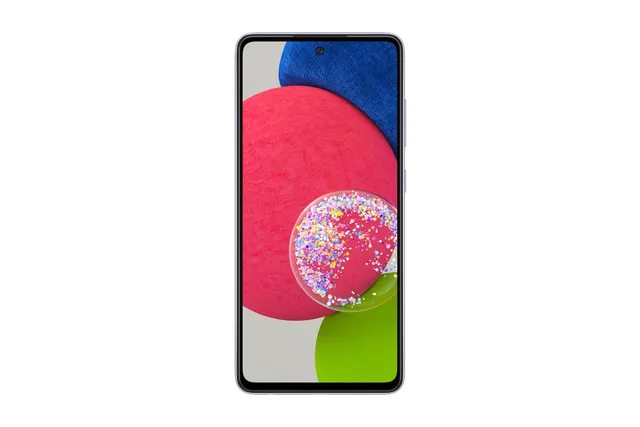
Awesome Violet
Phone · Samsung Galaxy A52s 5G
Stock firmware and official updates for the Samsung Galaxy A52s 5G (SM-A528B), by region.
 Afghanistan AFGBuildA528BXXSBGYI3AndroidAndroid 14Security patchSep 2025ReleasedOct 1, 2025DetailsWhat's new
 Argentina AROBuildA528BXXSBGYI4AndroidAndroid 14Security patchSep 2025ReleasedOct 2, 2025DetailsWhat's new
Samsung's official release notes, newest first.
• Security The device is protected with improved security. These changes may vary depending on the model, country, or network operator of the customer environment.
Released for 27 CSCs: ARO, BVO, CGU, CHE, CHO, CHT, CHX, COB, COL, COM, COO, CTI, GTO, IUS, MXO, PEO, PET, PGU, PNT, PSN, SAM, TCE, TGP, TMM, UFN, UPO, UYO
Source: Samsung• Security The device is protected with improved security. These changes may vary depending on the model, country, or network operator of the customer environment.
Released for 108 CSCs: *, 3IE, AFG, AMO, ATL, ATO, AUT, BGL, BKD, BOG, BTB, BTE, BTU, CNX, COS, CRO, DBT, DTM, EGY, EUR, EVR, FTM, FWD, GLB, H3G, HTS, HUI, ILO, ILP, INS, ITV, KSA, LUX, LYS, MAX, MBM, MEO, MET, MID, MM1, MOT, MSR, MWD, MYM, NEE, NPB, O2C, O2U, OMN, OPS, OPV, ORO, ORS, ORX, PAK, PHE, PHN, PKD, PLS, PRT, ROM, SEB, SEE, SFR, SIM, SIN, SIO, SLK, STH, SWC, TCL, TEL, THL, TIM, TMH, TMS, TMZ, TNL, TOP, TPH, TPL, TSI, TUN, TUR, VAU, VD2, VDC, VDF, VDI, VGR, VIP, VOD, XEC, XEF, XEH, XEO, XEZ, XFA, XFV, XID, XME, XNF, XNZ, XSA, XSG, XSP, XTC, XXV
Source: Samsung• Security The device is protected with improved security. These changes may vary depending on the model, country, or network operator of the customer environment.
Released for 1 CSC: BRI
Source: SamsungArgentina CTIArgentina PSNBuildA528BXXSBGYI4AndroidAndroid 14Security patchSep 2025ReleasedOct 2, 2025DetailsWhat's newArgentina UFNBuildA528BXXSBGYI4AndroidAndroid 14Security patchSep 2025ReleasedOct 2, 2025DetailsWhat's new Australia OPSBuildA528BXXSBGYI3AndroidAndroid 14Security patchSep 2025ReleasedOct 1, 2025DetailsWhat's newAustralia TELBuildA528BXXSBGYI3AndroidAndroid 14Security patchSep 2025ReleasedOct 1, 2025DetailsWhat's newAustralia VAUBuildA528BXXSBGYI3AndroidAndroid 14Security patchSep 2025ReleasedOct 1, 2025DetailsWhat's newAustralia XSABuildA528BXXSBGYI3AndroidAndroid 14Security patchSep 2025ReleasedOct 1, 2025DetailsWhat's new
 Austria ATOBuildA528BXXSBGYI3AndroidAndroid 14Security patchSep 2025ReleasedOct 1, 2025DetailsWhat's newAustria MAXBuildA528BXXSBGYI3AndroidAndroid 14Security patchSep 2025ReleasedOct 1, 2025DetailsWhat's new
 Bangladesh BKDBuildA528BXXSBGYI3AndroidAndroid 14Security patchSep 2025ReleasedOct 1, 2025DetailsWhat's new
 Bolivia BVOBuildA528BXXSBGYI4AndroidAndroid 14Security patchSep 2025ReleasedOct 2, 2025DetailsWhat's newBolivia BVTBuildA528BXXU1AUJ1AndroidAndroid 11Security patchSep 2021ReleasedDec 2, 2021DetailsDownload
 Brazil ZTABuildA528BXXSBGYI4AndroidAndroid 14Security patchSep 2025ReleasedOct 2, 2025DetailsWhat's newBrazil ZTMBuildA528BXXSBGYI4AndroidAndroid 14Security patchSep 2025ReleasedOct 2, 2025DetailsWhat's newBrazil ZTOBuildA528BXXSBGYI4AndroidAndroid 14Security patchSep 2025ReleasedOct 2, 2025DetailsWhat's newBrazil ZVVBuildA528BXXSBGYI4AndroidAndroid 14Security patchSep 2025ReleasedOct 2, 2025DetailsWhat's new
 Bulgaria BGLBuildA528BXXSBGYI3AndroidAndroid 14Security patchSep 2025ReleasedOct 1, 2025DetailsWhat's new
 Chile CHEBuildA528BXXSBGYI4AndroidAndroid 14Security patchSep 2025ReleasedOct 2, 2025DetailsWhat's newChile CHOBuildA528BXXSBGYI4AndroidAndroid 14Security patchSep 2025ReleasedOct 2, 2025DetailsWhat's newChile CHTBuildA528BXXSBGYI4AndroidAndroid 14Security patchSep 2025ReleasedOct 2, 2025DetailsWhat's newChile CHXBuildA528BXXSBGYI4AndroidAndroid 14Security patchSep 2025ReleasedOct 2, 2025DetailsWhat's new
 Colombia COBBuildA528BXXSBGYI4AndroidAndroid 14Security patchSep 2025ReleasedOct 2, 2025DetailsWhat's newColombia COLBuildA528BXXSBGYI4AndroidAndroid 14Security patchSep 2025ReleasedOct 2, 2025DetailsWhat's newColombia COMBuildA528BXXSBGYI4AndroidAndroid 14Security patchSep 2025ReleasedOct 2, 2025DetailsWhat's newColombia COOBuildA528BXXSBGYI4AndroidAndroid 14Security patchSep 2025ReleasedOct 2, 2025DetailsWhat's new
 Croatia CROBuildA528BXXSBGYI3AndroidAndroid 14Security patchSep 2025ReleasedOct 1, 2025DetailsWhat's newCroatia VIPBuildA528BXXSBGYI3AndroidAndroid 14Security patchSep 2025ReleasedOct 1, 2025DetailsWhat's new
 Czechia O2CBuildA528BXXSBGYI3AndroidAndroid 14Security patchSep 2025ReleasedOct 1, 2025DetailsWhat's newCzechia TMZBuildA528BXXSBGYI3AndroidAndroid 14Security patchSep 2025ReleasedOct 1, 2025DetailsWhat's newCzechia VDCBuildA528BXXSBGYI3AndroidAndroid 14Security patchSep 2025ReleasedOct 1, 2025DetailsWhat's newCzechia XEZBuildA528BXXSBGYI3AndroidAndroid 14Security patchSep 2025ReleasedOct 1, 2025DetailsWhat's new
 Dominican Republic CDRBuildA528BXXSBGYI4AndroidAndroid 14Security patchSep 2025ReleasedOct 2, 2025DetailsWhat's new
 Ecuador EONBuildA528BXXS1AUK8AndroidAndroid 11Security patchNov 2021ReleasedNov 23, 2021DetailsDownload
 Egypt EGYBuildA528BXXSBGYI3AndroidAndroid 14Security patchSep 2025ReleasedOct 1, 2025DetailsWhat's new
 France BOGBuildA528BXXSBGYI3AndroidAndroid 14Security patchSep 2025ReleasedOct 1, 2025DetailsWhat's newFrance FTMBuildA528BXXSBGYI3AndroidAndroid 14Security patchSep 2025ReleasedOct 1, 2025DetailsWhat's newFrance SFRBuildA528BXXSBGYI3AndroidAndroid 14Security patchSep 2025ReleasedOct 1, 2025DetailsWhat's newFrance XEFBuildA528BXXSBGYI3AndroidAndroid 14Security patchSep 2025ReleasedOct 1, 2025DetailsWhat's new
 Germany DBTBuildA528BXXSBGYI3AndroidAndroid 14Security patchSep 2025ReleasedOct 1, 2025DetailsWhat's newGermany DTMBuildA528BXXSBGYI3AndroidAndroid 14Security patchSep 2025ReleasedOct 1, 2025DetailsWhat's newGermany VD2BuildA528BXXSBGYI3AndroidAndroid 14Security patchSep 2025ReleasedOct 1, 2025DetailsWhat's new
 Greece COSBuildA528BXXSBGYI3AndroidAndroid 14Security patchSep 2025ReleasedOct 1, 2025DetailsWhat's newGreece EURBuildA528BXXSBGYI3AndroidAndroid 14Security patchSep 2025ReleasedOct 1, 2025DetailsWhat's newGreece VGRBuildA528BXXSBGYI3AndroidAndroid 14Security patchSep 2025ReleasedOct 1, 2025DetailsWhat's new
 Guatemala CGUBuildA528BXXSBGYI4AndroidAndroid 14Security patchSep 2025ReleasedOct 2, 2025DetailsWhat's newGuatemala GTOBuildA528BXXSBGYI4AndroidAndroid 14Security patchSep 2025ReleasedOct 2, 2025DetailsWhat's newGuatemala PGUBuildA528BXXSBGYI4AndroidAndroid 14Security patchSep 2025ReleasedOct 2, 2025DetailsWhat's new
 Hungary TMHBuildA528BXXSBGYI3AndroidAndroid 14Security patchSep 2025ReleasedOct 1, 2025DetailsWhat's newHungary XEHBuildA528BXXSBGYI3AndroidAndroid 14Security patchSep 2025ReleasedOct 1, 2025DetailsWhat's new
 India INSBuildA528BXXSBGYI3AndroidAndroid 14Security patchSep 2025ReleasedOct 1, 2025DetailsWhat's new
 Indonesia XIDBuildA528BXXSBGYI3AndroidAndroid 14Security patchSep 2025ReleasedOct 1, 2025DetailsWhat's new
 Iraq MIDBuildA528BXXSBGYI3AndroidAndroid 14Security patchSep 2025ReleasedOct 1, 2025DetailsWhat's new
 Ireland 3IEBuildA528BXXSBGYI3AndroidAndroid 14Security patchSep 2025ReleasedOct 1, 2025DetailsWhat's newIreland METBuildA528BXXSBGYI3AndroidAndroid 14Security patchSep 2025ReleasedOct 1, 2025DetailsWhat's newIreland TSIBuildA528BXXSBGYI3AndroidAndroid 14Security patchSep 2025ReleasedOct 1, 2025DetailsWhat's newIreland VDIBuildA528BXXSBGYI3AndroidAndroid 14Security patchSep 2025ReleasedOct 1, 2025DetailsWhat's new
 Israel ILOBuildA528BXXSBGYI3AndroidAndroid 14Security patchSep 2025ReleasedOct 1, 2025DetailsWhat's newIsrael ILPBuildA528BXXSBGYI3AndroidAndroid 14Security patchSep 2025ReleasedOct 1, 2025DetailsWhat's new
 Italy HUIBuildA528BXXSBGYI3AndroidAndroid 14Security patchSep 2025ReleasedOct 1, 2025DetailsWhat's newItaly ITVBuildA528BXXSBGYI3AndroidAndroid 14Security patchSep 2025ReleasedOct 1, 2025DetailsWhat's newItaly OMNBuildA528BXXSBGYI3AndroidAndroid 14Security patchSep 2025ReleasedOct 1, 2025DetailsWhat's newItaly TIMBuildA528BXXSBGYI3AndroidAndroid 14Security patchSep 2025ReleasedOct 1, 2025DetailsWhat's new
 Latvia SEBBuildA528BXXSBGYI3AndroidAndroid 14Security patchSep 2025ReleasedOct 1, 2025DetailsWhat's new
 Libya LYSBuildA528BXXSBGYI3AndroidAndroid 14Security patchSep 2025ReleasedOct 1, 2025DetailsWhat's new
 Luxembourg LUXBuildA528BXXSBGYI3AndroidAndroid 14Security patchSep 2025ReleasedOct 1, 2025DetailsWhat's new
 Malaysia XMEBuildA528BXXSBGYI3AndroidAndroid 14Security patchSep 2025ReleasedOct 1, 2025DetailsWhat's new
 Mexico IUSBuildA528BXXSBGYI4AndroidAndroid 14Security patchSep 2025ReleasedOct 2, 2025DetailsWhat's newMexico MXOBuildA528BXXSBGYI4AndroidAndroid 14Security patchSep 2025ReleasedOct 2, 2025DetailsWhat's newMexico TCEBuildA528BXXSBGYI4AndroidAndroid 14Security patchSep 2025ReleasedOct 2, 2025DetailsWhat's newMexico TMMBuildA528BXXSBGYI4AndroidAndroid 14Security patchSep 2025ReleasedOct 2, 2025DetailsWhat's new
 Morocco FWDBuildA528BXXSBGYI3AndroidAndroid 14Security patchSep 2025ReleasedOct 1, 2025DetailsWhat's newMorocco MWDBuildA528BXXSBGYI3AndroidAndroid 14Security patchSep 2025ReleasedOct 1, 2025DetailsWhat's new
 Nepal NPBBuildA528BXXSBGYI3AndroidAndroid 14Security patchSep 2025ReleasedOct 1, 2025DetailsWhat's new
 Netherlands PHNBuildA528BXXSBGYI3AndroidAndroid 14Security patchSep 2025ReleasedOct 1, 2025DetailsWhat's newNetherlands TNLBuildA528BXXSBGYI3AndroidAndroid 14Security patchSep 2025ReleasedOct 1, 2025DetailsWhat's newNetherlands VDFBuildA528BXXSBGYI3AndroidAndroid 14Security patchSep 2025ReleasedOct 1, 2025DetailsWhat's new
 New Zealand XNFBuildA528BXXSBGYI3AndroidAndroid 14Security patchSep 2025ReleasedOct 1, 2025DetailsWhat's newNew Zealand XNZBuildA528BXXSBGYI3AndroidAndroid 14Security patchSep 2025ReleasedOct 1, 2025DetailsWhat's new
 Nicaragua NBSBuildA528BXXU1AUH9AndroidAndroid 11Security patchAug 2021ReleasedOct 25, 2021DetailsDownload
 North Macedonia MBMBuildA528BXXSBGYI3AndroidAndroid 14Security patchSep 2025ReleasedOct 1, 2025DetailsWhat's new
 Pakistan PAKBuildA528BXXSBGYI3AndroidAndroid 14Security patchSep 2025ReleasedOct 1, 2025DetailsWhat's newPakistan PKDBuildA528BXXSBGYI3AndroidAndroid 14Security patchSep 2025ReleasedOct 1, 2025DetailsWhat's new
 Panama CPABuildA528BXXU1AUJ1AndroidAndroid 11Security patchSep 2021ReleasedDec 2, 2021DetailsDownload
 Paraguay TGPBuildA528BXXSBGYI4AndroidAndroid 14Security patchSep 2025ReleasedOct 2, 2025DetailsWhat's newParaguay UPOBuildA528BXXSBGYI4AndroidAndroid 14Security patchSep 2025ReleasedOct 2, 2025DetailsWhat's new
 Peru PEOBuildA528BXXSBGYI4AndroidAndroid 14Security patchSep 2025ReleasedOct 2, 2025DetailsWhat's newPeru PETBuildA528BXXSBGYI4AndroidAndroid 14Security patchSep 2025ReleasedOct 2, 2025DetailsWhat's newPeru PNTBuildA528BXXSBGYI4AndroidAndroid 14Security patchSep 2025ReleasedOct 2, 2025DetailsWhat's newPeru SAMBuildA528BXXSBGYI4AndroidAndroid 14Security patchSep 2025ReleasedOct 2, 2025DetailsWhat's new
 Philippines GLBBuildA528BXXSBGYI3AndroidAndroid 14Security patchSep 2025ReleasedOct 1, 2025DetailsWhat's newPhilippines XTCBuildA528BXXSBGYI3AndroidAndroid 14Security patchSep 2025ReleasedOct 1, 2025DetailsWhat's new
 Poland OPVBuildA528BXXSBGYI3AndroidAndroid 14Security patchSep 2025ReleasedOct 1, 2025DetailsWhat's newPoland PLSBuildA528BXXSBGYI3AndroidAndroid 14Security patchSep 2025ReleasedOct 1, 2025DetailsWhat's newPoland PRTBuildA528BXXSBGYI3AndroidAndroid 14Security patchSep 2025ReleasedOct 1, 2025DetailsWhat's newPoland TPLBuildA528BXXSBGYI3AndroidAndroid 14Security patchSep 2025ReleasedOct 1, 2025DetailsWhat's newPoland XEOBuildA528BXXSBGYI3AndroidAndroid 14Security patchSep 2025ReleasedOct 1, 2025DetailsWhat's new
 Portugal MEOBuildA528BXXSBGYI3AndroidAndroid 14Security patchSep 2025ReleasedOct 1, 2025DetailsWhat's newPortugal TCLBuildA528BXXSBGYI3AndroidAndroid 14Security patchSep 2025ReleasedOct 1, 2025DetailsWhat's newPortugal TPHBuildA528BXXSBGYI3AndroidAndroid 14Security patchSep 2025ReleasedOct 1, 2025DetailsWhat's new
 Romania CNXBuildA528BXXSBGYI3AndroidAndroid 14Security patchSep 2025ReleasedOct 1, 2025DetailsWhat's newRomania OROBuildA528BXXSBGYI3AndroidAndroid 14Security patchSep 2025ReleasedOct 1, 2025DetailsWhat's newRomania ROMBuildA528BXXSBGYI3AndroidAndroid 14Security patchSep 2025ReleasedOct 1, 2025DetailsWhat's new
 Saudi Arabia KSABuildA528BXXSBGYI3AndroidAndroid 14Security patchSep 2025ReleasedOct 1, 2025DetailsWhat's new
 Serbia MSRBuildA528BXXSBGYI3AndroidAndroid 14Security patchSep 2025ReleasedOct 1, 2025DetailsWhat's newSerbia SEEBuildA528BXXSBGYI3AndroidAndroid 14Security patchSep 2025ReleasedOct 1, 2025DetailsWhat's newSerbia TOPBuildA528BXXSBGYI3AndroidAndroid 14Security patchSep 2025ReleasedOct 1, 2025DetailsWhat's new
 Singapore MM1BuildA528BXXSBGYI3AndroidAndroid 14Security patchSep 2025ReleasedOct 1, 2025DetailsWhat's newSingapore SINBuildA528BXXSBGYI3AndroidAndroid 14Security patchSep 2025ReleasedOct 1, 2025DetailsWhat's newSingapore STHBuildA528BXXSBGYI3AndroidAndroid 14Security patchSep 2025ReleasedOct 1, 2025DetailsWhat's newSingapore XSPBuildA528BXXSBGYI3AndroidAndroid 14Security patchSep 2025ReleasedOct 1, 2025DetailsWhat's new
 Slovakia ORSBuildA528BXXSBGYI3AndroidAndroid 14Security patchSep 2025ReleasedOct 1, 2025DetailsWhat's newSlovakia ORXBuildA528BXXSBGYI3AndroidAndroid 14Security patchSep 2025ReleasedOct 1, 2025DetailsWhat's newSlovakia TMSBuildA528BXXSBGYI3AndroidAndroid 14Security patchSep 2025ReleasedOct 1, 2025DetailsWhat's new
 Slovenia MOTBuildA528BXXSBGYI3AndroidAndroid 14Security patchSep 2025ReleasedOct 1, 2025DetailsWhat's newSlovenia SIMBuildA528BXXSBGYI3AndroidAndroid 14Security patchSep 2025ReleasedOct 1, 2025DetailsWhat's newSlovenia SIOBuildA528BXXSBGYI3AndroidAndroid 14Security patchSep 2025ReleasedOct 1, 2025DetailsWhat's new
 South Africa XFABuildA528BXXSBGYI3AndroidAndroid 14Security patchSep 2025ReleasedOct 1, 2025DetailsWhat's newSouth Africa XFVBuildA528BXXSBGYI3AndroidAndroid 14Security patchSep 2025ReleasedOct 1, 2025DetailsWhat's new
 Spain AMOBuildA528BXXSBGYI3AndroidAndroid 14Security patchSep 2025ReleasedOct 1, 2025DetailsWhat's newSpain ATLBuildA528BXXSBGYI3AndroidAndroid 14Security patchSep 2025ReleasedOct 1, 2025DetailsWhat's newSpain PHEBuildA528BXXSBGYI3AndroidAndroid 14Security patchSep 2025ReleasedOct 1, 2025DetailsWhat's newSpain XECBuildA528BXXSBGYI3AndroidAndroid 14Security patchSep 2025ReleasedOct 1, 2025DetailsWhat's new
 Sri Lanka SLKBuildA528BXXSBGYI3AndroidAndroid 14Security patchSep 2025ReleasedOct 1, 2025DetailsWhat's new
 Sweden HTSBuildA528BXXSBGYI3AndroidAndroid 14Security patchSep 2025ReleasedOct 1, 2025DetailsWhat's newSweden NEEBuildA528BXXSBGYI3AndroidAndroid 14Security patchSep 2025ReleasedOct 1, 2025DetailsWhat's new
 Switzerland AUTBuildA528BXXSBGYI3AndroidAndroid 14Security patchSep 2025ReleasedOct 1, 2025DetailsWhat's newSwitzerland SWCBuildA528BXXSBGYI3AndroidAndroid 14Security patchSep 2025ReleasedOct 1, 2025DetailsWhat's new
 Taiwan BRIBuildA528BZTSBGYI3AndroidAndroid 14Security patchSep 2025ReleasedSep 29, 2025DetailsWhat's new
 Thailand CALBuildA528BXXS1BVC2AndroidAndroid 12Security patchMar 2022ReleasedApr 6, 2022DetailsDownloadThailand MYMBuildA528BXXSBGYI3AndroidAndroid 14Security patchSep 2025ReleasedOct 1, 2025DetailsWhat's newThailand THLBuildA528BXXSBGYI3AndroidAndroid 14Security patchSep 2025ReleasedOct 1, 2025DetailsWhat's new
 Tunisia TUNBuildA528BXXSBGYI3AndroidAndroid 14Security patchSep 2025ReleasedOct 1, 2025DetailsWhat's new
 Türkiye TURBuildA528BXXSBGYI3AndroidAndroid 14Security patchSep 2025ReleasedOct 1, 2025DetailsWhat's new
 UK & IRE BTUBuildA528BXXSBGYI3AndroidAndroid 14Security patchSep 2025ReleasedOct 1, 2025DetailsWhat's new
 United Arab Emirates XSGBuildA528BXXSBGYI3AndroidAndroid 14Security patchSep 2025ReleasedOct 1, 2025DetailsWhat's newUnited Kingdom BTBBuildA528BXXSBGYI3AndroidAndroid 14Security patchSep 2025ReleasedOct 1, 2025DetailsWhat's newUnited Kingdom BTEBuildA528BXXSBGYI3AndroidAndroid 14Security patchSep 2025ReleasedOct 1, 2025DetailsWhat's newUnited Kingdom EVRBuildA528BXXSBGYI3AndroidAndroid 14Security patchSep 2025ReleasedOct 1, 2025DetailsWhat's newUnited Kingdom H3GBuildA528BXXSBGYI3AndroidAndroid 14Security patchSep 2025ReleasedOct 1, 2025DetailsWhat's newUnited Kingdom O2UBuildA528BXXSBGYI3AndroidAndroid 14Security patchSep 2025ReleasedOct 1, 2025DetailsWhat's newUnited Kingdom VODBuildA528BXXSBGYI3AndroidAndroid 14Security patchSep 2025ReleasedOct 1, 2025DetailsWhat's new
 Uruguay UYOBuildA528BXXSBGYI4AndroidAndroid 14Security patchSep 2025ReleasedOct 2, 2025DetailsWhat's new
 Vietnam XXVBuildA528BXXSBGYI3AndroidAndroid 14Security patchSep 2025ReleasedOct 1, 2025DetailsWhat's new
• Security The device is protected with improved security. These changes may vary depending on the model, country, or network operator of the customer environment.
Released for 27 CSCs: ARO, BVO, CGU, CHE, CHO, CHT, CHX, COB, COL, COM, COO, CTI, GTO, IUS, MXO, PEO, PET, PGU, PNT, PSN, SAM, TCE, TGP, TMM, UFN, UPO, UYO
Source: Samsung• Security The device is protected with improved security. These changes may vary depending on the model, country, or network operator of the customer environment.
Released for 1 CSC: BRI
Source: Samsung• Security The device is protected with improved security. These changes may vary depending on the model, country, or network operator of the customer environment.
Released for 104 CSCs: *, 3IE, AFG, AMO, ATL, ATO, AUT, BGL, BOG, BTB, BTE, BTU, CNX, COS, CRO, DBT, DTM, EGY, EUR, EVR, FTM, FWD, GLB, H3G, HTS, HUI, ILO, ILP, ITV, KSA, LUX, LYS, MAX, MBM, MEO, MET, MID, MM1, MOT, MSR, MWD, MYM, NEE, O2C, O2U, OMN, OPS, OPV, ORO, ORS, ORX, PAK, PHE, PHN, PKD, PLS, PRT, ROM, SEB, SEE, SFR, SIM, SIN, SIO, STH, SWC, TCL, TEL, THL, TIM, TMH, TMS, TMZ, TNL, TOP, TPH, TPL, TSI, TUN, TUR, VAU, VD2, VDC, VDF, VDI, VGR, VIP, VOD, XEC, XEF, XEH, XEO, XEZ, XFA, XFV, XID, XME, XNF, XNZ, XSA, XSG, XSP, XTC, XXV
Source: Samsung• Overall stability of your device has been improved. • The security of your device has been improved.
Released for 27 CSCs: ARO, BVO, CGU, CHE, CHO, CHT, CHX, COB, COL, COM, COO, CTI, GTO, IUS, MXO, PEO, PET, PGU, PNT, PSN, SAM, TCE, TGP, TMM, UFN, UPO, UYO
Source: Samsung• Security The device is protected with improved security.
Released for 108 CSCs: *, 3IE, AFG, AMO, ATL, ATO, AUT, BGL, BKD, BOG, BTB, BTE, BTU, CNX, COS, CRO, DBT, DTM, EGY, EUR, EVR, FTM, FWD, GLB, H3G, HTS, HUI, ILO, ILP, INS, ITV, KSA, LUX, LYS, MAX, MBM, MEO, MET, MID, MM1, MOT, MSR, MWD, MYM, NEE, NPB, O2C, O2U, OMN, OPS, OPV, ORO, ORS, ORX, PAK, PHE, PHN, PKD, PLS, PRT, ROM, SEB, SEE, SFR, SIM, SIN, SIO, SLK, STH, SWC, TCL, TEL, THL, TIM, TMH, TMS, TMZ, TNL, TOP, TPH, TPL, TSI, TUN, TUR, VAU, VD2, VDC, VDF, VDI, VGR, VIP, VOD, XEC, XEF, XEH, XEO, XEZ, XFA, XFV, XID, XME, XNF, XNZ, XSA, XSG, XSP, XTC, XXV
Source: Samsung· Security patch update
Released for 27 CSCs: ARO, BVO, CGU, CHE, CHO, CHT, CHX, COB, COL, COM, COO, CTI, GTO, IUS, MXO, PEO, PET, PGU, PNT, PSN, SAM, TCE, TGP, TMM, UFN, UPO, UYO
Source: Samsung• The security of your device has been improved.
Released for 108 CSCs: *, 3IE, AFG, AMO, ATL, ATO, AUT, BGL, BKD, BOG, BTB, BTE, BTU, CNX, COS, CRO, DBT, DTM, EGY, EUR, EVR, FTM, FWD, GLB, H3G, HTS, HUI, ILO, ILP, INS, ITV, KSA, LUX, LYS, MAX, MBM, MEO, MET, MID, MM1, MOT, MSR, MWD, MYM, NEE, NPB, O2C, O2U, OMN, OPS, OPV, ORO, ORS, ORX, PAK, PHE, PHN, PKD, PLS, PRT, ROM, SEB, SEE, SFR, SIM, SIN, SIO, SLK, STH, SWC, TCL, TEL, THL, TIM, TMH, TMS, TMZ, TNL, TOP, TPH, TPL, TSI, TUN, TUR, VAU, VD2, VDC, VDF, VDI, VGR, VIP, VOD, XEC, XEF, XEH, XEO, XEZ, XFA, XFV, XID, XME, XNF, XNZ, XSA, XSG, XSP, XTC, XXV
Source: Samsung• The latest Android security patch has been applied. - Device security has been further enhanced.
Released for 1 CSC: BRI
Source: Samsung• Stability and reliability Device behavior has been improved. • Security The device is protected with improved security.
Released for 27 CSCs: ARO, BVO, CGU, CHE, CHO, CHT, CHX, COB, COL, COM, COO, CTI, GTO, IUS, MXO, PEO, PET, PGU, PNT, PSN, SAM, TCE, TGP, TMM, UFN, UPO, UYO
Source: Samsung• Stability and reliability Device behavior has been improved.
Released for 108 CSCs: *, 3IE, AFG, AMO, ATL, ATO, AUT, BGL, BKD, BOG, BTB, BTE, BTU, CNX, COS, CRO, DBT, DTM, EGY, EUR, EVR, FTM, FWD, GLB, H3G, HTS, HUI, ILO, ILP, INS, ITV, KSA, LUX, LYS, MAX, MBM, MEO, MET, MID, MM1, MOT, MSR, MWD, MYM, NEE, NPB, O2C, O2U, OMN, OPS, OPV, ORO, ORS, ORX, PAK, PHE, PHN, PKD, PLS, PRT, ROM, SEB, SEE, SFR, SIM, SIN, SIO, SLK, STH, SWC, TCL, TEL, THL, TIM, TMH, TMS, TMZ, TNL, TOP, TPH, TPL, TSI, TUN, TUR, VAU, VD2, VDC, VDF, VDI, VGR, VIP, VOD, XEC, XEF, XEH, XEO, XEZ, XFA, XFV, XID, XME, XNF, XNZ, XSA, XSG, XSP, XTC, XXV
Source: Samsung• Overall stability of your device has been improved. • The security of your device has been improved.
Released for 27 CSCs: ARO, BVO, CGU, CHE, CHO, CHT, CHX, COB, COL, COM, COO, CTI, GTO, IUS, MXO, PEO, PET, PGU, PNT, PSN, SAM, TCE, TGP, TMM, UFN, UPO, UYO
Source: Samsung• Stability and reliability Device behavior has been improved. • Security The device is protected with improved security.
Released for 27 CSCs: ARO, BVO, CGU, CHE, CHO, CHT, CHX, COB, COL, COM, COO, CTI, GTO, IUS, MXO, PEO, PET, PGU, PNT, PSN, SAM, TCE, TGP, TMM, UFN, UPO, UYO
Source: Samsung• Security The device is protected with improved security.
Released for 108 CSCs: *, 3IE, AFG, AMO, ATL, ATO, AUT, BGL, BKD, BOG, BTB, BTE, BTU, CNX, COS, CRO, DBT, DTM, EGY, EUR, EVR, FTM, FWD, GLB, H3G, HTS, HUI, ILO, ILP, INS, ITV, KSA, LUX, LYS, MAX, MBM, MEO, MET, MID, MM1, MOT, MSR, MWD, MYM, NEE, NPB, O2C, O2U, OMN, OPS, OPV, ORO, ORS, ORX, PAK, PHE, PHN, PKD, PLS, PRT, ROM, SEB, SEE, SFR, SIM, SIN, SIO, SLK, STH, SWC, TCL, TEL, THL, TIM, TMH, TMS, TMZ, TNL, TOP, TPH, TPL, TSI, TUN, TUR, VAU, VD2, VDC, VDF, VDI, VGR, VIP, VOD, XEC, XEF, XEH, XEO, XEZ, XFA, XFV, XID, XME, XNF, XNZ, XSA, XSG, XSP, XTC, XXV
Source: Samsung• The latest Android security patch has been applied. - Device security has been further enhanced.
Released for 1 CSC: BRI
Source: Samsung• Stability and reliability Device behavior has been improved. • Security The device is protected with improved security.
Released for 108 CSCs: *, 3IE, AFG, AMO, ATL, ATO, AUT, BGL, BKD, BOG, BTB, BTE, BTU, CNX, COS, CRO, DBT, DTM, EGY, EUR, EVR, FTM, FWD, GLB, H3G, HTS, HUI, ILO, ILP, INS, ITV, KSA, LUX, LYS, MAX, MBM, MEO, MET, MID, MM1, MOT, MSR, MWD, MYM, NEE, NPB, O2C, O2U, OMN, OPS, OPV, ORO, ORS, ORX, PAK, PHE, PHN, PKD, PLS, PRT, ROM, SEB, SEE, SFR, SIM, SIN, SIO, SLK, STH, SWC, TCL, TEL, THL, TIM, TMH, TMS, TMZ, TNL, TOP, TPH, TPL, TSI, TUN, TUR, VAU, VD2, VDC, VDF, VDI, VGR, VIP, VOD, XEC, XEF, XEH, XEO, XEZ, XFA, XFV, XID, XME, XNF, XNZ, XSA, XSG, XSP, XTC, XXV
Source: Samsung• Overall stability of your device has been improved. • The latest Android security patch has been applied. - Device security has been further enhanced.
Released for 1 CSC: BRI
Source: Samsung• Stability and reliability Device behavior has been improved.
Released for 27 CSCs: ARO, BVO, CGU, CHE, CHO, CHT, CHX, COB, COL, COM, COO, CTI, GTO, IUS, MXO, PEO, PET, PGU, PNT, PSN, SAM, TCE, TGP, TMM, UFN, UPO, UYO
Source: Samsung• Stability and reliability Device behavior has been improved.
Released for 27 CSCs: ARO, BVO, CGU, CHE, CHO, CHT, CHX, COB, COL, COM, COO, CTI, GTO, IUS, MXO, PEO, PET, PGU, PNT, PSN, SAM, TCE, TGP, TMM, UFN, UPO, UYO
Source: Samsung• The latest Android security patch has been applied. - Device security has been further enhanced.
Released for 1 CSC: BRI
Source: Samsung• Security The device is protected with improved security.
Released for 108 CSCs: *, 3IE, AFG, AMO, ATL, ATO, AUT, BGL, BKD, BOG, BTB, BTE, BTU, CNX, COS, CRO, DBT, DTM, EGY, EUR, EVR, FTM, FWD, GLB, H3G, HTS, HUI, ILO, ILP, INS, ITV, KSA, LUX, LYS, MAX, MBM, MEO, MET, MID, MM1, MOT, MSR, MWD, MYM, NEE, NPB, O2C, O2U, OMN, OPS, OPV, ORO, ORS, ORX, PAK, PHE, PHN, PKD, PLS, PRT, ROM, SEB, SEE, SFR, SIM, SIN, SIO, SLK, STH, SWC, TCL, TEL, THL, TIM, TMH, TMS, TMZ, TNL, TOP, TPH, TPL, TSI, TUN, TUR, VAU, VD2, VDC, VDF, VDI, VGR, VIP, VOD, XEC, XEF, XEH, XEO, XEZ, XFA, XFV, XID, XME, XNF, XNZ, XSA, XSG, XSP, XTC, XXV
Source: Samsung• Stability and reliability Device behavior has been improved.
Released for 108 CSCs: *, 3IE, AFG, AMO, ATL, ATO, AUT, BGL, BKD, BOG, BTB, BTE, BTU, CNX, COS, CRO, DBT, DTM, EGY, EUR, EVR, FTM, FWD, GLB, H3G, HTS, HUI, ILO, ILP, INS, ITV, KSA, LUX, LYS, MAX, MBM, MEO, MET, MID, MM1, MOT, MSR, MWD, MYM, NEE, NPB, O2C, O2U, OMN, OPS, OPV, ORO, ORS, ORX, PAK, PHE, PHN, PKD, PLS, PRT, ROM, SEB, SEE, SFR, SIM, SIN, SIO, SLK, STH, SWC, TCL, TEL, THL, TIM, TMH, TMS, TMZ, TNL, TOP, TPH, TPL, TSI, TUN, TUR, VAU, VD2, VDC, VDF, VDI, VGR, VIP, VOD, XEC, XEF, XEH, XEO, XEZ, XFA, XFV, XID, XME, XNF, XNZ, XSA, XSG, XSP, XTC, XXV
Source: Samsung• Overall stability of your device has been improved. • The security of your device has been improved.
Released for 115 CSCs: *, 3IE, AMO, ARO, ATL, ATO, AUT, BGL, BKD, BOG, BTB, BTE, BTU, BVO, CGU, CHE, CHO, CHT, CHX, CNX, COB, COL, COM, COO, COS, CRO, CTI, DBT, DTM, EUR, EVR, FTM, GLB, GTO, H3G, HTS, HUI, INS, ITV, LUX, MAX, MBM, MEO, MET, MM1, MOT, MSR, MYM, NEE, NPB, O2C, O2U, OMN, OPS, OPV, ORO, ORS, ORX, PEO, PET, PGU, PHE, PHN, PLS, PNT, PRT, PSN, ROM, SAM, SEB, SEE, SFR, SIM, SIN, SIO, SLK, STH, SWC, TCL, TEL, TGP, THL, TIM, TMH, TMS, TMZ, TNL, TOP, TPH, TPL, TSI, UFN, UPO, UYO, VAU, VD2, VDC, VDF, VDI, VGR, VIP, VOD, XEC, XEF, XEH, XEO, XEZ, XID, XME, XNF, XNZ, XSA, XSP, XTC, XXV
Source: Samsung• The security of your device has been improved.
Released for 15 CSCs: AFG, EGY, FWD, ILO, ILP, KSA, LYS, MID, MWD, PAK, PKD, TUN, XFA, XFV, XSG
Source: Samsung• The latest Android security patch has been applied. - Device security has been further enhanced.
Released for 1 CSC: BRI
Source: Samsung• Security The device is protected with improved security.
Released for 115 CSCs: *, 3IE, AMO, ARO, ATL, ATO, AUT, BGL, BKD, BOG, BTB, BTE, BTU, BVO, CGU, CHE, CHO, CHT, CHX, CNX, COB, COL, COM, COO, COS, CRO, CTI, DBT, DTM, EUR, EVR, FTM, GLB, GTO, H3G, HTS, HUI, INS, ITV, LUX, MAX, MBM, MEO, MET, MM1, MOT, MSR, MYM, NEE, NPB, O2C, O2U, OMN, OPS, OPV, ORO, ORS, ORX, PEO, PET, PGU, PHE, PHN, PLS, PNT, PRT, PSN, ROM, SAM, SEB, SEE, SFR, SIM, SIN, SIO, SLK, STH, SWC, TCL, TEL, TGP, THL, TIM, TMH, TMS, TMZ, TNL, TOP, TPH, TPL, TSI, UFN, UPO, UYO, VAU, VD2, VDC, VDF, VDI, VGR, VIP, VOD, XEC, XEF, XEH, XEO, XEZ, XID, XME, XNF, XNZ, XSA, XSP, XTC, XXV
Source: Samsung• Overall stability of your device has been improved. • The security of your device has been improved.
Released for 111 CSCs: *, 3IE, AMO, ARO, ATL, ATO, AUT, BGL, BKD, BOG, BTB, BTE, BTU, BVO, CGU, CNX, COB, COL, COM, COO, COS, CRO, CTI, DBT, DTM, EUR, EVR, FTM, GLB, GTO, H3G, HTS, HUI, INS, ITV, LUX, MAX, MBM, MEO, MET, MM1, MOT, MSR, MYM, NEE, NPB, O2C, O2U, OMN, OPS, OPV, ORO, ORS, ORX, PEO, PET, PGU, PHE, PHN, PLS, PNT, PRT, PSN, ROM, SAM, SEB, SEE, SFR, SIM, SIN, SIO, SLK, STH, SWC, TCL, TEL, TGP, THL, TIM, TMH, TMS, TMZ, TNL, TOP, TPH, TPL, TSI, UFN, UPO, UYO, VAU, VD2, VDC, VDF, VDI, VGR, VIP, VOD, XEC, XEF, XEH, XEO, XEZ, XID, XME, XNF, XNZ, XSA, XSP, XTC, XXV
Source: Samsung• Security The device is protected with improved security.
Released for 15 CSCs: AFG, EGY, FWD, ILO, ILP, KSA, LYS, MID, MWD, PAK, PKD, TUN, XFA, XFV, XSG
Source: Samsung• The latest Android security patch has been applied. - Device security has been further enhanced.
Released for 1 CSC: BRI
Source: Samsung• Overall stability of your device has been improved. • The security of your device has been improved.
Released for 4 CSCs: IUS, MXO, TCE, TMM
Source: SamsungOne UI 6.1 Upgrade Create epic images Copy and paste from one image to another Add a missing element to your picture. Just clip an object from an image in Gallery, then go to the image where you want to paste it and choose Paste from clipboard in the More options menu. More accurate image clipping Get exactly the area you need to clip without any unwanted parts. When you clip an image in Gallery, you have the option of editing the selected area before you save it so you can get your selection just right. Improved Gallery search The search screen has been redesigned to make it easier to use. Results are now categorized by type, such as people, places, albums, or stories. Change playback speed More videos now support changing the playback speed when you edit a video in Gallery. You can make your video play faster or slower in a specific section that you select or for the entire video. Edit videos on multiple devices You can now continue your edits on your phone, tablet, or PC. Export your Studio projects to a file that can be opened on other Galaxy devices. Customize your Galaxy New wallpaper editing features Decorate your wallpaper however you like. When you select an image to use as your wallpaper, you can now apply frames and effects. More widgets for your Lock screen Additional widgets are available for your Lock screen and Always On Display so you can quickly check useful information without unlocking your phone. The new widgets include Weather, Samsung Health, Battery, Reminder, Calendar, and Clock. Customize alarm alerts Use an image, video, or AR emoji to create your own custom alert screens for each alarm. You can even change the layout of where the alarm information appears on the screen. More stickers to personalize your calendar You can now add up to 2 stickers for each date on your calendar. Stickers for events are now shown next to the event name in Month view. Revamped Calendar settings Calendar settings have been reorganized to be more intuitive. You can also set background colors and images for full-screen calendar alerts. Customize reminder alerts Create the right background for each of your reminders. You can now set colors and background images for full-screen reminder alerts. Do more with reminder categories You can now choose a representative icon for each reminder category. You can also pin categories you use frequently to the top of the category list. Turn modes on or off from the Home screen Turn modes on and off more quickly than before. The new Mode widget lets you add modes directly to your Home screen. Reorder your modes You can now change the order that modes are listed on the Modes tab in Modes and Routines. New routine conditions You can now start a routine when an alarm of your choice starts ringing or when Smart View connects or disconnects. Relumino outline Turn on Relumino outline in Accessibility settings to highlight the outlines of objects in images and videos to make them easier to distinguish for people with low vision. Connect and share Share with more devices Quick Share has merged with Google's Nearby Share. In addition to Galaxy devices, you can now share with other Android devices even without an internet connection. Locate your devices The new Samsung Find app lets you see where all your Galaxy devices are on a map any time. If you lose a device, additional features are available to help you find the device and protect your data. Share your location with others With Samsung Find, you can share your location with family, friends, or anyone that you trust. Share for a limited time or all the time. You're always in control of who can see your location. Sync Internet tab groups with other devices Easily pick up where you left off during your last browsing session no matter which device you were using. Tab groups that you create on one device will appear in Samsung Internet on other Galaxy devices signed in to your Samsung account. Protect your data Enhanced data protection in Samsung Cloud Rest assured that no one can access your data but you, even if there's a data breach. You can turn on end-to-end encryption for data that's synced with Samsung Cloud. Fast and secure sign-ins with passkeys Passkeys provide more security for web sign-ins without the need to remember complicated passwords. Use passkeys to sign in to supported websites with biometric authentication in Samsung Internet. Manage your health Enhanced exercise experience Compete against your past running results in Samsung Health to try to beat your previous time. You can also crop exercises after you finish to remove any unnecessary time at the beginning or end. More options for daily activity targets You now have more options for setting your daily activity targets in Samsung Health. If a step goal doesn't work for you, you can change to floors climbed or active hours instead. Improved cycle tracking When you record your physical symptoms and moods, options you've used frequently in the past will appear at the top of the screen. You can also now set custom moods if the default options don't match how you're feeling. Even more improvements Easier to access Video call effects Video call effects will now appear in the quick panel during video calls so you can easily control how others see you. You can set a background color or image. More information in the Weather widget The weather widget will let you know when severe thunderstorms, snowfall, or other precipitation is on the forecast in your local area. Voice input without leaving the keyboard The keyboard now remains visible while using voice input so you can easily switch back to typing whenever you need to. Tap the mic button at the bottom of the screen to enter text using your voice at any time while using the keyboard. Open all minimized apps at once A new button lets you reopen all of the minimized apps at once when you have more than one pop-up window minimized. Google search suggestions in Finder When you search using Finder, you’ll also get suggested web searches from Google. More ways to protect your battery Choose from 3 different protection options to help extend your battery's lifespan. Basic protection keeps your charge between 95% and 100%. Adaptive protection pauses charging while you're asleep and finishes charging just before you wake up. You can also choose to limit the maximum charge to 80% for maximum protection.
Released for 130 CSCs: *, 3IE, AFG, AMO, ARO, ATL, ATO, AUT, BGL, BKD, BOG, BTB, BTE, BTU, BVO, CGU, CHE, CHO, CHT, CHX, CNX, COB, COL, COM, COO, COS, CRO, CTI, DBT, DTM, EGY, EUR, EVR, FTM, FWD, GLB, GTO, H3G, HTS, HUI, ILO, ILP, INS, ITV, KSA, LUX, LYS, MAX, MBM, MEO, MET, MID, MM1, MOT, MSR, MWD, MYM, NEE, NPB, O2C, O2U, OMN, OPS, OPV, ORO, ORS, ORX, PAK, PEO, PET, PGU, PHE, PHN, PKD, PLS, PNT, PRT, PSN, ROM, SAM, SEB, SEE, SFR, SIM, SIN, SIO, SLK, STH, SWC, TCL, TEL, TGP, THL, TIM, TMH, TMS, TMZ, TNL, TOP, TPH, TPL, TSI, TUN, UFN, UPO, UYO, VAU, VD2, VDC, VDF, VDI, VGR, VIP, VOD, XEC, XEF, XEH, XEO, XEZ, XFA, XFV, XID, XME, XNF, XNZ, XSA, XSG, XSP, XTC, XXV
Source: Samsung• Overall stability of your device has been improved. • The security of your device has been improved.
Released for 4 CSCs: IUS, MXO, TCE, TMM
Source: Samsung• The security of your device has been improved.
Released for 15 CSCs: AFG, EGY, FWD, ILO, ILP, KSA, LYS, MID, MWD, PAK, PKD, TUN, XFA, XFV, XSG
Source: Samsung• The latest Android security patch has been applied. - Device security has been further enhanced.
Released for 1 CSC: BRI
Source: SamsungOne UI 6.1 Upgrade Create epic images Copy and paste from one image to another Add a missing element to your picture. Just clip an object from an image in Gallery, then go to the image where you want to paste it and choose Paste from clipboard in the More options menu. More accurate image clipping Get exactly the area you need to clip without any unwanted parts. When you clip an image in Gallery, you have the option of editing the selected area before you save it so you can get your selection just right. Improved Gallery search The search screen has been redesigned to make it easier to use. Results are now categorized by type, such as people, places, albums, or stories. Change playback speed More videos now support changing the playback speed when you edit a video in Gallery. You can make your video play faster or slower in a specific section that you select or for the entire video. Edit videos on multiple devices You can now continue your edits on your phone, tablet, or PC. Export your Studio projects to a file that can be opened on other Galaxy devices. Customize your Galaxy New wallpaper editing features Decorate your wallpaper however you like. When you select an image to use as your wallpaper, you can now apply frames and effects. More widgets for your Lock screen Additional widgets are available for your Lock screen and Always On Display so you can quickly check useful information without unlocking your phone. The new widgets include Weather, Samsung Health, Battery, Reminder, Calendar, and Clock. Customize alarm alerts Use an image, video, or AR emoji to create your own custom alert screens for each alarm. You can even change the layout of where the alarm information appears on the screen. More stickers to personalize your calendar You can now add up to 2 stickers for each date on your calendar. Stickers for events are now shown next to the event name in Month view. Revamped Calendar settings Calendar settings have been reorganized to be more intuitive. You can also set background colors and images for full-screen calendar alerts. Customize reminder alerts Create the right background for each of your reminders. You can now set colors and background images for full-screen reminder alerts. Do more with reminder categories You can now choose a representative icon for each reminder category. You can also pin categories you use frequently to the top of the category list. Turn modes on or off from the Home screen Turn modes on and off more quickly than before. The new Mode widget lets you add modes directly to your Home screen. Reorder your modes You can now change the order that modes are listed on the Modes tab in Modes and Routines. New routine conditions You can now start a routine when an alarm of your choice starts ringing or when Smart View connects or disconnects. Relumino outline Turn on Relumino outline in Accessibility settings to highlight the outlines of objects in images and videos to make them easier to distinguish for people with low vision. Connect and share Share with more devices Quick Share has merged with Google's Nearby Share. In addition to Galaxy devices, you can now share with other Android devices even without an internet connection. Locate your devices The new Samsung Find app lets you see where all your Galaxy devices are on a map any time. If you lose a device, additional features are available to help you find the device and protect your data. Share your location with others With Samsung Find, you can share your location with family, friends, or anyone that you trust. Share for a limited time or all the time. You're always in control of who can see your location. Sync Internet tab groups with other devices Easily pick up where you left off during your last browsing session no matter which device you were using. Tab groups that you create on one device will appear in Samsung Internet on other Galaxy devices signed in to your Samsung account. Protect your data Enhanced data protection in Samsung Cloud Rest assured that no one can access your data but you, even if there's a data breach. You can turn on end-to-end encryption for data that's synced with Samsung Cloud. Fast and secure sign-ins with passkeys Passkeys provide more security for web sign-ins without the need to remember complicated passwords. Use passkeys to sign in to supported websites with biometric authentication in Samsung Internet. Manage your health Enhanced exercise experience Compete against your past running results in Samsung Health to try to beat your previous time. You can also crop exercises after you finish to remove any unnecessary time at the beginning or end. More options for daily activity targets You now have more options for setting your daily activity targets in Samsung Health. If a step goal doesn't work for you, you can change to floors climbed or active hours instead. Improved cycle tracking When you record your physical symptoms and moods, options you've used frequently in the past will appear at the top of the screen. You can also now set custom moods if the default options don't match how you're feeling. Even more improvements Easier to access Video call effects Video call effects will now appear in the quick panel during video calls so you can easily control how others see you. You can set a background color or image. More information in the Weather widget The weather widget will let you know when severe thunderstorms, snowfall, or other precipitation is on the forecast in your local area. Voice input without leaving the keyboard The keyboard now remains visible while using voice input so you can easily switch back to typing whenever you need to. Tap the mic button at the bottom of the screen to enter text using your voice at any time while using the keyboard. Open all minimized apps at once A new button lets you reopen all of the minimized apps at once when you have more than one pop-up window minimized. Google search suggestions in Finder When you search using Finder, you’ll also get suggested web searches from Google. More ways to protect your battery Choose from 3 different protection options to help extend your battery's lifespan. Basic protection keeps your charge between 95% and 100%. Adaptive protection pauses charging while you're asleep and finishes charging just before you wake up. You can also choose to limit the maximum charge to 80% for maximum protection.
Released for 4 CSCs: IUS, MXO, TCE, TMM
Source: SamsungOne UI 6.1 Upgrade Create epic images Copy and paste from one image to another Add a missing element to your picture. Just clip an object from an image in Gallery, then go to the image where you want to paste it and choose Paste from clipboard in the More options menu. More accurate image clipping Get exactly the area you need to clip without any unwanted parts. When you clip an image in Gallery, you have the option of editing the selected area before you save it so you can get your selection just right. Improved Gallery search The search screen has been redesigned to make it easier to use. Results are now categorized by type, such as people, places, albums, or stories. Change playback speed More videos now support changing the playback speed when you edit a video in Gallery. You can make your video play faster or slower in a specific section that you select or for the entire video. Edit videos on multiple devices You can now continue your edits on your phone, tablet, or PC. Export your Studio projects to a file that can be opened on other Galaxy devices. Customize your Galaxy New wallpaper editing features Decorate your wallpaper however you like. When you select an image to use as your wallpaper, you can now apply frames and effects. More widgets for your Lock screen Additional widgets are available for your Lock screen and Always On Display so you can quickly check useful information without unlocking your phone. The new widgets include Weather, Samsung Health, Battery, Reminder, Calendar, and Clock. Customize alarm alerts Use an image, video, or AR emoji to create your own custom alert screens for each alarm. You can even change the layout of where the alarm information appears on the screen. More stickers to personalize your calendar You can now add up to 2 stickers for each date on your calendar. Stickers for events are now shown next to the event name in Month view. Revamped Calendar settings Calendar settings have been reorganized to be more intuitive. You can also set background colors and images for full-screen calendar alerts. Customize reminder alerts Create the right background for each of your reminders. You can now set colors and background images for full-screen reminder alerts. Do more with reminder categories You can now choose a representative icon for each reminder category. You can also pin categories you use frequently to the top of the category list. Turn modes on or off from the Home screen Turn modes on and off more quickly than before. The new Mode widget lets you add modes directly to your Home screen. Reorder your modes You can now change the order that modes are listed on the Modes tab in Modes and Routines. New routine conditions You can now start a routine when an alarm of your choice starts ringing or when Smart View connects or disconnects. Relumino outline Turn on Relumino outline in Accessibility settings to highlight the outlines of objects in images and videos to make them easier to distinguish for people with low vision. Connect and share Share with more devices Quick Share has merged with Google's Nearby Share. In addition to Galaxy devices, you can now share with other Android devices even without an internet connection. Locate your devices The new Samsung Find app lets you see where all your Galaxy devices are on a map any time. If you lose a device, additional features are available to help you find the device and protect your data. Share your location with others With Samsung Find, you can share your location with family, friends, or anyone that you trust. Share for a limited time or all the time. You're always in control of who can see your location. Sync Internet tab groups with other devices Easily pick up where you left off during your last browsing session no matter which device you were using. Tab groups that you create on one device will appear in Samsung Internet on other Galaxy devices signed in to your Samsung account. Protect your data Enhanced data protection in Samsung Cloud Rest assured that no one can access your data but you, even if there's a data breach. You can turn on end-to-end encryption for data that's synced with Samsung Cloud. Fast and secure sign-ins with passkeys Passkeys provide more security for web sign-ins without the need to remember complicated passwords. Use passkeys to sign in to supported websites with biometric authentication in Samsung Internet. Manage your health Enhanced exercise experience Compete against your past running results in Samsung Health to try to beat your previous time. You can also crop exercises after you finish to remove any unnecessary time at the beginning or end. More options for daily activity targets You now have more options for setting your daily activity targets in Samsung Health. If a step goal doesn't work for you, you can change to floors climbed or active hours instead. Improved cycle tracking When you record your physical symptoms and moods, options you've used frequently in the past will appear at the top of the screen. You can also now set custom moods if the default options don't match how you're feeling. Even more improvements Easier to access Video call effects Video call effects will now appear in the quick panel during video calls so you can easily control how others see you. You can set a background color or image. More information in the Weather widget The weather widget will let you know when severe thunderstorms, snowfall, or other precipitation is on the forecast in your local area. Voice input without leaving the keyboard The keyboard now remains visible while using voice input so you can easily switch back to typing whenever you need to. Tap the mic button at the bottom of the screen to enter text using your voice at any time while using the keyboard. Open all minimized apps at once A new button lets you reopen all of the minimized apps at once when you have more than one pop-up window minimized. Google search suggestions in Finder When you search using Finder, you’ll also get suggested web searches from Google. More ways to protect your battery Choose from 3 different protection options to help extend your battery's lifespan. Basic protection keeps your charge between 95% and 100%. Adaptive protection pauses charging while you're asleep and finishes charging just before you wake up. You can also choose to limit the maximum charge to 80% for maximum protection.
Released for 130 CSCs: *, 3IE, AFG, AMO, ARO, ATL, ATO, AUT, BGL, BKD, BOG, BTB, BTE, BTU, BVO, CGU, CHE, CHO, CHT, CHX, CNX, COB, COL, COM, COO, COS, CRO, CTI, DBT, DTM, EGY, EUR, EVR, FTM, FWD, GLB, GTO, H3G, HTS, HUI, ILO, ILP, INS, ITV, KSA, LUX, LYS, MAX, MBM, MEO, MET, MID, MM1, MOT, MSR, MWD, MYM, NEE, NPB, O2C, O2U, OMN, OPS, OPV, ORO, ORS, ORX, PAK, PEO, PET, PGU, PHE, PHN, PKD, PLS, PNT, PRT, PSN, ROM, SAM, SEB, SEE, SFR, SIM, SIN, SIO, SLK, STH, SWC, TCL, TEL, TGP, THL, TIM, TMH, TMS, TMZ, TNL, TOP, TPH, TPL, TSI, TUN, UFN, UPO, UYO, VAU, VD2, VDC, VDF, VDI, VGR, VIP, VOD, XEC, XEF, XEH, XEO, XEZ, XFA, XFV, XID, XME, XNF, XNZ, XSA, XSG, XSP, XTC, XXV
Source: Samsung• The latest Android security patch has been applied. - Device security has been further enhanced.
Released for 1 CSC: BRI
Source: SamsungOne UI 6.1 Upgrade Create epic images Copy and paste from one image to another Add a missing element to your picture. Just clip an object from an image in Gallery, then go to the image where you want to paste it and choose Paste from clipboard in the More options menu. More accurate image clipping Get exactly the area you need to clip without any unwanted parts. When you clip an image in Gallery, you have the option of editing the selected area before you save it so you can get your selection just right. Improved Gallery search The search screen has been redesigned to make it easier to use. Results are now categorized by type, such as people, places, albums, or stories. Change playback speed More videos now support changing the playback speed when you edit a video in Gallery. You can make your video play faster or slower in a specific section that you select or for the entire video. Edit videos on multiple devices You can now continue your edits on your phone, tablet, or PC. Export your Studio projects to a file that can be opened on other Galaxy devices. Customize your Galaxy New wallpaper editing features Decorate your wallpaper however you like. When you select an image to use as your wallpaper, you can now apply frames and effects. More widgets for your Lock screen Additional widgets are available for your Lock screen and Always On Display so you can quickly check useful information without unlocking your phone. The new widgets include Weather, Samsung Health, Battery, Reminder, Calendar, and Clock. Customize alarm alerts Use an image, video, or AR emoji to create your own custom alert screens for each alarm. You can even change the layout of where the alarm information appears on the screen. More stickers to personalize your calendar You can now add up to 2 stickers for each date on your calendar. Stickers for events are now shown next to the event name in Month view. Revamped Calendar settings Calendar settings have been reorganized to be more intuitive. You can also set background colors and images for full-screen calendar alerts. Customize reminder alerts Create the right background for each of your reminders. You can now set colors and background images for full-screen reminder alerts. Do more with reminder categories You can now choose a representative icon for each reminder category. You can also pin categories you use frequently to the top of the category list. Turn modes on or off from the Home screen Turn modes on and off more quickly than before. The new Mode widget lets you add modes directly to your Home screen. Reorder your modes You can now change the order that modes are listed on the Modes tab in Modes and Routines. New routine conditions You can now start a routine when an alarm of your choice starts ringing or when Smart View connects or disconnects. Relumino outline Turn on Relumino outline in Accessibility settings to highlight the outlines of objects in images and videos to make them easier to distinguish for people with low vision. Connect and share Share with more devices Quick Share has merged with Google's Nearby Share. In addition to Galaxy devices, you can now share with other Android devices even without an internet connection. Locate your devices The new Samsung Find app lets you see where all your Galaxy devices are on a map any time. If you lose a device, additional features are available to help you find the device and protect your data. Share your location with others With Samsung Find, you can share your location with family, friends, or anyone that you trust. Share for a limited time or all the time. You're always in control of who can see your location. Sync Internet tab groups with other devices Easily pick up where you left off during your last browsing session no matter which device you were using. Tab groups that you create on one device will appear in Samsung Internet on other Galaxy devices signed in to your Samsung account. Protect your data Enhanced data protection in Samsung Cloud Rest assured that no one can access your data but you, even if there's a data breach. You can turn on end-to-end encryption for data that's synced with Samsung Cloud. Fast and secure sign-ins with passkeys Passkeys provide more security for web sign-ins without the need to remember complicated passwords. Use passkeys to sign in to supported websites with biometric authentication in Samsung Internet. Manage your health Enhanced exercise experience Compete against your past running results in Samsung Health to try to beat your previous time. You can also crop exercises after you finish to remove any unnecessary time at the beginning or end. More options for daily activity targets You now have more options for setting your daily activity targets in Samsung Health. If a step goal doesn't work for you, you can change to floors climbed or active hours instead. Improved cycle tracking When you record your physical symptoms and moods, options you've used frequently in the past will appear at the top of the screen. You can also now set custom moods if the default options don't match how you're feeling. Even more improvements Easier to access Video call effects Video call effects will now appear in the quick panel during video calls so you can easily control how others see you. You can set a background color or image. More information in the Weather widget The weather widget will let you know when severe thunderstorms, snowfall, or other precipitation is on the forecast in your local area. Voice input without leaving the keyboard The keyboard now remains visible while using voice input so you can easily switch back to typing whenever you need to. Tap the mic button at the bottom of the screen to enter text using your voice at any time while using the keyboard. Open all minimized apps at once A new button lets you reopen all of the minimized apps at once when you have more than one pop-up window minimized. Google search suggestions in Finder When you search using Finder, you’ll also get suggested web searches from Google. More ways to protect your battery Choose from 3 different protection options to help extend your battery's lifespan. Basic protection keeps your charge between 95% and 100%. Adaptive protection pauses charging while you're asleep and finishes charging just before you wake up. You can also choose to limit the maximum charge to 80% for maximum protection.
Released for 1 CSC: TUR
Source: SamsungOne UI 6.1 Upgrade Customize your Galaxy New wallpaper editing features Decorate your wallpaper however you like. When you select an image to use as your wallpaper, you can now apply frames and effects. More widgets for your Lock screen Additional widgets are available for your Lock screen so you can quickly check useful information without unlocking your phone. The new widgets include Weather, Samsung Health, Battery, Reminder, Calendar, and Clock. Customize alarm alerts Use an image, video, or AR emoji to create your own custom alert screens for each alarm. You can even change the layout of where the alarm information appears on the screen. More stickers to personalize your calendar You can now add up to 2 stickers for each date on your calendar. Stickers for events are now shown next to the event name in Month view. Revamped Calendar settings Calendar settings have been reorganized to be more intuitive. You can also set background colors and images for full-screen calendar alerts. Customize reminder alerts Create the right background for each of your reminders. You can now set colors and background images for full-screen reminder alerts. Do more with reminder categories You can now choose a representative icon for each reminder category. You can also pin categories you use frequently to the top of the category list. Turn modes on or off from the Home screen Turn modes on and off more quickly than before. The new Mode widget lets you add modes directly to your Home screen. Reorder your modes You can now change the order that modes are listed on the Modes tab in Modes and Routines. New routine conditions You can now start a routine when an alarm of your choice starts ringing or when Smart View connects or disconnects. Connect and share Share with more devices Quick Share has merged with Google's Nearby Share. In addition to Galaxy devices, you can now share with other Android devices even without an internet connection. Locate your devices The new Samsung Find app lets you see where all your Galaxy devices are on a map any time. If you lose a device, additional features are available to help you find the device and protect your data. Share your location with others With Samsung Find, you can share your location with family, friends, or anyone that you trust. Share for a limited time or all the time. You're always in control of who can see your location. Sync Internet tab groups with other devices Easily pick up where you left off during your last browsing session no matter which device you were using. Tab groups that you create on one device will appear in Samsung Internet on other Galaxy devices signed in to your Samsung account. Protect your data Enhanced data protection in Samsung Cloud Rest assured that no one can access your data but you, even if there's a data breach. You can turn on end-to-end encryption for data that's synced with Samsung Cloud. Fast and secure sign-ins with passkeys Passkeys provide more security for web sign-ins without the need to remember complicated passwords. Use passkeys to sign in to supported websites with biometric authentication in Samsung Internet. Manage your health Enhanced exercise experience Compete against your past running results in Samsung Health to try to beat your previous time. You can also crop exercises after you finish to remove any unnecessary time at the beginning or end. More options for daily activity targets You now have more options for setting your daily activity targets in Samsung Health. If a step goal doesn't work for you, you can change to floors climbed or active hours instead. Improved cycle tracking When you record your physical symptoms and moods, options you've used frequently in the past will appear at the top of the screen. You can also now set custom moods if the default options don't match how you're feeling. Even more improvements Easier to access Video call effects Video call effects will now appear in the quick panel during video calls so you can easily control how others see you. You can set a background color or image. More information in the Weather widget The weather widget will let you know when severe thunderstorms, snowfall, or other precipitation is on the forecast in your local area. Voice input without leaving the keyboard The keyboard now remains visible while using voice input so you can easily switch back to typing whenever you need to. Tap the mic button at the bottom of the screen to enter text using your voice at any time while using the keyboard. Open all minimized apps at once A new button lets you reopen all of the minimized apps at once when you have more than one pop-up window minimized. Google search suggestions in Finder When you search using Finder, you’ll also get suggested web searches from Google. More ways to protect your battery Choose from 3 different protection options to help extend your battery's lifespan. Basic protection keeps your charge between 95% and 100%. Adaptive protection pauses charging while you're asleep and finishes charging just before you wake up. You can also choose to limit the maximum charge to 80% for maximum protection. Improved Gallery search The search screen has been redesigned to make it easier to use. Results are now categorized by type, such as people, places, albums, or stories. Change playback speed More videos now support changing the playback speed when you edit a video in Gallery. You can make your video play faster or slower in a specific section that you select or for the entire video. Edit videos on multiple devices You can now continue your edits on your phone, tablet, or PC. Export your Studio projects to a file that can be opened on other Galaxy devices.
Released for 1 CSC: BRI
Source: Samsung• Overall stability of your device has been improved. • The security of your device has been improved.
Released for 94 CSCs: *, 3IE, AMO, ARO, ATL, ATO, AUT, BGL, BKD, BOG, BTB, BTE, BTU, BVO, CHE, CHO, CHT, CHX, CNX, COB, COL, COO, COS, CRO, CTI, DBT, DTM, EUR, EVR, FTM, GTO, H3G, HTS, HUI, INS, ITV, LUX, MAX, MBM, MEO, MET, MOT, MSR, NEE, NPB, O2C, O2U, OMN, OPV, ORO, ORS, ORX, PEO, PET, PHE, PHN, PLS, PNT, PRT, PSN, ROM, SAM, SEB, SEE, SFR, SIM, SIO, SLK, SWC, TCL, TIM, TMH, TMS, TMZ, TNL, TOP, TPH, TPL, TSI, UFN, UPO, UYO, VD2, VDC, VDF, VDI, VGR, VIP, VOD, XEC, XEF, XEH, XEO, XEZ
Source: Samsung• Security The device is protected with improved security.
Released for 32 CSCs: *, AFG, EGY, FWD, GLB, ILO, ILP, KSA, LYS, MID, MM1, MWD, MYM, OPS, PAK, PKD, SIN, STH, TEL, THL, TUN, TUR, VAU, XID, XME, XNF, XNZ, XSA, XSG, XSP, XTC, XXV
Source: Samsung• The latest Android security patch has been applied. - Device security has been further enhanced.
Released for 1 CSC: BRI
Source: Samsung• Security The device is protected with improved security.
Released for 2 CSCs: XFA, XFV
Source: Samsung• Overall stability of your device has been improved. • The security of your device has been improved.
Released for 4 CSCs: IUS, MXO, TCE, TMM
Source: Samsung· Device stability improvements, bug fixes. · New and / or enhanced features. · Further improvements to performance.
Released for 98 CSCs: *, 3IE, AMO, ARO, ATL, ATO, AUT, BGL, BKD, BOG, BTB, BTE, BTU, BVO, CGU, CHE, CHO, CHT, CHX, CNX, COB, COL, COM, COO, COS, CRO, CTI, DBT, DTM, EUR, EVR, FTM, GTO, H3G, HTS, HUI, INS, ITV, LUX, MAX, MBM, MEO, MET, MOT, MSR, NEE, NPB, O2C, O2U, OMN, OPV, ORO, ORS, ORX, PEO, PET, PGU, PHE, PHN, PLS, PNT, PRT, PSN, ROM, SAM, SEB, SEE, SFR, SIM, SIO, SLK, SWC, TCL, TGP, TIM, TMH, TMS, TMZ, TNL, TOP, TPH, TPL, TSI, UFN, UPO, UYO, VD2, VDC, VDF, VDI, VGR, VIP, VOD, XEC, XEF, XEH, XEO, XEZ
Source: Samsung• Overall stability of your device has been improved. • The security of your device has been improved.
Released for 95 CSCs: *, 3IE, AMO, ARO, ATL, ATO, AUT, BGL, BKD, BOG, BTB, BTE, BTU, BVO, CGU, CHX, CNX, COB, COL, COM, COO, COS, CRO, CTI, DBT, DTM, EUR, EVR, FTM, GTO, H3G, HTS, HUI, INS, ITV, LUX, MAX, MBM, MEO, MET, MOT, MSR, NEE, NPB, O2C, O2U, OMN, OPV, ORO, ORS, ORX, PEO, PET, PGU, PHE, PHN, PLS, PNT, PRT, PSN, ROM, SAM, SEB, SEE, SFR, SIM, SIO, SLK, SWC, TCL, TGP, TIM, TMH, TMS, TMZ, TNL, TOP, TPH, TPL, TSI, UFN, UPO, UYO, VD2, VDC, VDF, VDI, VGR, VIP, VOD, XEC, XEF, XEH, XEO, XEZ
Source: SamsungOne UI 6.0 Upgrade Quick panel New button layout The quick panel has a new layout that makes it easier to access the features you use most. Wi-Fi and Bluetooth now have their own dedicated buttons at the top of the screen, while visual features, like Dark mode and Eye comfort shield have been moved to the bottom. Other quick settings buttons appear in a customizable area in the middle. Instantly access the full quick panel By default, a compact quick panel with notifications appears when you swipe down from the top of the screen. Swiping down again hides notifications and shows the expanded quick panel. If you turn on Quick settings instant access, you can view the expanded quick panel by swiping just once from the right side of the top of the screen. Swiping down from the left side shows notifications. Quickly access brightness control The brightness control bar now appears by default in the compact quick panel when you swipe down once from the top of the screen for quicker and easier brightness adjustments. Improved album art display While playing music or videos, album art will cover the entire media controller in the notification panel if the app playing the music or video provides album art. Enhanced layout for notifications Each notification now appears as a separate card, making it easier to recognize individual notifications. More vivid notification icons You can use the same full-color icons that are used for each app on the Home and Apps screens. You can turn this on in Settings. Sort notifications by time You can now change your notification settings to sort by time instead of priority so your newest notifications are always on top. Lock screen Reposition your clock You now have more freedom to move your clock to the position of your choice on the Lock screen. Home screen Simplified icon labels App icon labels are now limited to a single line for a cleaner and simpler look. "Galaxy" and "Samsung" have been removed from some app names to make them shorter and easier to scan. Drag and drop with 2 hands Start dragging app icons or widgets on your Home screen with one hand, then use your other hand to navigate to the screen where you want to drop them. Multitasking Keep pop-up windows open Instead of minimizing pop-up windows when you go to the Recents screen, pop-ups will now remain open after you leave the Recents screen so you can continue what you were working on. Samsung Keyboard New emoji design Emojis that appear in your messages, social media posts, and elsewhere on your phone have been updated with a fresh new design. Content sharing Picture previews When you share pictures from any app, preview images will appear at the top of the Share panel to give you one more chance to review the pictures before sharing them. Weather New Weather widget The Weather insights widget provides more information about your local weather conditions. You can see when severe thunderstorms, snow, rain, and other events are on the forecast. More information in Weather app Information about snowfall, moon phases and times, atmospheric pressure, visibility distance, dew point, and wind direction is now available in the Weather app. Interactive map view Swipe to move around the map and tap a location to view the local weather conditions. The map can help you find weather information even if you don’t know the name of the city. Enhanced illustrations Illustrations in the Weather widget and app have been enhanced to provide better information about the current weather conditions. Background colors also change depending on the time of the day. Camera Simple and intuitive design The overall layout of the Camera app has been simplified. Quick settings buttons on the preview screen have been redesigned to be easier to understand. Custom camera widgets You can add custom camera widgets to your Home screen. You can set each widget to start in a specific shooting mode and save pictures in an album of your choice. More alignment options for watermarks You can now choose whether your watermark appears at the top or bottom of your photos. Scan documents easily The Scan document feature has been separated from Scene optimizer so you can scan documents even if Scene optimizer is turned off. The new Auto scan lets you scan documents automatically whenever you take a picture of a document. After a document is scanned, you’ll be taken to the edit screen where you can rotate your document to align it the way you want. Quick access to resolution settings A resolution button is now available in the quick settings at the top of the screen in Photo and Pro modes so you can quickly change the resolution of photos you take. Easier video size options A pop-up now appears when you tap the video size button, making it easier to see all the options and choose the right ones. Keep your pictures level When grid lines are turned on in Camera settings, a level line will now appear in the middle of the screen while using the rear camera in all modes except Panorama. The line will move to show whether your picture is level with the ground. Turn off swipe up/down to switch cameras Swiping up or down to switch between the front and rear cameras is now optional. If you’re concerned about accidental swipes, you can turn this off in Settings. Apply effects more easily Filter and face effects now use a dial instead of a slider making it easier to make precise adjustments with just one hand. Gallery Quick edits in detail view While viewing a picture or video, swipe up from the bottom of the screen to go to detail view. This screen now provides quick access to effects and editing features you can immediately apply. Drag and drop with 2 hands Touch and hold pictures and videos with one hand, then use your other hand to navigate to the album where you want to drop them. Save clipped images as stickers When you clip something from an image, you can easily save it as a sticker that you can use later when editing pictures or videos. Enhanced story view While viewing a story, a thumbnail view appears when you swipe up from the bottom of the screen. In thumbnail view, you can add or remove pictures and videos from your story. Photo Editor Enhanced layout The new Tools menu makes it easier to find the editing features you need. Straighten and Perspective options have been combined in the Transform menu. Adjust decorations after saving You can now make changes to drawings, stickers, and text that you've added to a photo even after saving. Undo and redo Don't worry about making mistakes. You can now easily undo or redo transformations, filters, and tones. Draw on custom stickers When creating custom stickers, you can now use the drawing tools to make your stickers even more personal and unique. New text backgrounds and styles When adding text to a photo, you can choose from several new backgrounds and styles to help you get the perfect look. Studio (Video Editor) More powerful video editing Studio is a new project-based video editor, allowing for more complex and powerful editing. You can access Studio from the Drawer menu in Gallery or add an icon to your Home screen for quicker access. Timeline layout Studio lets you view your entire project as a timeline containing multiple video clips. The multi-layered structure lets you add clips, stickers, subtitles, and other objects and adjust their position and length easily. Save and edit projects You can also save unfinished movie projects to continue editing them later. Video Player Enhanced layout Video player controls are now easier than ever. Buttons with similar functions have been grouped together, and the Play button has been moved to the center of the screen. Enhanced playback speed controls Choose between several video playback speeds between 0.25x and 2.0x. Speed controls are now easier to access with dedicated buttons instead of a slider. Samsung Health New look for the Home screen The Samsung Health Home screen has been completely revamped. More information is shown, while bold fonts and colors make it easier to see the information you need most. Your latest exercise result is shown at the top of the screen, and more feedback is provided about your sleep score as well as your daily goals for steps, activity, water, and food. Custom water cup sizes You can now customize the size of cups in the Samsung Health Water tracker to match the size of the cup you usually drink from. Calendar Your schedule at a glance The new schedule view provides your upcoming events, tasks, and reminders all together in chronological order. View your reminders in Calendar You can now view and add reminders in the Calendar app without opening the Reminder app. Move events with 2 hands In Day or Week view, touch and hold the event you want to move with one hand, then use your other hand to navigate to the day where you want to move it. Reminder Refined reminder list view The main list view has been redesigned. You can manage categories at the top of the screen. Below the categories, your reminders will be shown organized by date. The layout for reminders containing images and web links has also been enhanced. New reminder categories The Place category contains reminders that alert you when you're in a specific place, and the No alert category contains reminders that don't provide any alerts. More options for creating reminders When sharing content to the Reminder app, you'll get full editing options before your reminder is created. You can also take pictures using the camera when creating a reminder. Create all-day reminders You can now create reminders for an entire day and customize the time you want to be alerted about them. Samsung Internet Play videos in the background Keep playing video sound even if you leave the current tab or leave the Internet app. Move bookmarks and tabs with 2 hands Touch and hold the bookmark or tab you want to move with one hand, then use your other hand to navigate to the bookmark folder or tab group where you want to move it. Smart select Resize and extract text from pinned content When you pin an image to the screen, you can now resize it or extract text from it. Magnified view When selecting an area of the screen, a magnified view will appear so you can start and end your selection at the perfect spot. Bixby text call Switch to Bixby during a call You can switch to Bixby text call at any time, even if the call is already in progress. Modes and Routines Change the appearance of your Lock screen Set up different Lock screens with their own wallpaper and clock style for when you're driving, working, exercising, and more. Try a dark wallpaper for Sleep mode or a calming wallpaper for Relax mode. When you edit the Lock screen for a mode, you’ll see that wallpaper whenever that mode is turned on. New conditions You can now start a routine when an app is playing media. New actions Your routines can now do more than ever before, such as changing your Samsung Keyboard settings. Finder Quick actions for apps When an app appears in your search results, you can touch and hold the app to get quick access to actions you can perform using the app. For example, if you search for the Calendar app, buttons for adding an event or searching your calendar will appear. App actions will also appear in search results on their own if you search for the name of the action instead of the app. My Files Free up storage space Recommendation cards will appear to help you free up storage space. My Files will recommend deleting unnecessary files, give you tips for setting up cloud storage, and also let you know which apps on your phone are using the most storage space. Integrated Trash with Gallery and Voice Recorder My Files, Gallery, and Voice Recorder Trash features have been combined into one. When you open the Trash in My Files, you’ll be able to see files, pictures, videos, and voice recordings you’ve deleted all together, along with options for restoring or permanently deleting. Copy files with 2 hands Touch and hold the file you want to copy with one hand, then use your other hand to navigate to the folder where you want to copy it. Samsung Pass Safer sign-ins with passkeys Use passkeys to sign in to supported apps and websites. Unlike passwords, your passkey is only stored on your phone and can't be leaked through a website security breach. Passkeys also protect you from phishing attacks because they only work on the website or app where they were registered. Settings Smarter Airplane mode If you turn on Wi-Fi or Bluetooth while Airplane mode is on, your phone will remember. The next time you use Airplane mode, Wi-Fi or Bluetooth will remain on instead of turning off. Easier access to battery settings Battery settings now have their own top-level settings menu so you can easily check your battery usage and manage battery settings. Block security threats Get an extra level of protection for your apps and data. Auto Blocker prevents unknown apps from being installed, checks for malware, and blocks malicious commands from being sent to your phone using a USB cable Accessibility Vision enhancements easier to find The Spoken assistance and Visibility enhancements menus have been combined into one Vision enhancements menu for quicker, simpler access. New magnification options Customize how your magnification window appears. You can choose full screen, partial screen, or allow switching between the two. Customize cursor thickness You can now increase the thickness of the cursor that appears while editing text so that it's easier to see. Learn more about accessibility A link to the Samsung Accessibility web page has been added to Accessibility settings so you can learn more about accessibility features and our efforts to make our products accessible to everyone. Digital Wellbeing Enhanced layout The main screen of Digital Wellbeing has been redesigned, making it easier to find the information you need. More content in your weekly report Your weekly usage report now lets you know about unusual usage patterns, your peak usage times, and how you balance your screen time.
Released for 99 CSCs: *, 3IE, AMO, ARO, ATL, ATO, AUT, BGL, BKD, BOG, BTB, BTE, BTU, BVO, CDR, CGU, CHE, CHO, CHT, CHX, CNX, COB, COL, COM, COO, COS, CRO, CTI, DBT, DTM, EUR, EVR, FTM, GTO, H3G, HTS, HUI, INS, ITV, LUX, MAX, MBM, MEO, MET, MOT, MSR, NEE, NPB, O2C, O2U, OMN, OPV, ORO, ORS, ORX, PEO, PET, PGU, PHE, PHN, PLS, PNT, PRT, PSN, ROM, SAM, SEB, SEE, SFR, SIM, SIO, SLK, SWC, TCL, TGP, TIM, TMH, TMS, TMZ, TNL, TOP, TPH, TPL, TSI, UFN, UPO, UYO, VD2, VDC, VDF, VDI, VGR, VIP, VOD, XEC, XEF, XEH, XEO, XEZ
Source: Samsung• The security of your device has been improved.
Released for 32 CSCs: *, AFG, EGY, FWD, GLB, ILO, ILP, KSA, LYS, MID, MM1, MWD, MYM, OPS, PAK, PKD, SIN, STH, TEL, THL, TUN, TUR, VAU, XID, XME, XNF, XNZ, XSA, XSG, XSP, XTC, XXV
Source: Samsung• The latest Android security patch has been applied. - Device security has been further enhanced.
Released for 1 CSC: BRI
Source: Samsung
