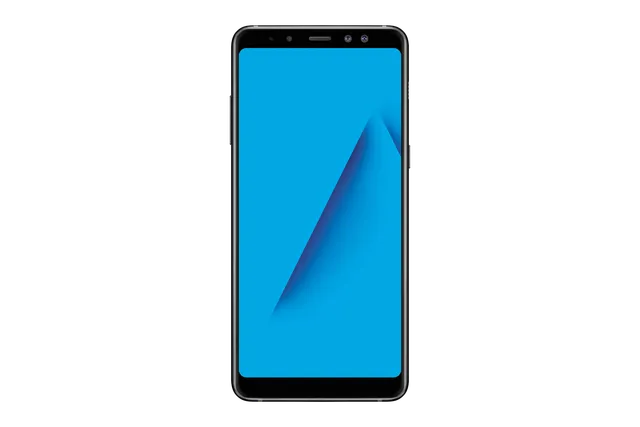
Black
Phone · Samsung Galaxy A8+
Stock firmware and official updates for the Samsung Galaxy A8+ (SM-A730F), by region.
 Afghanistan AFGBuildA730FXXU7CUI2AndroidAndroid 9Security patchSep 2021ReleasedNov 1, 2023DetailsWhat's new
 Bahamas BAABuildA730FXXS7CUL1AndroidAndroid 9Security patchDec 2021ReleasedFeb 11, 2022DetailsWhat's new
Samsung's official release notes, newest first.
• Stability and reliability Device behavior has been improved. These changes may vary depending on the model, country, or network operator of the customer environment.
Released for 2 CSCs: IUS, MXO
Source: Samsung• Stability and reliability Device behavior has been improved. These changes may vary depending on the model, country, or network operator of the customer environment.
Released for 2 CSCs: SIN, STH
Source: Samsung· Auto rotate error has been resolved. · The security of your device has been improved.
Released for 39 CSCs: ACR, AFG, AFR, BNG, BRI, BTC, CAC, CAM, ECT, EGY, INS, KSA, LAO, LYS, MAT, MID, MM1, MWD, NPL, NZC, PAK, SEK, SER, SIN, SKZ, SLK, STH, TGY, THL, THR, TNZ, TUN, TUR, XID, XME, XSG, XSP, XTC, XXV
Source: Samsung• Overall stability of your device has been improved.
Released for 1 CSC: BRI
 Bangladesh BNG
 Bolivia BVOBuildA730FXXS7CUL1AndroidAndroid 9Security patchDec 2021ReleasedFeb 11, 2022DetailsWhat's new
 Brazil ZTABuildA730FXXS7CUL2AndroidAndroid 9Security patchDec 2021ReleasedFeb 4, 2022DetailsWhat's newBrazil ZTMBuildA730FXXS7CUL2AndroidAndroid 9Security patchDec 2021ReleasedFeb 4, 2022DetailsWhat's newBrazil ZTOBuildA730FXXS7CUL2AndroidAndroid 9Security patchDec 2021ReleasedFeb 4, 2022DetailsWhat's newBrazil ZVVBuildA730FXXS7CUL2AndroidAndroid 9Security patchDec 2021ReleasedFeb 4, 2022DetailsWhat's new
 Chile CHOBuildA730FXXS7CUL1AndroidAndroid 9Security patchDec 2021ReleasedFeb 11, 2022DetailsWhat's new
 Colombia COMBuildA730FXXU2BRG9AndroidAndroid 8Security patchJul 2018ReleasedSep 11, 2018DetailsDownloadColombia COOBuildA730FXXS7CUL1AndroidAndroid 9Security patchDec 2021ReleasedFeb 11, 2022DetailsWhat's new
 Dominican Republic CDRBuildA730FXXS7CUL1AndroidAndroid 9Security patchDec 2021ReleasedFeb 11, 2022DetailsWhat's newDominican Republic DOOBuildA730FXXS7CUL1AndroidAndroid 9Security patchDec 2021ReleasedFeb 11, 2022DetailsWhat's newDominican Republic DORBuildA730FXXU2ARC7AndroidAndroid 7Security patch—ReleasedApr 27, 2018DetailsDownload
 Ecuador ALEBuildA730FXXS7CUL1AndroidAndroid 9Security patchDec 2021ReleasedFeb 11, 2022DetailsWhat's newEcuador ECOBuildA730FXXS7CUL1AndroidAndroid 9Security patchDec 2021ReleasedFeb 11, 2022DetailsWhat's newEcuador EONBuildA730FXXS7CUL1AndroidAndroid 9Security patchDec 2021ReleasedFeb 11, 2022DetailsWhat's new
 Egypt EGYBuildA730FXXU7CUI2AndroidAndroid 9Security patchSep 2021ReleasedNov 1, 2023DetailsWhat's new
 El Salvador ETEBuildA730FXXS7CUL1AndroidAndroid 9Security patchDec 2021ReleasedFeb 11, 2022DetailsWhat's new
 Ghana ACRBuildA730FXXU7CUI2AndroidAndroid 9Security patchSep 2021ReleasedNov 1, 2023DetailsWhat's new
 Guatemala CGUBuildA730FXXS7CUL1AndroidAndroid 9Security patchDec 2021ReleasedFeb 11, 2022DetailsWhat's newGuatemala GTOBuildA730FXXS7CUL1AndroidAndroid 9Security patchDec 2021ReleasedFeb 11, 2022DetailsWhat's new
 Honduras CTEBuildA730FXXS7CUL1AndroidAndroid 9Security patchDec 2021ReleasedFeb 11, 2022DetailsWhat's new
 Hong Kong SAR China TGYBuildA730FXXU7CUI2AndroidAndroid 9Security patchSep 2021ReleasedNov 1, 2023DetailsWhat's new
 India INSBuildA730FXXU7CUI2AndroidAndroid 9Security patchSep 2021ReleasedNov 1, 2023DetailsWhat's new
 Indonesia XIDBuildA730FXXU7CUI2AndroidAndroid 9Security patchSep 2021ReleasedNov 1, 2023DetailsWhat's new
 Iran THRBuildA730FXXU7CUI2AndroidAndroid 9Security patchSep 2021ReleasedNov 1, 2023DetailsWhat's new
 Iraq MIDBuildA730FXXU7CUI2AndroidAndroid 9Security patchSep 2021ReleasedNov 1, 2023DetailsWhat's new
 Israel CELBuildA730FXXU7CTE1AndroidAndroid 9Security patchMay 2020ReleasedSep 1, 2020DetailsWhat's newIsrael ILOBuildA730FXXU7CTE1AndroidAndroid 9Security patchMay 2020ReleasedSep 1, 2020DetailsWhat's newIsrael PCLBuildA730FXXU7CTE1AndroidAndroid 9Security patchMay 2020ReleasedSep 1, 2020DetailsWhat's newIsrael PTRBuildA730FXXU7CTE1AndroidAndroid 9Security patchMay 2020ReleasedSep 1, 2020DetailsWhat's new
 Kazakhstan SKZBuildA730FXXU7CUI2AndroidAndroid 9Security patchSep 2021ReleasedNov 1, 2023DetailsWhat's new
 Kyrgyzstan CACBuildA730FXXU7CUI2AndroidAndroid 9Security patchSep 2021ReleasedNov 1, 2023DetailsWhat's new
 Libya BTCBuildA730FXXU7CUI2AndroidAndroid 9Security patchSep 2021ReleasedNov 1, 2023DetailsWhat's newLibya LYSBuildA730FXXU7CUI2AndroidAndroid 9Security patchSep 2021ReleasedNov 1, 2023DetailsWhat's new
 Malaysia XMEBuildA730FXXU7CUI2AndroidAndroid 9Security patchSep 2021ReleasedNov 1, 2023DetailsWhat's new
 Mexico IUSBuildA730FXXU7CZB3AndroidAndroid 9Security patchDec 2021ReleasedApr 16, 2026DetailsWhat's newMexico MXOBuildA730FXXU7CZB3AndroidAndroid 9Security patchDec 2021ReleasedApr 16, 2026DetailsWhat's newMexico TCEBuildA730FXXS7CUL1AndroidAndroid 9Security patchDec 2021ReleasedFeb 11, 2022DetailsWhat's newMexico UNEBuildA730FXXS7CUL1AndroidAndroid 9Security patchDec 2021ReleasedFeb 11, 2022DetailsWhat's new
 Morocco MATBuildA730FXXU7CUI2AndroidAndroid 9Security patchSep 2021ReleasedNov 1, 2023DetailsWhat's newMorocco MWDBuildA730FXXU7CUI2AndroidAndroid 9Security patchSep 2021ReleasedNov 1, 2023DetailsWhat's new
 Nepal NPLBuildA730FXXU7CUI2AndroidAndroid 9Security patchSep 2021ReleasedNov 1, 2023DetailsWhat's new
 New Zealand NZCBuildA730FXXU7CUI2AndroidAndroid 9Security patchSep 2021ReleasedNov 1, 2023DetailsWhat's newNew Zealand TNZBuildA730FXXU7CUI2AndroidAndroid 9Security patchSep 2021ReleasedNov 1, 2023DetailsWhat's new
 Nigeria ECTBuildA730FXXU7CUI2AndroidAndroid 9Security patchSep 2021ReleasedNov 1, 2023DetailsWhat's new
 Pakistan PAKBuildA730FXXU7CUI2AndroidAndroid 9Security patchSep 2021ReleasedNov 1, 2023DetailsWhat's new
 Panama TPABuildA730FXXS7CUL1AndroidAndroid 9Security patchDec 2021ReleasedFeb 11, 2022DetailsWhat's new
 Peru PEOBuildA730FXXS7CUL1AndroidAndroid 9Security patchDec 2021ReleasedFeb 11, 2022DetailsWhat's new
 Philippines XTCBuildA730FXXU7CUI2AndroidAndroid 9Security patchSep 2021ReleasedNov 1, 2023DetailsWhat's new
 Puerto Rico PCTBuildA730FXXS7CUL1AndroidAndroid 9Security patchDec 2021ReleasedFeb 11, 2022DetailsWhat's new
 Russia SERBuildA730FXXU7CUI2AndroidAndroid 9Security patchSep 2021ReleasedNov 1, 2023DetailsWhat's new
 Saudi Arabia KSABuildA730FXXU7CUI2AndroidAndroid 9Security patchSep 2021ReleasedNov 1, 2023DetailsWhat's new
 Singapore MM1BuildA730FXXU7CUI2AndroidAndroid 9Security patchSep 2021ReleasedNov 1, 2023DetailsWhat's newSingapore SINBuildA730FXXU7CZC1AndroidAndroid 9Security patchSep 2021ReleasedApr 15, 2026DetailsWhat's newSingapore STHBuildA730FXXU7CZC1AndroidAndroid 9Security patchSep 2021ReleasedApr 15, 2026DetailsWhat's newSingapore XSPBuildA730FXXU7CUI2AndroidAndroid 9Security patchSep 2021ReleasedNov 1, 2023DetailsWhat's new
 Sri Lanka SLKBuildA730FXXU7CUI2AndroidAndroid 9Security patchSep 2021ReleasedNov 1, 2023DetailsWhat's new
 Taiwan BRIBuildA730FXXU7CWD2AndroidAndroid 9Security patchSep 2021ReleasedMay 2, 2023DetailsWhat's new
 Thailand CAMBuildA730FXXU7CUI2AndroidAndroid 9Security patchSep 2021ReleasedNov 1, 2023DetailsWhat's newThailand LAOBuildA730FXXU7CUI2AndroidAndroid 9Security patchSep 2021ReleasedNov 1, 2023DetailsWhat's newThailand THLBuildA730FXXU7CUI2AndroidAndroid 9Security patchSep 2021ReleasedNov 1, 2023DetailsWhat's new
 Trinidad & Tobago TTTBuildA730FXXS7CUL1AndroidAndroid 9Security patchDec 2021ReleasedFeb 11, 2022DetailsWhat's new
 Tunisia TUNBuildA730FXXU7CUI2AndroidAndroid 9Security patchSep 2021ReleasedNov 1, 2023DetailsWhat's new
 Türkiye TURBuildA730FXXU7CUI2AndroidAndroid 9Security patchSep 2021ReleasedNov 1, 2023DetailsWhat's new
 Ukraine SEKBuildA730FXXU7CVE1AndroidAndroid 9Security patchSep 2021ReleasedJul 9, 2022DetailsWhat's new
 United Arab Emirates AFRBuildA730FXXU7CUI2AndroidAndroid 9Security patchSep 2021ReleasedNov 1, 2023DetailsWhat's newUnited Arab Emirates XSGBuildA730FXXU7CUI2AndroidAndroid 9Security patchSep 2021ReleasedNov 1, 2023DetailsWhat's new
 Vietnam XXVBuildA730FXXU7CUI2AndroidAndroid 9Security patchSep 2021ReleasedNov 1, 2023DetailsWhat's new
• An emergency alert (Emergency Cell Broadcast) feature has been added in Ukraine.
Released for 1 CSC: SEK
Source: Samsung• The security of your device has been improved.
Released for 21 CSCs: ALE, BAA, BVO, CDR, CGU, CHO, COO, CTE, DOO, ECO, EON, ETE, GTO, IUS, MXO, PCT, PEO, TCE, TPA, TTT, UNE
Source: Samsung• The security of your device has been improved.
Released for 4 CSCs: ZTA, ZTM, ZTO, ZVV
Source: Samsung· Device stability improvements, bug fixes. · New and / or enhanced features. · Further improvements to performance.
Released for 20 CSCs: BAA, BVO, CDR, CGU, CHO, COO, CTE, DOO, ECO, EON, ETE, GTO, IUS, MXO, PCT, PEO, TCE, TPA, TTT, UNE
Source: SamsungThe exact changes may differ depending on your device model, country/Region, and service provider. • Added new feature. - Google RCS(Rich Communication Service) • The latest Android security patch has been applied. - Device security has been further enhanced.
Released for 33 CSCs: ACR, AFG, AFR, BRI, BTC, CAC, CAM, ECT, EGY, KSA, LAO, LYS, MAT, MID, MM1, NZC, PAK, SEK, SER, SIN, SKZ, STH, THL, THR, TNZ, TUN, TUR, XID, XME, XSG, XSP, XTC, XXV
Source: Samsung· The security of your device has been improved.
Released for 4 CSCs: BNG, INS, NPL, SLK
Source: Samsung• LGPD (General Personal Data Protection Law) has been applied. • The security of your device has been improved.
Released for 4 CSCs: ZTA, ZTM, ZTO, ZVV
Source: Samsung- The latest Android security patch has been applied. ㆍDevice security has been further enhanced.
Released for 38 CSCs: ACR, AFG, AFR, BNG, BRI, BTC, CAC, CAM, ECT, EGY, INS, LAO, LYS, MAT, MID, MM1, MWD, NPL, NZC, PAK, SEK, SER, SIN, SKZ, SLK, STH, TGY, THL, THR, TNZ, TUN, TUR, XID, XME, XSG, XSP, XTC, XXV
Source: Samsung· The security of your device has been improved.
Released for 6 CSCs: CHO, COO, EON, TPA, TTT, ZTO
Source: Samsung· Device stability improvements, bug fixes. · New and / or enhanced features. · Further improvements to performance.
Released for 4 CSCs: BAA, BVO, IUS, UNE
Source: SamsungThe exact changes may differ depending on your device model, country/Region, and service provider. • Other bug fixes - Overall stability of functions improved. • The latest Android security patch has been applied. - Device security has been further enhanced.
Released for 52 CSCs: ACR, AFG, AFR, ALE, BNG, BRI, BTC, CAC, CAM, CDR, CGU, CTE, DOO, ECO, ECT, EGY, ETE, GTO, INS, LAO, LYS, MAT, MID, MM1, MWD, MXO, NPL, NZC, PAK, PCT, PEO, SEK, SER, SIN, SKZ, SLK, STH, TCE, TGY, THL, THR, TNZ, TUN, TUR, XID, XME, XSG, XSP, XTC, XXV, ZTM, ZVV
Source: Samsung· The security of your device has been improved.
Released for 4 CSCs: CAC, SEK, SER, SKZ
Source: Samsung• The stability of Game Tools has been improved. • The security of your device has been improved.
Released for 9 CSCs: CDR, CHO, COO, EON, PCT, TCE, TPA, TTT, ZTO
Source: Samsung- The latest Android security patch has been applied. ㆍDevice security has been further enhanced.
Released for 41 CSCs: ACR, AFG, AFR, BNG, BRI, BTC, CAC, CEL, ECT, EGY, ILO, INS, KSA, LAO, LYS, MAT, MID, MM1, MWD, NPL, NZC, PAK, PCL, PTR, SEK, SER, SIN, SKZ, SLK, STH, TGY, THL, THR, TNZ, TUN, XID, XME, XSG, XSP, XTC, XXV
Source: Samsung· Device stability improvements, bug fixes. · New and / or enhanced features. · Further improvements to performance.
Released for 24 CSCs: ALE, BAA, BVO, CDR, CGU, CHO, COO, CTE, DOO, ECO, EON, ETE, GTO, IUS, MXO, PCT, PEO, TCE, TPA, TTT, UNE, ZTM, ZTO, ZVV
Source: Samsung· Auto rotate error has been resolved. · The security of your device has been improved.
Released for 1 CSC: CAM
Source: Samsung· The security of your device has been improved.
Released for 16 CSCs: ACR, AFG, AFR, BTC, ECT, EGY, KSA, LYS, MAT, MID, MWD, PAK, THR, TUN, TUR, XSG
Source: Samsung· Device stability improvements, bug fixes. · New and / or enhanced features. · Further improvements to performance.
Released for 23 CSCs: ALE, BAA, BVO, CDR, CGU, CHO, COO, CTE, DOO, ECO, EON, ETE, GTO, IUS, MXO, PCT, PEO, TCE, TPA, UNE, ZTM, ZTO, ZVV
Source: Samsung- The latest Android security patch has been applied. ㆍDevice security has been further enhanced.
Released for 19 CSCs: BNG, BRI, CAC, CAM, INS, LAO, NPL, NZC, SEK, SER, SKZ, SLK, TGY, THL, TNZ, XID, XME, XTC, XXV
Source: Samsung· The security of your device has been improved.
Released for 20 CSCs: ACR, AFG, AFR, BTC, CEL, ECT, EGY, ILO, KSA, LYS, MAT, MID, MWD, PAK, PCL, PTR, THR, TUN, TUR, XSG
Source: Samsung· The security of your device has been improved.
Released for 4 CSCs: CDR, ECO, PCT, TCE
Source: Samsung· Device stability improvements, bug fixes. · New and / or enhanced features. · Further improvements to performance.
Released for 24 CSCs: ALE, BAA, BVO, CDR, CGU, CHO, COO, CTE, DOO, ECO, EON, ETE, GTO, IUS, MXO, PCT, PEO, TCE, TPA, TTT, UNE, ZTM, ZTO, ZVV
Source: Samsung· The security of your device has been improved.
Released for 6 CSCs: BNG, INS, NPL, SEK, SER, SLK
Source: Samsung- The latest Android security patch has been applied. ㆍDevice security has been further enhanced.
Released for 17 CSCs: BRI, CAC, CAM, LAO, MM1, NZC, SIN, SKZ, STH, TGY, THL, TNZ, XID, XME, XSP, XTC, XXV
Source: Samsung· Device stability improvements, bug fixes. · New and / or enhanced features. · Further improvements to performance.
Released for 23 CSCs: ALE, BAA, BVO, CDR, CGU, CHO, COO, CTE, DOO, ECO, EON, ETE, GTO, IUS, MXO, PCT, PEO, TCE, TPA, TTT, UNE, ZTM, ZTO
Source: Samsung· The security of your device has been improved.
Released for 4 CSCs: CDR, ECO, PCT, TCE
Source: Samsung· The security of your device has been improved.
Released for 16 CSCs: ACR, AFG, AFR, BTC, ECT, EGY, KSA, LYS, MAT, MID, MWD, PAK, THR, TUN, TUR, XSG
Source: Samsung· The security of your device has been improved.
Released for 4 CSCs: BNG, INS, NPL, SLK
Source: Samsung- The latest Android security patch has been applied. ㆍDevice security has been further enhanced.
Released for 19 CSCs: BRI, CAC, CAM, LAO, MM1, NZC, SEK, SER, SIN, SKZ, STH, TGY, THL, TNZ, XID, XME, XSP, XTC, XXV
Source: SamsungUpgraded One UI for Android Pie One UI brings you Android Pie, with exciting new features and a whole new look and feel based on feedback from users in Samsung and Google. We recommend that you back up your important data to keep it safe before the upgrade. Some apps, including Calculator, Samsung Internet, Samsung Health, Samsung Notes, Samsung Members, and Samsung Pay, need to be updated individually after you update your OS. To use the Remote unlock function in Find My Mobile on an Android Pie device, the screen lock password (or PIN/pattern) backup process is required. So please make sure that you remember the screen lock password (or PIN/pattern) before starting the update process. If you've forgotten the password (or PIN/pattern), reset it before starting the update process. Here’s what’s new. One UI - Content, settings, and other information have been reorganized to keep you focused on the task at hand. - Interactive elements have been moved to the bottom of the screen so they're always within reach. - New designs and features such as Night mode help keep your eyes comfortable. Notifications - You can reply to messages directly in the notification panel. - Image thumbnails are included in message notifications. - In an app's notification settings, tap the switch once to turn on or off all the notifications in a category. Samsung Keyboard - New Unicode 11.0 emojis are available. - New adaptive theme changes your keyboard look based on the colors of the surrounding app. - Floating keyboard is available in all apps and has new size and transparency settings. - You can set a custom touch and hold delay. Device care (formerly Device maintenance) - Performance modes are streamlined and integrated into power saving modes. - The Edge panel for device maintenance is discontinued. Always On Display - New clock styles have been added, including the option to show a calendar with your schedule. - Charging information has been added to let you know how much time is remaining until fully charged. - You can show Always On Display whenever the screen is off, or you can set it to show for 30 seconds when you tap the screen. Settings - Menus have been reorganized to make settings easier to find. Samsung DeX - Continue using your phone while DeX is being displayed on a monitor or TV. - Use Samsung DeX with supported HDMI adapters. No need for a DeX Station. Bixby - Bixby is all new, with a range of improvements and new features. - Swipe left from the main Bixby screen to explore the latest features and supported apps. - You can control the Bixby key in settings to decide what happens when you press or double press. Phone - You can now sort your call history by incoming and outgoing calls. - Your call history can include up to 2000 entries (increased from 500 entries). Contacts - The new drawer menu makes it easier to manage contacts from various accounts. Camera - The new Scene optimizer automatically enhances the camera's color settings to fit the scene. Gallery - Photo Editor Pro's editing tools have been added to Gallery, so you can make all your edits and touchups without leaving the app. My Files - The new storage analysis tool has been added to help you monitor your storage usage and save space. - You can now show or hide items on the My Files Home screen. Samsung Health - Your daily step count will be shown in the notification panel. To hide it, press and hold the notification, then turn off Current steps. Other improvements and changes - Turn on the screen automatically whenever you pick up your phone using the Lift to wake feature. - Access Kids Home on the quick panel. - Call stickers has been discontinued. - HEIF images are now supported.
Released for 20 CSCs: ACR, AFG, AFR, BTC, CEL, ECT, EGY, ILO, KSA, LYS, MAT, MID, MWD, PAK, PCL, PTR, THR, TUN, TUR, XSG
Source: SamsungUpgraded One UI for Android Pie 9.0 One UI brings you Android Pie, with exciting new features and a whole new look and feel based on feedback from users in Samsung and Google. We recommend that you back up your important data to keep it safe before the upgrade. Some apps, including Calculator, Samsung Internet, Samsung Health, Samsung Notes, Samsung Members, and Samsung Pay, need to be updated individually after you update your OS. To use the Remote unlock function in Find My Mobile on an Android Pie device, the screen lock password (or PIN/pattern) backup process is required. So please make sure that you remember the screen lock password (or PIN/pattern) before starting the update process. If you've forgotten the password (or PIN/pattern), reset it before starting the update process. Here’s what’s new. One UI - Content, settings, and other information have been reorganized to keep you focused on the task at hand. - Interactive elements have been moved to the bottom of the screen so they're always within reach. - New designs and features such as Night mode help keep your eyes comfortable. Notifications - You can reply to messages directly in the notification panel. - Image thumbnails are included in message notifications. - In an app's notification settings, tap the switch once to turn on or off all the notifications in a category. Samsung Keyboard - New Unicode 11.0 emojis are available. - New adaptive theme changes your keyboard look based on the colors of the surrounding app. - Floating keyboard is available in all apps and has new size and transparency settings. - You can set a custom touch and hold delay. Device care (formerly Device maintenance) - Performance modes are streamlined and integrated into power saving modes. - The Edge panel for device maintenance is discontinued. Always On Display - New clock styles have been added, including the option to show a calendar with your schedule. - Charging information has been added to let you know how much time is remaining until fully charged. - You can show Always On Display whenever the screen is off, or you can set it to show for 30 seconds when you tap the screen. Settings - Menus have been reorganized to make settings easier to find. Bixby - Bixby is all new, with a range of improvements and new features. - Swipe left from the main Bixby screen to explore the latest features and supported apps. - You can control the Bixby key in settings to decide what happens when you press or double press. Phone - You can now sort your call history by incoming and outgoing calls. - Your call history can include up to 2000 entries (increased from 500 entries). Contacts - The new drawer menu makes it easier to manage contacts from various accounts. Camera - The new Scene optimizer automatically enhances the camera's color settings to fit the scene. Gallery - Photo Editor Pro's editing tools have been added to Gallery, so you can make all your edits and touchups without leaving the app. My Files - The new storage analysis tool has been added to help you monitor your storage usage and save space. - You can now show or hide items on the My Files Home screen. Samsung Health - Your daily step count will be shown in the notification panel. To hide it, press and hold the notification, then turn off Current steps. Other improvements and changes - Turn on the screen automatically whenever you pick up your phone using the Lift to wake feature. - Access Kids Home on the quick panel. - Call stickers has been discontinued. - HEIF images are now supported.
Released for 24 CSCs: ALE, BAA, BVO, CDR, CGU, CHO, COO, CTE, DOO, ECO, EON, ETE, GTO, IUS, MXO, PCT, PEO, TCE, TPA, TTT, UNE, ZTM, ZTO, ZVV
Source: Samsung- The latest Android security patch has been applied. ㆍDevice security has been further enhanced.
Released for 19 CSCs: BRI, CAC, CAM, LAO, MM1, NZC, SEK, SER, SIN, SKZ, STH, TGY, THL, TNZ, XID, XME, XSP, XTC, XXV
Source: SamsungUpgraded One UI for Android Pie 9.0 One UI brings you Android Pie, with exciting new features and a whole new look and feel based on feedback from users in Samsung and Google. We recommend that you back up your important data to keep it safe before the upgrade. Some apps, including Calculator, Samsung Internet, Samsung Health, Samsung Notes, Samsung Members, and Samsung Pay, need to be updated individually after you update your OS. To use the Remote unlock function in Find My Mobile on an Android Pie device, the screen lock password (or PIN/pattern) backup process is required. So please make sure that you remember the screen lock password (or PIN/pattern) before starting the update process. If you've forgotten the password (or PIN/pattern), reset it before starting the update process. Here’s what’s new. One UI - Content, settings, and other information have been reorganized to keep you focused on the task at hand. - Interactive elements have been moved to the bottom of the screen so they're always within reach. - New designs and features such as Night mode help keep your eyes comfortable. Notifications - You can reply to messages directly in the notification panel. - Image thumbnails are included in message notifications. - In an app's notification settings, tap the switch once to turn on or off all the notifications in a category. Samsung Keyboard - New Unicode 11.0 emojis are available. - New adaptive theme changes your keyboard look based on the colors of the surrounding app. - Floating keyboard is available in all apps and has new size and transparency settings. - You can set a custom touch and hold delay. Device care (formerly Device maintenance) - Performance modes are streamlined and integrated into power saving modes. - The Edge panel for device maintenance is discontinued. Always On Display - New clock styles have been added, including the option to show a calendar with your schedule. - Charging information has been added to let you know how much time is remaining until fully charged. - You can show Always On Display whenever the screen is off, or you can set it to show for 30 seconds when you tap the screen. Settings - Menus have been reorganized to make settings easier to find. Bixby - Bixby is all new, with a range of improvements and new features. - Swipe left from the main Bixby screen to explore the latest features and supported apps. - You can control the Bixby key in settings to decide what happens when you press or double press. Phone - You can now sort your call history by incoming and outgoing calls. - Your call history can include up to 2000 entries (increased from 500 entries). Contacts - The new drawer menu makes it easier to manage contacts from various accounts. Camera - The new Scene optimizer automatically enhances the camera's color settings to fit the scene. Gallery - Photo Editor Pro's editing tools have been added to Gallery, so you can make all your edits and touchups without leaving the app. My Files - The new storage analysis tool has been added to help you monitor your storage usage and save space. - You can now show or hide items on the My Files Home screen. Samsung Health - Your daily step count will be shown in the notification panel. To hide it, press and hold the notification, then turn off Current steps. Other improvements and changes - Turn on the screen automatically whenever you pick up your phone using the Lift to wake feature. - Access Kids Home on the quick panel. - Call stickers has been discontinued. - HEIF images are now supported.
Released for 4 CSCs: ZTA, ZTM, ZTO, ZVV
Source: Samsung· Device stability improvements, bug fixes. · New and / or enhanced features. · Further improvements to performance.
Released for 16 CSCs: ALE, BVO, CGU, CHO, COO, CTE, DOO, EON, ETE, GTO, MXO, PEO, TCE, TPA, TTT, ZTO
Source: Samsung· The security of your device has been improved. ※ If your device is encrypted, it must be decrypted before upgrading.
Released for 4 CSCs: BNG, INS, NPL, SLK
Source: SamsungUpgraded One UI for Android Pie One UI brings you Android Pie, with exciting new features and a whole new look and feel based on feedback from users in Samsung and Google. We recommend that you back up your important data to keep it safe before the upgrade. Some apps, including Calculator, Samsung Internet, Samsung Health, Samsung Notes, Samsung Members, and Samsung Pay, need to be updated individually after you update your OS. To use the Remote unlock function in Find My Mobile on an Android Pie device, the screen lock password (or PIN/pattern) backup process is required. So please make sure that you remember the screen lock password (or PIN/pattern) before starting the update process. If you've forgotten the password (or PIN/pattern), reset it before starting the update process. Here’s what’s new. One UI - Content, settings, and other information have been reorganized to keep you focused on the task at hand. - Interactive elements have been moved to the bottom of the screen so they're always within reach. - New designs and features such as Night mode help keep your eyes comfortable. Notifications - You can reply to messages directly in the notification panel. - Image thumbnails are included in message notifications. - In an app's notification settings, tap the switch once to turn on or off all the notifications in a category. Samsung Keyboard - New Unicode 11.0 emojis are available. - New adaptive theme changes your keyboard look based on the colors of the surrounding app. - Floating keyboard is available in all apps and has new size and transparency settings. - You can set a custom touch and hold delay. Device care (formerly Device maintenance) - Performance modes are streamlined and integrated into power saving modes. - The Edge panel for device maintenance is discontinued. Always On Display - New clock styles have been added, including the option to show a calendar with your schedule. - Charging information has been added to let you know how much time is remaining until fully charged. - You can show Always On Display whenever the screen is off, or you can set it to show for 30 seconds when you tap the screen. Settings - Menus have been reorganized to make settings easier to find. Samsung DeX - Continue using your phone while DeX is being displayed on a monitor or TV. - Use Samsung DeX with supported HDMI adapters. No need for a DeX Station. Bixby - Bixby is all new, with a range of improvements and new features. - Swipe left from the main Bixby screen to explore the latest features and supported apps. - You can control the Bixby key in settings to decide what happens when you press or double press. Phone - You can now sort your call history by incoming and outgoing calls. - Your call history can include up to 2000 entries (increased from 500 entries). Contacts - The new drawer menu makes it easier to manage contacts from various accounts. Camera - The new Scene optimizer automatically enhances the camera's color settings to fit the scene. Gallery - Photo Editor Pro's editing tools have been added to Gallery, so you can make all your edits and touchups without leaving the app. My Files - The new storage analysis tool has been added to help you monitor your storage usage and save space. - You can now show or hide items on the My Files Home screen. Samsung Health - Your daily step count will be shown in the notification panel. To hide it, press and hold the notification, then turn off Current steps. Other improvements and changes - Turn on the screen automatically whenever you pick up your phone using the Lift to wake feature. - Access Kids Home on the quick panel. - Call stickers has been discontinued. - HEIF images are now supported.
Released for 17 CSCs: AFG, AFR, BTC, CEL, EGY, ILO, KSA, LYS, MAT, MID, MWD, PAK, PCL, PTR, THR, TUN, XSG
Source: SamsungUpgraded One UI for Android Pie 9.0 One UI brings you Android Pie 9.0, with exciting new features and a whole new look and feel based on feedback from users in Samsung and Google. We recommend that you back up your important data to keep it safe before the upgrade. Some apps, including Calculator, Samsung Internet, Samsung Health, Samsung Notes, Samsung Members, and Samsung Pay, need to be updated individually after you update your OS. To use the Remote unlock function in Find My Mobile on an Android Pie 9.0 device, the screen lock password (or PIN/pattern) backup process is required. So please make sure that you remember the screen lock password (or PIN/pattern) before starting the update process. If you've forgotten the password (or PIN/pattern), reset it before starting the update process. Here’s what’s new. One UI - Content, settings, and other information have been reorganized to keep you focused on the task at hand. - Interactive elements have been moved to the bottom of the screen so they're always within reach. - New designs and features such as Night mode help keep your eyes comfortable. Notifications - You can reply to messages directly in the notification panel. - Image thumbnails are included in message notifications. - In an app's notification settings, tap the switch once to turn on or off all the notifications in a category. Samsung Keyboard - New Unicode 11.0 emojis are available. - New adaptive theme changes your keyboard look based on the colors of the surrounding app. - Floating keyboard is available in all apps and has new size and transparency settings. - You can set a custom touch and hold delay. Device care (formerly Device maintenance) - Performance modes are streamlined and integrated into power saving modes. Always On Display - New clock styles have been added, including the option to show a calendar with your schedule. - Charging information has been added to let you know how much time is remaining until fully charged. - You can show Always On Display whenever the screen is off, or you can set it to show for 30 seconds when you tap the screen. Settings - Menus have been reorganized to make settings easier to find. Bixby - Bixby is all new, with a range of improvements and new features. - Swipe left from the main Bixby screen to explore the latest features and supported apps. Phone - You can now sort your call history by incoming and outgoing calls. - Your call history can include up to 2000 entries (increased from 500 entries). Contacts - The new drawer menu makes it easier to manage contacts from various accounts. Gallery - Photo Editor Pro's editing tools have been added to Gallery, so you can make all your edits and touchups without leaving the app. My Files - The new storage analysis tool has been added to help you monitor your storage usage and save space. - You can now show or hide items on the My Files Home screen. Samsung Health - Your daily step count will be shown in the notification panel. To hide it, press and hold the notification, then turn off Current steps. Other improvements and changes - Turn on the screen automatically whenever you pick up your phone using the Lift to wake feature. - Access Kids Home on the quick panel. - Call stickers has been discontinued. - HEIF images are now supported.
Released for 15 CSCs: BRI, CAM, LAO, MM1, NZC, SER, SIN, STH, THL, TNZ, XID, XME, XSP, XTC, XXV
Source: SamsungUpgraded One UI for Android Pie One UI brings you Android Pie, with exciting new features and a whole new look and feel based on feedback from users in Samsung and Google. We recommend that you back up your important data to keep it safe before the upgrade. Some apps, including Calculator, Samsung Internet, Samsung Health, Samsung Notes, Samsung Members, and Samsung Pay, need to be updated individually after you update your OS. To use the Remote unlock function in Find My Mobile on an Android Pie device, the screen lock password (or PIN/pattern) backup process is required. So please make sure that you remember the screen lock password (or PIN/pattern) before starting the update process. If you've forgotten the password (or PIN/pattern), reset it before starting the update process. Here’s what’s new. One UI - Content, settings, and other information have been reorganized to keep you focused on the task at hand. - Interactive elements have been moved to the bottom of the screen so they're always within reach. - New designs and features such as Night mode help keep your eyes comfortable. Notifications - You can reply to messages directly in the notification panel. - Image thumbnails are included in message notifications. - In an app's notification settings, tap the switch once to turn on or off all the notifications in a category. Samsung Keyboard - New Unicode 11.0 emojis are available. - New adaptive theme changes your keyboard look based on the colors of the surrounding app. - Floating keyboard is available in all apps and has new size and transparency settings. - You can set a custom touch and hold delay. Device care (formerly Device maintenance) - Performance modes are streamlined and integrated into power saving modes. - The Edge panel for device maintenance is discontinued. Always On Display - New clock styles have been added, including the option to show a calendar with your schedule. - Charging information has been added to let you know how much time is remaining until fully charged. - You can show Always On Display whenever the screen is off, or you can set it to show for 30 seconds when you tap the screen. Settings - Menus have been reorganized to make settings easier to find. Samsung DeX - Continue using your phone while DeX is being displayed on a monitor or TV. - Use Samsung DeX with supported HDMI adapters. No need for a DeX Station. Bixby - Bixby is all new, with a range of improvements and new features. - Swipe left from the main Bixby screen to explore the latest features and supported apps. - You can control the Bixby key in settings to decide what happens when you press or double press. Phone - You can now sort your call history by incoming and outgoing calls. - Your call history can include up to 2000 entries (increased from 500 entries). Contacts - The new drawer menu makes it easier to manage contacts from various accounts. Camera - The new Scene optimizer automatically enhances the camera's color settings to fit the scene. Gallery - Photo Editor Pro's editing tools have been added to Gallery, so you can make all your edits and touchups without leaving the app. My Files - The new storage analysis tool has been added to help you monitor your storage usage and save space. - You can now show or hide items on the My Files Home screen. Samsung Health - Your daily step count will be shown in the notification panel. To hide it, press and hold the notification, then turn off Current steps. Other improvements and changes - Turn on the screen automatically whenever you pick up your phone using the Lift to wake feature. - Access Kids Home on the quick panel. - Call stickers has been discontinued. - HEIF images are now supported.
Released for 9 CSCs: BAA, CGU, CTE, ECO, ETE, IUS, PCT, TCE, UNE
Source: SamsungUpgraded One UI for Android Pie One UI brings you Android Pie, with exciting new features and a whole new look and feel based on feedback from users in Samsung and Google. We recommend that you back up your important data to keep it safe before the upgrade. Some apps, including Calculator, Samsung Internet, Samsung Health, Samsung Notes, Samsung Members, and Samsung Pay, need to be updated individually after you update your OS. To use the Remote unlock function in Find My Mobile on an Android Pie device, the screen lock password (or PIN/pattern) backup process is required. So please make sure that you remember the screen lock password (or PIN/pattern) before starting the update process. If you've forgotten the password (or PIN/pattern), reset it before starting the update process. Here’s what’s new. One UI - Content, settings, and other information have been reorganized to keep you focused on the task at hand. - Interactive elements have been moved to the bottom of the screen so they're always within reach. - New designs and features such as Night mode help keep your eyes comfortable. Notifications - You can reply to messages directly in the notification panel. - Image thumbnails are included in message notifications. - In an app's notification settings, tap the switch once to turn on or off all the notifications in a category. Samsung Keyboard - New Unicode 11.0 emojis are available. - New adaptive theme changes your keyboard look based on the colors of the surrounding app. - Floating keyboard is available in all apps and has new size and transparency settings. - You can set a custom touch and hold delay. Device care (formerly Device maintenance) - Performance modes are streamlined and integrated into power saving modes. - The Edge panel for device maintenance is discontinued. Always On Display - New clock styles have been added, including the option to show a calendar with your schedule. - Charging information has been added to let you know how much time is remaining until fully charged. - You can show Always On Display whenever the screen is off, or you can set it to show for 30 seconds when you tap the screen. Settings - Menus have been reorganized to make settings easier to find. Samsung DeX - Continue using your phone while DeX is being displayed on a monitor or TV. - Use Samsung DeX with supported HDMI adapters. No need for a DeX Station. Bixby - Bixby is all new, with a range of improvements and new features. - Swipe left from the main Bixby screen to explore the latest features and supported apps. - You can control the Bixby key in settings to decide what happens when you press or double press. Phone - You can now sort your call history by incoming and outgoing calls. - Your call history can include up to 2000 entries (increased from 500 entries). Contacts - The new drawer menu makes it easier to manage contacts from various accounts. Camera - The new Scene optimizer automatically enhances the camera's color settings to fit the scene. Gallery - Photo Editor Pro's editing tools have been added to Gallery, so you can make all your edits and touchups without leaving the app. My Files - The new storage analysis tool has been added to help you monitor your storage usage and save space. - You can now show or hide items on the My Files Home screen. Samsung Health - Your daily step count will be shown in the notification panel. To hide it, press and hold the notification, then turn off Current steps. Other improvements and changes - Turn on the screen automatically whenever you pick up your phone using the Lift to wake feature. - Access Kids Home on the quick panel. - Call stickers has been discontinued. - HEIF images are now supported.
Released for 2 CSCs: BVO, MXO
Source: SamsungUpgraded One UI for Android Pie One UI brings you Android Pie, with exciting new features and a whole new look and feel based on feedback from users in Samsung and Google. We recommend that you back up your important data to keep it safe before the upgrade. Some apps, including Calculator, Samsung Internet, Samsung Health, Samsung Notes, Samsung Members, and Samsung Pay, need to be updated individually after you update your OS. To use the Remote unlock function in Find My Mobile on an Android Pie device, the screen lock password (or PIN/pattern) backup process is required. So please make sure that you remember the screen lock password (or PIN/pattern) before starting the update process. If you've forgotten the password (or PIN/pattern), reset it before starting the update process. Here’s what’s new. One UI - Content, settings, and other information have been reorganized to keep you focused on the task at hand. - Interactive elements have been moved to the bottom of the screen so they're always within reach. - New designs and features such as Night mode help keep your eyes comfortable. Notifications - You can reply to messages directly in the notification panel. - Image thumbnails are included in message notifications. - In an app's notification settings, tap the switch once to turn on or off all the notifications in a category. Samsung Keyboard - New Unicode 11.0 emojis are available. - New adaptive theme changes your keyboard look based on the colors of the surrounding app. - Floating keyboard is available in all apps and has new size and transparency settings. - You can set a custom touch and hold delay. Device care (formerly Device maintenance) - Performance modes are streamlined and integrated into power saving modes. - The Edge panel for device maintenance is discontinued. Always On Display - New clock styles have been added, including the option to show a calendar with your schedule. - Charging information has been added to let you know how much time is remaining until fully charged. - You can show Always On Display whenever the screen is off, or you can set it to show for 30 seconds when you tap the screen. Settings - Menus have been reorganized to make settings easier to find. Samsung DeX - Continue using your phone while DeX is being displayed on a monitor or TV. - Use Samsung DeX with supported HDMI adapters. No need for a DeX Station. Bixby - Bixby is all new, with a range of improvements and new features. - Swipe left from the main Bixby screen to explore the latest features and supported apps. - You can control the Bixby key in settings to decide what happens when you press or double press. Phone - You can now sort your call history by incoming and outgoing calls. - Your call history can include up to 2000 entries (increased from 500 entries). Contacts - The new drawer menu makes it easier to manage contacts from various accounts. Camera - The new Scene optimizer automatically enhances the camera's color settings to fit the scene. Gallery - Photo Editor Pro's editing tools have been added to Gallery, so you can make all your edits and touchups without leaving the app. My Files - The new storage analysis tool has been added to help you monitor your storage usage and save space. - You can now show or hide items on the My Files Home screen. Samsung Health - Your daily step count will be shown in the notification panel. To hide it, press and hold the notification, then turn off Current steps. Other improvements and changes - Turn on the screen automatically whenever you pick up your phone using the Lift to wake feature. - Access Kids Home on the quick panel. - Call stickers has been discontinued. - HEIF images are now supported.
Released for 6 CSCs: CAC, SEK, SER, SKZ, TGY, THL
Source: SamsungUpgraded One UI for Android Pie 9.0 One UI brings you Android Pie, with exciting new features and a whole new look and feel based on feedback from users in Samsung and Google. We recommend that you back up your important data to keep it safe before the upgrade. Some apps, including Calculator, Samsung Internet, Samsung Health, Samsung Notes, Samsung Members, and Samsung Pay, need to be updated individually after you update your OS. To use the Remote unlock function in Find My Mobile on an Android Pie device, the screen lock password (or PIN/pattern) backup process is required. So please make sure that you remember the screen lock password (or PIN/pattern) before starting the update process. If you've forgotten the password (or PIN/pattern), reset it before starting the update process. Here’s what’s new. One UI - Content, settings, and other information have been reorganized to keep you focused on the task at hand. - Interactive elements have been moved to the bottom of the screen so they're always within reach. - New designs and features such as Night mode help keep your eyes comfortable. Notifications - You can reply to messages directly in the notification panel. - Image thumbnails are included in message notifications. - In an app's notification settings, tap the switch once to turn on or off all the notifications in a category. Samsung Keyboard - New Unicode 11.0 emojis are available. - New adaptive theme changes your keyboard look based on the colors of the surrounding app. - Floating keyboard is available in all apps and has new size and transparency settings. - You can set a custom touch and hold delay. Device care (formerly Device maintenance) - Performance modes are streamlined and integrated into power saving modes. - The Edge panel for device maintenance is discontinued. Always On Display - New clock styles have been added, including the option to show a calendar with your schedule. - Charging information has been added to let you know how much time is remaining until fully charged. - You can show Always On Display whenever the screen is off, or you can set it to show for 30 seconds when you tap the screen. Settings - Menus have been reorganized to make settings easier to find. Bixby - Bixby is all new, with a range of improvements and new features. - Swipe left from the main Bixby screen to explore the latest features and supported apps. - You can control the Bixby key in settings to decide what happens when you press or double press. Phone - You can now sort your call history by incoming and outgoing calls. - Your call history can include up to 2000 entries (increased from 500 entries). Contacts - The new drawer menu makes it easier to manage contacts from various accounts. Camera - The new Scene optimizer automatically enhances the camera's color settings to fit the scene. Gallery - Photo Editor Pro's editing tools have been added to Gallery, so you can make all your edits and touchups without leaving the app. My Files - The new storage analysis tool has been added to help you monitor your storage usage and save space. - You can now show or hide items on the My Files Home screen. Samsung Health - Your daily step count will be shown in the notification panel. To hide it, press and hold the notification, then turn off Current steps. Other improvements and changes - Turn on the screen automatically whenever you pick up your phone using the Lift to wake feature. - Access Kids Home on the quick panel. - Call stickers has been discontinued. - HEIF images are now supported.
Released for 10 CSCs: ALE, CHO, COO, DOO, EON, GTO, PEO, TPA, TTT, ZTO
Source: SamsungUpgraded One UI for Android Pie 9.0 One UI brings you Android Pie, with exciting new features and a whole new look and feel based on feedback from users in Samsung and Google. We recommend that you back up your important data to keep it safe before the upgrade. Some apps, including Calculator, Samsung Internet, Samsung Health, Samsung Notes, Samsung Members, and Samsung Pay, need to be updated individually after you update your OS. To use the Remote unlock function in Find My Mobile on an Android Pie device, the screen lock password (or PIN/pattern) backup process is required. So please make sure that you remember the screen lock password (or PIN/pattern) before starting the update process. If you've forgotten the password (or PIN/pattern), reset it before starting the update process. Here’s what’s new. One UI - Content, settings, and other information have been reorganized to keep you focused on the task at hand. - Interactive elements have been moved to the bottom of the screen so they're always within reach. - New designs and features such as Night mode help keep your eyes comfortable. Notifications - You can reply to messages directly in the notification panel. - Image thumbnails are included in message notifications. - In an app's notification settings, tap the switch once to turn on or off all the notifications in a category. Samsung Keyboard - New Unicode 11.0 emojis are available. - New adaptive theme changes your keyboard look based on the colors of the surrounding app. - Floating keyboard is available in all apps and has new size and transparency settings. - You can set a custom touch and hold delay. Device care (formerly Device maintenance) - Performance modes are streamlined and integrated into power saving modes. - The Edge panel for device maintenance is discontinued. Always On Display - New clock styles have been added, including the option to show a calendar with your schedule. - Charging information has been added to let you know how much time is remaining until fully charged. - You can show Always On Display whenever the screen is off, or you can set it to show for 30 seconds when you tap the screen. Settings - Menus have been reorganized to make settings easier to find. Bixby - Bixby is all new, with a range of improvements and new features. - Swipe left from the main Bixby screen to explore the latest features and supported apps. - You can control the Bixby key in settings to decide what happens when you press or double press. Phone - You can now sort your call history by incoming and outgoing calls. - Your call history can include up to 2000 entries (increased from 500 entries). Contacts - The new drawer menu makes it easier to manage contacts from various accounts. Camera - The new Scene optimizer automatically enhances the camera's color settings to fit the scene. Gallery - Photo Editor Pro's editing tools have been added to Gallery, so you can make all your edits and touchups without leaving the app. My Files - The new storage analysis tool has been added to help you monitor your storage usage and save space. - You can now show or hide items on the My Files Home screen. Samsung Health - Your daily step count will be shown in the notification panel. To hide it, press and hold the notification, then turn off Current steps. Other improvements and changes - Turn on the screen automatically whenever you pick up your phone using the Lift to wake feature. - Access Kids Home on the quick panel. - Call stickers has been discontinued. - HEIF images are now supported.
Released for 4 CSCs: BNG, INS, NPL, SLK
Source: Samsung· Device stability improvements, bug fixes. · New and / or enhanced features. · Further improvements to performance.
Released for 2 CSCs: PCT, TCE
Source: SamsungUpgraded One UI for Android Pie One UI brings you Android Pie, with exciting new features and a whole new look and feel based on feedback from users in Samsung and Google. We recommend that you back up your important data to keep it safe before the upgrade. Some apps, including Calculator, Samsung Internet, Samsung Health, Samsung Notes, Samsung Members, and Samsung Pay, need to be updated individually after you update your OS. To use the Remote unlock function in Find My Mobile on an Android Pie device, the screen lock password (or PIN/pattern) backup process is required. So please make sure that you remember the screen lock password (or PIN/pattern) before starting the update process. If you've forgotten the password (or PIN/pattern), reset it before starting the update process. Here’s what’s new. One UI - Content, settings, and other information have been reorganized to keep you focused on the task at hand. - Interactive elements have been moved to the bottom of the screen so they're always within reach. - New designs and features such as Night mode help keep your eyes comfortable. Notifications - You can reply to messages directly in the notification panel. - Image thumbnails are included in message notifications. - In an app's notification settings, tap the switch once to turn on or off all the notifications in a category. Samsung Keyboard - New Unicode 11.0 emojis are available. - New adaptive theme changes your keyboard look based on the colors of the surrounding app. - Floating keyboard is available in all apps and has new size and transparency settings. - You can set a custom touch and hold delay. Device care (formerly Device maintenance) - Performance modes are streamlined and integrated into power saving modes. - The Edge panel for device maintenance is discontinued. Always On Display - New clock styles have been added, including the option to show a calendar with your schedule. - Charging information has been added to let you know how much time is remaining until fully charged. - You can show Always On Display whenever the screen is off, or you can set it to show for 30 seconds when you tap the screen. Settings - Menus have been reorganized to make settings easier to find. Samsung DeX - Continue using your phone while DeX is being displayed on a monitor or TV. - Use Samsung DeX with supported HDMI adapters. No need for a DeX Station. Bixby - Bixby is all new, with a range of improvements and new features. - Swipe left from the main Bixby screen to explore the latest features and supported apps. - You can control the Bixby key in settings to decide what happens when you press or double press. Phone - You can now sort your call history by incoming and outgoing calls. - Your call history can include up to 2000 entries (increased from 500 entries). Contacts - The new drawer menu makes it easier to manage contacts from various accounts. Camera - The new Scene optimizer automatically enhances the camera's color settings to fit the scene. Gallery - Photo Editor Pro's editing tools have been added to Gallery, so you can make all your edits and touchups without leaving the app. My Files - The new storage analysis tool has been added to help you monitor your storage usage and save space. - You can now show or hide items on the My Files Home screen. Samsung Health - Your daily step count will be shown in the notification panel. To hide it, press and hold the notification, then turn off Current steps. Other improvements and changes - Turn on the screen automatically whenever you pick up your phone using the Lift to wake feature. - Access Kids Home on the quick panel. - Call stickers has been discontinued. - HEIF images are now supported.
Released for 3 CSCs: CAC, SER, SKZ
Source: Samsung· Device stability improvements, bug fixes. · New and / or enhanced features. · Further improvements to performance.
Released for 5 CSCs: ALE, BVO, DOO, MXO, PEO
Source: Samsung· The security of your device has been improved. · The stability of Wi-Fi has been improved. · The stability of Voice call has been improved.
Released for 20 CSCs: ACR, AFG, AFR, BTC, CEL, ECT, EGY, ILO, KSA, LYS, MAT, MID, MWD, PAK, PCL, PTR, THR, TUN, TUR, XSG
Source: Samsung· Device stability improvements, bug fixes. · New and / or enhanced features. · Further improvements to performance.
Released for 1 CSC: ZTM
Source: SamsungUpgraded One UI for Android Pie One UI brings you Android Pie, with exciting new features and a whole new look and feel based on feedback from users in Samsung and Google. We recommend that you back up your important data to keep it safe before the upgrade. Some apps, including Calculator, Samsung Internet, Samsung Health, Samsung Notes, Samsung Members, and Samsung Pay, need to be updated individually after you update your OS. To use the Remote unlock function in Find My Mobile on an Android Pie device, the screen lock password (or PIN/pattern) backup process is required. So please make sure that you remember the screen lock password (or PIN/pattern) before starting the update process. If you've forgotten the password (or PIN/pattern), reset it before starting the update process. Here’s what’s new. One UI - Content, settings, and other information have been reorganized to keep you focused on the task at hand. - Interactive elements have been moved to the bottom of the screen so they're always within reach. - New designs and features such as Night mode help keep your eyes comfortable. Notifications - You can reply to messages directly in the notification panel. - Image thumbnails are included in message notifications. - In an app's notification settings, tap the switch once to turn on or off all the notifications in a category. Samsung Keyboard - New Unicode 11.0 emojis are available. - New adaptive theme changes your keyboard look based on the colors of the surrounding app. - Floating keyboard is available in all apps and has new size and transparency settings. - You can set a custom touch and hold delay. Device care (formerly Device maintenance) - Performance modes are streamlined and integrated into power saving modes. - The Edge panel for device maintenance is discontinued. Always On Display - New clock styles have been added, including the option to show a calendar with your schedule. - Charging information has been added to let you know how much time is remaining until fully charged. - You can show Always On Display whenever the screen is off, or you can set it to show for 30 seconds when you tap the screen. Settings - Menus have been reorganized to make settings easier to find. Samsung DeX - Continue using your phone while DeX is being displayed on a monitor or TV. - Use Samsung DeX with supported HDMI adapters. No need for a DeX Station. Bixby - Bixby is all new, with a range of improvements and new features. - Swipe left from the main Bixby screen to explore the latest features and supported apps. - You can control the Bixby key in settings to decide what happens when you press or double press. Phone - You can now sort your call history by incoming and outgoing calls. - Your call history can include up to 2000 entries (increased from 500 entries). Contacts - The new drawer menu makes it easier to manage contacts from various accounts. Camera - The new Scene optimizer automatically enhances the camera's color settings to fit the scene. Gallery - Photo Editor Pro's editing tools have been added to Gallery, so you can make all your edits and touchups without leaving the app. My Files - The new storage analysis tool has been added to help you monitor your storage usage and save space. - You can now show or hide items on the My Files Home screen. Samsung Health - Your daily step count will be shown in the notification panel. To hide it, press and hold the notification, then turn off Current steps. Other improvements and changes - Turn on the screen automatically whenever you pick up your phone using the Lift to wake feature. - Access Kids Home on the quick panel. - Call stickers has been discontinued. - HEIF images are now supported.
Released for 1 CSC: SER
Source: Samsung· Device stability improvements, bug fixes. · New and / or enhanced features. · Further improvements to performance.
Released for 7 CSCs: CGU, CHO, COO, CTE, ETE, IUS, UNE
Source: Samsung· Device stability improvements, bug fixes. · New and / or enhanced features. · Further improvements to performance.
Released for 8 CSCs: CAC, EON, SEK, SER, SKZ, TPA, TTT, ZTO
Source: Samsung· Device stability improvements, bug fixes. · New and / or enhanced features. · Further improvements to performance.
Released for 9 CSCs: ALE, BAA, BVO, CDR, DOO, ECO, MXO, PEO, ZTA
Source: Samsung
