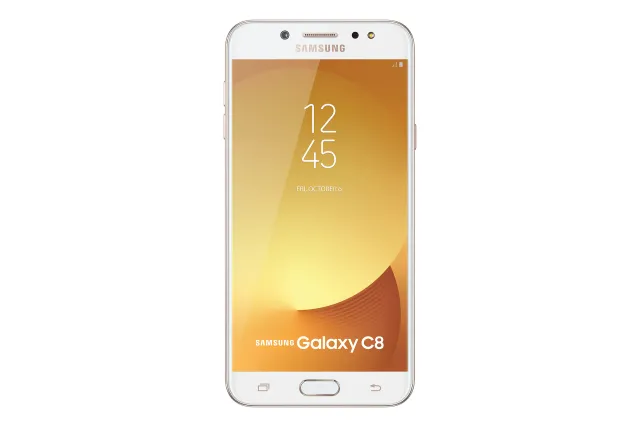
GOLD
Phone · Samsung Galaxy C8
Stock firmware and official updates for the Samsung Galaxy C8 (SM-C7108), by region.
 China CBKBuildC7108ZMU1BSB2AndroidAndroid 8Security patchDec 2018ReleasedApr 10, 2019DetailsWhat's new
Samsung's official release notes, newest first.
Samsung Experience 9.5 upgrade with Android Oreo Samsung Experience 9.5 brings you Android Oreo, with exciting new features from Samsung and Google based on feedback from users like you. We recommend that you back up your important data to keep it safe during the upgrade. Some apps, including Samsung Internet, Samsung Notes, and Email, should be updated individually before you can update your OS. Here’s what’s new. Quick Panel - Manage notifications for each app with notification categories (supported apps only). - Icons will be shown at the bottom of the notification panel for notifications that aren't currently visible. Home Screen - Touch and hold an app to display shortcuts to common or recommended tasks within the app (supported apps only). - Notification badges on app icons are linked with the notification panel. Clear a notification in one location, and it will also be cleared in the other location. Samsung Keyboard - The toolbar gives quick access to useful functions. - The GIF keyboard lets you send GIFs. - More high-contrast keyboards are available. System Performance - Background services are limited to improve performance and battery life. - Currently running apps will always be shown in the notification panel. Lock Screen and Always On Display - New clock styles for the Lock screen and Always On Display. - Adjust the transparency of notifications to get the look you want. Samsung account - Control your account settings and profile information for multiple apps. - Tap your profile picture on the main Settings page to access your profile information and account settings. Samsung Cloud - View and manage photos and notes stored only in Samsung Cloud. - Select specific items to delete or restore from your backups. - See how big each backup is and how many items it contains. Find My Mobile - Back up Secure Folder remotely in Samsung Cloud when your phone is lost. Other improvements - Bluetooth now supports high-quality audio codecs, including AAC and Sony LDAC. - Samsung Health's new sticky notification lets you see your step count at a glance. - New Samsung video replaced old Samsung video without keeping data. the VIP user can continue to get the VIP benefit after login VIP account in the new Samsung video.
Released for 1 CSC: CBK
Source: SamsungTaken from the SM-C7100; this model can differ (chipset, network bands).
- Other bug fixes ㆍFixes the issue that sometimes screen to malfunction. - The latest Android security patch has been applied. ㆍDevice security has been further enhanced.
Released for 1 CSC: CBK
Source: Samsung- Added new feature ㆍNon-CMCC SIM card also support LTE+WCDMA mode in roaming areas. - The latest Android security patch has been applied. ㆍDevice security has been further enhanced.
Released for 1 CSC: CBK
Source: Samsung- Other bug fixes ㆍFixed the issue that 199/188/166 number can't register samsung account. - The latest Android security patch has been applied. ㆍDevice security has been further enhanced.
Released for 1 CSC: CBK
Source: Samsung- Other bug fixes ㆍFixed some issue that signal failure in specific network. - Added new feature ㆍThe preload app Samsung Reader application will be added. ㆍCMCC Video CRBT(Coloring Ring Back Tone) function is added. - The latest Android security patch has been applied. ㆍDevice security has been further enhanced.
Released for 1 CSC: CBK
Source: Samsung- Improved performance ㆍThe stability of the Camera is improved. - The latest Android security patch has been applied. ㆍDevice security has been further enhanced.
Released for 1 CSC: CBK
Source: Samsung- The Auto Brightness Concept is changed. ( Reset the LCD user setting brightness when brightness mode is changed to manual mode. ) - Added new feature ㆍAdded beauty face effect function to camera 'Live Focus' mode. - Other bug fixes ㆍFixed an issue that sharing files fail by Wlan Direct.
Released for 1 CSC: CBK
Source: Samsung
