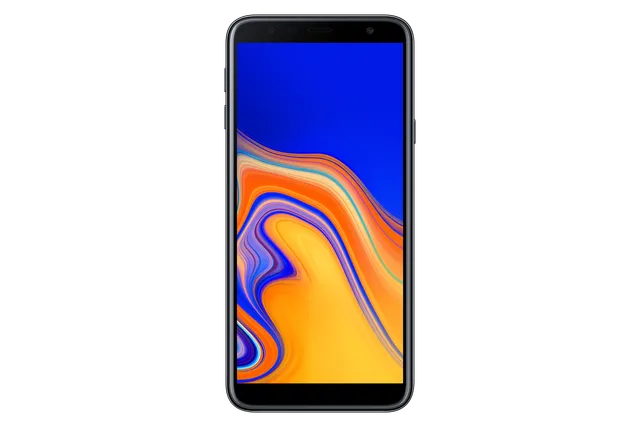
Phone · Samsung Galaxy J4+
Stock firmware and official updates for the Samsung Galaxy J4+ (SM-J415FN), by region.
 Albania AVFBuildJ415FNXXS6BVJ1AndroidAndroid 9Security patchDec 2020ReleasedDec 21, 2022DetailsWhat's new
 Austria ATOBuildJ415FNXXS6BVJ1AndroidAndroid 9Security patchDec 2020ReleasedDec 21, 2022DetailsWhat's new
Samsung's official release notes, newest first.
• Stability and reliability Device behavior has been improved. These changes may vary depending on the model, country, or network operator of the customer environment.
Released for 3 CSCs: NEE, PHN, VDF
Source: Samsung• Stability and reliability Device behavior has been improved.
Released for 70 CSCs: 3IE, AMO, ATL, ATO, AVF, BGL, BHT, BOG, BTB, BTE, BTU, CAC, CAU, CNX, COA, COS, CRO, CYV, DBT, DHR, DPL, EUR, EVR, FTM, H3G, ITV, LUX, MBM, MEO, MET, MOT, MSR, NEE, O2C, O2U, OMN, OPV, ORO, ORS, ORX, PHE, PHN, PLS, PRT, ROM, SEB, SEE, SFR, SIM, SKZ, TCL, TEB, TIM, TMH, TMZ, TPH, TPL, VDC, VDF, VDH, VDI, VGR, VIP, VOD, XEC, XEF, XEH, XEO, XEU, XEZ
Source: Samsung• Stability and reliability Device behavior has been improved.
Released for 1 CSC: SER
Source: Samsung• Stability and reliability Device behavior has been improved.
Taken from the SM-J415F; this model can differ (chipset, network bands).
 Bosnia & Herzegovina BHTBosnia & Herzegovina TEBBuildJ415FNXXS6BVJ1AndroidAndroid 9Security patchDec 2020ReleasedDec 21, 2022DetailsWhat's new
 Bulgaria BGLBuildJ415FNXXS6BVJ1AndroidAndroid 9Security patchDec 2020ReleasedDec 21, 2022DetailsWhat's new
 Croatia CROBuildJ415FNXXS6BVJ1AndroidAndroid 9Security patchDec 2020ReleasedDec 21, 2022DetailsWhat's newCroatia DHRBuildJ415FNXXS6BVJ1AndroidAndroid 9Security patchDec 2020ReleasedDec 21, 2022DetailsWhat's newCroatia VIPBuildJ415FNXXS6BVJ1AndroidAndroid 9Security patchDec 2020ReleasedDec 21, 2022DetailsWhat's new
 Cyprus CYVBuildJ415FNXXS6BVJ1AndroidAndroid 9Security patchDec 2020ReleasedDec 21, 2022DetailsWhat's new
 Czechia O2CBuildJ415FNXXS6BVJ1AndroidAndroid 9Security patchDec 2020ReleasedDec 21, 2022DetailsWhat's newCzechia TMZBuildJ415FNXXS6BVJ1AndroidAndroid 9Security patchDec 2020ReleasedDec 21, 2022DetailsWhat's newCzechia VDCBuildJ415FNXXS6BVJ1AndroidAndroid 9Security patchDec 2020ReleasedDec 21, 2022DetailsWhat's newCzechia XEZBuildJ415FNXXS6BVJ1AndroidAndroid 9Security patchDec 2020ReleasedDec 21, 2022DetailsWhat's new
 France BOGBuildJ415FNXXS6BVJ1AndroidAndroid 9Security patchDec 2020ReleasedDec 21, 2022DetailsWhat's newFrance FTMBuildJ415FNXXS6BVJ1AndroidAndroid 9Security patchDec 2020ReleasedDec 21, 2022DetailsWhat's newFrance SFRBuildJ415FNXXS6BVJ1AndroidAndroid 9Security patchDec 2020ReleasedDec 21, 2022DetailsWhat's newFrance XEFBuildJ415FNXXS6BVJ1AndroidAndroid 9Security patchDec 2020ReleasedDec 21, 2022DetailsWhat's new
 Georgia CAUBuildJ415FNXXS6BVJ1AndroidAndroid 9Security patchDec 2020ReleasedDec 21, 2022DetailsWhat's new
 Germany DBTBuildJ415FNXXS6BVJ1AndroidAndroid 9Security patchDec 2020ReleasedDec 21, 2022DetailsWhat's new
 Greece COSBuildJ415FNXXS6BVJ1AndroidAndroid 9Security patchDec 2020ReleasedDec 21, 2022DetailsWhat's newGreece EURBuildJ415FNXXS6BVJ1AndroidAndroid 9Security patchDec 2020ReleasedDec 21, 2022DetailsWhat's newGreece VGRBuildJ415FNXXS6BVJ1AndroidAndroid 9Security patchDec 2020ReleasedDec 21, 2022DetailsWhat's new
 Hungary TMHBuildJ415FNXXS6BVJ1AndroidAndroid 9Security patchDec 2020ReleasedDec 21, 2022DetailsWhat's newHungary VDHBuildJ415FNXXS6BVJ1AndroidAndroid 9Security patchDec 2020ReleasedDec 21, 2022DetailsWhat's newHungary XEHBuildJ415FNXXS6BVJ1AndroidAndroid 9Security patchDec 2020ReleasedDec 21, 2022DetailsWhat's new
 Ireland 3IEBuildJ415FNXXS6BVJ1AndroidAndroid 9Security patchDec 2020ReleasedDec 21, 2022DetailsWhat's newIreland METBuildJ415FNXXS6BVJ1AndroidAndroid 9Security patchDec 2020ReleasedDec 21, 2022DetailsWhat's newIreland VDIBuildJ415FNXXS6BVJ1AndroidAndroid 9Security patchDec 2020ReleasedDec 21, 2022DetailsWhat's new
 Italy ITVBuildJ415FNXXS6BVJ1AndroidAndroid 9Security patchDec 2020ReleasedDec 21, 2022DetailsWhat's newItaly OMNBuildJ415FNXXS6BVJ1AndroidAndroid 9Security patchDec 2020ReleasedDec 21, 2022DetailsWhat's newItaly TIMBuildJ415FNXXS6BVJ1AndroidAndroid 9Security patchDec 2020ReleasedDec 21, 2022DetailsWhat's new
 Kazakhstan SKZBuildJ415FNXXS6BVJ1AndroidAndroid 9Security patchDec 2020ReleasedDec 21, 2022DetailsWhat's new
 Kyrgyzstan CACBuildJ415FNXXS6BVJ1AndroidAndroid 9Security patchDec 2020ReleasedDec 21, 2022DetailsWhat's new
 Latvia SEBBuildJ415FNXXS6BVJ1AndroidAndroid 9Security patchDec 2020ReleasedDec 21, 2022DetailsWhat's new
 Luxembourg LUXBuildJ415FNXXS6BVJ1AndroidAndroid 9Security patchDec 2020ReleasedDec 21, 2022DetailsWhat's new
 Netherlands PHNBuildJ415FNXXU6BZB2AndroidAndroid 9Security patchDec 2020ReleasedApr 20, 2026DetailsWhat's newNetherlands VDFBuildJ415FNXXU6BZB2AndroidAndroid 9Security patchDec 2020ReleasedApr 20, 2026DetailsWhat's new
 North Macedonia MBMBuildJ415FNXXS6BVJ1AndroidAndroid 9Security patchDec 2020ReleasedDec 21, 2022DetailsWhat's new
 Poland DPLBuildJ415FNXXS6BVJ1AndroidAndroid 9Security patchDec 2020ReleasedDec 21, 2022DetailsWhat's newPoland OPVBuildJ415FNXXS6BVJ1AndroidAndroid 9Security patchDec 2020ReleasedDec 21, 2022DetailsWhat's newPoland PLSBuildJ415FNXXS6BVJ1AndroidAndroid 9Security patchDec 2020ReleasedDec 21, 2022DetailsWhat's newPoland PRTBuildJ415FNXXS6BVJ1AndroidAndroid 9Security patchDec 2020ReleasedDec 21, 2022DetailsWhat's newPoland TPLBuildJ415FNXXS6BVJ1AndroidAndroid 9Security patchDec 2020ReleasedDec 21, 2022DetailsWhat's newPoland XEOBuildJ415FNXXS6BVJ1AndroidAndroid 9Security patchDec 2020ReleasedDec 21, 2022DetailsWhat's new
 Portugal MEOBuildJ415FNXXS6BVJ1AndroidAndroid 9Security patchDec 2020ReleasedDec 21, 2022DetailsWhat's newPortugal TCLBuildJ415FNXXS6BVJ1AndroidAndroid 9Security patchDec 2020ReleasedDec 21, 2022DetailsWhat's newPortugal TPHBuildJ415FNXXS6BVJ1AndroidAndroid 9Security patchDec 2020ReleasedDec 21, 2022DetailsWhat's new
 Romania CNXBuildJ415FNXXS6BVJ1AndroidAndroid 9Security patchDec 2020ReleasedDec 21, 2022DetailsWhat's newRomania COABuildJ415FNXXS6BVJ1AndroidAndroid 9Security patchDec 2020ReleasedDec 21, 2022DetailsWhat's newRomania OROBuildJ415FNXXS6BVJ1AndroidAndroid 9Security patchDec 2020ReleasedDec 21, 2022DetailsWhat's newRomania ROMBuildJ415FNXXS6BVJ1AndroidAndroid 9Security patchDec 2020ReleasedDec 21, 2022DetailsWhat's new
 Russia SERBuildJ415FNPUS6BVJ1AndroidAndroid 9Security patchDec 2020ReleasedDec 16, 2022DetailsWhat's new
 Serbia MSRBuildJ415FNXXS6BVJ1AndroidAndroid 9Security patchDec 2020ReleasedDec 21, 2022DetailsWhat's newSerbia SEEBuildJ415FNXXS6BVJ1AndroidAndroid 9Security patchDec 2020ReleasedDec 21, 2022DetailsWhat's new
 Slovakia ORSBuildJ415FNXXS6BVJ1AndroidAndroid 9Security patchDec 2020ReleasedDec 21, 2022DetailsWhat's newSlovakia ORXBuildJ415FNXXS6BVJ1AndroidAndroid 9Security patchDec 2020ReleasedDec 21, 2022DetailsWhat's newSlovakia TMSBuildJ415FNXXU4BSF6AndroidAndroid 9Security patchJul 2019ReleasedSep 9, 2019DetailsWhat's new
 Slovenia MOTBuildJ415FNXXS6BVJ1AndroidAndroid 9Security patchDec 2020ReleasedDec 21, 2022DetailsWhat's newSlovenia SIMBuildJ415FNXXS6BVJ1AndroidAndroid 9Security patchDec 2020ReleasedDec 21, 2022DetailsWhat's new
 Spain AMOBuildJ415FNXXS6BVJ1AndroidAndroid 9Security patchDec 2020ReleasedDec 21, 2022DetailsWhat's newSpain ATLBuildJ415FNXXS6BVJ1AndroidAndroid 9Security patchDec 2020ReleasedDec 21, 2022DetailsWhat's newSpain PHEBuildJ415FNXXS6BVJ1AndroidAndroid 9Security patchDec 2020ReleasedDec 21, 2022DetailsWhat's newSpain XECBuildJ415FNXXS6BVJ1AndroidAndroid 9Security patchDec 2020ReleasedDec 21, 2022DetailsWhat's new
 Sweden NEEBuildJ415FNXXU6BZB2AndroidAndroid 9Security patchDec 2020ReleasedApr 20, 2026DetailsWhat's new
 UK & IRE BTUBuildJ415FNXXS6BVJ1AndroidAndroid 9Security patchDec 2020ReleasedDec 21, 2022DetailsWhat's newUK & IRE XEUBuildJ415FNXXS6BVJ1AndroidAndroid 9Security patchDec 2020ReleasedDec 21, 2022DetailsWhat's new
 Ukraine SEKBuildJ415FNXXS6BVJ2AndroidAndroid 9Security patchDec 2020ReleasedDec 15, 2022DetailsWhat's newUnited Kingdom BTBBuildJ415FNXXS6BVJ1AndroidAndroid 9Security patchDec 2020ReleasedDec 21, 2022DetailsWhat's newUnited Kingdom BTEBuildJ415FNXXS6BVJ1AndroidAndroid 9Security patchDec 2020ReleasedDec 21, 2022DetailsWhat's newUnited Kingdom EVRBuildJ415FNXXS6BVJ1AndroidAndroid 9Security patchDec 2020ReleasedDec 21, 2022DetailsWhat's newUnited Kingdom H3GBuildJ415FNXXS6BVJ1AndroidAndroid 9Security patchDec 2020ReleasedDec 21, 2022DetailsWhat's newUnited Kingdom O2UBuildJ415FNXXS6BVJ1AndroidAndroid 9Security patchDec 2020ReleasedDec 21, 2022DetailsWhat's newUnited Kingdom VODBuildJ415FNXXS6BVJ1AndroidAndroid 9Security patchDec 2020ReleasedDec 21, 2022DetailsWhat's new
Released for 1 CSC: SEK
• An emergency alert (Emergency Cell Broadcast) feature has been added in Ukraine.
Released for 1 CSC: SEK
Source: Samsung• The security of your device has been improved.
Released for 71 CSCs: 3IE, AMO, ATL, ATO, AVF, BGL, BHT, BOG, BTB, BTE, BTU, CAC, CAU, CNX, COA, COS, CRO, CYV, DBT, DHR, DPL, EUR, EVR, FTM, H3G, ITV, LUX, MBM, MEO, MET, MOT, MSR, NEE, O2C, O2U, OMN, OPV, ORO, ORS, ORX, PHE, PHN, PLS, PRT, ROM, SEB, SEE, SEK, SFR, SIM, SKZ, TCL, TEB, TIM, TMH, TMZ, TPH, TPL, VDC, VDF, VDH, VDI, VGR, VIP, VOD, XEC, XEF, XEH, XEO, XEU, XEZ
Source: Samsung• The security of your device has been improved.
Released for 66 CSCs: 3IE, ATL, ATO, AVF, BGL, BHT, BOG, BTB, BTE, BTU, CAC, CAU, CNX, COA, COS, CRO, CYV, DBT, DHR, DPL, EUR, EVR, H3G, ITV, LUX, MBM, MEO, MET, MOT, MSR, NEE, O2C, O2U, OMN, ORX, PHE, PHN, PLS, PRT, ROM, SEB, SEE, SEK, SFR, SIM, SKZ, TCL, TEB, TIM, TMH, TMZ, TPH, TPL, VDC, VDF, VDH, VDI, VGR, VIP, VOD, XEC, XEF, XEH, XEO, XEU, XEZ
Source: Samsung• The stability of Messages has been improved. • The stability of Calendar has been improved. • The security of your device has been improved.
Released for 5 CSCs: AMO, FTM, OPV, ORO, ORS
Source: Samsung• The security of your device has been improved.
Released for 66 CSCs: 3IE, ATL, ATO, AVF, BGL, BHT, BOG, BTB, BTE, BTU, CAC, CAU, CNX, COA, COS, CRO, CYV, DBT, DHR, DPL, EUR, EVR, H3G, ITV, LUX, MBM, MEO, MET, MOT, MSR, NEE, O2C, O2U, OMN, ORX, PHE, PHN, PLS, PRT, ROM, SEB, SEE, SEK, SFR, SIM, SKZ, TCL, TEB, TIM, TMH, TMZ, TPH, TPL, VDC, VDF, VDH, VDI, VGR, VIP, VOD, XEC, XEF, XEH, XEO, XEU, XEZ
Source: Samsung• The stability of Messages has been improved. • The stability of Calendar has been improved. • The security of your device has been improved.
Released for 5 CSCs: AMO, FTM, OPV, ORO, ORS
Source: Samsung• The stability of Messages has been improved. • The stability of Calendar has been improved. • The security of your device has been improved.
Released for 71 CSCs: 3IE, AMO, ATL, ATO, AVF, BGL, BHT, BOG, BTB, BTE, BTU, CAC, CAU, CNX, COA, COS, CRO, CYV, DBT, DHR, DPL, EUR, EVR, FTM, H3G, ITV, LUX, MBM, MEO, MET, MOT, MSR, NEE, O2C, O2U, OMN, OPV, ORO, ORS, ORX, PHE, PHN, PLS, PRT, ROM, SEB, SEE, SEK, SFR, SIM, SKZ, TCL, TEB, TIM, TMH, TMZ, TPH, TPL, VDC, VDF, VDH, VDI, VGR, VIP, VOD, XEC, XEF, XEH, XEO, XEU, XEZ
Source: Samsung• The stability of Messages has been improved. • The stability of Calendar has been improved. • The security of your device has been improved.
Released for 1 CSC: SER
Source: Samsung• The security of your device has been improved.
Released for 69 CSCs: 3IE, AMO, ATL, AVF, BGL, BHT, BOG, BTB, BTE, BTU, CAC, CAU, CNX, COA, COS, CRO, CYV, DBT, DHR, DPL, EVR, FTM, H3G, ITV, LUX, MBM, MEO, MET, MOT, MSR, NEE, O2C, O2U, OMN, OPV, ORO, ORS, ORX, PHE, PHN, PLS, PRT, ROM, SEB, SEE, SEK, SFR, SIM, SKZ, TCL, TEB, TIM, TMH, TMZ, TPH, TPL, VDC, VDF, VDH, VDI, VGR, VIP, VOD, XEC, XEF, XEH, XEO, XEU, XEZ
Source: Samsung• The security of your device has been improved.
Released for 69 CSCs: 3IE, AMO, ATL, AVF, BGL, BHT, BOG, BTB, BTE, BTU, CAC, CAU, CNX, COA, COS, CRO, CYV, DBT, DHR, DPL, EVR, FTM, H3G, ITV, LUX, MBM, MEO, MET, MOT, MSR, NEE, O2C, O2U, OMN, OPV, ORO, ORS, ORX, PHE, PHN, PLS, PRT, ROM, SEB, SEE, SEK, SFR, SIM, SKZ, TCL, TEB, TIM, TMH, TMZ, TPH, TPL, VDC, VDF, VDH, VDI, VGR, VIP, VOD, XEC, XEF, XEH, XEO, XEU, XEZ
Source: Samsung• The stability of Night mode has been improved. • The performance of Camera has been improved • The security of your device has been improved.
Released for 69 CSCs: 3IE, AMO, ATL, AVF, BGL, BHT, BOG, BTB, BTE, BTU, CAC, CAU, CNX, COA, COS, CRO, CYV, DBT, DHR, DPL, EVR, FTM, H3G, ITV, LUX, MBM, MEO, MET, MOT, MSR, NEE, O2C, O2U, OMN, OPV, ORO, ORS, ORX, PHE, PHN, PLS, PRT, ROM, SEB, SEE, SEK, SFR, SIM, SKZ, TCL, TEB, TIM, TMH, TMZ, TPH, TPL, VDC, VDF, VDH, VDI, VGR, VIP, VOD, XEC, XEF, XEH, XEO, XEU, XEZ
Source: Samsung• The stability of Night mode has been improved. • The performance of Camera has been improved • The security of your device has been improved.
Released for 2 CSCs: ATO, EUR
Source: Samsung• The stability of Night mode has been improved. • The performance of Camera has been improved • The security of your device has been improved.
Released for 1 CSC: SER
Source: Samsung• Call stability has been improved. • The stability of Brightness has been improved. • The security of your device has been improved.
Released for 4 CSCs: CAC, CAU, SEK, SKZ
Source: Samsung• Call stability has been improved. • The stability of Brightness has been improved. • The security of your device has been improved.
Released for 1 CSC: SER
Source: Samsung· The security of your device has been improved.
Released for 69 CSCs: 3IE, AMO, ATL, ATO, AVF, BGL, BHT, BTB, BTE, BTU, CAC, CAU, CNX, COA, COS, CRO, CYV, DBT, DHR, DPL, EUR, EVR, FTM, H3G, ITV, LUX, MBM, MEO, MET, MOT, MSR, NEE, O2C, O2U, OMN, OPV, ORO, ORS, ORX, PHE, PHN, PRT, ROM, SEB, SEE, SEK, SFR, SIM, SKZ, TCL, TEB, TIM, TMH, TMZ, TPH, TPL, VDC, VDF, VDH, VDI, VGR, VIP, VOD, XEC, XEF, XEH, XEO, XEU, XEZ
Source: Samsung· The security of your device has been improved.
Released for 70 CSCs: 3IE, AMO, ATL, ATO, AVF, BGL, BHT, BTB, BTE, BTU, CAC, CAU, CNX, COA, COS, CRO, CYV, DBT, DHR, DPL, EUR, EVR, FTM, H3G, ITV, LUX, MBM, MEO, MET, MOT, MSR, NEE, O2C, O2U, OMN, OPV, ORO, ORS, ORX, PHE, PHN, PRT, ROM, SEB, SEE, SEK, SFR, SIM, SKZ, TCL, TEB, TIM, TMH, TMS, TMZ, TPH, TPL, VDC, VDF, VDH, VDI, VGR, VIP, VOD, XEC, XEF, XEH, XEO, XEU, XEZ
Source: SamsungUpgraded One UI for Android Pie 9.0 One UI brings you Android Pie 9.0, with exciting new features and a whole new look and feel based on feedback from users in Samsung and Google. We recommend that you back up your important data to keep it safe before the upgrade. Some apps, including Calculator, Samsung Internet, Samsung Health, Samsung Notes, and Samsung Members, need to be updated individually after you update your OS. To use the Remote unlock function in Find My Mobile on an Android Pie 9.0 device, the screen lock password (or PIN/pattern) backup process is required. So please make sure that you remember the screen lock password (or PIN/pattern) before starting the update process. If you've forgotten the password (or PIN/pattern), reset it before starting the update process. Here’s what’s new. One UI - Content, settings, and other information have been reorganized to keep you focused on the task at hand. - Interactive elements have been moved to the bottom of the screen so they're always within reach. - New designs and features such as Night mode help keep your eyes comfortable. Notifications - You can reply to messages directly in the notification panel. - Image thumbnails are included in message notifications. - In an app's notification settings, tap the switch once to turn on or off all the notifications in a category. Samsung Keyboard - New Unicode 11.0 emojis are available. - New adaptive theme changes your keyboard look based on the colors of the surrounding app. - Floating keyboard is available in all apps and has new size and transparency settings. - You can set a custom touch and hold delay. Device care (formerly Device maintenance) - Performance modes are streamlined and integrated into power saving modes. Settings - Menus have been reorganized to make settings easier to find. Bixby - Bixby is all new, with a range of improvements and new features. - Swipe left from the main Bixby screen to explore the latest features and supported apps. Phone - You can now sort your call history by incoming and outgoing calls. - Your call history can include up to 2000 entries (increased from 500 entries). Contacts - The new drawer menu makes it easier to manage contacts from various accounts. Camera - The new Scene optimizer automatically enhances the camera's color settings to fit the scene. Gallery - Photo Editor Pro's editing tools have been added to Gallery, so you can make all your edits and touchups without leaving the app. My Files - The new storage analysis tool has been added to help you monitor your storage usage and save space. - You can now show or hide items on the My Files Home screen. Samsung Health - Your daily step count will be shown in the notification panel. To hide it, press and hold the notification, then turn off Current steps. Other improvements and changes - Turn on the screen automatically whenever you pick up your phone using the Lift to wake feature. - Access Kids Home on the quick panel. - Call stickers has been discontinued. - HEIF images are now supported.
Released for 7 CSCs: 3IE, BHT, H3G, LUX, MEO, PLS, SFR
Source: Samsung· The security of your device has been improved.
Released for 5 CSCs: AMO, FTM, OPV, ORO, ORS
Source: SamsungUpgraded One UI for Android Pie 9.0 One UI brings you Android Pie 9.0, with exciting new features and a whole new look and feel based on feedback from users in Samsung and Google. We recommend that you back up your important data to keep it safe before the upgrade. Some apps, including Calculator, Samsung Internet, Samsung Health, Samsung Notes, and Samsung Members, need to be updated individually after you update your OS. To use the Remote unlock function in Find My Mobile on an Android Pie 9.0 device, the screen lock password (or PIN/pattern) backup process is required. So please make sure that you remember the screen lock password (or PIN/pattern) before starting the update process. If you've forgotten the password (or PIN/pattern), reset it before starting the update process. Here’s what’s new. One UI - Content, settings, and other information have been reorganized to keep you focused on the task at hand. - Interactive elements have been moved to the bottom of the screen so they're always within reach. - New designs and features such as Night mode help keep your eyes comfortable. Notifications - You can reply to messages directly in the notification panel. - Image thumbnails are included in message notifications. - In an app's notification settings, tap the switch once to turn on or off all the notifications in a category. Samsung Keyboard - New Unicode 11.0 emojis are available. - New adaptive theme changes your keyboard look based on the colors of the surrounding app. - Floating keyboard is available in all apps and has new size and transparency settings. - You can set a custom touch and hold delay. Device care (formerly Device maintenance) - Performance modes are streamlined and integrated into power saving modes. Settings - Menus have been reorganized to make settings easier to find. Bixby - Bixby is all new, with a range of improvements and new features. - Swipe left from the main Bixby screen to explore the latest features and supported apps. Phone - You can now sort your call history by incoming and outgoing calls. - Your call history can include up to 2000 entries (increased from 500 entries). Contacts - The new drawer menu makes it easier to manage contacts from various accounts. Camera - The new Scene optimizer automatically enhances the camera's color settings to fit the scene. Gallery - Photo Editor Pro's editing tools have been added to Gallery, so you can make all your edits and touchups without leaving the app. My Files - The new storage analysis tool has been added to help you monitor your storage usage and save space. - You can now show or hide items on the My Files Home screen. Samsung Health - Your daily step count will be shown in the notification panel. To hide it, press and hold the notification, then turn off Current steps. Other improvements and changes - Turn on the screen automatically whenever you pick up your phone using the Lift to wake feature. - Access Kids Home on the quick panel. - Call stickers has been discontinued. - HEIF images are now supported.
Released for 5 CSCs: AMO, FTM, OPV, ORO, ORS
Source: SamsungUpgraded One UI for Android Pie 9.0 One UI brings you Android Pie 9.0, with exciting new features and a whole new look and feel based on feedback from users in Samsung and Google. We recommend that you back up your important data to keep it safe before the upgrade. Some apps, including Calculator, Samsung Internet, Samsung Health, Samsung Notes, and Samsung Members, need to be updated individually after you update your OS. To use the Remote unlock function in Find My Mobile on an Android Pie 9.0 device, the screen lock password (or PIN/pattern) backup process is required. So please make sure that you remember the screen lock password (or PIN/pattern) before starting the update process. If you've forgotten the password (or PIN/pattern), reset it before starting the update process. Here’s what’s new. One UI - Content, settings, and other information have been reorganized to keep you focused on the task at hand. - Interactive elements have been moved to the bottom of the screen so they're always within reach. - New designs and features such as Night mode help keep your eyes comfortable. Notifications - You can reply to messages directly in the notification panel. - Image thumbnails are included in message notifications. - In an app's notification settings, tap the switch once to turn on or off all the notifications in a category. Samsung Keyboard - New Unicode 11.0 emojis are available. - New adaptive theme changes your keyboard look based on the colors of the surrounding app. - Floating keyboard is available in all apps and has new size and transparency settings. - You can set a custom touch and hold delay. Device care (formerly Device maintenance) - Performance modes are streamlined and integrated into power saving modes. Settings - Menus have been reorganized to make settings easier to find. Bixby - Bixby is all new, with a range of improvements and new features. - Swipe left from the main Bixby screen to explore the latest features and supported apps. Phone - You can now sort your call history by incoming and outgoing calls. - Your call history can include up to 2000 entries (increased from 500 entries). Contacts - The new drawer menu makes it easier to manage contacts from various accounts. Camera - The new Scene optimizer automatically enhances the camera's color settings to fit the scene. Gallery - Photo Editor Pro's editing tools have been added to Gallery, so you can make all your edits and touchups without leaving the app. My Files - The new storage analysis tool has been added to help you monitor your storage usage and save space. - You can now show or hide items on the My Files Home screen. Samsung Health - Your daily step count will be shown in the notification panel. To hide it, press and hold the notification, then turn off Current steps. Other improvements and changes - Turn on the screen automatically whenever you pick up your phone using the Lift to wake feature. - Access Kids Home on the quick panel. - Call stickers has been discontinued. - HEIF images are now supported.
Released for 1 CSC: BOG
Source: SamsungUpgraded One UI for Android Pie 9.0 One UI brings you Android Pie 9.0, with exciting new features and a whole new look and feel based on feedback from users in Samsung and Google. We recommend that you back up your important data to keep it safe before the upgrade. Some apps, including Calculator, Samsung Internet, Samsung Health, Samsung Notes, and Samsung Members, need to be updated individually after you update your OS. To use the Remote unlock function in Find My Mobile on an Android Pie 9.0 device, the screen lock password (or PIN/pattern) backup process is required. So please make sure that you remember the screen lock password (or PIN/pattern) before starting the update process. If you've forgotten the password (or PIN/pattern), reset it before starting the update process. Here’s what’s new. One UI - Content, settings, and other information have been reorganized to keep you focused on the task at hand. - Interactive elements have been moved to the bottom of the screen so they're always within reach. - New designs and features such as Night mode help keep your eyes comfortable. Notifications - You can reply to messages directly in the notification panel. - Image thumbnails are included in message notifications. - In an app's notification settings, tap the switch once to turn on or off all the notifications in a category. Samsung Keyboard - New Unicode 11.0 emojis are available. - New adaptive theme changes your keyboard look based on the colors of the surrounding app. - Floating keyboard is available in all apps and has new size and transparency settings. - You can set a custom touch and hold delay. Device care (formerly Device maintenance) - Performance modes are streamlined and integrated into power saving modes. Settings - Menus have been reorganized to make settings easier to find. Bixby - Bixby is all new, with a range of improvements and new features. - Swipe left from the main Bixby screen to explore the latest features and supported apps. Phone - You can now sort your call history by incoming and outgoing calls. - Your call history can include up to 2000 entries (increased from 500 entries). Contacts - The new drawer menu makes it easier to manage contacts from various accounts. Camera - The new Scene optimizer automatically enhances the camera's color settings to fit the scene. Gallery - Photo Editor Pro's editing tools have been added to Gallery, so you can make all your edits and touchups without leaving the app. My Files - The new storage analysis tool has been added to help you monitor your storage usage and save space. - You can now show or hide items on the My Files Home screen. Samsung Health - Your daily step count will be shown in the notification panel. To hide it, press and hold the notification, then turn off Current steps. Other improvements and changes - Turn on the screen automatically whenever you pick up your phone using the Lift to wake feature. - Access Kids Home on the quick panel. - Call stickers has been discontinued. - HEIF images are now supported.
Released for 59 CSCs: ATL, ATO, AVF, BGL, BHT, BTB, BTE, BTU, CAC, CAU, CNX, COA, COS, CRO, CYV, DBT, DHR, DPL, EUR, EVR, ITV, MBM, MET, MOT, MSR, NEE, O2C, O2U, OMN, ORX, PHE, PHN, PRT, ROM, SEB, SEE, SEK, SIM, SKZ, TCL, TEB, TIM, TMH, TMS, TMZ, TPH, TPL, VDC, VDF, VDH, VDI, VGR, VIP, VOD, XEC, XEF, XEO, XEU, XEZ
Source: SamsungUpgraded One UI for Android Pie 9.0 One UI brings you Android Pie 9.0, with exciting new features and a whole new look and feel based on feedback from users in Samsung and Google. We recommend that you back up your important data to keep it safe before the upgrade. Some apps, including Calculator, Samsung Internet, Samsung Health, Samsung Notes, and Samsung Members, need to be updated individually after you update your OS. To use the Remote unlock function in Find My Mobile on an Android Pie 9.0 device, the screen lock password (or PIN/pattern) backup process is required. So please make sure that you remember the screen lock password (or PIN/pattern) before starting the update process. If you've forgotten the password (or PIN/pattern), reset it before starting the update process. Here’s what’s new. One UI - Content, settings, and other information have been reorganized to keep you focused on the task at hand. - Interactive elements have been moved to the bottom of the screen so they're always within reach. - New designs and features such as Night mode help keep your eyes comfortable. Notifications - You can reply to messages directly in the notification panel. - Image thumbnails are included in message notifications. - In an app's notification settings, tap the switch once to turn on or off all the notifications in a category. Samsung Keyboard - New Unicode 11.0 emojis are available. - New adaptive theme changes your keyboard look based on the colors of the surrounding app. - Floating keyboard is available in all apps and has new size and transparency settings. - You can set a custom touch and hold delay. Device care (formerly Device maintenance) - Performance modes are streamlined and integrated into power saving modes. Settings - Menus have been reorganized to make settings easier to find. Bixby - Bixby is all new, with a range of improvements and new features. - Swipe left from the main Bixby screen to explore the latest features and supported apps. Phone - You can now sort your call history by incoming and outgoing calls. - Your call history can include up to 2000 entries (increased from 500 entries). Contacts - The new drawer menu makes it easier to manage contacts from various accounts. Camera - The new Scene optimizer automatically enhances the camera's color settings to fit the scene. Gallery - Photo Editor Pro's editing tools have been added to Gallery, so you can make all your edits and touchups without leaving the app. My Files - The new storage analysis tool has been added to help you monitor your storage usage and save space. - You can now show or hide items on the My Files Home screen. Samsung Health - Your daily step count will be shown in the notification panel. To hide it, press and hold the notification, then turn off Current steps. Other improvements and changes - Turn on the screen automatically whenever you pick up your phone using the Lift to wake feature. - Access Kids Home on the quick panel. - Call stickers has been discontinued. - HEIF images are now supported.
Released for 3 CSCs: CAC, SKZ, XEH
Source: Samsung· The compatibility with third-party applications has been improved.(Hangouts/Skype)
Released for 56 CSCs: 3IE, AMO, ATL, ATO, AVF, BGL, BHT, BOG, BTB, BTE, BTU, CAC, CAU, CNX, CYV, DBT, EUR, EVR, FTM, H3G, ITV, LUX, MET, MOT, MSR, NEE, O2C, OMN, OPV, ORO, ORS, ORX, PHE, PHN, PLS, PRT, ROM, SEB, SEE, SEK, SIM, SKZ, TCL, TEB, TIM, TPH, VDC, VDF, VDH, VGR, VIP, VOD, XEF, XEO, XEU, XEZ
Source: SamsungUpgraded One UI for Android Pie 9.0 One UI brings you Android Pie 9.0, with exciting new features and a whole new look and feel based on feedback from users in Samsung and Google. We recommend that you back up your important data to keep it safe before the upgrade. Some apps, including Calculator, Samsung Internet, Samsung Health, Samsung Notes, and Samsung Members, need to be updated individually after you update your OS. To use the Remote unlock function in Find My Mobile on an Android Pie 9.0 device, the screen lock password (or PIN/pattern) backup process is required. So please make sure that you remember the screen lock password (or PIN/pattern) before starting the update process. If you've forgotten the password (or PIN/pattern), reset it before starting the update process. Here’s what’s new. One UI - Content, settings, and other information have been reorganized to keep you focused on the task at hand. - Interactive elements have been moved to the bottom of the screen so they're always within reach. - New designs and features such as Night mode help keep your eyes comfortable. Notifications - You can reply to messages directly in the notification panel. - Image thumbnails are included in message notifications. - In an app's notification settings, tap the switch once to turn on or off all the notifications in a category. Samsung Keyboard - New Unicode 11.0 emojis are available. - New adaptive theme changes your keyboard look based on the colors of the surrounding app. - Floating keyboard is available in all apps and has new size and transparency settings. - You can set a custom touch and hold delay. Device care (formerly Device maintenance) - Performance modes are streamlined and integrated into power saving modes. Settings - Menus have been reorganized to make settings easier to find. Bixby - Bixby is all new, with a range of improvements and new features. - Swipe left from the main Bixby screen to explore the latest features and supported apps. Phone - You can now sort your call history by incoming and outgoing calls. - Your call history can include up to 2000 entries (increased from 500 entries). Contacts - The new drawer menu makes it easier to manage contacts from various accounts. Camera - The new Scene optimizer automatically enhances the camera's color settings to fit the scene. Gallery - Photo Editor Pro's editing tools have been added to Gallery, so you can make all your edits and touchups without leaving the app. My Files - The new storage analysis tool has been added to help you monitor your storage usage and save space. - You can now show or hide items on the My Files Home screen. Samsung Health - Your daily step count will be shown in the notification panel. To hide it, press and hold the notification, then turn off Current steps. Other improvements and changes - Turn on the screen automatically whenever you pick up your phone using the Lift to wake feature. - Access Kids Home on the quick panel. - Call stickers has been discontinued. - HEIF images are now supported.
Released for 1 CSC: SER
Source: Samsung· Added new feature. - Smart beauty · The stability of Camera has been improved.
Released for 48 CSCs: ATO, BGL, BHT, BTB, BTE, BTU, CAC, CAU, COA, COS, CRO, DBT, DHR, DPL, EUR, EVR, ITV, MBM, MEO, MET, MOT, MSR, NEE, O2C, O2U, ORX, PHE, PHN, PLS, PRT, ROM, SEB, SEE, SEK, SKZ, TEB, TIM, TMH, TMS, TMZ, TPH, TPL, XEC, XEF, XEH, XEO, XEU, XEZ
Source: Samsung· The compatibility with third-party applications has been improved.(Hangouts/Skype)
Released for 1 CSC: BOG
Source: Samsung· Added new feature. - Smart beauty · The stability of Camera has been improved.
Released for 1 CSC: SER
Source: Samsung· The compatibility with third-party applications has been improved.(Hangouts/Skype)
Released for 4 CSCs: AMO, OPV, ORO, ORS
Source: Samsung· Added new feature. - Smart beauty · The stability of Camera has been improved.
Released for 2 CSCs: BHT, DBT
Source: Samsung· Added new feature. - Smart beauty · The stability of Camera has been improved.
Released for 62 CSCs: 3IE, ATL, ATO, AVF, BGL, BTB, BTE, BTU, CAC, CAU, CNX, COA, COS, CRO, CYV, DHR, DPL, EUR, EVR, H3G, ITV, LUX, MBM, MEO, MET, MOT, MSR, NEE, O2C, O2U, OMN, ORX, PHE, PHN, PLS, PRT, ROM, SEB, SEE, SEK, SIM, SKZ, TCL, TEB, TIM, TMH, TMS, TMZ, TPH, TPL, VDC, VDF, VDH, VDI, VGR, VIP, VOD, XEC, XEH, XEO, XEU, XEZ
Source: Samsung· Added new feature. - Smart beauty · The stability of Camera has been improved.
Released for 1 CSC: SER
Source: Samsung· Some Camera settings have been changed
Released for 23 CSCs: ATO, BGL, BTU, CAC, CAU, DBT, EUR, ITV, LUX, NEE, ORX, PHE, PHN, ROM, SEB, SEE, SEK, SKZ, TPH, XEH, XEO, XEU, XEZ
Source: Samsung· The compatibility with third-party applications has been improved.(Hangouts/Skype)
Released for 18 CSCs: ATO, CAC, CAU, DBT, EUR, ITV, NEE, PHE, PHN, ROM, SEB, SEE, SEK, SKZ, TPH, XEH, XEO, XEZ
Source: Samsung
