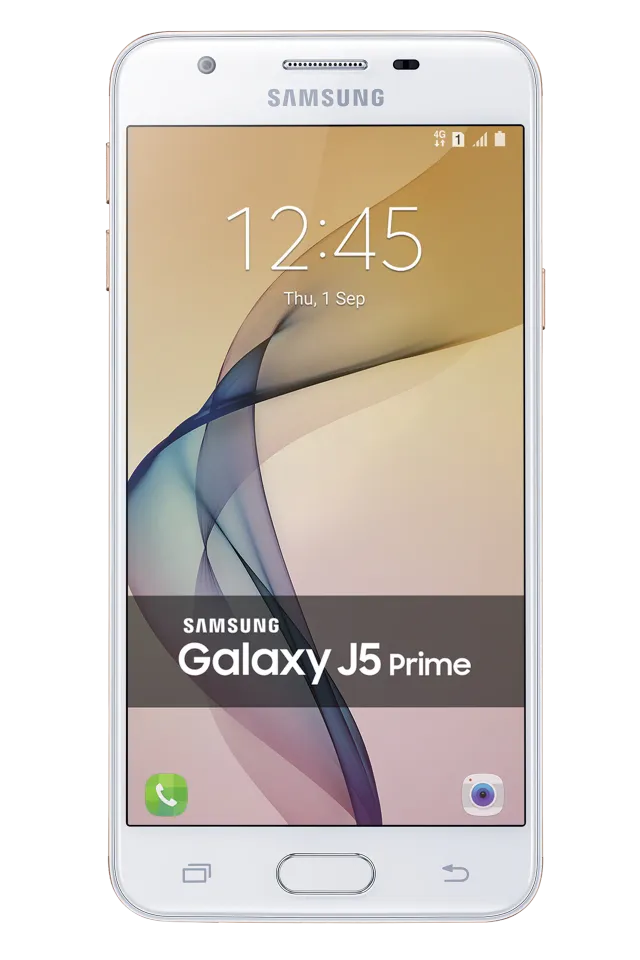
GOLD
Phone · Samsung Galaxy J5 Prime
Stock firmware and official updates for the Samsung Galaxy J5 Prime (SM-G5700), by region.
 China CHCBuildG5700ZCU3CSK2AndroidAndroid 8Security patchSep 2019ReleasedNov 26, 2019DetailsWhat's new
 Hong Kong SAR China TGYBuildG5700ZHU3CSK2AndroidAndroid 8Security patchSep 2019ReleasedNov 26, 2019DetailsWhat's new
Samsung's official release notes, newest first.
- The latest Android security patch has been applied. ㆍDevice security has been further enhanced.
Released for 1 CSC: TGY
Source: Samsung- The latest Android security patch has been applied. ㆍDevice security has been further enhanced. - "Samsung video and Open Calendar" service will be terminated. "Samsung video and Open Calendar" application will no longer be available and will be deleted. - IP call service will be terminated. IP call function will no longer be available and will be deleted.
Released for 1 CSC: CHC
Source: SamsungSamsung Experience 9.0 upgrade with Android Oreo Samsung Experience 9.0 brings you Android Oreo, with exciting new features from Samsung and Google based on feedback from users like you. We recommend that you back up your important data to keep it safe during the upgrade. Some apps, including Samsung Pay, Samsung Internet, Samsung Health, and Email, should be updated individually before you can update your OS. Here’s what’s new. Quick Panel - Manage notifications for each app with notification categories (supported apps only). - Icons will be shown at the bottom of the notification panel for notifications that aren't currently visible. Home Screen - Touch and hold an app to display shortcuts to common or recommended tasks within the app (supported apps only). - Notification badges on app icons and in the notification panel are synced. Clear a notification in one location, and it will show as cleared in the other location. Samsung Keyboard - The Samsung keyboard toolbar gives quick access to useful functions. - GIF keyboard lets you to send GIFs with Samsung keyboard. - More high-contrast keyboards are available. System Performance - Background services are limited to improve performance and battery life. Samsung account - Control your profile information for multiple apps. - Tap your profile picture on the main Settings page to access your profile information and account settings. Samsung Cloud - View and manage photos in Samsung Cloud. - Select specific items to delete or restore from your backups. - See how big each backup is and how many items it contains. Other improvements - The user settings of easy mode may be removed on new OS, please set them again after OS upgrade. - Weather widget's version is updated, and it will cause the weather widget disappear from idle. So please drag the weather widget to idle after you update your OS. - Baidu search wigdet is replaced by Baidu App. - Add app icon for Samsung connect. - Add app icon for Secure Folder. - The lock screen theme maybe removed on new OS,please set it again after upgrade.
Released for 1 CSC: CHC
Samsung Experience 9.0 upgrade with Android Oreo Samsung Experience 9.0 brings you Android Oreo, with exciting new features from Samsung and Google based on feedback from users like you. We recommend that you back up your important data to keep it safe during the upgrade. Some apps, including Samsung Pay, Samsung Internet, Samsung Health, and Email, should be updated individually before you can update your OS. Here’s what’s new. Quick Panel - Manage notifications for each app with notification categories (supported apps only). - Icons will be shown at the bottom of the notification panel for notifications that aren't currently visible. Home Screen - Touch and hold an app to display shortcuts to common or recommended tasks within the app (supported apps only). - Notification badges on app icons and in the notification panel are synced. Clear a notification in one location, and it will show as cleared in the other location. Samsung Keyboard - The Samsung keyboard toolbar gives quick access to useful functions. - GIF keyboard lets you to send GIFs with Samsung keyboard. - More high-contrast keyboards are available. System Performance - Background services are limited to improve performance and battery life. Samsung account - Control your profile information for multiple apps. - Tap your profile picture on the main Settings page to access your profile information and account settings. Samsung Cloud - View and manage photos in Samsung Cloud. - Select specific items to delete or restore from your backups. - See how big each backup is and how many items it contains. Other improvements - The user settings of easy mode may be removed on new OS, please set them again after OS upgrade. - Weather widget's version is updated, and it will cause the weather widget disappear from idle. So please drag the weather widget to idle after you update your OS. - Add app icon for Samsung connect. - Add app icon for Secure Folder. - The lock screen theme maybe removed on new OS,please set it again after upgrade.
Released for 1 CSC: TGY
Source: Samsung- The latest Android security patch has been applied. ㆍDevice security has been further enhanced.
Released for 1 CSC: TGY
Source: Samsung- The latest Android security patch has been applied. ㆍDevice security has been further enhanced.
Released for 1 CSC: CHC
Source: Samsung- The latest Android security patch has been applied. ㆍDevice security has been further enhanced.
Released for 1 CSC: CHC
Source: Samsung- The latest Android security patch has been applied. ㆍDevice security has been further enhanced.
Released for 1 CSC: TGY
Source: Samsung- Other bug fixes ㆍFixes the issue that battry discharge when low temperature.
Released for 1 CSC: CHC
Source: Samsung- The latest Android security patch has been applied. ㆍDevice security has been further enhanced.
Released for 1 CSC: TGY
Source: Samsung- Other bug fixes ㆍFixed the issue that of forced auto-rebooting after Nougat (Android 7.0) update. - The latest Android security patch has been applied. ㆍDevice security has been further enhanced.
Released for 1 CSC: CHC
Source: Samsung· OS upgrade - Android 7.0 Nougat · Provides new UX and various performance modes · Improved usability of the Notification feature and Quick settings button · Improved usability of the Multi window · Efficient space for installation of downloaded apps, improved speed of system upgrade and app installation ※ Some apps that haven't been optimised for Android Nougat might not work properly after the upgrade. In this case, upgrade the app to the latest version via Galaxy Apps or Play Store. ※ The functionality of some features may differ after the upgrade. Some apps may not function normally. ※ Errors during the upgrade may cause data loss. Back up any important data before upgrading.
Released for 1 CSC: TGY
Source: Samsung· OS upgrade - Android 7.0 Nougat · Provides new UX · Improved usability of the Notification feature and Quick settings button · Improved usability of the Multi window and setting menu · Efficient space for installation of downloaded apps, improved speed of system upgrade and app installation · The latest Android security patch has been applied. ㆍ Device security has been further enhanced ※ If you are using Gear IconX, please make sure to update to the latest version before upgrading to the Nougat OS. ※ Some apps that haven't been optimised for Android Nougat might not work properly after the upgrade. In this case, upgrade the app to the latest version via Galaxy Apps. ※ The functionality of some features may differ after the upgrade. Some apps may not function normally. ※ Errors during the upgrade may cause data loss. Back up any important data before upgrading.
Released for 1 CSC: CHC
Source: Samsung- Other bug fixes ㆍFixed an issue that of being changed to "2G Only" when China SIM is installed in the SIM 2 slot.. - The latest Android security patch has been applied. ㆍDevice security has been further enhanced.
Released for 1 CSC: TGY
Source: Samsung- The latest Android security patch has been applied. ㆍDevice security has been further enhanced.
Released for 1 CSC: CHC
Source: Samsung- Improved performance ㆍSamsung account security enhanced. - The latest Android security patch has been applied. ㆍDevice security has been further enhanced.
Released for 1 CSC: CHC
Source: Samsung- The latest Android security patch has been applied. ㆍDevice security has been further enhanced.
Released for 1 CSC: TGY
Source: Samsung- Other bug fixes ㆍWhen doing the flight mode ON/OFF, the problem that It doesn't become 4G network connection is improved. ㆍFixed an issue that the temperature and location information of the weather widget is displayed incorrectly. - Improved performance ㆍImproves the reception and outgoing success rate of SMS / MMS. - The latest Android security patch has been applied. ㆍDevice security has been further enhanced.
Released for 1 CSC: CHC
Source: Samsung- The latest Android security patch has been applied. ㆍDevice security has been further enhanced.
Released for 1 CSC: TGY
Source: Samsung- Photo synchronization is added. - S Cloud upgrade to V2.x - Gallery upgrade to V3.x - The default wallpaper changes. - The latest Android security patch has been applied. ㆍDevice security has been further enhanced.
Released for 1 CSC: TGY
Source: Samsung- Improved performance ㆍThe Stability of fingerprints sensor has been improved. ㆍImprove the power consumption for data download. - Other bug fixes ㆍIt is improved so that the Sohu News App deletion can be possible. - The latest Android security patch has been applied. ㆍDevice security has been further enhanced.
Released for 1 CSC: CHC
Source: Samsung
