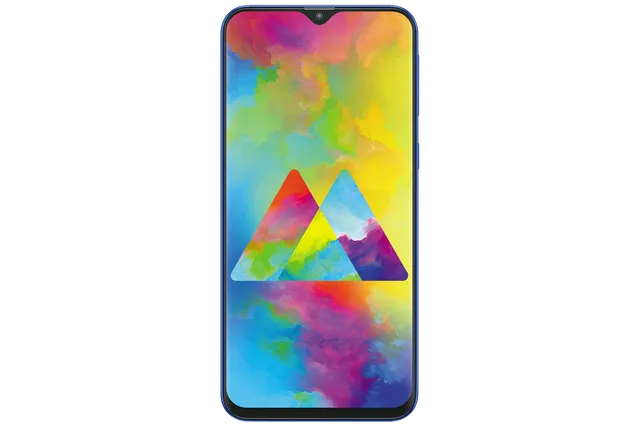
Blue
Phone · Samsung Galaxy M20
Stock firmware and official updates for the Samsung Galaxy M20 (SM-M205F), by region.
 Algeria TKDBuildM205FDDS9CWB1AndroidAndroid 10Security patchFeb 2023ReleasedMar 2, 2023DetailsWhat's new
 Bangladesh BKDBuildM205FDDS9CWA2AndroidAndroid 10Security patchFeb 2023ReleasedFeb 24, 2023DetailsWhat's new
Samsung's official release notes, newest first.
• The security of your device has been improved.
Released for 9 CSCs: AFR, BTC, EGY, KSA, LYS, MWD, TKD, TUR, XSG
Source: Samsung• Overall stability of your device has been improved. • The security of your device has been improved.
Released for 1 CSC: INS
Source: Samsung Egypt EGY
 Ghana ACRBuildM205FDDU1ASD3AndroidAndroid 8Security patchMar 2019ReleasedMay 1, 2019DetailsWhat's new
 India INSBuildM205FDDS9CWA2AndroidAndroid 10Security patchFeb 2023ReleasedFeb 24, 2023DetailsWhat's new
 Iraq MIDBuildM205FDDS9CWB2AndroidAndroid 10Security patchFeb 2023ReleasedMar 2, 2023DetailsWhat's new
 Libya BTCBuildM205FDDS9CWB1AndroidAndroid 10Security patchFeb 2023ReleasedMar 2, 2023DetailsWhat's newLibya LYSBuildM205FDDS9CWB1AndroidAndroid 10Security patchFeb 2023ReleasedMar 2, 2023DetailsWhat's new
 Morocco MWDBuildM205FDDS9CWB1AndroidAndroid 10Security patchFeb 2023ReleasedMar 2, 2023DetailsWhat's new
 Nepal NPBBuildM205FDDS9CWA2AndroidAndroid 10Security patchFeb 2023ReleasedFeb 24, 2023DetailsWhat's new
 Nigeria ECTBuildM205FDDU1ASD3AndroidAndroid 8Security patchMar 2019ReleasedMay 1, 2019DetailsWhat's new
 Saudi Arabia KSABuildM205FDDS9CWB1AndroidAndroid 10Security patchFeb 2023ReleasedMar 2, 2023DetailsWhat's new
 South Africa XFEBuildM205FDDU1ASD3AndroidAndroid 8Security patchMar 2019ReleasedMay 1, 2019DetailsWhat's new
 Sri Lanka SLIBuildM205FDDS9CWA2AndroidAndroid 10Security patchFeb 2023ReleasedFeb 24, 2023DetailsWhat's newSri Lanka SLKBuildM205FDDS9CWA2AndroidAndroid 10Security patchFeb 2023ReleasedFeb 24, 2023DetailsWhat's new
 Türkiye TURBuildM205FDDS9CWB1AndroidAndroid 10Security patchFeb 2023ReleasedMar 2, 2023DetailsWhat's new
 United Arab Emirates AFRBuildM205FDDS9CWB1AndroidAndroid 10Security patchFeb 2023ReleasedMar 2, 2023DetailsWhat's newUnited Arab Emirates XSGBuildM205FDDS9CWB1AndroidAndroid 10Security patchFeb 2023ReleasedMar 2, 2023DetailsWhat's new
· The security of your device has been improved. ※ If your device is encrypted, it must be decrypted before upgrading.
Released for 1 CSC: INS
Source: Samsung· The security of your device has been improved. ※ If your device is encrypted, it must be decrypted before upgrading.
Released for 11 CSCs: AFR, BTC, EGY, INS, KSA, LYS, MID, MWD, TKD, TUR, XSG
Source: Samsung· Device stability improvements, bug fixes. · New and / or enhanced features. · Further improvements to performance.
Released for 1 CSC: INS
Source: Samsung· The security of your device has been improved. ※ If your device is encrypted, it must be decrypted before upgrading.
Released for 15 CSCs: AFR, BKD, BTC, EGY, INS, KSA, LYS, MID, MWD, NPB, SLI, SLK, TKD, TUR, XSG
Source: Samsung• The security of your device has been improved.
Released for 15 CSCs: AFR, BKD, BTC, EGY, INS, KSA, LYS, MID, MWD, NPB, SLI, SLK, TKD, TUR, XSG
Source: Samsung· The security of your device has been improved.
Released for 5 CSCs: BKD, INS, NPB, SLI, SLK
Source: Samsung• The security of your device has been improved.
Released for 10 CSCs: AFR, BTC, EGY, KSA, LYS, MID, MWD, TKD, TUR, XSG
Source: Samsung· The security of your device has been improved.
Released for 5 CSCs: BKD, INS, NPB, SLI, SLK
Source: Samsung• The security of your device has been improved.
Released for 10 CSCs: AFR, BTC, EGY, KSA, LYS, MID, MWD, TKD, TUR, XSG
Source: Samsung· The security of your device has been improved. ※ If your device is encrypted, it must be decrypted before upgrading.
Released for 5 CSCs: BKD, INS, NPB, SLI, SLK
Source: Samsung· The security of your device has been improved. ※ If your device is encrypted, it must be decrypted before upgrading.
Released for 15 CSCs: AFR, BKD, BTC, EGY, INS, KSA, LYS, MID, MWD, NPB, SLI, SLK, TKD, TUR, XSG
Source: Samsung· The security of your device has been improved. ※ If your device is encrypted, it must be decrypted before upgrading.
Released for 15 CSCs: AFR, BKD, BTC, EGY, INS, KSA, LYS, MID, MWD, NPB, SLI, SLK, TKD, TUR, XSG
Source: Samsung· The security of your device has been improved. ※ If your device is encrypted, it must be decrypted before upgrading.
Released for 15 CSCs: AFR, BKD, BTC, EGY, INS, KSA, LYS, MID, MWD, NPB, SLI, SLK, TKD, TUR, XSG
Source: Samsung· The security of your device has been improved.
Released for 15 CSCs: AFR, BKD, BTC, EGY, INS, KSA, LYS, MID, MWD, NPB, SLI, SLK, TKD, TUR, XSG
Source: Samsung• Added new feature. - Discover - See personalized routine recommendations on the Discover tab based on your lifestyle and how you use your phone. • The security of your device has been improved.
Released for 15 CSCs: AFR, BKD, BTC, EGY, INS, KSA, LYS, MID, MWD, NPB, SLI, SLK, TKD, TUR, XSG
Source: Samsung· The security of your device has been improved.
Released for 5 CSCs: BKD, INS, NPB, SLI, SLK
Source: Samsung· The security of your device has been improved.
Released for 10 CSCs: AFR, BTC, EGY, KSA, LYS, MID, MWD, TKD, TUR, XSG
Source: SamsungOne UI Core 2 upgrade with Android 10 One UI Core 2 brings you Android 10, with exciting new features from Samsung and Google based on feedback from users like you. We recommend that you back up your important data to keep it safe during the upgrade. Some apps, including Calculator, Samsung Internet, Samsung Health and Samsung Notes, need to be updated individually after you update your OS. Here's what's new. Dark mode - Night mode name changed to Dark mode. - Enhanced image, text, and color adjustments for day and night environments. - Darkened wallpapers, widgets, and alarms while Dark mode is on. Icons and colors - Clearer app icons and system colors. - Improved layouts for titles and buttons to eliminate wasted screen space. Full screen gestures - Added new navigation gestures. One-handed mode - Settings moved to Settings > Advanced features > One-handed mode. Device care - The battery usage graph now provides more detailed information. Digital wellbeing - Set goals to keep your phone usage in check. - Use Focus mode to help avoid distractions from your phone. - Keep an eye on your kids with new parental controls. Samsung Contacts - Added Trash feature for Contacts. Contacts that you delete will stay in the trash for 15 days before being deleted forever.
Released for 15 CSCs: AFR, BKD, BTC, EGY, INS, KSA, LYS, MID, MWD, NPB, SLI, SLK, TKD, TUR, XSG
Source: SamsungOne UI Core 2 upgrade with Android 10 One UI Core 2 brings you Android 10, with exciting new features from Samsung and Google based on feedback from users like you. We recommend that you back up your important data to keep it safe during the upgrade. Some apps, including Calculator, Samsung Internet, Samsung Health and Samsung Notes, need to be updated individually after you update your OS. Here's what's new. Dark mode - Night mode name changed to Dark mode. - Enhanced image, text, and color adjustments for day and night environments. - Darkened wallpapers, widgets, and alarms while Dark mode is on. Icons and colors - Clearer app icons and system colors. - Improved layouts for titles and buttons to eliminate wasted screen space. Full screen gestures - Added new navigation gestures. One-handed mode - Settings moved to Settings > Advanced features > One-handed mode. Device care - The battery usage graph now provides more detailed information. Digital wellbeing - Set goals to keep your phone usage in check. - Use Focus mode to help avoid distractions from your phone. - Keep an eye on your kids with new parental controls. Samsung Contacts - Added Trash feature for Contacts. Contacts that you delete will stay in the trash for 15 days before being deleted forever.
Released for 1 CSC: INS
Source: Samsung· The security of your device has been improved.
Released for 15 CSCs: AFR, BKD, BTC, EGY, INS, KSA, LYS, MID, MWD, NPB, SLI, SLK, TKD, TUR, XSG
Source: Samsung· The security of your device has been improved. ※ If your device is encrypted, it must be decrypted before upgrading.
Released for 15 CSCs: AFR, BKD, BTC, EGY, INS, KSA, LYS, MID, MWD, NPB, SLI, SLK, TKD, TUR, XSG
Source: Samsung· Device stability improvements, bug fixes. · New and / or enhanced features. · Further improvements to performance.
Released for 15 CSCs: AFR, BKD, BTC, EGY, INS, KSA, LYS, MID, MWD, NPB, SLI, SLK, TKD, TUR, XSG
Source: SamsungUpgraded One UI for Android Pie One UI brings you Android Pie, with exciting new features and a whole new look and feel based on feedback from users in Samsung and Google. We recommend that you back up your important data to keep it safe before the upgrade. Some apps, including Calculator, Samsung Internet, Samsung Notes, and Samsung Members, need to be updated individually after you update your OS. To use the Remote unlock function in Find My Mobile on an Android Pie device, the screen lock password (or PIN/pattern) backup process is required. So please make sure that you remember the screen lock password (or PIN/pattern) before starting the update process. If you've forgotten the password (or PIN/pattern), reset it before starting the update process. Here’s what’s new. One UI - Content, settings, and other information have been reorganized to keep you focused on the task at hand. - Interactive elements have been moved to the bottom of the screen so they're always within reach. - New designs and features such as Night mode help keep your eyes comfortable. Notifications - You can reply to messages directly in the notification panel. - Image thumbnails are included in message notifications. - In an app's notification settings, tap the switch once to turn on or off all the notifications in a category. Samsung Keyboard - New Unicode 11.0 emojis are available. - New adaptive theme changes your keyboard look based on the colors of the surrounding app. - Floating keyboard is available in all apps and has new size and transparency settings. - You can set a custom touch and hold delay. Device care (formerly Device maintenance) - Performance modes are streamlined and integrated into power saving modes. - The Edge panel for device maintenance is discontinued. Settings - Menus have been reorganized to make settings easier to find. Phone - You can now sort your call history by incoming and outgoing calls. - Your call history can include up to 2000 entries (increased from 500 entries). Contacts - The new drawer menu makes it easier to manage contacts from various accounts. Camera - The new Scene optimizer automatically enhances the camera's color settings to fit the scene. Gallery - Photo Editor Pro's editing tools have been added to Gallery, so you can make all your edits and touchups without leaving the app. My Files - The new storage analysis tool has been added to help you monitor your storage usage and save space. - You can now show or hide items on the My Files Home screen. Other improvements and changes - Call stickers has been discontinued. - HEIF images are now supported. - The following applications have been deleted : LinkedIN, Mobile Office
Released for 13 CSCs: AFR, BTC, INS, KSA, LYS, MID, MWD, NPB, SLI, SLK, TKD, TUR, XSG
Source: SamsungUpgraded One UI for Android Pie One UI brings you Android Pie, with exciting new features and a whole new look and feel based on feedback from users in Samsung and Google. We recommend that you back up your important data to keep it safe before the upgrade. Some apps, including Calculator, Samsung Internet, Samsung Notes, and Samsung Members, need to be updated individually after you update your OS. To use the Remote unlock function in Find My Mobile on an Android Pie device, the screen lock password (or PIN/pattern) backup process is required. So please make sure that you remember the screen lock password (or PIN/pattern) before starting the update process. If you've forgotten the password (or PIN/pattern), reset it before starting the update process. Here’s what’s new. One UI - Content, settings, and other information have been reorganized to keep you focused on the task at hand. - Interactive elements have been moved to the bottom of the screen so they're always within reach. - New designs and features such as Night mode help keep your eyes comfortable. Notifications - You can reply to messages directly in the notification panel. - Image thumbnails are included in message notifications. - In an app's notification settings, tap the switch once to turn on or off all the notifications in a category. Samsung Keyboard - New Unicode 11.0 emojis are available. - New adaptive theme changes your keyboard look based on the colors of the surrounding app. - Floating keyboard is available in all apps and has new size and transparency settings. - You can set a custom touch and hold delay. Device care (formerly Device maintenance) - Performance modes are streamlined and integrated into power saving modes. - The Edge panel for device maintenance is discontinued. Settings - Menus have been reorganized to make settings easier to find. Phone - You can now sort your call history by incoming and outgoing calls. - Your call history can include up to 2000 entries (increased from 500 entries). Contacts - The new drawer menu makes it easier to manage contacts from various accounts. Camera - The new Scene optimizer automatically enhances the camera's color settings to fit the scene. Gallery - Photo Editor Pro's editing tools have been added to Gallery, so you can make all your edits and touchups without leaving the app. My Files - The new storage analysis tool has been added to help you monitor your storage usage and save space. - You can now show or hide items on the My Files Home screen. Other improvements and changes - Call stickers has been discontinued. - HEIF images are now supported. - The following applications have been deleted : LinkedIN, Mobile Office
Released for 6 CSCs: BKD, EGY, INS, NPB, SLI, SLK
Source: SamsungUpgraded One UI for Android Pie One UI brings you Android Pie, with exciting new features and a whole new look and feel based on feedback from users in Samsung and Google. We recommend that you back up your important data to keep it safe before the upgrade. Some apps, including Calculator, Samsung Internet, Samsung Notes, and Samsung Members, need to be updated individually after you update your OS. To use the Remote unlock function in Find My Mobile on an Android Pie device, the screen lock password (or PIN/pattern) backup process is required. So please make sure that you remember the screen lock password (or PIN/pattern) before starting the update process. If you've forgotten the password (or PIN/pattern), reset it before starting the update process. Here’s what’s new. One UI - Content, settings, and other information have been reorganized to keep you focused on the task at hand. - Interactive elements have been moved to the bottom of the screen so they're always within reach. - New designs and features such as Night mode help keep your eyes comfortable. Notifications - You can reply to messages directly in the notification panel. - Image thumbnails are included in message notifications. - In an app's notification settings, tap the switch once to turn on or off all the notifications in a category. Samsung Keyboard - New Unicode 11.0 emojis are available. - New adaptive theme changes your keyboard look based on the colors of the surrounding app. - Floating keyboard is available in all apps and has new size and transparency settings. - You can set a custom touch and hold delay. Device care (formerly Device maintenance) - Performance modes are streamlined and integrated into power saving modes. - The Edge panel for device maintenance is discontinued. Settings - Menus have been reorganized to make settings easier to find. Phone - You can now sort your call history by incoming and outgoing calls. - Your call history can include up to 2000 entries (increased from 500 entries). Contacts - The new drawer menu makes it easier to manage contacts from various accounts. Camera - The new Scene optimizer automatically enhances the camera's color settings to fit the scene. Gallery - Photo Editor Pro's editing tools have been added to Gallery, so you can make all your edits and touchups without leaving the app. My Files - The new storage analysis tool has been added to help you monitor your storage usage and save space. - You can now show or hide items on the My Files Home screen. Other improvements and changes - Call stickers has been discontinued. - HEIF images are now supported. - The following applications have been deleted : LinkedIN, Mobile Office - The following applications have been installed : Amazon Prime video
Released for 1 CSC: INS
Source: Samsung- Improved performance. - Charging
Released for 12 CSCs: ACR, AFR, BTC, ECT, EGY, KSA, LYS, MID, MWD, TUR, XFE, XSG
Source: Samsung· The security of your device has been improved. · The stability of Camera has been improved. · The performance of Touch screen has been improved
Released for 16 CSCs: ACR, AFR, BKD, BTC, ECT, EGY, INS, KSA, LYS, MID, MWD, NPB, SLI, TUR, XFE, XSG
Source: Samsung· The security of your device has been improved.
Released for 4 CSCs: BKD, INS, NPB, SLI
Source: Samsung· The security of your device has been improved. · The stability of Camera has been improved.
Released for 1 CSC: MID
Source: Samsung
