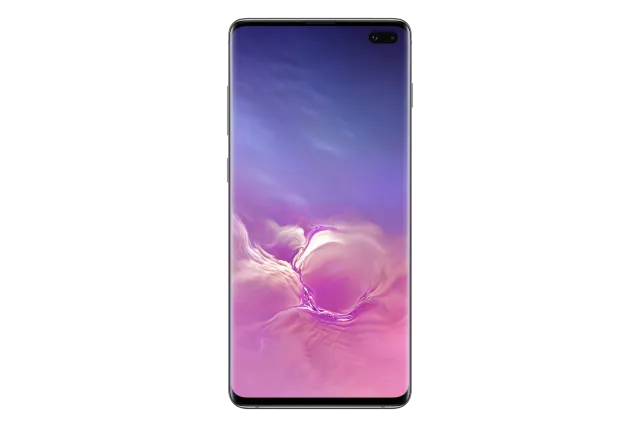
Ceramic Black
Phone · Samsung Galaxy S10+
Stock firmware and official updates for the Samsung Galaxy S10+ (SC-05L), by region.
Samsung's official release notes, newest first.
【Information】Please note that if you have applied the Olympic theme, the wallpaper may be reset to the default settings of the Olympic theme after this update.
Released for 1 CSC: DCM
Source: Samsung【Information】Please note that if you have applied the Olympic theme, the wallpaper may be reset to the default settings of the Olympic theme after this update.
Released for 1 CSC: DCM
Source: Samsung【Information】Please note that if you have applied the Olympic theme, the wallpaper may be reset to the default settings of the Olympic theme after this update.
Released for 1 CSC: DCM
Source: Samsung【Information】Please note that if you have applied the Olympic theme, the wallpaper may be reset to the default settings of the Olympic theme after this update. ・Device stability improvements, bug fixes. ・New and / or enhanced features. ・Further improvements to performance. ・Improved security A new indicator on the top right of your status bar so you know when your app are accessing your microphone or camera are being accessed <note> ・Please back up your data before updating. ・After the software is updated, downgrading to the previous version is not available. ・Please update the applications after the software is updated.
Taken from the SM-G975F; this model can differ (chipset, network bands).
Released for 1 CSC: DCM
【Information】Please note that if you have applied the Olympic theme, the wallpaper may be reset to the default settings of the Olympic theme after this update. ※When Download Booster is turned on, mobile network will be used simultaneously. Extra data charges may be incurred depending on your data plan.
Released for 1 CSC: DCM
Source: Samsung【Information】Please note that if you have applied the Olympic theme, the wallpaper may be reset to the default settings of the Olympic theme after this update. ※When Download Booster is turned on, mobile network will be used simultaneously. Extra data charges may be incurred depending on your data plan.
Released for 1 CSC: DCM
Source: Samsung・Device stability improvements, bug fixes. ・New and / or enhanced features. ・Further improvements to performance. ・SuguApp Start the app simply by shaking your smartphone. ・Get all your messages in one place Respond to and control your conversations across multiple messaging apps. All in the same spot. ・Enhanced security More control over the privacy information used in apps. ・Please back up your data before upgrading. ・After the software is upgraded, downgrading to the original version is not available. ・Please update applications after the software is upgraded. ・Some contents will become unusable after the software upgrade. To use the previous content, please re-download. [Subject] -The kisekae content for docomo LIVE UX (See "docomo LIVE UX" in docomo official website for more details.) -The theme and template for docomo-mail app ( See "To docomo recommended site" in the docomo-mail app for more details.) -The machichara and shabechara for mydaiz app ( See "notification" in shabechara-museum website for more details.) *Some apps will need to be updated separately after the One UI 3 update. *App copies made using Dual messenger can no longer access SD card files directly. To share SD card files in an app copy, select the files in Gallery or My Files, tap Share, then select the app copy. *You can no longer use Wi-Fi Direct to send files to other devices. You can use Nearby Share instead. You can still receive files using Wi-Fi Direct. *You can no longer connect to Chromecast using Smart View. You can use Google Home instead.
Released for 1 CSC: DCM
Source: Samsung【Information】Please note that if you have applied the Olympic theme, the wallpaper may be reset to the default settings of the Olympic theme after this update. ※When Download Booster is turned on, mobile network will be used simultaneously. Extra data charges may be incurred depending on your data plan.
Released for 1 CSC: DCM
Source: Samsung【Information】Please note that if you have applied the Olympic theme, the wallpaper may be reset to the default settings of the Olympic theme after this update. ※When Download Booster is turned on, mobile network will be used simultaneously. Extra data charges may be incurred depending on your data plan.
Released for 1 CSC: DCM
Source: Samsung【Information】Please note that if you have applied the Olympic theme, the wallpaper may be reset to the default settings of the Olympic theme after this update. ※When Download Booster is turned on, mobile network will be used simultaneously. Extra data charges may be incurred depending on your data plan.
Released for 1 CSC: DCM
Source: Samsung【Information】 ①If you set an Olympic theme, please note that the wallpaper of the Olympic theme will be automatically applied after the software update. ②The following features will be added and enhanced ・AR Emoji ・New Camera features ・Gallery ・Samsung keyboard ・Quick Share ・Music Share
Released for 1 CSC: DCM
Source: Samsung【Information】 If you set an Olympic theme, please note that the wallpaper of the Olympic theme will be automatically applied after the software update.
Released for 1 CSC: DCM
Source: Samsung【Information】 If you set an Olympic theme, please note that the wallpaper of the Olympic theme will be automatically applied after the software update.
Released for 1 CSC: DCM
Source: Samsung【Information】 If you set an Olympic theme, please note that the wallpaper of the Olympic theme will be automatically applied after the software update.
Released for 1 CSC: DCM
Source: Samsung【Information】 If you set an Olympic theme, please note that the wallpaper of the Olympic theme will be automatically applied after the software update.
Released for 1 CSC: DCM
Source: Samsung