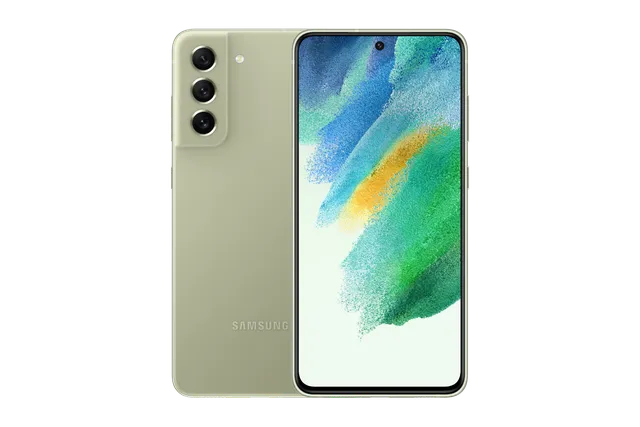
Olive
Phone · Samsung Galaxy S21 FE 5G
Stock firmware and official updates for the Samsung Galaxy S21 FE 5G (SM-G990B), by region.
 Austria DREBuildG990BXXSLIZH2AndroidAndroid 16Security patchAug 2026ReleasedSep 17, 2026DetailsWhat's newAustria MAXBuildG990BXXSLIZH2AndroidAndroid 16Security patchAug 2026ReleasedSep 17, 2026DetailsWhat's new
Samsung's official release notes, newest first.
• Security The device is protected with improved security. These changes may vary depending on the model, country, or network operator of the customer environment.
Released for 58 CSCs: *, 3IE, AMO, ATL, BOG, BTB, BTE, CAU, CNX, COS, CRO, DRE, DTM, EUX, EUY, EVR, FTM, H3G, HTS, HUI, MAX, MBM, MEO, MET, MOB, MOT, MSR, O2C, O2U, OMN, OPV, ORO, ORS, PLS, PRT, SEK, SER, SFR, SIM, SKZ, SWC, TCL, TIM, TMH, TMS, TMZ, TNL, TOP, TPL, TSI, VD2, VDC, VDF, VDI, VGR, VIP, VOD, XEC
Source: Samsung• Security The device is protected with improved security. These changes may vary depending on the model, country, or network operator of the customer environment.
Released for 58 CSCs: *, 3IE, AMO, ATL, BOG, BTB, BTE, CAU, CNX, COS, CRO, DRE, DTM, EUX, EUY, EVR, FTM, H3G, HTS, HUI, MAX, MBM, MEO, MET, MOB, MOT, MSR, O2C, O2U, OMN, OPV, ORO, ORS, PLS, PRT, SEK, SER, SFR, SIM, SKZ, SWC, TCL, TIM, TMH, TMS, TMZ, TNL, TOP, TPL, TSI, VD2, VDC, VDF, VDI, VGR, VIP, VOD, XEC
Source: Samsung• Security The device is protected with improved security. These changes may vary depending on the model, country, or network operator of the customer environment.
Released for 58 CSCs: *, 3IE, AMO, ATL, BOG, BTB, BTE, CAU, CNX, COS, CRO, DRE, DTM, EUX, EUY, EVR, FTM, H3G, HTS, HUI, MAX, MBM, MEO, MET, MOB, MOT, MSR, O2C, O2U, OMN, OPV, ORO, ORS, PLS, PRT, SEK, SER, SFR, SIM, SKZ, SWC, TCL, TIM, TMH, TMS, TMZ, TNL, TOP, TPL, TSI, VD2, VDC, VDF, VDI, VGR, VIP, VOD, XEC
Austria MOB Croatia CROBuildG990BXXSLIZH2AndroidAndroid 16Security patchAug 2026ReleasedSep 17, 2026DetailsWhat's newCroatia VIPBuildG990BXXSLIZH2AndroidAndroid 16Security patchAug 2026ReleasedSep 17, 2026DetailsWhat's new
 Czechia O2CBuildG990BXXSLIZH2AndroidAndroid 16Security patchAug 2026ReleasedSep 17, 2026DetailsWhat's newCzechia TMZBuildG990BXXSLIZH2AndroidAndroid 16Security patchAug 2026ReleasedSep 17, 2026DetailsWhat's newCzechia VDCBuildG990BXXSLIZH2AndroidAndroid 16Security patchAug 2026ReleasedSep 17, 2026DetailsWhat's new
 EEA (Europe) EUXBuildG990BXXSLIZH2AndroidAndroid 16Security patchAug 2026ReleasedSep 17, 2026DetailsWhat's new
 France BOGBuildG990BXXSLIZH2AndroidAndroid 16Security patchAug 2026ReleasedSep 17, 2026DetailsWhat's newFrance FTMBuildG990BXXSLIZH2AndroidAndroid 16Security patchAug 2026ReleasedSep 17, 2026DetailsWhat's newFrance SFRBuildG990BXXSLIZH2AndroidAndroid 16Security patchAug 2026ReleasedSep 17, 2026DetailsWhat's new
 Georgia CAUBuildG990BXXSLIZH2AndroidAndroid 16Security patchAug 2026ReleasedSep 17, 2026DetailsWhat's newGermany DTMBuildG990BXXSLIZH2AndroidAndroid 16Security patchAug 2026ReleasedSep 17, 2026DetailsWhat's newGermany VD2BuildG990BXXSLIZH2AndroidAndroid 16Security patchAug 2026ReleasedSep 17, 2026DetailsWhat's new
 Greece COSBuildG990BXXSLIZH2AndroidAndroid 16Security patchAug 2026ReleasedSep 17, 2026DetailsWhat's newGreece VGRBuildG990BXXSLIZH2AndroidAndroid 16Security patchAug 2026ReleasedSep 17, 2026DetailsWhat's new
 Hungary TMHBuildG990BXXSLIZH2AndroidAndroid 16Security patchAug 2026ReleasedSep 17, 2026DetailsWhat's new
 Ireland 3IEBuildG990BXXSLIZH2AndroidAndroid 16Security patchAug 2026ReleasedSep 17, 2026DetailsWhat's newIreland METBuildG990BXXSLIZH2AndroidAndroid 16Security patchAug 2026ReleasedSep 17, 2026DetailsWhat's newIreland TSIBuildG990BXXSLIZH2AndroidAndroid 16Security patchAug 2026ReleasedSep 17, 2026DetailsWhat's newIreland VDIBuildG990BXXSLIZH2AndroidAndroid 16Security patchAug 2026ReleasedSep 17, 2026DetailsWhat's new
 Italy HUIBuildG990BXXSLIZH2AndroidAndroid 16Security patchAug 2026ReleasedSep 17, 2026DetailsWhat's newItaly OMNBuildG990BXXSLIZH2AndroidAndroid 16Security patchAug 2026ReleasedSep 17, 2026DetailsWhat's newItaly TIMBuildG990BXXSLIZH2AndroidAndroid 16Security patchAug 2026ReleasedSep 17, 2026DetailsWhat's new
 Kazakhstan SKZBuildG990BXXSLIZH2AndroidAndroid 16Security patchAug 2026ReleasedSep 17, 2026DetailsWhat's new
 Netherlands TNLBuildG990BXXSLIZH2AndroidAndroid 16Security patchAug 2026ReleasedSep 17, 2026DetailsWhat's newNetherlands VDFBuildG990BXXSLIZH2AndroidAndroid 16Security patchAug 2026ReleasedSep 17, 2026DetailsWhat's new
 None-EEA (Europe) EUYBuildG990BXXSLIZH2AndroidAndroid 16Security patchAug 2026ReleasedSep 17, 2026DetailsWhat's new
 North Macedonia MBMBuildG990BXXSLIZH2AndroidAndroid 16Security patchAug 2026ReleasedSep 17, 2026DetailsWhat's new
 Poland OPVBuildG990BXXSLIZH2AndroidAndroid 16Security patchAug 2026ReleasedSep 17, 2026DetailsWhat's newPoland PLSBuildG990BXXSLIZH2AndroidAndroid 16Security patchAug 2026ReleasedSep 17, 2026DetailsWhat's newPoland PRTBuildG990BXXSLIZH2AndroidAndroid 16Security patchAug 2026ReleasedSep 17, 2026DetailsWhat's newPoland TPLBuildG990BXXSLIZH2AndroidAndroid 16Security patchAug 2026ReleasedSep 17, 2026DetailsWhat's new
 Portugal MEOBuildG990BXXSLIZH2AndroidAndroid 16Security patchAug 2026ReleasedSep 17, 2026DetailsWhat's newPortugal TCLBuildG990BXXSLIZH2AndroidAndroid 16Security patchAug 2026ReleasedSep 17, 2026DetailsWhat's new
 Romania CNXBuildG990BXXSLIZH2AndroidAndroid 16Security patchAug 2026ReleasedSep 17, 2026DetailsWhat's newRomania OROBuildG990BXXSLIZH2AndroidAndroid 16Security patchAug 2026ReleasedSep 17, 2026DetailsWhat's new
 Russia SERBuildG990BXXSLIZH2AndroidAndroid 16Security patchAug 2026ReleasedSep 17, 2026DetailsWhat's new
 Serbia MSRBuildG990BXXSLIZH2AndroidAndroid 16Security patchAug 2026ReleasedSep 17, 2026DetailsWhat's newSerbia TOPBuildG990BXXSLIZH2AndroidAndroid 16Security patchAug 2026ReleasedSep 17, 2026DetailsWhat's new
 Slovakia ORSBuildG990BXXSLIZH2AndroidAndroid 16Security patchAug 2026ReleasedSep 17, 2026DetailsWhat's newSlovakia TMSBuildG990BXXSLIZH2AndroidAndroid 16Security patchAug 2026ReleasedSep 17, 2026DetailsWhat's new
 Slovenia MOTBuildG990BXXSLIZH2AndroidAndroid 16Security patchAug 2026ReleasedSep 17, 2026DetailsWhat's newSlovenia SIMBuildG990BXXSLIZH2AndroidAndroid 16Security patchAug 2026ReleasedSep 17, 2026DetailsWhat's new
 Spain AMOBuildG990BXXSLIZH2AndroidAndroid 16Security patchAug 2026ReleasedSep 17, 2026DetailsWhat's newSpain ATLBuildG990BXXSLIZH2AndroidAndroid 16Security patchAug 2026ReleasedSep 17, 2026DetailsWhat's newSpain XECBuildG990BXXSLIZH2AndroidAndroid 16Security patchAug 2026ReleasedSep 17, 2026DetailsWhat's new
 Sweden HTSBuildG990BXXSLIZH2AndroidAndroid 16Security patchAug 2026ReleasedSep 17, 2026DetailsWhat's newSwitzerland SWCBuildG990BXXSLIZH2AndroidAndroid 16Security patchAug 2026ReleasedSep 17, 2026DetailsWhat's new
 Ukraine SEKBuildG990BXXSLIZH2AndroidAndroid 16Security patchAug 2026ReleasedSep 17, 2026DetailsWhat's new
 United Kingdom BTBBuildG990BXXSLIZH2AndroidAndroid 16Security patchAug 2026ReleasedSep 17, 2026DetailsWhat's newUnited Kingdom BTEBuildG990BXXSLIZH2AndroidAndroid 16Security patchAug 2026ReleasedSep 17, 2026DetailsWhat's newUnited Kingdom EVRBuildG990BXXSLIZH2AndroidAndroid 16Security patchAug 2026ReleasedSep 17, 2026DetailsWhat's newUnited Kingdom H3GBuildG990BXXSLIZH2AndroidAndroid 16Security patchAug 2026ReleasedSep 17, 2026DetailsWhat's newUnited Kingdom O2UBuildG990BXXSLIZH2AndroidAndroid 16Security patchAug 2026ReleasedSep 17, 2026DetailsWhat's newUnited Kingdom VODBuildG990BXXSLIZH2AndroidAndroid 16Security patchAug 2026ReleasedSep 17, 2026DetailsWhat's new
• Security The device is protected with improved security. These changes may vary depending on the model, country, or network operator of the customer environment.
Released for 58 CSCs: *, 3IE, AMO, ATL, BOG, BTB, BTE, CAU, CNX, COS, CRO, DRE, DTM, EUX, EUY, EVR, FTM, H3G, HTS, HUI, MAX, MBM, MEO, MET, MOB, MOT, MSR, O2C, O2U, OMN, OPV, ORO, ORS, PLS, PRT, SEK, SER, SFR, SIM, SKZ, SWC, TCL, TIM, TMH, TMS, TMZ, TNL, TOP, TPL, TSI, VD2, VDC, VDF, VDI, VGR, VIP, VOD, XEC
Source: Samsung• Security The device is protected with improved security. These changes may vary depending on the model, country, or network operator of the customer environment.
Released for 58 CSCs: *, 3IE, AMO, ATL, BOG, BTB, BTE, CAU, CNX, COS, CRO, DRE, DTM, EUX, EUY, EVR, FTM, H3G, HTS, HUI, MAX, MBM, MEO, MET, MOB, MOT, MSR, O2C, O2U, OMN, OPV, ORO, ORS, PLS, PRT, SEK, SER, SFR, SIM, SKZ, SWC, TCL, TIM, TMH, TMS, TMZ, TNL, TOP, TPL, TSI, VD2, VDC, VDF, VDI, VGR, VIP, VOD, XEC
Source: Samsung• Security The device is protected with improved security. These changes may vary depending on the model, country, or network operator of the customer environment.
Released for 58 CSCs: *, 3IE, AMO, ATL, BOG, BTB, BTE, CAU, CNX, COS, CRO, DRE, DTM, EUX, EUY, EVR, FTM, H3G, HTS, HUI, MAX, MBM, MEO, MET, MOB, MOT, MSR, O2C, O2U, OMN, OPV, ORO, ORS, PLS, PRT, SEK, SER, SFR, SIM, SKZ, SWC, TCL, TIM, TMH, TMS, TMZ, TNL, TOP, TPL, TSI, VD2, VDC, VDF, VDI, VGR, VIP, VOD, XEC
Source: Samsung• Security The device is protected with improved security. These changes may vary depending on the model, country, or network operator of the customer environment.
Released for 58 CSCs: *, 3IE, AMO, ATL, BOG, BTB, BTE, CAU, CNX, COS, CRO, DRE, DTM, EUX, EUY, EVR, FTM, H3G, HTS, HUI, MAX, MBM, MEO, MET, MOB, MOT, MSR, O2C, O2U, OMN, OPV, ORO, ORS, PLS, PRT, SEK, SER, SFR, SIM, SKZ, SWC, TCL, TIM, TMH, TMS, TMZ, TNL, TOP, TPL, TSI, VD2, VDC, VDF, VDI, VGR, VIP, VOD, XEC
Source: Samsung• Security The device is protected with improved security. These changes may vary depending on the model, country, or network operator of the customer environment.
Released for 58 CSCs: *, 3IE, AMO, ATL, BOG, BTB, BTE, CAU, CNX, COS, CRO, DRE, DTM, EUX, EUY, EVR, FTM, H3G, HTS, HUI, MAX, MBM, MEO, MET, MOB, MOT, MSR, O2C, O2U, OMN, OPV, ORO, ORS, PLS, PRT, SEK, SER, SFR, SIM, SKZ, SWC, TCL, TIM, TMH, TMS, TMZ, TNL, TOP, TPL, TSI, VD2, VDC, VDF, VDI, VGR, VIP, VOD, XEC
Source: SamsungOne UI 8.0 (Android 16) Productivity Check stock prices without unlocking Stocks you follow on Google Finance with big price changes will appear on your Now bar at the end of the trading day. Easier file sharing with Quick Share It's never been easier to send and receive files. Tap the Quick Share button in quick settings to get started. You can receive files while the Quick Share screen is open and send files to others directly from Quick Share. Sticky notes Add quick annotations on top of documents in Samsung Notes. There's no limit to the number of sticky notes you can add, and it's easy to remove them later without disturbing the original document. Find downloads fast You can now filter files based on the app that was used to download them. Works in the Downloaded and Recent views in My Files. Redesigned Samsung Internet Access the features you need quickly. The Samsung Internet menu has been optimized to make it easy to access the features you use most. You can also customize the layout to match your personal preferences. Scientific calculator in portrait view Use the scientific calculator without the need to rotate the screen. The scientific calculator now works in portrait view in addition to landscape. Multitasking Do more in DeX on connected displays You can now add widgets to your Home screen when using DeX on a connected display as well as control settings for the mouse and on-screen keyboard. Enhanced display support for DeX The new Samsung DeX gives you more options when connected to an external monitor or TV. You can choose an optimized display resolution up to WQHD and rotate the display 90, 180, or 270 degrees. Enhanced split screen view While 2 apps are open in split screen view, you can push one app against the edge of the screen to keep it partially visible while giving most of your focus to the other app. Tap the smaller app any time to switch between them quickly. Reminder New Reminder interface The Reminder app has been redesigned with categories shown at the top of the screen, making it easier to see how many reminders are in each category with a quick glance. Custom categories can be hidden with a quick tap to free up more screen space. Tap one more time to make them appear again. New sample reminders Discover the power of reminders. Sample reminder templates are now available in the Reminder app. Explore these reminders to see what you can do to manage important tasks in your life. Add reminders easily It's never been easier to add new reminders. Just type your reminder into the box at the bottom of the screen. Suggestions will appear as you type that you can tap to save time. You can add checklists, locations, and pictures using the buttons below the text box. Or, if you don't want to type at all, tap the Mic icon for voice input. Calendar Manage reminders in Calendar You can easily create reminders in the Calendar app without opening the Reminder app. Whenever you tap the + button, you'll have the choice of adding an event or a reminder. You can also drag and drop reminders on your calendar to reschedule them. Add events quickly When you start adding an event in the quick add menu, you'll get suggestions for event names and times based on your past events. Just tap one of the suggestions to add an event without additional typing. Samsung Health Running coach Whether you're a beginner or an experienced runner, the new Running coach feature in Samsung Health provides personalized training programs and tips to help you run farther and faster while minimizing the risk of injury. Works with Galaxy Watch7 or higher. Bedtime guidance Get to sleep at the right time so you wake up feeling refreshed. The new Bedtime guidance feature analyzes your sleep data and recommends the best time to go to sleep each night. Running challenges In addition to step challenges, you can now challenge your friends to run. You can set a target distance and see who gets there the fastest or set a time limit and see who runs the farthest. Check your antioxidant intake The Antioxidant index (Labs) feature uses your Galaxy Watch to detect the level of carotenoids in your skin. Carotenoids are a type of antioxidant contained in fruits and vegetables that can help prevent physical aging. Works with Galaxy Watch8 and Galaxy Watch Ultra. Food recording reminders Stay on track to meet your calorie goals. You can now set reminders for recording your food intake in Samsung Health. Track your vascular load Use your Galaxy Watch to measure your vascular load, which is the amount of stress on your blood vessels. First, create a baseline measurement by wearing your watch while sleeping for at least 3 days, then you'll be able to see when your vascular load gets higher or lower over time. Works with Galaxy Watch8 and Galaxy Watch Ultra. Photo and video Swipe up or down to open quick controls Access quick controls in Camera even quicker than before by swiping up or down anywhere in the preview area. In Camera settings, change the Swipe up/down option to open quick controls. Audio enhancements Quick access to Galaxy Buds settings It's easier than ever before to control your Galaxy Buds. You can now adjust Buds settings directly from your phone's Settings without the need to open the Galaxy Wearable app. Communication See calls on the screen Call captions show what each person says on the screen in real time during calls. Follow the conversation on your screen to make sure you don’t miss anything. Improved profile cards It's easier to create and edit your profile card to get the perfect layout for your name and picture. After creating, you can share your profile card so other people can see it when you call them. Review recorded calls in Contacts It's now easier to review your past conversations. Calls you've recorded now appear on the contact history screen. Security and privacy Enhanced Secure Folder Keep sensitive apps and data in a separate, protected area of your phone. You can now set Secure Folder to close apps and prevent notifications when you lock it. You can also completely hide and encrypt your Secure Folder for maximum protection. Stronger account security Knox Matrix regularly scans devices signed in to your Samsung account for security risks. When a serious risk is found on a device, that device will be automatically signed out of your Samsung account to protect the security risk from spreading to your account and other devices. You can check the security status of your devices any time in Security and privacy settings. Show or hide notification content while locked The option to show or hide notification content while your phone is locked is now located in Notifications settings. Choose to show content for quick access to notifications without unlocking your phone, or choose to hide content to keep your notifications private and prevent others from seeing them. Accessibility Pinch and zoom with the Assistant menu The Assistant menu now provides more ways to zoom in and out on the screen. In addition to dragging with one finger, you can now adjust the zoom level by pressing buttons on the screen. Control mouse actions with your keyboard If you can't or don't want to use a mouse, turn on Mouse keys in Accessibility settings to use your physical keyboard to move the mouse pointer, click, hold, and scroll. Magnify your keyboard You can now make the keys on the on-screen keyboard larger so they're easier to see and tap. Turn on Magnify keyboard while typing in Magnification settings to try it. Easily pair Bluetooth hearing aids You can now pair and connect your Bluetooth hearing aid devices directly on the Hearing aid support screen in Accessibility settings. Modes and routines New preset routines Check out the new preset routines for weather and other advanced conditions. Use them as they are, or customize them to meet your needs. New routine actions New actions are available for getting data from the Clock, Calendar, and Samsung Notes apps. After you get data, you can use it in other conditions or actions in your routine. Even more improvements Easily organize alarms You can now add existing alarms to an alarm group by tapping the + button on the Alarm group screen. You can also add an alarm group to a widget on your Home screen so you can turn all of the alarms in the group on or off with a single tap. Enhanced app notification settings You can now choose the pop-up notification style for each app separately in the app’s notification settings. Revamped weather visuals The Weather app now provides more rich and realistic images to help you intuitively understand the current weather conditions.
Released for 58 CSCs: *, 3IE, AMO, ATL, BOG, BTB, BTE, CAU, CNX, COS, CRO, DRE, DTM, EUX, EUY, EVR, FTM, H3G, HTS, HUI, MAX, MBM, MEO, MET, MOB, MOT, MSR, O2C, O2U, OMN, OPV, ORO, ORS, PLS, PRT, SEK, SER, SFR, SIM, SKZ, SWC, TCL, TIM, TMH, TMS, TMZ, TNL, TOP, TPL, TSI, VD2, VDC, VDF, VDI, VGR, VIP, VOD, XEC
Source: Samsung• Security The device is protected with improved security. These changes may vary depending on the model, country, or network operator of the customer environment.
Released for 58 CSCs: *, 3IE, AMO, ATL, BOG, BTB, BTE, CAU, CNX, COS, CRO, DRE, DTM, EUX, EUY, EVR, FTM, H3G, HTS, HUI, MAX, MBM, MEO, MET, MOB, MOT, MSR, O2C, O2U, OMN, OPV, ORO, ORS, PLS, PRT, SEK, SER, SFR, SIM, SKZ, SWC, TCL, TIM, TMH, TMS, TMZ, TNL, TOP, TPL, TSI, VD2, VDC, VDF, VDI, VGR, VIP, VOD, XEC
Source: Samsung• Security The device is protected with improved security. These changes may vary depending on the model, country, or network operator of the customer environment.
Released for 58 CSCs: *, 3IE, AMO, ATL, BOG, BTB, BTE, CAU, CNX, COS, CRO, DRE, DTM, EUX, EUY, EVR, FTM, H3G, HTS, HUI, MAX, MBM, MEO, MET, MOB, MOT, MSR, O2C, O2U, OMN, OPV, ORO, ORS, PLS, PRT, SEK, SER, SFR, SIM, SKZ, SWC, TCL, TIM, TMH, TMS, TMZ, TNL, TOP, TPL, TSI, VD2, VDC, VDF, VDI, VGR, VIP, VOD, XEC
Source: Samsung• Security The device is protected with improved security. These changes may vary depending on the model, country, or network operator of the customer environment.
Released for 58 CSCs: *, 3IE, AMO, ATL, BOG, BTB, BTE, CAU, CNX, COS, CRO, DRE, DTM, EUX, EUY, EVR, FTM, H3G, HTS, HUI, MAX, MBM, MEO, MET, MOB, MOT, MSR, O2C, O2U, OMN, OPV, ORO, ORS, PLS, PRT, SEK, SER, SFR, SIM, SKZ, SWC, TCL, TIM, TMH, TMS, TMZ, TNL, TOP, TPL, TSI, VD2, VDC, VDF, VDI, VGR, VIP, VOD, XEC
Source: Samsung• Security The device is protected with improved security. These changes may vary depending on the model, country, or network operator of the customer environment.
Released for 58 CSCs: *, 3IE, AMO, ATL, BOG, BTB, BTE, CAU, CNX, COS, CRO, DRE, DTM, EUX, EUY, EVR, FTM, H3G, HTS, HUI, MAX, MBM, MEO, MET, MOB, MOT, MSR, O2C, O2U, OMN, OPV, ORO, ORS, PLS, PRT, SEK, SER, SFR, SIM, SKZ, SWC, TCL, TIM, TMH, TMS, TMZ, TNL, TOP, TPL, TSI, VD2, VDC, VDF, VDI, VGR, VIP, VOD, XEC
Source: Samsung• Security The device is protected with improved security.
Released for 58 CSCs: *, 3IE, AMO, ATL, BOG, BTB, BTE, CAU, CNX, COS, CRO, DRE, DTM, EUX, EUY, EVR, FTM, H3G, HTS, HUI, MAX, MBM, MEO, MET, MOB, MOT, MSR, O2C, O2U, OMN, OPV, ORO, ORS, PLS, PRT, SEK, SER, SFR, SIM, SKZ, SWC, TCL, TIM, TMH, TMS, TMZ, TNL, TOP, TPL, TSI, VD2, VDC, VDF, VDI, VGR, VIP, VOD, XEC
Source: SamsungOne UI 7.0 Upgrade (Android 15) Bold new look Visual enhancements Enjoy a more sophisticated and unique look. One UI 7 introduces a stunning redesign to key components including buttons, menus, notifications and control bars, providing a more consistent visual experience with curves and circles. Beautiful new colors, soft animations, and an innovative blur effect that's unique to One UI make information hierarchy clearer and help you focus on important information. Reimagined Home screen Fresh new app icons will look great on your Home screen with new visual metaphors and color schemes that make it easier to recognize the app you need. Widgets have been completely redesigned with more colorful images and more consistent layouts. Folders on your Home screen can also be made larger so you can instantly access apps without opening the folder first. Simplified Home screen grid Your Home screen now looks even better than before. A new standard grid layout keeps things symmetrical and makes it easier to use One UI widgets in standard sizes. Improved Home screen landscape view Get a more consistent look for your Home screen, even when using your phone horizontally. Widgets now have a similar aspect ratio in landscape view, and text labels appear below icons instead of beside them. Customize your app and widget style Make your Home screen look just the way you like it. You can now adjust the size of app icons and choose whether or not to show text labels below app icons and featured widgets. You can also adjust shape, background color, and transparency in the settings for each widget. Lock screen and Always On Display Stay on top of important tasks with the Now bar Check the information you need right now and start essential features without unlocking your phone. Ongoing tasks will appear in the Now bar at the bottom of your Lock screen so you can check key information quickly. Information includes media controls, Stopwatch, Timer, Voice Recorder, Samsung Health, and more. Make your clock look just the way you like it Discover a variety of new clock styles for your Lock screen. You can adjust the thickness of lines in the default clock style, or try one of the new animated clocks to match your tastes. You can also resize your clock to any size you like and drag it to your desired position on the Lock screen. More widgets and shortcuts You can now see more and do more even when your phone is locked. Add a widget to show pictures and stories from your Gallery, or try a shortcut that opens the QR code scanner with a quick swipe. Quick panel and notifications Separate notification and quick panels Instantly access the panel you need with more space for quick settings. Swipe down from the top right corner of the screen to open the quick settings panel. Swipe down from anywhere else on the top of the screen to open the notification panel. Customize your quick panel Create the quick panel layout that's right for you. You can tap the pencil icon at the top of the quick panel to enter Edit mode, then move buttons and controls up and down to match your preferences. Live notifications Stay on top of what's happening right now. Live notifications show you the progress of ongoing activities like timers, voice recordings, exercises, and more so you can take quick actions related to them. Live notifications will appear in the Now bar on the Lock screen, on the status bar, and at the top of the notification panel. New notification layout Icons on notifications are now the same as the icon that appears on your Home screen, making it easy to recognize which app sent each notification. Grouped notifications appear as a stack of cards. Tap a stack to show all notifications in the group. Instantly access useful information Press and hold the Side button to access Google Gemini The Side button is a new way to access Google Gemini or other digital assistant app quickly instead of using the corner swipe. You can change what the Side button does in Settings. Complete multiple tasks with one ask Google Gemini is now seamlessly integrated with Samsung apps such as Calendar, Notes, Reminder, and Clock. You can complete tasks in these apps using information from Gemini with one simple command. Try asking Google Gemini to ask about a YouTube video and save the result in Samsung Notes, or try asking Google Gemini to find your favorite sports team’s schedule and add the games to your calendar. Circle it, find it. Hear it, find it Circle to Search with Google allows you to search anything on your screen and get information faster with AI Overviews. Just circle an object—including images, videos, or text—and you'll get results immediately. You can even search for a song that you hear in the moment without switching apps. Capture images with ease New Camera layout Camera buttons, controls, and modes have been reorganized to make it easier to find the features you need and to give you a clearer preview of the picture you're taking or the video you're recording. Mode selection improvements The More modes menu has been redesigned. Instead of filling the whole screen and blocking the camera view, you can now choose a mode from a small pop-up that only covers the bottom of the screen. Enhanced zoom controls It's now easier to choose the right zoom level. A 2x zoom button is now available by default, and additional zoom options appear after you select a lens. Upgraded filter experience Camera filters have been completely revamped. New filters are now available and existing filters have been improved. Each filter allows fine-tuned adjustments of intensity, color temperature, contrast and saturation, making it easier to get the look you want. You can also create custom filters based on the style and mood of pictures you choose. Save exposure settings for each mode Control how bright or dark your images are with the Exposure option in the camera quick controls. After you set the exposure for a mode, it will stay set in that mode even if you switch to a new mode and come back. Improved Pro/Pro video modes Pro and Pro video modes have a simplified layout that makes it easier to focus on the picture you're taking or the video you're recording. A new zoom control is available whenever you're recording in pro video mode that lets you control the zoom speed for smooth transitions. Mic controls in Pro video mode have been moved to quick controls. Play audio while recording videos You can now record videos without interrupting music, podcasts, or other audio content you’re listening to. Just turn on Audio playback in Advanced video options. Line up the perfect shot Get help adjusting the camera's position with grid lines and levels. Grid lines can now be turned on and off separately from the horizontal level. There's also a new option to show a vertical level. Enjoy your special moments Free-form collages Go beyond the preset layouts for collages in Gallery. You can now adjust the size, position, and rotation of images in your collage to create your own unique layout. Edit collages in stories Make your story’s collage look just the way you like it. You now have full control to edit collages created in stories. Replace images, remove or add images, or adjust the position and size. Powerful video editing Easily undo your edits Don't worry about making mistakes. Undo and Redo options are now available when editing videos for actions such as transformations, filters, and tone changes. Animate your videos Add fun animation effects to stickers and text in your videos in Studio. Choose from fade in, fade out, wipes, rotation, and more. Manage your health Stay mindful The new Mindfulness feature in Samsung Health can help you manage stress and anxiety in your daily life. Keep track of your moods and emotions, practice breathing exercises and meditation, and more. New Samsung Health badges Stay motivated and work toward your health goals while earning new badges in Samsung Health. Challenge yourself to earn the new badges for energy score, exercise, activity, food, water, body composition, and more. Boost your productivity Previews for minimized apps When multiple pop-up windows from the same app are minimized, they'll be combined into a single icon. Tapping the icon will show a preview of all open windows from the app, allowing you to easily select the window you want. Group your alarms Create groups of alarms that you want to control together in the Clock app. You can turn off all the alarms in one group with a single tap. Keep all your alarms at the same volume For simpler setup, all of your alarms will use the same volume by default. If you prefer to set different volumes for each alarm, you can choose this in Clock Settings. Enhanced file selection The new File Picker makes it easier to attach and select files in a variety of apps. It's easy to switch between different storage locations and categories, and previews are shown to make sure you get the right files. Advanced options for routines Program your phone to do almost anything you want. Routines are more powerful than ever before with If-Else logic and the ability to get data as variables. Routine Gallery Find useful routines created by other Galaxy users. You can use them right away or edit them to meet your needs. You can also share your own routines so others can try them. Requires installation of Galaxy To Share in Good Lock. Plan tasks and events Easily reschedule calendar events Just drag and drop an event from one date to another on your calendar in Month view to change the event date. Show separate calendars on widgets You now have more control over which calendars appear on your calendar widgets. You can choose just one calendar and show only events from it on your Home screen, or create 2 separate calendar widgets with a different calendar on each one. Count down the days to an important event It's easier than ever to create a countdown widget for an event on your calendar. Go to the event details, then select Add countdown widget from the more options menu. A widget will appear on your home screen showing the number of days until your birthday, anniversary, vacation, or any other event that you choose. Move all events from one calendar to another Avoid the hassle of moving events one at a time. You can now move all events from one calendar to another, such as moving all events from the calendar on your phone to a cloud-based calendar. More options for repeating reminders When you create a repeating reminder, you can now choose multiple dates for repeating instead of just one. Enhanced quick add menu It's now easier to create reminders quickly. The quick add menu now provides preset options for time and location conditions. Manage your completed reminders It’s easier to clear out the clutter from your reminder list. A new setting lets you automatically delete completed reminders after a certain period of time. You can also duplicate completed reminders so you can reuse them without entering all of the information again. Connect and share Easily connect to nearby devices It's easier than ever before to connect to other Samsung devices such as TVs, tablets, PCs, watches, earbuds, and more. Tap Nearby devices in the quick panel to see devices available near you, then drag a device to your phone to instantly connect. You can also tap on a device to see the features available when connected to your phone. For example, when you tap on a TV, you’ll see an option to start Smart View. Recommended devices for Quick Share Easily find the right device to share with. Devices signed in to your Samsung account and devices you've shared with in the past will appear at the top of the list so they're easy to find. Continue sharing over the internet Finish file transfers even when devices are far apart. When sharing files using Quick Share, if the devices become too far apart to continue a direct transfer, the transfer will continue seamlessly over the internet using Wi-Fi or mobile data. Protect your security Protect your data in case your phone is stolen New theft protection features help protect your apps and data in case your phone is stolen. The screen will lock automatically if theft is detected or if your network connection is lost, or you can lock the screen manually by going to android.com/lock. You can also require biometric verification before changing sensitive settings. Check the security status of your devices Find out about security risks and solve them quickly. Knox Matrix monitors supported devices signed in to your Samsung account and lets you how to solve security risks if any are found. Stay safe from security threats Auto Blocker does even more to protect you from cyber attacks when Maximum restrictions is turned on. 2G networks are now blocked, and your phone won't automatically reconnect to non-secure Wi-Fi networks. These restrictions can help prevent an attacker from intercepting your network traffic. Battery and charging More options for power saving You now have more control over what happens when your phone is in Power saving mode. Choose exactly the features you want to limit to save the amount of battery that's right for you. You can even change these options while Power saving is on. More control over battery protection When you turn on Battery protection, you can now adjust the maximum charging level anywhere between 80% and 95%. New charging effect When you plug in a charger, the charging confirmation is smaller and appears at the bottom of the screen instead of the middle to prevent interruptions while still making it easy to check the charging status. Accessible to everyone Zoom in and out with just one finger Zooming in and out just got easier. For people who have difficulty using pinch zoom, you can now activate 1-finger zoom from the Assistant menu. Swipe up or right to zoom in. Swipe down or left to zoom out. Enhanced screen controls The Assistant menu now does even more to help you control the screen. You can now double tap and touch and hold just by tapping a single button. New scrolling controls let you move around the screen a specific distance by tapping the start and end points on the screen. Customize your touch interactions Get help choosing the settings that are most comfortable for you. New tests are available for the Touch and hold delay, Tap duration, and Ignore repeated touches settings. The test can tell you if your current settings are appropriate or need adjustments. Even more improvements Watch videos again In Video Player, a button will appear at the end of each video that lets you start the video over again from the beginning. Improved contacts list For a more consistent experience, the same contact list now appears in both the Phone app and Contacts app. Menus and options are the same in both locations so you can always find what you're looking for. When searching for contacts, contacts you’ve searched for frequently appear at the top of the search results, helping you find the right person quickly. Quickly add boarding passes to Samsung Wallet When you view a supported airline or travel webpage that includes a boarding pass in Samsung Internet, a button will appear so you can add it to Samsung Wallet quickly and easily. Activity forecasts It's now easy to check if the weather is suitable for outdoor activities such as running, gardening, camping, and more. You can choose up to 3 activities to show in the Weather app. Custom place labels It's easier to keep track of different locations in the Weather app. You can now set custom labels to the locations you add, such as Home, Office, School, or any other place where you want to check the weather. Boost your gaming Game Booster's in-game panel has been redesigned, making it easier to change settings quickly without leaving the action. Set performance for each game Game Booster now lets you adjust performance settings separately for each game. You can set some games to high performance and others to save battery for longer gameplay time. Find the settings that work best for you. End of support for downloading Edge panels Edge panels can no longer be downloaded from the Galaxy Store in One UI 7. Edge panels that you’ve already downloaded can continue to be used.
Released for 58 CSCs: *, 3IE, AMO, ATL, BOG, BTB, BTE, CAU, CNX, COS, CRO, DRE, DTM, EUX, EUY, EVR, FTM, H3G, HTS, HUI, MAX, MBM, MEO, MET, MOB, MOT, MSR, O2C, O2U, OMN, OPV, ORO, ORS, PLS, PRT, SEK, SER, SFR, SIM, SKZ, SWC, TCL, TIM, TMH, TMS, TMZ, TNL, TOP, TPL, TSI, VD2, VDC, VDF, VDI, VGR, VIP, VOD, XEC
Source: Samsung• Security The device is protected with improved security.
Released for 58 CSCs: *, 3IE, AMO, ATL, BOG, BTB, BTE, CAU, CNX, COS, CRO, DRE, DTM, EUX, EUY, EVR, FTM, H3G, HTS, HUI, MAX, MBM, MEO, MET, MOB, MOT, MSR, O2C, O2U, OMN, OPV, ORO, ORS, PLS, PRT, SEK, SER, SFR, SIM, SKZ, SWC, TCL, TIM, TMH, TMS, TMZ, TNL, TOP, TPL, TSI, VD2, VDC, VDF, VDI, VGR, VIP, VOD, XEC
Source: Samsung• Security The device is protected with improved security.
Released for 58 CSCs: *, 3IE, AMO, ATL, BOG, BTB, BTE, CAU, CNX, COS, CRO, DRE, DTM, EUX, EUY, EVR, FTM, H3G, HTS, HUI, MAX, MBM, MEO, MET, MOB, MOT, MSR, O2C, O2U, OMN, OPV, ORO, ORS, PLS, PRT, SEK, SER, SFR, SIM, SKZ, SWC, TCL, TIM, TMH, TMS, TMZ, TNL, TOP, TPL, TSI, VD2, VDC, VDF, VDI, VGR, VIP, VOD, XEC
Source: Samsung• Security The device is protected with improved security.
Released for 58 CSCs: *, 3IE, AMO, ATL, BOG, BTB, BTE, CAU, CNX, COS, CRO, DRE, DTM, EUX, EUY, EVR, FTM, H3G, HTS, HUI, MAX, MBM, MEO, MET, MOB, MOT, MSR, O2C, O2U, OMN, OPV, ORO, ORS, PLS, PRT, SEK, SER, SFR, SIM, SKZ, SWC, TCL, TIM, TMH, TMS, TMZ, TNL, TOP, TPL, TSI, VD2, VDC, VDF, VDI, VGR, VIP, VOD, XEC
Source: Samsung• Security The device is protected with improved security.
Released for 58 CSCs: *, 3IE, AMO, ATL, BOG, BTB, BTE, CAU, CNX, COS, CRO, DRE, DTM, EUX, EUY, EVR, FTM, H3G, HTS, HUI, MAX, MBM, MEO, MET, MOB, MOT, MSR, O2C, O2U, OMN, OPV, ORO, ORS, PLS, PRT, SEK, SER, SFR, SIM, SKZ, SWC, TCL, TIM, TMH, TMS, TMZ, TNL, TOP, TPL, TSI, VD2, VDC, VDF, VDI, VGR, VIP, VOD, XEC
Source: Samsung• Security The device is protected with improved security.
Released for 58 CSCs: *, 3IE, AMO, ATL, BOG, BTB, BTE, CAU, CNX, COS, CRO, DRE, DTM, EUX, EUY, EVR, FTM, H3G, HTS, HUI, MAX, MBM, MEO, MET, MOB, MOT, MSR, O2C, O2U, OMN, OPV, ORO, ORS, PLS, PRT, SEK, SER, SFR, SIM, SKZ, SWC, TCL, TIM, TMH, TMS, TMZ, TNL, TOP, TPL, TSI, VD2, VDC, VDF, VDI, VGR, VIP, VOD, XEC
Source: Samsung• Stability and reliability Device behavior has been improved.
Released for 58 CSCs: *, 3IE, AMO, ATL, BOG, BTB, BTE, CAU, CNX, COS, CRO, DRE, DTM, EUX, EUY, EVR, FTM, H3G, HTS, HUI, MAX, MBM, MEO, MET, MOB, MOT, MSR, O2C, O2U, OMN, OPV, ORO, ORS, PLS, PRT, SEK, SER, SFR, SIM, SKZ, SWC, TCL, TIM, TMH, TMS, TMZ, TNL, TOP, TPL, TSI, VD2, VDC, VDF, VDI, VGR, VIP, VOD, XEC
Source: Samsung• Security The device is protected with improved security.
Released for 58 CSCs: *, 3IE, AMO, ATL, BOG, BTB, BTE, CAU, CNX, COS, CRO, DRE, DTM, EUX, EUY, EVR, FTM, H3G, HTS, HUI, MAX, MBM, MEO, MET, MOB, MOT, MSR, O2C, O2U, OMN, OPV, ORO, ORS, PLS, PRT, SEK, SER, SFR, SIM, SKZ, SWC, TCL, TIM, TMH, TMS, TMZ, TNL, TOP, TPL, TSI, VD2, VDC, VDF, VDI, VGR, VIP, VOD, XEC
Source: Samsung• Security The device is protected with improved security.
Released for 58 CSCs: *, 3IE, AMO, ATL, BOG, BTB, BTE, CAU, CNX, COS, CRO, DRE, DTM, EUX, EUY, EVR, FTM, H3G, HTS, HUI, MAX, MBM, MEO, MET, MOB, MOT, MSR, O2C, O2U, OMN, OPV, ORO, ORS, PLS, PRT, SEK, SER, SFR, SIM, SKZ, SWC, TCL, TIM, TMH, TMS, TMZ, TNL, TOP, TPL, TSI, VD2, VDC, VDF, VDI, VGR, VIP, VOD, XEC
Source: Samsung• Security The device is protected with improved security.
Released for 58 CSCs: *, 3IE, AMO, ATL, BOG, BTB, BTE, CAU, CNX, COS, CRO, DRE, DTM, EUX, EUY, EVR, FTM, H3G, HTS, HUI, MAX, MBM, MEO, MET, MOB, MOT, MSR, O2C, O2U, OMN, OPV, ORO, ORS, PLS, PRT, SEK, SER, SFR, SIM, SKZ, SWC, TCL, TIM, TMH, TMS, TMZ, TNL, TOP, TPL, TSI, VD2, VDC, VDF, VDI, VGR, VIP, VOD, XEC
Source: Samsung• Circle to Search Circle to Search with Google lets you easily learn more about anything shown on your screen without switching apps. Just touch and hold the Home button or navigation handle, then circle anything on the screen to start a Google search. • Security The device is protected with improved security. ※ After this update, the notification for choosing a search engine or a browser and search engine will appear in the notification panel. When you tap this notification, you can select the search engine or the browser and search engine you want to use.
Released for 58 CSCs: *, 3IE, AMO, ATL, BOG, BTB, BTE, CAU, CNX, COS, CRO, DRE, DTM, EUX, EUY, EVR, FTM, H3G, HTS, HUI, MAX, MBM, MEO, MET, MOB, MOT, MSR, O2C, O2U, OMN, OPV, ORO, ORS, PLS, PRT, SEK, SER, SFR, SIM, SKZ, SWC, TCL, TIM, TMH, TMS, TMZ, TNL, TOP, TPL, TSI, VD2, VDC, VDF, VDI, VGR, VIP, VOD, XEC
Source: Samsung• Security The device is protected with improved security.
Released for 58 CSCs: *, 3IE, AMO, ATL, BOG, BTB, BTE, CAU, CNX, COS, CRO, DRE, DTM, EUX, EUY, EVR, FTM, H3G, HTS, HUI, MAX, MBM, MEO, MET, MOB, MOT, MSR, O2C, O2U, OMN, OPV, ORO, ORS, PLS, PRT, SEK, SER, SFR, SIM, SKZ, SWC, TCL, TIM, TMH, TMS, TMZ, TNL, TOP, TPL, TSI, VD2, VDC, VDF, VDI, VGR, VIP, VOD, XEC
Source: Samsung• The security of your device has been improved.
Released for 58 CSCs: *, 3IE, AMO, ATL, BOG, BTB, BTE, CAU, CNX, COS, CRO, DRE, DTM, EUX, EUY, EVR, FTM, H3G, HTS, HUI, MAX, MBM, MEO, MET, MOB, MOT, MSR, O2C, O2U, OMN, OPV, ORO, ORS, PLS, PRT, SEK, SER, SFR, SIM, SKZ, SWC, TCL, TIM, TMH, TMS, TMZ, TNL, TOP, TPL, TSI, VD2, VDC, VDF, VDI, VGR, VIP, VOD, XEC
Source: Samsung• Security The device is protected with improved security. • Regional LTE TDD band support has been updated. Please note that models purchased in Germany cannot receive signals in LTE TDD bands in the following countries: Belgium, Denmark, Germany, France, Luxemburg, Netherlands, Austria, Poland, Switzerland, Czech Republic.
Released for 58 CSCs: *, 3IE, AMO, ATL, BOG, BTB, BTE, CAU, CNX, COS, CRO, DRE, DTM, EUX, EUY, EVR, FTM, H3G, HTS, HUI, MAX, MBM, MEO, MET, MOB, MOT, MSR, O2C, O2U, OMN, OPV, ORO, ORS, PLS, PRT, SEK, SER, SFR, SIM, SKZ, SWC, TCL, TIM, TMH, TMS, TMZ, TNL, TOP, TPL, TSI, VD2, VDC, VDF, VDI, VGR, VIP, VOD, XEC
Source: SamsungOne UI 6.1 Upgrade Create epic images Effortlessly enhance your photos Get special AI recommendations for enhancing your photos and videos. You'll find options for adding star trails, colorizing, and more. Suggestions appear when you tap the i button in Gallery. Copy and paste from one image to another Add a missing element to your picture. Just clip an object from an image in Gallery, then go to the image where you want to paste it and choose Paste from clipboard in the More options menu. More accurate image clipping Get exactly the area you need to clip without any unwanted parts. When you clip an image in Gallery, you have the option of editing the selected area before you save it so you can get your selection just right. Improved Gallery search The search screen has been redesigned to make it easier to use. Results are now categorized by type, such as people, places, albums, or stories. Change playback speed More videos now support changing the playback speed when you edit a video in Gallery. You can make your video play faster or slower in a specific section that you select or for the entire video. Edit videos on multiple devices You can now continue your edits on your phone, tablet, or PC. Export your Studio projects to a file that can be opened on other Galaxy devices. Customize your Galaxy New wallpaper editing features Decorate your wallpaper however you like. When you select an image to use as your wallpaper, you can now apply frames and effects. When your wallpaper includes a person or animal, you can apply depth effects to make the subject stand out from the background. More widgets for your Lock screen Additional widgets are available for your Lock screen so you can quickly check useful information without unlocking your phone. The new widgets include Weather, Samsung Health, Battery, Reminder, Calendar, and Clock. Customize alarm alerts Use an image, video, or AR emoji to create your own custom alert screens for each alarm. You can even change the layout of where the alarm information appears on the screen. More stickers to personalize your calendar You can now add up to 2 stickers for each date on your calendar. Stickers for events are now shown next to the event name in Month view. Revamped Calendar settings Calendar settings have been reorganized to be more intuitive. You can also set background colors and images for full-screen calendar alerts. Customize reminder alerts Create the right background for each of your reminders. You can now set colors and background images for full-screen reminder alerts. Do more with reminder categories You can now choose a representative icon for each reminder category. You can also pin categories you use frequently to the top of the category list. Turn modes on or off from the Home screen Turn modes on and off more quickly than before. The new Mode widget lets you add modes directly to your Home screen. Reorder your modes You can now change the order that modes are listed on the Modes tab in Modes and Routines. New routine conditions You can now start a routine when an alarm of your choice starts ringing or when Smart View connects or disconnects. Relumino outline Turn on Relumino outline in Accessibility settings to highlight the outlines of objects in images and videos to make them easier to distinguish for people with low vision. Connect and share Share with more devices Quick Share has merged with Google's Nearby Share. In addition to Galaxy devices, you can now share with other Android devices even without an internet connection. Locate your devices The new Samsung Find app lets you see where all your Galaxy devices are on a map any time. If you lose a device, additional features are available to help you find the device and protect your data. Share your location with others With Samsung Find, you can share your location with family, friends, or anyone that you trust. Share for a limited time or all the time. You're always in control of who can see your location. Sync Internet tab groups with other devices Easily pick up where you left off during your last browsing session no matter which device you were using. Tab groups that you create on one device will appear in Samsung Internet on other Galaxy devices signed in to your Samsung account. Protect your data Enhanced data protection in Samsung Cloud Rest assured that no one can access your data but you, even if there's a data breach. You can turn on end-to-end encryption for data that's synced with Samsung Cloud. Fast and secure sign-ins with passkeys Passkeys provide more security for web sign-ins without the need to remember complicated passwords. Use passkeys to sign in to supported websites with biometric authentication in Samsung Internet. Manage your health Enhanced exercise experience Compete against your past running results in Samsung Health to try to beat your previous time. You can also crop exercises after you finish to remove any unnecessary time at the beginning or end. More options for daily activity targets You now have more options for setting your daily activity targets in Samsung Health. If a step goal doesn't work for you, you can change to floors climbed or active hours instead. Improved cycle tracking When you record your physical symptoms and moods, options you've used frequently in the past will appear at the top of the screen. You can also now set custom moods if the default options don't match how you're feeling. Even more improvements Easier to access Video call effects Video call effects will now appear in the quick panel during video calls so you can easily control how others see you. You can set a background color or image. More information in the Weather widget The weather widget will let you know when severe thunderstorms, snowfall, or other precipitation is on the forecast in your local area. Voice input without leaving the keyboard The keyboard now remains visible while using voice input so you can easily switch back to typing whenever you need to. Tap the mic button at the bottom of the screen to enter text using your voice at any time while using the keyboard. Open all minimized apps at once A new button lets you reopen all of the minimized apps at once when you have more than one pop-up window minimized. Google search suggestions in Finder When you search using Finder, you’ll also get suggested web searches from Google. More ways to protect your battery Choose from 3 different protection options to help extend your battery's lifespan. Basic protection keeps your charge between 95% and 100%. Adaptive protection pauses charging while you're asleep and finishes charging just before you wake up. You can also choose to limit the maximum charge to 80% for maximum protection.
Released for 58 CSCs: *, 3IE, AMO, ATL, BOG, BTB, BTE, CAU, CNX, COS, CRO, DRE, DTM, EUX, EUY, EVR, FTM, H3G, HTS, HUI, MAX, MBM, MEO, MET, MOB, MOT, MSR, O2C, O2U, OMN, OPV, ORO, ORS, PLS, PRT, SEK, SER, SFR, SIM, SKZ, SWC, TCL, TIM, TMH, TMS, TMZ, TNL, TOP, TPL, TSI, VD2, VDC, VDF, VDI, VGR, VIP, VOD, XEC
Source: Samsung• Security The device is protected with improved security.
Released for 5 CSCs: *, CAU, SEK, SER, SKZ
Source: Samsung• Security The device is protected with improved security.
Released for 54 CSCs: *, 3IE, AMO, ATL, BOG, BTB, BTE, CNX, COS, CRO, DRE, DTM, EUX, EUY, EVR, FTM, H3G, HTS, HUI, MAX, MBM, MEO, MET, MOB, MOT, MSR, O2C, O2U, OMN, OPV, ORO, ORS, PLS, PRT, SFR, SIM, SWC, TCL, TIM, TMH, TMS, TMZ, TNL, TOP, TPL, TSI, VD2, VDC, VDF, VDI, VGR, VIP, VOD, XEC
Source: Samsung• The security of your device has been improved.
Released for 5 CSCs: *, CAU, SEK, SER, SKZ
Source: Samsung• The security of your device has been improved.
Released for 54 CSCs: *, 3IE, AMO, ATL, BOG, BTB, BTE, CNX, COS, CRO, DRE, DTM, EUX, EUY, EVR, FTM, H3G, HTS, HUI, MAX, MBM, MEO, MET, MOB, MOT, MSR, O2C, O2U, OMN, OPV, ORO, ORS, PLS, PRT, SFR, SIM, SWC, TCL, TIM, TMH, TMS, TMZ, TNL, TOP, TPL, TSI, VD2, VDC, VDF, VDI, VGR, VIP, VOD, XEC
Source: Samsung• The security of your device has been improved.
Released for 5 CSCs: *, CAU, SEK, SER, SKZ
Source: Samsung• The security of your device has been improved.
Released for 54 CSCs: *, 3IE, AMO, ATL, BOG, BTB, BTE, CNX, COS, CRO, DRE, DTM, EUX, EUY, EVR, FTM, H3G, HTS, HUI, MAX, MBM, MEO, MET, MOB, MOT, MSR, O2C, O2U, OMN, OPV, ORO, ORS, PLS, PRT, SFR, SIM, SWC, TCL, TIM, TMH, TMS, TMZ, TNL, TOP, TPL, TSI, VD2, VDC, VDF, VDI, VGR, VIP, VOD, XEC
Source: Samsung• The security of your device has been improved.
Released for 5 CSCs: *, CAU, SEK, SER, SKZ
Source: Samsung• The security of your device has been improved.
Released for 54 CSCs: *, 3IE, AMO, ATL, BOG, BTB, BTE, CNX, COS, CRO, DRE, DTM, EUX, EUY, EVR, FTM, H3G, HTS, HUI, MAX, MBM, MEO, MET, MOB, MOT, MSR, O2C, O2U, OMN, OPV, ORO, ORS, PLS, PRT, SFR, SIM, SWC, TCL, TIM, TMH, TMS, TMZ, TNL, TOP, TPL, TSI, VD2, VDC, VDF, VDI, VGR, VIP, VOD, XEC
Source: Samsung• The security of your device has been improved.
Released for 5 CSCs: *, CAU, SEK, SER, SKZ
Source: SamsungOne UI 6.0 Upgrade (Android 14) Quick panel New button layout The quick panel has a new layout that makes it easier to access the features you use most. Wi-Fi and Bluetooth now have their own dedicated buttons at the top of the screen, while visual features, like Dark mode and Eye comfort shield have been moved to the bottom. Other quick settings buttons appear in a customizable area in the middle. Instantly access the full quick panel By default, a compact quick panel with notifications appears when you swipe down from the top of the screen. Swiping down again hides notifications and shows the expanded quick panel. If you turn on Quick settings instant access, you can view the expanded quick panel by swiping just once from the right side of the top of the screen. Swiping down from the left side shows notifications. Quickly access brightness control The brightness control bar now appears by default in the compact quick panel when you swipe down once from the top of the screen for quicker and easier brightness adjustments. Improved album art display While playing music or videos, album art will cover the entire media controller in the notification panel if the app playing the music or video provides album art. Enhanced layout for notifications Each notification now appears as a separate card, making it easier to recognize individual notifications. More vivid notification icons You can use the same full-color icons that are used for each app on the Home and Apps screens. You can turn this on in Settings. Sort notifications by time You can now change your notification settings to sort by time instead of priority so your newest notifications are always on top. Lock screen Reposition your clock You now have more freedom to move your clock to the position of your choice on the Lock screen. Home screen Simplified icon labels App icon labels are now limited to a single line for a cleaner and simpler look. "Galaxy" and "Samsung" have been removed from some app names to make them shorter and easier to scan. Drag and drop with 2 hands Start dragging app icons or widgets on your Home screen with one hand, then use your other hand to navigate to the screen where you want to drop them. Multitasking Keep pop-up windows open Instead of minimizing pop-up windows when you go to the Recents screen, pop-ups will now remain open after you leave the Recents screen so you can continue what you were working on. Samsung Keyboard New emoji design Emojis that appear in your messages, social media posts, and elsewhere on your phone have been updated with a fresh new design. Content sharing Picture previews When you share pictures from any app, preview images will appear at the top of the Share panel to give you one more chance to review the pictures before sharing them. Weather New Weather widget The Weather insights widget provides more information about your local weather conditions. You can see when severe thunderstorms, snow, rain, and other events are on the forecast. More information in Weather app Information about snowfall, moon phases and times, atmospheric pressure, visibility distance, dew point, and wind direction is now available in the Weather app. Interactive map view Swipe to move around the map and tap a location to view the local weather conditions. The map can help you find weather information even if you don’t know the name of the city. Enhanced illustrations Illustrations in the Weather widget and app have been enhanced to provide better information about the current weather conditions. Background colors also change depending on the time of the day. Camera Simple and intuitive design The overall layout of the Camera app has been simplified. Quick settings buttons on the preview screen have been redesigned to be easier to understand. Custom camera widgets You can add custom camera widgets to your Home screen. You can set each widget to start in a specific shooting mode and save pictures in an album of your choice. More alignment options for watermarks You can now choose whether your watermark appears at the top or bottom of your photos. Scan documents easily The Scan document feature has been separated from Scene optimizer so you can scan documents even if Scene optimizer is turned off. The new Auto scan lets you scan documents automatically whenever you take a picture of a document. After a document is scanned, you’ll be taken to the edit screen where you can rotate your document to align it the way you want. Quick access to resolution settings A resolution button is now available in the quick settings at the top of the screen in Photo and Pro modes so you can quickly change the resolution of photos you take. Easier video size options A pop-up now appears when you tap the video size button, making it easier to see all the options and choose the right ones. Keep your pictures level When grid lines are turned on in Camera settings, a level line will now appear in the middle of the screen while using the rear camera in all modes except Panorama. The line will move to show whether your picture is level with the ground. Quality optimization You can choose between 3 levels of quality optimization for the pictures you take. Choose Maximum to get the highest quality pictures. Choose Minimum to take pictures as quickly as possible. You can also choose Medium to get the best balance of speed and quality. Turn off swipe up/down to switch cameras Swiping up or down to switch between the front and rear cameras is now optional. If you’re concerned about accidental swipes, you can turn this off in Settings. Apply effects more easily Filter and face effects now use a dial instead of a slider making it easier to make precise adjustments with just one hand. Gallery Quick edits in detail view While viewing a picture or video, swipe up from the bottom of the screen to go to detail view. This screen now provides quick access to effects and editing features you can immediately apply. Drag and drop with 2 hands Touch and hold pictures and videos with one hand, then use your other hand to navigate to the album where you want to drop them. Save clipped images as stickers When you clip something from an image, you can easily save it as a sticker that you can use later when editing pictures or videos. Enhanced story view While viewing a story, a thumbnail view appears when you swipe up from the bottom of the screen. In thumbnail view, you can add or remove pictures and videos from your story. Photo Editor Enhanced layout The new Tools menu makes it easier to find the editing features you need. Straighten and Perspective options have been combined in the Transform menu. Adjust decorations after saving You can now make changes to drawings, stickers, and text that you've added to a photo even after saving. Undo and redo Don't worry about making mistakes. You can now easily undo or redo transformations, filters, and tones. Draw on custom stickers When creating custom stickers, you can now use the drawing tools to make your stickers even more personal and unique. New text backgrounds and styles When adding text to a photo, you can choose from several new backgrounds and styles to help you get the perfect look. Studio (Video Editor) More powerful video editing Studio is a new project-based video editor, allowing for more complex and powerful editing. You can access Studio from the Drawer menu in Gallery or add an icon to your Home screen for quicker access. Timeline layout Studio lets you view your entire project as a timeline containing multiple video clips. The multi-layered structure lets you add clips, stickers, subtitles, and other objects and adjust their position and length easily. Save and edit projects You can also save unfinished movie projects to continue editing them later. Video Player Enhanced layout Video player controls are now easier than ever. Buttons with similar functions have been grouped together, and the Play button has been moved to the center of the screen. Enhanced playback speed controls Choose between several video playback speeds between 0.25x and 2.0x. Speed controls are now easier to access with dedicated buttons instead of a slider. Samsung Health New look for the Home screen The Samsung Health Home screen has been completely revamped. More information is shown, while bold fonts and colors make it easier to see the information you need most. Your latest exercise result is shown at the top of the screen, and more feedback is provided about your sleep score as well as your daily goals for steps, activity, water, and food. Custom water cup sizes You can now customize the size of cups in the Samsung Health Water tracker to match the size of the cup you usually drink from. Calendar Your schedule at a glance The new schedule view provides your upcoming events, tasks, and reminders all together in chronological order. View your reminders in Calendar You can now view and add reminders in the Calendar app without opening the Reminder app. Move events with 2 hands In Day or Week view, touch and hold the event you want to move with one hand, then use your other hand to navigate to the day where you want to move it. Reminder Refined reminder list view The main list view has been redesigned. You can manage categories at the top of the screen. Below the categories, your reminders will be shown organized by date. The layout for reminders containing images and web links has also been enhanced. New reminder categories The Place category contains reminders that alert you when you're in a specific place, and the No alert category contains reminders that don't provide any alerts. More options for creating reminders When sharing content to the Reminder app, you'll get full editing options before your reminder is created. You can also take pictures using the camera when creating a reminder. Create all-day reminders You can now create reminders for an entire day and customize the time you want to be alerted about them. Samsung Internet Play videos in the background Keep playing video sound even if you leave the current tab or leave the Internet app. Enhanced tab list view for large screens When using Internet on a large screen, such as a tablet in landscape view or Samsung DeX, tab list view will be shown in 2 columns so you can see more information on the screen at the same time. Move bookmarks and tabs with 2 hands Touch and hold the bookmark or tab you want to move with one hand, then use your other hand to navigate to the bookmark folder or tab group where you want to move it. Smart select Resize and extract text from pinned content When you pin an image to the screen, you can now resize it or extract text from it. Magnified view When selecting an area of the screen, a magnified view will appear so you can start and end your selection at the perfect spot. Bixby text call Switch to Bixby during a call You can switch to Bixby text call at any time, even if the call is already in progress. Modes and Routines Change the appearance of your Lock screen Set up different Lock screens with their own wallpaper and clock style for when you're driving, working, exercising, and more. Try a dark wallpaper for Sleep mode or a calming wallpaper for Relax mode. When you edit the Lock screen for a mode, you’ll see that wallpaper whenever that mode is turned on. New conditions You can now start a routine when an app is playing media. New actions Your routines can now do more than ever before, such as changing your Samsung Keyboard settings. Smart suggestions New look and feel The Smart suggestions widget has been redesigned with a layout that better aligns with other icons on your Home screen. More customization You can now adjust transparency and choose between a white or black background. You can also set apps to exclude from suggestions. Finder Quick actions for apps When an app appears in your search results, you can touch and hold the app to get quick access to actions you can perform using the app. For example, if you search for the Calendar app, buttons for adding an event or searching your calendar will appear. App actions will also appear in search results on their own if you search for the name of the action instead of the app. My Files Free up storage space Recommendation cards will appear to help you free up storage space. My Files will recommend deleting unnecessary files, give you tips for setting up cloud storage, and also let you know which apps on your phone are using the most storage space. Integrated Trash with Gallery and Voice Recorder My Files, Gallery, and Voice Recorder Trash features have been combined into one. When you open the Trash in My Files, you’ll be able to see files, pictures, videos, and voice recordings you’ve deleted all together, along with options for restoring or permanently deleting. Copy files with 2 hands Touch and hold the file you want to copy with one hand, then use your other hand to navigate to the folder where you want to copy it. Samsung Pass Safer sign-ins with passkeys Use passkeys to sign in to supported apps and websites. Unlike passwords, your passkey is only stored on your phone and can't be leaked through a website security breach. Passkeys also protect you from phishing attacks because they only work on the website or app where they were registered. Settings Smarter Airplane mode If you turn on Wi-Fi or Bluetooth while Airplane mode is on, your phone will remember. The next time you use Airplane mode, Wi-Fi or Bluetooth will remain on instead of turning off. Easier access to battery settings Battery settings now have their own top-level settings menu so you can easily check your battery usage and manage battery settings. Block security threats Get an extra level of protection for your apps and data. Auto Blocker prevents unknown apps from being installed, checks for malware, and blocks malicious commands from being sent to your phone using a USB cable Accessibility Vision enhancements easier to find The Spoken assistance and Visibility enhancements menus have been combined into one Vision enhancements menu for quicker, simpler access. New magnification options Customize how your magnification window appears. You can choose full screen, partial screen, or allow switching between the two. Customize cursor thickness You can now increase the thickness of the cursor that appears while editing text so that it's easier to see. Learn more about accessibility A link to the Samsung Accessibility web page has been added to Accessibility settings so you can learn more about accessibility features and our efforts to make our products accessible to everyone. Digital Wellbeing Enhanced layout The main screen of Digital Wellbeing has been redesigned, making it easier to find the information you need. More content in your weekly report Your weekly usage report now lets you know about unusual usage patterns, your peak usage times, and how you balance your screen time.
Released for 5 CSCs: *, CAU, SEK, SER, SKZ
Source: Samsung• The security of your device has been improved.
Released for 54 CSCs: *, 3IE, AMO, ATL, BOG, BTB, BTE, CNX, COS, CRO, DRE, DTM, EUX, EUY, EVR, FTM, H3G, HTS, HUI, MAX, MBM, MEO, MET, MOB, MOT, MSR, O2C, O2U, OMN, OPV, ORO, ORS, PLS, PRT, SFR, SIM, SWC, TCL, TIM, TMH, TMS, TMZ, TNL, TOP, TPL, TSI, VD2, VDC, VDF, VDI, VGR, VIP, VOD, XEC
Source: SamsungOne UI 6.0 Upgrade (Android 14) Quick panel New button layout The quick panel has a new layout that makes it easier to access the features you use most. Wi-Fi and Bluetooth now have their own dedicated buttons at the top of the screen, while visual features, like Dark mode and Eye comfort shield have been moved to the bottom. Other quick settings buttons appear in a customizable area in the middle. Instantly access the full quick panel By default, a compact quick panel with notifications appears when you swipe down from the top of the screen. Swiping down again hides notifications and shows the expanded quick panel. If you turn on Quick settings instant access, you can view the expanded quick panel by swiping just once from the right side of the top of the screen. Swiping down from the left side shows notifications. Quickly access brightness control The brightness control bar now appears by default in the compact quick panel when you swipe down once from the top of the screen for quicker and easier brightness adjustments. Improved album art display While playing music or videos, album art will cover the entire media controller in the notification panel if the app playing the music or video provides album art. Enhanced layout for notifications Each notification now appears as a separate card, making it easier to recognize individual notifications. More vivid notification icons You can use the same full-color icons that are used for each app on the Home and Apps screens. You can turn this on in Settings. Sort notifications by time You can now change your notification settings to sort by time instead of priority so your newest notifications are always on top. Lock screen Reposition your clock You now have more freedom to move your clock to the position of your choice on the Lock screen. Home screen Simplified icon labels App icon labels are now limited to a single line for a cleaner and simpler look. "Galaxy" and "Samsung" have been removed from some app names to make them shorter and easier to scan. Drag and drop with 2 hands Start dragging app icons or widgets on your Home screen with one hand, then use your other hand to navigate to the screen where you want to drop them. Multitasking Keep pop-up windows open Instead of minimizing pop-up windows when you go to the Recents screen, pop-ups will now remain open after you leave the Recents screen so you can continue what you were working on. Samsung Keyboard New emoji design Emojis that appear in your messages, social media posts, and elsewhere on your phone have been updated with a fresh new design. Content sharing Picture previews When you share pictures from any app, preview images will appear at the top of the Share panel to give you one more chance to review the pictures before sharing them. Weather New Weather widget The Weather insights widget provides more information about your local weather conditions. You can see when severe thunderstorms, snow, rain, and other events are on the forecast. More information in Weather app Information about snowfall, moon phases and times, atmospheric pressure, visibility distance, dew point, and wind direction is now available in the Weather app. Interactive map view Swipe to move around the map and tap a location to view the local weather conditions. The map can help you find weather information even if you don’t know the name of the city. Enhanced illustrations Illustrations in the Weather widget and app have been enhanced to provide better information about the current weather conditions. Background colors also change depending on the time of the day. Camera Simple and intuitive design The overall layout of the Camera app has been simplified. Quick settings buttons on the preview screen have been redesigned to be easier to understand. Custom camera widgets You can add custom camera widgets to your Home screen. You can set each widget to start in a specific shooting mode and save pictures in an album of your choice. More alignment options for watermarks You can now choose whether your watermark appears at the top or bottom of your photos. Scan documents easily The Scan document feature has been separated from Scene optimizer so you can scan documents even if Scene optimizer is turned off. The new Auto scan lets you scan documents automatically whenever you take a picture of a document. After a document is scanned, you’ll be taken to the edit screen where you can rotate your document to align it the way you want. Quick access to resolution settings A resolution button is now available in the quick settings at the top of the screen in Photo and Pro modes so you can quickly change the resolution of photos you take. Easier video size options A pop-up now appears when you tap the video size button, making it easier to see all the options and choose the right ones. Keep your pictures level When grid lines are turned on in Camera settings, a level line will now appear in the middle of the screen while using the rear camera in all modes except Panorama. The line will move to show whether your picture is level with the ground. Quality optimization You can choose between 3 levels of quality optimization for the pictures you take. Choose Maximum to get the highest quality pictures. Choose Minimum to take pictures as quickly as possible. You can also choose Medium to get the best balance of speed and quality. Turn off swipe up/down to switch cameras Swiping up or down to switch between the front and rear cameras is now optional. If you’re concerned about accidental swipes, you can turn this off in Settings. Apply effects more easily Filter and face effects now use a dial instead of a slider making it easier to make precise adjustments with just one hand. Gallery Quick edits in detail view While viewing a picture or video, swipe up from the bottom of the screen to go to detail view. This screen now provides quick access to effects and editing features you can immediately apply. Drag and drop with 2 hands Touch and hold pictures and videos with one hand, then use your other hand to navigate to the album where you want to drop them. Save clipped images as stickers When you clip something from an image, you can easily save it as a sticker that you can use later when editing pictures or videos. Enhanced story view While viewing a story, a thumbnail view appears when you swipe up from the bottom of the screen. In thumbnail view, you can add or remove pictures and videos from your story. Photo Editor Enhanced layout The new Tools menu makes it easier to find the editing features you need. Straighten and Perspective options have been combined in the Transform menu. Adjust decorations after saving You can now make changes to drawings, stickers, and text that you've added to a photo even after saving. Undo and redo Don't worry about making mistakes. You can now easily undo or redo transformations, filters, and tones. Draw on custom stickers When creating custom stickers, you can now use the drawing tools to make your stickers even more personal and unique. New text backgrounds and styles When adding text to a photo, you can choose from several new backgrounds and styles to help you get the perfect look. Studio (Video Editor) More powerful video editing Studio is a new project-based video editor, allowing for more complex and powerful editing. You can access Studio from the Drawer menu in Gallery or add an icon to your Home screen for quicker access. Timeline layout Studio lets you view your entire project as a timeline containing multiple video clips. The multi-layered structure lets you add clips, stickers, subtitles, and other objects and adjust their position and length easily. Save and edit projects You can also save unfinished movie projects to continue editing them later. Video Player Enhanced layout Video player controls are now easier than ever. Buttons with similar functions have been grouped together, and the Play button has been moved to the center of the screen. Enhanced playback speed controls Choose between several video playback speeds between 0.25x and 2.0x. Speed controls are now easier to access with dedicated buttons instead of a slider. Samsung Health New look for the Home screen The Samsung Health Home screen has been completely revamped. More information is shown, while bold fonts and colors make it easier to see the information you need most. Your latest exercise result is shown at the top of the screen, and more feedback is provided about your sleep score as well as your daily goals for steps, activity, water, and food. Custom water cup sizes You can now customize the size of cups in the Samsung Health Water tracker to match the size of the cup you usually drink from. Calendar Your schedule at a glance The new schedule view provides your upcoming events, tasks, and reminders all together in chronological order. View your reminders in Calendar You can now view and add reminders in the Calendar app without opening the Reminder app. Move events with 2 hands In Day or Week view, touch and hold the event you want to move with one hand, then use your other hand to navigate to the day where you want to move it. Reminder Refined reminder list view The main list view has been redesigned. You can manage categories at the top of the screen. Below the categories, your reminders will be shown organized by date. The layout for reminders containing images and web links has also been enhanced. New reminder categories The Place category contains reminders that alert you when you're in a specific place, and the No alert category contains reminders that don't provide any alerts. More options for creating reminders When sharing content to the Reminder app, you'll get full editing options before your reminder is created. You can also take pictures using the camera when creating a reminder. Create all-day reminders You can now create reminders for an entire day and customize the time you want to be alerted about them. Samsung Internet Play videos in the background Keep playing video sound even if you leave the current tab or leave the Internet app. Enhanced tab list view for large screens When using Internet on a large screen, such as a tablet in landscape view or Samsung DeX, tab list view will be shown in 2 columns so you can see more information on the screen at the same time. Move bookmarks and tabs with 2 hands Touch and hold the bookmark or tab you want to move with one hand, then use your other hand to navigate to the bookmark folder or tab group where you want to move it. Smart select Resize and extract text from pinned content When you pin an image to the screen, you can now resize it or extract text from it. Magnified view When selecting an area of the screen, a magnified view will appear so you can start and end your selection at the perfect spot. Bixby text call Switch to Bixby during a call You can switch to Bixby text call at any time, even if the call is already in progress. Modes and Routines Change the appearance of your Lock screen Set up different Lock screens with their own wallpaper and clock style for when you're driving, working, exercising, and more. Try a dark wallpaper for Sleep mode or a calming wallpaper for Relax mode. When you edit the Lock screen for a mode, you’ll see that wallpaper whenever that mode is turned on. New conditions You can now start a routine when an app is playing media. New actions Your routines can now do more than ever before, such as changing your Samsung Keyboard settings. Smart suggestions New look and feel The Smart suggestions widget has been redesigned with a layout that better aligns with other icons on your Home screen. More customization You can now adjust transparency and choose between a white or black background. You can also set apps to exclude from suggestions. Finder Quick actions for apps When an app appears in your search results, you can touch and hold the app to get quick access to actions you can perform using the app. For example, if you search for the Calendar app, buttons for adding an event or searching your calendar will appear. App actions will also appear in search results on their own if you search for the name of the action instead of the app. My Files Free up storage space Recommendation cards will appear to help you free up storage space. My Files will recommend deleting unnecessary files, give you tips for setting up cloud storage, and also let you know which apps on your phone are using the most storage space. Integrated Trash with Gallery and Voice Recorder My Files, Gallery, and Voice Recorder Trash features have been combined into one. When you open the Trash in My Files, you’ll be able to see files, pictures, videos, and voice recordings you’ve deleted all together, along with options for restoring or permanently deleting. Copy files with 2 hands Touch and hold the file you want to copy with one hand, then use your other hand to navigate to the folder where you want to copy it. Samsung Pass Safer sign-ins with passkeys Use passkeys to sign in to supported apps and websites. Unlike passwords, your passkey is only stored on your phone and can't be leaked through a website security breach. Passkeys also protect you from phishing attacks because they only work on the website or app where they were registered. Settings Smarter Airplane mode If you turn on Wi-Fi or Bluetooth while Airplane mode is on, your phone will remember. The next time you use Airplane mode, Wi-Fi or Bluetooth will remain on instead of turning off. Easier access to battery settings Battery settings now have their own top-level settings menu so you can easily check your battery usage and manage battery settings. Block security threats Get an extra level of protection for your apps and data. Auto Blocker prevents unknown apps from being installed, checks for malware, and blocks malicious commands from being sent to your phone using a USB cable Accessibility Vision enhancements easier to find The Spoken assistance and Visibility enhancements menus have been combined into one Vision enhancements menu for quicker, simpler access. New magnification options Customize how your magnification window appears. You can choose full screen, partial screen, or allow switching between the two. Customize cursor thickness You can now increase the thickness of the cursor that appears while editing text so that it's easier to see. Learn more about accessibility A link to the Samsung Accessibility web page has been added to Accessibility settings so you can learn more about accessibility features and our efforts to make our products accessible to everyone. Digital Wellbeing Enhanced layout The main screen of Digital Wellbeing has been redesigned, making it easier to find the information you need. More content in your weekly report Your weekly usage report now lets you know about unusual usage patterns, your peak usage times, and how you balance your screen time.
Released for 54 CSCs: *, 3IE, AMO, ATL, BOG, BTB, BTE, CNX, COS, CRO, DRE, DTM, EUX, EUY, EVR, FTM, H3G, HTS, HUI, MAX, MBM, MEO, MET, MOB, MOT, MSR, O2C, O2U, OMN, OPV, ORO, ORS, PLS, PRT, SFR, SIM, SWC, TCL, TIM, TMH, TMS, TMZ, TNL, TOP, TPL, TSI, VD2, VDC, VDF, VDI, VGR, VIP, VOD, XEC
Source: Samsung• The security of your device has been improved.
Released for 58 CSCs: *, 3IE, AMO, ATL, BOG, BTB, BTE, CAU, CNX, COS, CRO, DRE, DTM, EUX, EUY, EVR, FTM, H3G, HTS, HUI, MAX, MBM, MEO, MET, MOB, MOT, MSR, O2C, O2U, OMN, OPV, ORO, ORS, PLS, PRT, SEK, SER, SFR, SIM, SKZ, SWC, TCL, TIM, TMH, TMS, TMZ, TNL, TOP, TPL, TSI, VD2, VDC, VDF, VDI, VGR, VIP, VOD, XEC
Source: Samsung• The security of your device has been improved.
Released for 58 CSCs: *, 3IE, AMO, ATL, BOG, BTB, BTE, CAU, CNX, COS, CRO, DRE, DTM, EUX, EUY, EVR, FTM, H3G, HTS, HUI, MAX, MBM, MEO, MET, MOB, MOT, MSR, O2C, O2U, OMN, OPV, ORO, ORS, PLS, PRT, SEK, SER, SFR, SIM, SKZ, SWC, TCL, TIM, TMH, TMS, TMZ, TNL, TOP, TPL, TSI, VD2, VDC, VDF, VDI, VGR, VIP, VOD, XEC
Source: Samsung• The security of your device has been improved.
Released for 58 CSCs: *, 3IE, AMO, ATL, BOG, BTB, BTE, CAU, CNX, COS, CRO, DRE, DTM, EUX, EUY, EVR, FTM, H3G, HTS, HUI, MAX, MBM, MEO, MET, MOB, MOT, MSR, O2C, O2U, OMN, OPV, ORO, ORS, PLS, PRT, SEK, SER, SFR, SIM, SKZ, SWC, TCL, TIM, TMH, TMS, TMZ, TNL, TOP, TPL, TSI, VD2, VDC, VDF, VDI, VGR, VIP, VOD, XEC
Source: Samsung• Stability and reliability Device behavior has been improved.
Released for 56 CSCs: *, 3IE, AMO, ATL, BOG, BTB, BTE, CNX, COS, CRO, DRE, DTM, EUX, EUY, EVR, FTM, H3G, HTS, HUI, MAX, MBM, MEO, MET, MOB, MOT, MSR, O2C, O2U, OMN, OPV, ORO, ORS, PLS, PRT, SEK, SER, SFR, SIM, SWC, TCL, TIM, TMH, TMS, TMZ, TNL, TOP, TPL, TSI, VD2, VDC, VDF, VDI, VGR, VIP, VOD, XEC
Source: Samsung• The security of your device has been improved.
Released for 58 CSCs: *, 3IE, AMO, ATL, BOG, BTB, BTE, CAU, CNX, COS, CRO, DRE, DTM, EUX, EUY, EVR, FTM, H3G, HTS, HUI, MAX, MBM, MEO, MET, MOB, MOT, MSR, O2C, O2U, OMN, OPV, ORO, ORS, PLS, PRT, SEK, SER, SFR, SIM, SKZ, SWC, TCL, TIM, TMH, TMS, TMZ, TNL, TOP, TPL, TSI, VD2, VDC, VDF, VDI, VGR, VIP, VOD, XEC
Source: Samsung• The security of your device has been improved.
Released for 58 CSCs: *, 3IE, AMO, ATL, BOG, BTB, BTE, CAU, CNX, COS, CRO, DRE, DTM, EUX, EUY, EVR, FTM, H3G, HTS, HUI, MAX, MBM, MEO, MET, MOB, MOT, MSR, O2C, O2U, OMN, OPV, ORO, ORS, PLS, PRT, SEK, SER, SFR, SIM, SKZ, SWC, TCL, TIM, TMH, TMS, TMZ, TNL, TOP, TPL, TSI, VD2, VDC, VDF, VDI, VGR, VIP, VOD, XEC
Source: Samsung• Stability and reliability Device behavior has been improved. • Security The device is protected with improved security.
Released for 58 CSCs: *, 3IE, AMO, ATL, BOG, BTB, BTE, CAU, CNX, COS, CRO, DRE, DTM, EUX, EUY, EVR, FTM, H3G, HTS, HUI, MAX, MBM, MEO, MET, MOB, MOT, MSR, O2C, O2U, OMN, OPV, ORO, ORS, PLS, PRT, SEK, SER, SFR, SIM, SKZ, SWC, TCL, TIM, TMH, TMS, TMZ, TNL, TOP, TPL, TSI, VD2, VDC, VDF, VDI, VGR, VIP, VOD, XEC
Source: Samsung• The security of your device has been improved.
Released for 58 CSCs: *, 3IE, AMO, ATL, BOG, BTB, BTE, CAU, CNX, COS, CRO, DRE, DTM, EUX, EUY, EVR, FTM, H3G, HTS, HUI, MAX, MBM, MEO, MET, MOB, MOT, MSR, O2C, O2U, OMN, OPV, ORO, ORS, PLS, PRT, SEK, SER, SFR, SIM, SKZ, SWC, TCL, TIM, TMH, TMS, TMZ, TNL, TOP, TPL, TSI, VD2, VDC, VDF, VDI, VGR, VIP, VOD, XEC
Source: Samsung• Stability and reliability Device behavior has been improved. • Security The device is protected with improved security.
Released for 58 CSCs: *, 3IE, AMO, ATL, BOG, BTB, BTE, CAU, CNX, COS, CRO, DRE, DTM, EUX, EUY, EVR, FTM, H3G, HTS, HUI, MAX, MBM, MEO, MET, MOB, MOT, MSR, O2C, O2U, OMN, OPV, ORO, ORS, PLS, PRT, SEK, SER, SFR, SIM, SKZ, SWC, TCL, TIM, TMH, TMS, TMZ, TNL, TOP, TPL, TSI, VD2, VDC, VDF, VDI, VGR, VIP, VOD, XEC
Source: Samsung• Stability and reliability Device behavior has been improved. • Security The device is protected with improved security.
Released for 57 CSCs: *, 3IE, AMO, ATL, BOG, BTB, BTE, CAU, CNX, COS, CRO, DRE, DTM, EUX, EUY, EVR, FTM, H3G, HTS, HUI, MAX, MBM, MEO, MET, MOB, MOT, MSR, O2C, O2U, OMN, OPV, ORO, ORS, PLS, PRT, SER, SFR, SIM, SKZ, SWC, TCL, TIM, TMH, TMS, TMZ, TNL, TOP, TPL, TSI, VD2, VDC, VDF, VDI, VGR, VIP, VOD, XEC
Source: Samsung• The security of your device has been improved.
Released for 57 CSCs: *, 3IE, AMO, ATL, BOG, BTB, BTE, CAU, CNX, COS, CRO, DRE, DTM, EUX, EUY, EVR, FTM, H3G, HTS, HUI, MAX, MBM, MEO, MET, MOB, MOT, MSR, O2C, O2U, OMN, OPV, ORO, ORS, PLS, PRT, SER, SFR, SIM, SKZ, SWC, TCL, TIM, TMH, TMS, TMZ, TNL, TOP, TPL, TSI, VD2, VDC, VDF, VDI, VGR, VIP, VOD, XEC
Source: SamsungOne UI 5.1 Update One UI 5.1 takes your phone to the next level with new Gallery features as well as productivity and personalization enhancements. Camera and Gallery Quickly change the color tone for selfies It's easier to change the color tone of your selfies using the Effects button at the top of the screen. More powerful search You can now search your Gallery for more than one person or subject at the same time. You can even search for people without tagging their names just by tapping their faces. Enhanced image remastering Remastering does more to make your pictures look great by removing shadows and reflections. You can also remaster GIFs for better resolution and clarity. Preview has also been improved to make it easier to compare the original picture with the remaster. Create a shared family album It's easier than ever to share pictures with your family. Gallery will recommend pictures to add to your shared family album by recognizing the faces of family members you select. You get 5 GB of storage for each family member (up to 6 people). Revamped info display When you swipe up while viewing a picture or video in your Gallery, you can see when and where the picture was taken, which device took the picture, where the picture is stored, and more. Now with a simpler layout. Multitasking Easily minimize or switch to full screen You can now minimize or maximize an app window without going to the options menu. Just drag one of the corners. Access your most used apps in split screen When you start a split-screen view, the apps you use most often will be shown below your recently used apps to help you find the apps you need faster. Improved multitasking in DeX In split-screen view, you can now drag the divider in the center of the screen to resize both windows. You can also snap a window to one of the corners to make it fill a quarter of the screen. Modes and Routines Change wallpapers based on your mode Set a different wallpaper based on your current activity. Choose one wallpaper for work, one for exercising, and more. More actions for routines New actions let you control Quick Share and Touch sensitivity, change your ringtone, and change your font style. Weather Quick access to useful information Check severe weather alerts, daily weather summaries, and sunrise/sunset times at the top of the Weather app. The temperature graph now uses colors to show how the temperature changes throughout the day. Hourly precipitation graph An hourly graph now shows how much precipitation has fallen at different times of the day. Summary on Weather widget A brief summary of the current weather conditions now appears on the weather widget to let you know if it's sunny, cloudy, raining, or snowing. Samsung Internet Continue browsing on another device If you're browsing the web on one Galaxy phone or tablet and later open the Internet app on another Galaxy device signed in to the same Samsung account, a button will appear that lets you open the last webpage you were viewing on the other device. Improved search Your searches now include the names of bookmark folders and tab groups. Improved search logic lets you find what you're looking for even if something isn't spelled correctly. Additional changes Check the battery level of your devices The new Battery widget lets you check the battery level of your devices, right from the Home screen. You can see how much battery is left on your phone, Galaxy Buds, Galaxy Watch, and other supported devices. Use up to 3 emojis in AR Emoji Camera Take fun pictures and videos with your friends in Mask mode. You can assign a different emoji to each person’s face. Settings suggestions While signed in to your Samsung account, suggestions will appear at the top of the Settings screen to help you share, connect, and enhance your experience across your Galaxy devices. Spotify suggestions The Smart suggestions widget now recommends Spotify tracks and playlists based on your current activity. Get the perfect tunes for driving, exercising, and more. To get suggestions, you need to sign in to a Spotify account in the latest version of the Spotify app. Choose where to save screenshots and screen recordings You can now change the folder where screenshots and screen recordings are saved.
Released for 1 CSC: SEK
Source: Samsung• Stability and reliability Device behavior has been improved.
Released for 57 CSCs: *, 3IE, AMO, ATL, BOG, BTB, BTE, CAU, CNX, COS, CRO, DRE, DTM, EUX, EUY, EVR, FTM, H3G, HTS, HUI, MAX, MBM, MEO, MET, MOB, MOT, MSR, O2C, O2U, OMN, OPV, ORO, ORS, PLS, PRT, SER, SFR, SIM, SKZ, SWC, TCL, TIM, TMH, TMS, TMZ, TNL, TOP, TPL, TSI, VD2, VDC, VDF, VDI, VGR, VIP, VOD, XEC
Source: SamsungOne UI 5.1 Update One UI 5.1 takes your phone to the next level with new Gallery features as well as productivity and personalization enhancements. Camera and Gallery Quickly change the color tone for selfies It's easier to change the color tone of your selfies using the Effects button at the top of the screen. More powerful search You can now search your Gallery for more than one person or subject at the same time. You can even search for people without tagging their names just by tapping their faces. Enhanced image remastering Remastering does more to make your pictures look great by removing shadows and reflections. You can also remaster GIFs for better resolution and clarity. Preview has also been improved to make it easier to compare the original picture with the remaster. Create a shared family album It’s easier than ever to share pictures with your family. Gallery will recommend pictures to add to your shared family album by recognizing the faces of family members you select. You get 5 GB of storage for each family member (up to 6 people). Revamped info display When you swipe up while viewing a picture or video in your Gallery, you can see when and where the picture was taken, which device took the picture, where the picture is stored, and more. Now with a simpler layout. Multitasking Easily minimize or switch to full screen You can now minimize or maximize an app window without going to the options menu. Just drag one of the corners. Access your most used apps in split screen When you start a split-screen view, the apps you use most often will be shown below your recently used apps to help you find the apps you need faster. Improved multitasking in DeX In split-screen view, you can now drag the divider in the center of the screen to resize both windows. You can also snap a window to one of the corners to make it fill a quarter of the screen. Modes and Routines Change wallpapers based on your mode Set a different wallpaper based on your current activity. Choose one wallpaper for work, one for exercising, and more. More actions for routines New actions let you control Quick Share and Touch sensitivity, change your ringtone, and change your font style. Weather Quick access to useful information Check severe weather alerts, daily weather summaries, and sunrise/sunset times at the top of the Weather app. The temperature graph now uses colors to show how the temperature changes throughout the day. Hourly precipitation graph An hourly graph now shows how much precipitation has fallen at different times of the day. Summary on Weather widget A brief summary of the current weather conditions now appears on the weather widget to let you know if it's sunny, cloudy, raining, or snowing. Samsung Internet Continue browsing on another device If you're browsing the web on one Galaxy phone or tablet and later open the Internet app on another Galaxy device signed in to the same Samsung account, a button will appear that lets you open the last webpage you were viewing on the other device. Improved search Your searches now include the names of bookmark folders and tab groups. Improved search logic lets you find what you're looking for even if something isn't spelled correctly. Additional changes Check the battery level of your devices The new Battery widget lets you check the battery level of your devices, right from the Home screen. You can see how much battery is left on your phone, Galaxy Buds, Galaxy Watch, and other supported devices. Use up to 3 emojis in AR Emoji Camera Take fun pictures and videos with your friends in Mask mode. You can assign a different emoji to each person’s face. Settings suggestions While signed in to your Samsung account, suggestions will appear at the top of the Settings screen to help you share, connect, and enhance your experience across your Galaxy devices. Spotify suggestions The Smart suggestions widget now recommends Spotify tracks and playlists based on your current activity. Get the perfect tunes for driving, exercising, and more. To get suggestions, you need to sign in to a Spotify account in the latest version of the Spotify app. Choose where to save screenshots and screen recordings You can now change the folder where screenshots and screen recordings are saved.
Released for 57 CSCs: *, 3IE, AMO, ATL, BOG, BTB, BTE, CAU, CNX, COS, CRO, DRE, DTM, EUX, EUY, EVR, FTM, H3G, HTS, HUI, MAX, MBM, MEO, MET, MOB, MOT, MSR, O2C, O2U, OMN, OPV, ORO, ORS, PLS, PRT, SER, SFR, SIM, SKZ, SWC, TCL, TIM, TMH, TMS, TMZ, TNL, TOP, TPL, TSI, VD2, VDC, VDF, VDI, VGR, VIP, VOD, XEC
Source: Samsung• Security The device is protected with improved security. • Stability and reliability Device behavior has been improved.
Released for 57 CSCs: *, 3IE, AMO, ATL, BTB, BTE, CAU, CNX, COS, CRO, DRE, DTM, EUX, EUY, EVR, FTM, H3G, HTS, HUI, MAX, MBM, MEO, MET, MOB, MOT, MSR, O2C, O2U, OMN, OPV, ORO, ORS, PLS, PRT, SEK, SER, SFR, SIM, SKZ, SWC, TCL, TIM, TMH, TMS, TMZ, TNL, TOP, TPL, TSI, VD2, VDC, VDF, VDI, VGR, VIP, VOD, XEC
Source: Samsung• Security The device is protected with improved security.
Released for 58 CSCs: *, 3IE, AMO, ATL, BOG, BTB, BTE, CAU, CNX, COS, CRO, DRE, DTM, EUX, EUY, EVR, FTM, H3G, HTS, HUI, MAX, MBM, MEO, MET, MOB, MOT, MSR, O2C, O2U, OMN, OPV, ORO, ORS, PLS, PRT, SEK, SER, SFR, SIM, SKZ, SWC, TCL, TIM, TMH, TMS, TMZ, TNL, TOP, TPL, TSI, VD2, VDC, VDF, VDI, VGR, VIP, VOD, XEC
Source: Samsung• Security The device is protected with improved security.
Released for 58 CSCs: *, 3IE, AMO, ATL, BOG, BTB, BTE, CAU, CNX, COS, CRO, DRE, DTM, EUX, EUY, EVR, FTM, H3G, HTS, HUI, MAX, MBM, MEO, MET, MOB, MOT, MSR, O2C, O2U, OMN, OPV, ORO, ORS, PLS, PRT, SEK, SER, SFR, SIM, SKZ, SWC, TCL, TIM, TMH, TMS, TMZ, TNL, TOP, TPL, TSI, VD2, VDC, VDF, VDI, VGR, VIP, VOD, XEC
Source: SamsungReleased for 58 CSCs: *, 3IE, AMO, ATL, BOG, BTB, BTE, CAU, CNX, COS, CRO, DRE, DTM, EUX, EUY, EVR, FTM, H3G, HTS, HUI, MAX, MBM, MEO, MET, MOB, MOT, MSR, O2C, O2U, OMN, OPV, ORO, ORS, PLS, PRT, SEK, SER, SFR, SIM, SKZ, SWC, TCL, TIM, TMH, TMS, TMZ, TNL, TOP, TPL, TSI, VD2, VDC, VDF, VDI, VGR, VIP, VOD, XEC

