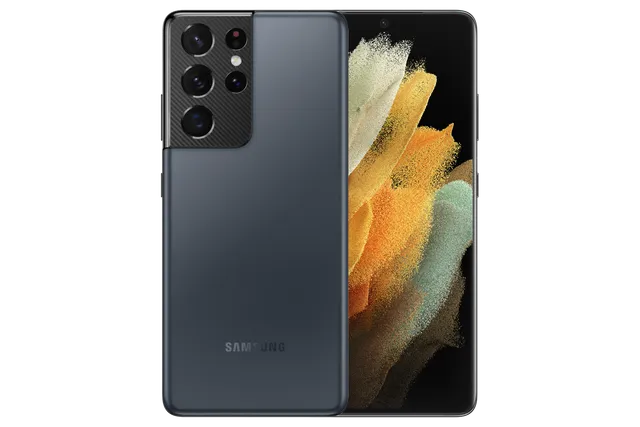
Phantom Navy
Phone · Samsung Galaxy S21 Ultra 5G
Stock firmware and official updates for the Samsung Galaxy S21 Ultra 5G (SM-G998B), by region.
 Afghanistan AFGBuildG998BXXSJHZC2AndroidAndroid 15Security patchJan 2026ReleasedMar 26, 2026DetailsWhat's new
 Albania AVFBuildG998BXXSJHZC2AndroidAndroid 15Security patchJan 2026ReleasedMar 26, 2026DetailsWhat's new
Samsung's official release notes, newest first.
• Stability and reliability Device behavior has been improved. These changes may vary depending on the model, country, or network operator of the customer environment.
Released for 1 CSC: XID
Source: Samsung• Security The device is protected with improved security. These changes may vary depending on the model, country, or network operator of the customer environment.
Released for 165 CSCs: *, 3IE, ACR, AFG, AFR, AMO, ANC, ARO, ATL, ATO, AUT, AVF, BAA, BAT, BGL, BKD, BOG, BTB, BTE, BTU, BVO, BVT, CAL, CAU, CDR, CGU, CHE, CHL, CHO, CHT, CNX, COA, COL, COM, COO, COS, CPA, CRC, CRO, CTI, CTU, DBT, DKR, DOR, DRE, DTM, EBE, ECO, ECT, EGY, EON, EUR, EVR, FTM, GLB, GTO, H3G, HTS, HUI, ILO, ILP, INU, ITV, IUS, KSA, LUX, LYS, MAX, MBM, MEO, MET, MID, MM1, MOB, MOT, MSR, MWD, MXO, MYM, NEE, NPL, O2C, O2U, OMN, OPS, OPV, ORO, ORS, ORX, PAK, PEO, PET, PGU, PHE, PHN, PLS, PNT, PRT, PSN, PSP, ROM, SAM, SEB, SEE, SEK, SER, SFR, SIM, SIN, SIO, SKZ, SLK, SRR, STH, SWC, TCE, TCL, TEL, TGP, THL, TIM, TMH, TMM, TMS, TMZ, TNL, TOP, TPA, TPH, TPL, TSI, TUN, TUR, UFN, UFU, UPO, UYO, VAU, VD2, VDC, VDF, VDI, VGR, VIP, VOD, XEC, XEF, XEH, XEO, XEZ, XFA, XFE, XFV, XID, XME, XNZ, XSA, XSG, XSP, XTC, XXV, ZTA, ZTM, ZTO, ZVV
Source: Samsung• Security The device is protected with improved security. Software enhancement to provide an additional layer of connectivity to Triple Zero services during emergency service outages. These changes may vary depending on the model, country, or network operator of the customer environment.
 Argentina AROArgentina CTIBuildG998BXXSJHZC2AndroidAndroid 15Security patchJan 2026ReleasedMar 26, 2026DetailsWhat's newArgentina PSNBuildG998BXXSJHZC2AndroidAndroid 15Security patchJan 2026ReleasedMar 26, 2026DetailsWhat's newArgentina UFNBuildG998BXXSJHZC2AndroidAndroid 15Security patchJan 2026ReleasedMar 26, 2026DetailsWhat's new
 Australia OPSBuildG998BXXSJHZC2AndroidAndroid 15Security patchJan 2026ReleasedMar 26, 2026DetailsWhat's newAustralia TELBuildG998BXXSJHZC2AndroidAndroid 15Security patchJan 2026ReleasedMar 26, 2026DetailsWhat's newAustralia VAUBuildG998BXXSJHZC2AndroidAndroid 15Security patchJan 2026ReleasedMar 26, 2026DetailsWhat's newAustralia XSABuildG998BXXSJHZC2AndroidAndroid 15Security patchJan 2026ReleasedMar 26, 2026DetailsWhat's new
 Austria ATOBuildG998BXXSJHZC2AndroidAndroid 15Security patchJan 2026ReleasedMar 26, 2026DetailsWhat's newAustria DREBuildG998BXXSJHZC2AndroidAndroid 15Security patchJan 2026ReleasedMar 26, 2026DetailsWhat's newAustria MAXBuildG998BXXSJHZC2AndroidAndroid 15Security patchJan 2026ReleasedMar 26, 2026DetailsWhat's newAustria MOBBuildG998BXXSJHZC2AndroidAndroid 15Security patchJan 2026ReleasedMar 26, 2026DetailsWhat's new
 Bahamas BAABuildG998BXXSJHZC2AndroidAndroid 15Security patchJan 2026ReleasedMar 26, 2026DetailsWhat's new
 Bangladesh BKDBuildG998BXXSJHZC2AndroidAndroid 15Security patchJan 2026ReleasedMar 26, 2026DetailsWhat's new
 Bolivia BVOBuildG998BXXSJHZC2AndroidAndroid 15Security patchJan 2026ReleasedMar 26, 2026DetailsWhat's newBolivia BVTBuildG998BXXSJHZC2AndroidAndroid 15Security patchJan 2026ReleasedMar 26, 2026DetailsWhat's new
 Brazil ZTABuildG998BXXSJHZC2AndroidAndroid 15Security patchJan 2026ReleasedMar 26, 2026DetailsWhat's newBrazil ZTMBuildG998BXXSJHZC2AndroidAndroid 15Security patchJan 2026ReleasedMar 26, 2026DetailsWhat's newBrazil ZTOBuildG998BXXSJHZC2AndroidAndroid 15Security patchJan 2026ReleasedMar 26, 2026DetailsWhat's newBrazil ZVVBuildG998BXXSJHZC2AndroidAndroid 15Security patchJan 2026ReleasedMar 26, 2026DetailsWhat's new
 Bulgaria BGLBuildG998BXXSJHZC2AndroidAndroid 15Security patchJan 2026ReleasedMar 26, 2026DetailsWhat's new
 Chile CHEBuildG998BXXSJHZC2AndroidAndroid 15Security patchJan 2026ReleasedMar 26, 2026DetailsWhat's newChile CHLBuildG998BXXSJHZC2AndroidAndroid 15Security patchJan 2026ReleasedMar 26, 2026DetailsWhat's newChile CHOBuildG998BXXSJHZC2AndroidAndroid 15Security patchJan 2026ReleasedMar 26, 2026DetailsWhat's newChile CHTBuildG998BXXSJHZC2AndroidAndroid 15Security patchJan 2026ReleasedMar 26, 2026DetailsWhat's new
 Colombia COBBuildG998BXXSJHZC2AndroidAndroid 15Security patchJan 2026ReleasedMar 26, 2026DetailsWhat's newColombia COLBuildG998BXXSJHZC2AndroidAndroid 15Security patchJan 2026ReleasedMar 26, 2026DetailsWhat's newColombia COMBuildG998BXXSJHZC2AndroidAndroid 15Security patchJan 2026ReleasedMar 26, 2026DetailsWhat's newColombia COOBuildG998BXXSJHZC2AndroidAndroid 15Security patchJan 2026ReleasedMar 26, 2026DetailsWhat's new
 Costa Rica CRCBuildG998BXXSJHZC2AndroidAndroid 15Security patchJan 2026ReleasedMar 26, 2026DetailsWhat's newCosta Rica ICEBuildG998BXXU1AUB9AndroidAndroid 11Security patchFeb 2021ReleasedMar 12, 2021DetailsDownload
 Croatia CROBuildG998BXXSJHZC2AndroidAndroid 15Security patchJan 2026ReleasedMar 26, 2026DetailsWhat's newCroatia VIPBuildG998BXXSJHZC2AndroidAndroid 15Security patchJan 2026ReleasedMar 26, 2026DetailsWhat's new
 Czechia O2CBuildG998BXXSJHZC2AndroidAndroid 15Security patchJan 2026ReleasedMar 26, 2026DetailsWhat's newCzechia TMZBuildG998BXXSJHZC2AndroidAndroid 15Security patchJan 2026ReleasedMar 26, 2026DetailsWhat's newCzechia VDCBuildG998BXXSJHZC2AndroidAndroid 15Security patchJan 2026ReleasedMar 26, 2026DetailsWhat's newCzechia XEZBuildG998BXXSJHZC2AndroidAndroid 15Security patchJan 2026ReleasedMar 26, 2026DetailsWhat's new
 Dominican Republic CDRBuildG998BXXSJHZC2AndroidAndroid 15Security patchJan 2026ReleasedMar 26, 2026DetailsWhat's newDominican Republic DORBuildG998BXXSJHZC2AndroidAndroid 15Security patchJan 2026ReleasedMar 26, 2026DetailsWhat's new
 Ecuador EBEBuildG998BXXSJHZC2AndroidAndroid 15Security patchJan 2026ReleasedMar 26, 2026DetailsWhat's newEcuador ECOBuildG998BXXSJHZC2AndroidAndroid 15Security patchJan 2026ReleasedMar 26, 2026DetailsWhat's newEcuador EONBuildG998BXXSJHZC2AndroidAndroid 15Security patchJan 2026ReleasedMar 26, 2026DetailsWhat's new
 Egypt EGYBuildG998BXXSJHZC2AndroidAndroid 15Security patchJan 2026ReleasedMar 26, 2026DetailsWhat's new
 France BOGBuildG998BXXSJHZC2AndroidAndroid 15Security patchJan 2026ReleasedMar 26, 2026DetailsWhat's newFrance FTMBuildG998BXXSJHZC2AndroidAndroid 15Security patchJan 2026ReleasedMar 26, 2026DetailsWhat's newFrance SFRBuildG998BXXSJHZC2AndroidAndroid 15Security patchJan 2026ReleasedMar 26, 2026DetailsWhat's newFrance XEFBuildG998BXXSJHZC2AndroidAndroid 15Security patchJan 2026ReleasedMar 26, 2026DetailsWhat's new
 Georgia CAUBuildG998BXXSJHZC2AndroidAndroid 15Security patchJan 2026ReleasedMar 26, 2026DetailsWhat's new
 Germany DBTBuildG998BXXSJHZC2AndroidAndroid 15Security patchJan 2026ReleasedMar 26, 2026DetailsWhat's newGermany DTMBuildG998BXXSJHZC2AndroidAndroid 15Security patchJan 2026ReleasedMar 26, 2026DetailsWhat's newGermany VD2BuildG998BXXSJHZC2AndroidAndroid 15Security patchJan 2026ReleasedMar 26, 2026DetailsWhat's new
 Ghana ACRBuildG998BXXSJHZC2AndroidAndroid 15Security patchJan 2026ReleasedMar 26, 2026DetailsWhat's new
 Greece COSBuildG998BXXSJHZC2AndroidAndroid 15Security patchJan 2026ReleasedMar 26, 2026DetailsWhat's newGreece EURBuildG998BXXSJHZC2AndroidAndroid 15Security patchJan 2026ReleasedMar 26, 2026DetailsWhat's newGreece VGRBuildG998BXXSJHZC2AndroidAndroid 15Security patchJan 2026ReleasedMar 26, 2026DetailsWhat's new
 Guatemala CGUBuildG998BXXSJHZC2AndroidAndroid 15Security patchJan 2026ReleasedMar 26, 2026DetailsWhat's newGuatemala GTOBuildG998BXXSJHZC2AndroidAndroid 15Security patchJan 2026ReleasedMar 26, 2026DetailsWhat's newGuatemala PGUBuildG998BXXSJHZC2AndroidAndroid 15Security patchJan 2026ReleasedMar 26, 2026DetailsWhat's new
 Hungary TMHBuildG998BXXSJHZC2AndroidAndroid 15Security patchJan 2026ReleasedMar 26, 2026DetailsWhat's newHungary WWABuildG998BXXU1AUB3AndroidAndroid 11Security patchFeb 2021ReleasedFeb 19, 2021DetailsDownloadHungary XEHBuildG998BXXSJHZC2AndroidAndroid 15Security patchJan 2026ReleasedMar 26, 2026DetailsWhat's new
 India INUBuildG998BXXSJHZC2AndroidAndroid 15Security patchJan 2026ReleasedMar 26, 2026DetailsWhat's new
 Indonesia XIDBuildG998BXXUJHZF2AndroidAndroid 15Security patchJan 2026ReleasedJul 9, 2026DetailsWhat's new
 Iraq MIDBuildG998BXXSJHZC2AndroidAndroid 15Security patchJan 2026ReleasedMar 26, 2026DetailsWhat's new
 Ireland 3IEBuildG998BXXSJHZC2AndroidAndroid 15Security patchJan 2026ReleasedMar 26, 2026DetailsWhat's newIreland METBuildG998BXXSJHZC2AndroidAndroid 15Security patchJan 2026ReleasedMar 26, 2026DetailsWhat's newIreland TSIBuildG998BXXSJHZC2AndroidAndroid 15Security patchJan 2026ReleasedMar 26, 2026DetailsWhat's newIreland VDIBuildG998BXXSJHZC2AndroidAndroid 15Security patchJan 2026ReleasedMar 26, 2026DetailsWhat's new
 Israel ILOBuildG998BXXSJHZC2AndroidAndroid 15Security patchJan 2026ReleasedMar 26, 2026DetailsWhat's newIsrael ILPBuildG998BXXSJHZC2AndroidAndroid 15Security patchJan 2026ReleasedMar 26, 2026DetailsWhat's new
 Italy HUIBuildG998BXXSJHZC2AndroidAndroid 15Security patchJan 2026ReleasedMar 26, 2026DetailsWhat's newItaly ITVBuildG998BXXSJHZC2AndroidAndroid 15Security patchJan 2026ReleasedMar 26, 2026DetailsWhat's newItaly OMNBuildG998BXXSJHZC2AndroidAndroid 15Security patchJan 2026ReleasedMar 26, 2026DetailsWhat's newItaly TIMBuildG998BXXSJHZC2AndroidAndroid 15Security patchJan 2026ReleasedMar 26, 2026DetailsWhat's new
 Jamaica CWWBuildG998BXXU3AUE1AndroidAndroid 11Security patchMay 2021ReleasedJun 21, 2021DetailsDownload
 Kazakhstan SKZBuildG998BXXSJHZC2AndroidAndroid 15Security patchJan 2026ReleasedMar 26, 2026DetailsWhat's new
 Kyrgyzstan CACBuildG998BXXU1AUB9AndroidAndroid 11Security patchFeb 2021ReleasedMar 12, 2021DetailsDownload
 Latvia SEBBuildG998BXXSJHZC2AndroidAndroid 15Security patchJan 2026ReleasedMar 26, 2026DetailsWhat's new
 Libya BTCBuildG998BXXU1AUB6AndroidAndroid 11Security patchFeb 2021ReleasedFeb 16, 2021DetailsDownloadLibya LYSBuildG998BXXSJHZC2AndroidAndroid 15Security patchJan 2026ReleasedMar 26, 2026DetailsWhat's new
 Luxembourg LUXBuildG998BXXSJHZC2AndroidAndroid 15Security patchJan 2026ReleasedMar 26, 2026DetailsWhat's new
 Malaysia XMEBuildG998BXXSJHZC2AndroidAndroid 15Security patchJan 2026ReleasedMar 26, 2026DetailsWhat's new
 Mexico IUSBuildG998BXXSJHZC2AndroidAndroid 15Security patchJan 2026ReleasedMar 26, 2026DetailsWhat's newMexico MXOBuildG998BXXSJHZC2AndroidAndroid 15Security patchJan 2026ReleasedMar 26, 2026DetailsWhat's newMexico TCEBuildG998BXXSJHZC2AndroidAndroid 15Security patchJan 2026ReleasedMar 26, 2026DetailsWhat's newMexico TMMBuildG998BXXSJHZC2AndroidAndroid 15Security patchJan 2026ReleasedMar 26, 2026DetailsWhat's new
 Morocco MWDBuildG998BXXSJHZC2AndroidAndroid 15Security patchJan 2026ReleasedMar 26, 2026DetailsWhat's new
 Nepal NPLBuildG998BXXSJHZC2AndroidAndroid 15Security patchJan 2026ReleasedMar 26, 2026DetailsWhat's new
 Netherlands PHNBuildG998BXXSJHZC2AndroidAndroid 15Security patchJan 2026ReleasedMar 26, 2026DetailsWhat's newNetherlands TNLBuildG998BXXSJHZC2AndroidAndroid 15Security patchJan 2026ReleasedMar 26, 2026DetailsWhat's newNetherlands VDFBuildG998BXXSJHZC2AndroidAndroid 15Security patchJan 2026ReleasedMar 26, 2026DetailsWhat's new
 New Zealand XNZBuildG998BXXSJHZC2AndroidAndroid 15Security patchJan 2026ReleasedMar 26, 2026DetailsWhat's new
 Nicaragua NBSBuildG998BXXU4CVC4AndroidAndroid 12Security patchMar 2022ReleasedMay 14, 2022DetailsDownload
 Nigeria ECTBuildG998BXXSJHZC2AndroidAndroid 15Security patchJan 2026ReleasedMar 26, 2026DetailsWhat's new
 North Macedonia MBMBuildG998BXXSJHZC2AndroidAndroid 15Security patchJan 2026ReleasedMar 26, 2026DetailsWhat's new
 Pakistan PAKBuildG998BXXSJHZC2AndroidAndroid 15Security patchJan 2026ReleasedMar 26, 2026DetailsWhat's new
 Panama CPABuildG998BXXSJHZC2AndroidAndroid 15Security patchJan 2026ReleasedMar 26, 2026DetailsWhat's newPanama TPABuildG998BXXSJHZC2AndroidAndroid 15Security patchJan 2026ReleasedMar 26, 2026DetailsWhat's new
 Paraguay PSPBuildG998BXXSJHZC2AndroidAndroid 15Security patchJan 2026ReleasedMar 26, 2026DetailsWhat's newParaguay TGPBuildG998BXXSJHZC2AndroidAndroid 15Security patchJan 2026ReleasedMar 26, 2026DetailsWhat's newParaguay UPOBuildG998BXXSJHZC2AndroidAndroid 15Security patchJan 2026ReleasedMar 26, 2026DetailsWhat's new
 Peru PEOBuildG998BXXSJHZC2AndroidAndroid 15Security patchJan 2026ReleasedMar 26, 2026DetailsWhat's newPeru PETBuildG998BXXSJHZC2AndroidAndroid 15Security patchJan 2026ReleasedMar 26, 2026DetailsWhat's newPeru PNTBuildG998BXXSJHZC2AndroidAndroid 15Security patchJan 2026ReleasedMar 26, 2026DetailsWhat's newPeru SAMBuildG998BXXSJHZC2AndroidAndroid 15Security patchJan 2026ReleasedMar 26, 2026DetailsWhat's new
 Philippines GLBBuildG998BXXSJHZC2AndroidAndroid 15Security patchJan 2026ReleasedMar 26, 2026DetailsWhat's newPhilippines XTCBuildG998BXXSJHZC2AndroidAndroid 15Security patchJan 2026ReleasedMar 26, 2026DetailsWhat's new
 Poland OPVBuildG998BXXSJHZC2AndroidAndroid 15Security patchJan 2026ReleasedMar 26, 2026DetailsWhat's newPoland PLSBuildG998BXXSJHZC2AndroidAndroid 15Security patchJan 2026ReleasedMar 26, 2026DetailsWhat's newPoland PRTBuildG998BXXSJHZC2AndroidAndroid 15Security patchJan 2026ReleasedMar 26, 2026DetailsWhat's newPoland TPLBuildG998BXXSJHZC2AndroidAndroid 15Security patchJan 2026ReleasedMar 26, 2026DetailsWhat's newPoland XEOBuildG998BXXSJHZC2AndroidAndroid 15Security patchJan 2026ReleasedMar 26, 2026DetailsWhat's new
 Portugal MEOBuildG998BXXSJHZC2AndroidAndroid 15Security patchJan 2026ReleasedMar 26, 2026DetailsWhat's newPortugal TCLBuildG998BXXSJHZC2AndroidAndroid 15Security patchJan 2026ReleasedMar 26, 2026DetailsWhat's newPortugal TPHBuildG998BXXSJHZC2AndroidAndroid 15Security patchJan 2026ReleasedMar 26, 2026DetailsWhat's new
 Réunion SRRBuildG998BXXSJHZC2AndroidAndroid 15Security patchJan 2026ReleasedMar 26, 2026DetailsWhat's new
 Romania CNXBuildG998BXXSJHZC2AndroidAndroid 15Security patchJan 2026ReleasedMar 26, 2026DetailsWhat's newRomania COABuildG998BXXSJHZC2AndroidAndroid 15Security patchJan 2026ReleasedMar 26, 2026DetailsWhat's newRomania OROBuildG998BXXSJHZC2AndroidAndroid 15Security patchJan 2026ReleasedMar 26, 2026DetailsWhat's newRomania ROMBuildG998BXXSJHZC2AndroidAndroid 15Security patchJan 2026ReleasedMar 26, 2026DetailsWhat's new
 Russia SERBuildG998BXXSJHZC2AndroidAndroid 15Security patchJan 2026ReleasedMar 26, 2026DetailsWhat's new
 Saudi Arabia KSABuildG998BXXSJHZC2AndroidAndroid 15Security patchJan 2026ReleasedMar 26, 2026DetailsWhat's new
 Senegal DKRBuildG998BXXSJHZC2AndroidAndroid 15Security patchJan 2026ReleasedMar 26, 2026DetailsWhat's new
 Serbia MSRBuildG998BXXSJHZC2AndroidAndroid 15Security patchJan 2026ReleasedMar 26, 2026DetailsWhat's newSerbia SEEBuildG998BXXSJHZC2AndroidAndroid 15Security patchJan 2026ReleasedMar 26, 2026DetailsWhat's newSerbia TOPBuildG998BXXSJHZC2AndroidAndroid 15Security patchJan 2026ReleasedMar 26, 2026DetailsWhat's new
 Singapore MM1BuildG998BXXSJHZC2AndroidAndroid 15Security patchJan 2026ReleasedMar 26, 2026DetailsWhat's newSingapore SINBuildG998BXXSJHZC2AndroidAndroid 15Security patchJan 2026ReleasedMar 26, 2026DetailsWhat's newSingapore STHBuildG998BXXSJHZC2AndroidAndroid 15Security patchJan 2026ReleasedMar 26, 2026DetailsWhat's newSingapore XSPBuildG998BXXSJHZC2AndroidAndroid 15Security patchJan 2026ReleasedMar 26, 2026DetailsWhat's new
 Slovakia ORSBuildG998BXXSJHZC2AndroidAndroid 15Security patchJan 2026ReleasedMar 26, 2026DetailsWhat's newSlovakia ORXBuildG998BXXSJHZC2AndroidAndroid 15Security patchJan 2026ReleasedMar 26, 2026DetailsWhat's newSlovakia TMSBuildG998BXXSJHZC2AndroidAndroid 15Security patchJan 2026ReleasedMar 26, 2026DetailsWhat's new
 Slovenia MOTBuildG998BXXSJHZC2AndroidAndroid 15Security patchJan 2026ReleasedMar 26, 2026DetailsWhat's newSlovenia SIMBuildG998BXXSJHZC2AndroidAndroid 15Security patchJan 2026ReleasedMar 26, 2026DetailsWhat's newSlovenia SIOBuildG998BXXSJHZC2AndroidAndroid 15Security patchJan 2026ReleasedMar 26, 2026DetailsWhat's new
 South Africa XFABuildG998BXXSJHZC2AndroidAndroid 15Security patchJan 2026ReleasedMar 26, 2026DetailsWhat's newSouth Africa XFEBuildG998BXXSJHZC2AndroidAndroid 15Security patchJan 2026ReleasedMar 26, 2026DetailsWhat's newSouth Africa XFVBuildG998BXXSJHZC2AndroidAndroid 15Security patchJan 2026ReleasedMar 26, 2026DetailsWhat's new
 Spain AMOBuildG998BXXSJHZC2AndroidAndroid 15Security patchJan 2026ReleasedMar 26, 2026DetailsWhat's newSpain ATLBuildG998BXXSJHZC2AndroidAndroid 15Security patchJan 2026ReleasedMar 26, 2026DetailsWhat's newSpain PHEBuildG998BXXSJHZC2AndroidAndroid 15Security patchJan 2026ReleasedMar 26, 2026DetailsWhat's newSpain XECBuildG998BXXSJHZC2AndroidAndroid 15Security patchJan 2026ReleasedMar 26, 2026DetailsWhat's new
 Sri Lanka SLKBuildG998BXXSJHZC2AndroidAndroid 15Security patchJan 2026ReleasedMar 26, 2026DetailsWhat's new
 Sweden HTSBuildG998BXXSJHZC2AndroidAndroid 15Security patchJan 2026ReleasedMar 26, 2026DetailsWhat's newSweden NEEBuildG998BXXSJHZC2AndroidAndroid 15Security patchJan 2026ReleasedMar 26, 2026DetailsWhat's new
 Switzerland AUTBuildG998BXXSJHZC2AndroidAndroid 15Security patchJan 2026ReleasedMar 26, 2026DetailsWhat's newSwitzerland SWCBuildG998BXXSJHZC2AndroidAndroid 15Security patchJan 2026ReleasedMar 26, 2026DetailsWhat's newSwitzerland WWCBuildG998BXXU1AUB3AndroidAndroid 11Security patchFeb 2021ReleasedFeb 19, 2021DetailsDownloadSwitzerland WWDBuildG998BXXU1AUB3AndroidAndroid 11Security patchFeb 2021ReleasedFeb 19, 2021DetailsDownload
 Thailand CALBuildG998BXXSJHZC2AndroidAndroid 15Security patchJan 2026ReleasedMar 26, 2026DetailsWhat's newThailand MYMBuildG998BXXSJHZC2AndroidAndroid 15Security patchJan 2026ReleasedMar 26, 2026DetailsWhat's newThailand THLBuildG998BXXSJHZC2AndroidAndroid 15Security patchJan 2026ReleasedMar 26, 2026DetailsWhat's new
 Trinidad & Tobago BATBuildG998BXXSJHZC2AndroidAndroid 15Security patchJan 2026ReleasedMar 26, 2026DetailsWhat's new
 Tunisia TUNBuildG998BXXSJHZC2AndroidAndroid 15Security patchJan 2026ReleasedMar 26, 2026DetailsWhat's new
 Türkiye TURBuildG998BXXSJHZC2AndroidAndroid 15Security patchJan 2026ReleasedMar 26, 2026DetailsWhat's new
 UK & IRE BTUBuildG998BXXSJHZC2AndroidAndroid 15Security patchJan 2026ReleasedMar 26, 2026DetailsWhat's new
 Ukraine SEKBuildG998BXXSJHZC2AndroidAndroid 15Security patchJan 2026ReleasedMar 26, 2026DetailsWhat's new
 United Arab Emirates AFRBuildG998BXXSJHZC2AndroidAndroid 15Security patchJan 2026ReleasedMar 26, 2026DetailsWhat's newUnited Arab Emirates XSGBuildG998BXXSJHZC2AndroidAndroid 15Security patchJan 2026ReleasedMar 26, 2026DetailsWhat's newUnited Kingdom BTBBuildG998BXXSJHZC2AndroidAndroid 15Security patchJan 2026ReleasedMar 26, 2026DetailsWhat's newUnited Kingdom BTEBuildG998BXXSJHZC2AndroidAndroid 15Security patchJan 2026ReleasedMar 26, 2026DetailsWhat's newUnited Kingdom EVRBuildG998BXXSJHZC2AndroidAndroid 15Security patchJan 2026ReleasedMar 26, 2026DetailsWhat's newUnited Kingdom H3GBuildG998BXXSJHZC2AndroidAndroid 15Security patchJan 2026ReleasedMar 26, 2026DetailsWhat's newUnited Kingdom O2UBuildG998BXXSJHZC2AndroidAndroid 15Security patchJan 2026ReleasedMar 26, 2026DetailsWhat's newUnited Kingdom VODBuildG998BXXSJHZC2AndroidAndroid 15Security patchJan 2026ReleasedMar 26, 2026DetailsWhat's new
 Uruguay ANCBuildG998BXXSJHZC2AndroidAndroid 15Security patchJan 2026ReleasedMar 26, 2026DetailsWhat's newUruguay CTUBuildG998BXXSJHZC2AndroidAndroid 15Security patchJan 2026ReleasedMar 26, 2026DetailsWhat's newUruguay UFUBuildG998BXXSJHZC2AndroidAndroid 15Security patchJan 2026ReleasedMar 26, 2026DetailsWhat's newUruguay UYOBuildG998BXXSJHZC2AndroidAndroid 15Security patchJan 2026ReleasedMar 26, 2026DetailsWhat's new
 Vietnam XXVBuildG998BXXSJHZC2AndroidAndroid 15Security patchJan 2026ReleasedMar 26, 2026DetailsWhat's new
Released for 165 CSCs: *, 3IE, ACR, AFG, AFR, AMO, ANC, ARO, ATL, ATO, AUT, AVF, BAA, BAT, BGL, BKD, BOG, BTB, BTE, BTU, BVO, BVT, CAL, CAU, CDR, CGU, CHE, CHL, CHO, CHT, CNX, COA, COL, COM, COO, COS, CPA, CRC, CRO, CTI, CTU, DBT, DKR, DOR, DRE, DTM, EBE, ECO, ECT, EGY, EON, EUR, EVR, FTM, GLB, GTO, H3G, HTS, HUI, ILO, ILP, INU, ITV, IUS, KSA, LUX, LYS, MAX, MBM, MEO, MET, MID, MM1, MOB, MOT, MSR, MWD, MXO, MYM, NEE, NPL, O2C, O2U, OMN, OPS, OPV, ORO, ORS, ORX, PAK, PEO, PET, PGU, PHE, PHN, PLS, PNT, PRT, PSN, PSP, ROM, SAM, SEB, SEE, SEK, SER, SFR, SIM, SIN, SIO, SKZ, SLK, SRR, STH, SWC, TCE, TCL, TEL, TGP, THL, TIM, TMH, TMM, TMS, TMZ, TNL, TOP, TPA, TPH, TPL, TSI, TUN, TUR, UFN, UFU, UPO, UYO, VAU, VD2, VDC, VDF, VDI, VGR, VIP, VOD, XEC, XEF, XEH, XEO, XEZ, XFA, XFE, XFV, XID, XME, XNZ, XSA, XSG, XSP, XTC, XXV, ZTA, ZTM, ZTO, ZVV
• Security The device is protected with improved security. These changes may vary depending on the model, country, or network operator of the customer environment.
Released for 161 CSCs: *, 3IE, ACR, AFG, AFR, AMO, ANC, ARO, ATL, ATO, AUT, AVF, BAA, BAT, BGL, BOG, BTB, BTE, BTU, BVO, BVT, CAL, CAU, CDR, CGU, CHE, CHL, CHO, CHT, CNX, COA, COL, COM, COO, COS, CPA, CRC, CRO, CTI, CTU, DBT, DKR, DOR, DRE, DTM, EBE, ECO, ECT, EGY, EON, EUR, EVR, FTM, GLB, GTO, H3G, HTS, HUI, ILO, ILP, ITV, IUS, KSA, LUX, LYS, MAX, MBM, MEO, MET, MID, MM1, MOB, MOT, MSR, MWD, MXO, MYM, NEE, O2C, O2U, OMN, OPS, OPV, ORO, ORS, ORX, PAK, PEO, PET, PGU, PHE, PHN, PLS, PNT, PRT, PSN, PSP, ROM, SAM, SEB, SEE, SEK, SER, SFR, SIM, SIN, SIO, SKZ, SRR, STH, SWC, TCE, TCL, TEL, TGP, THL, TIM, TMH, TMM, TMS, TMZ, TNL, TOP, TPA, TPH, TPL, TSI, TUN, TUR, UFN, UFU, UPO, UYO, VAU, VD2, VDC, VDF, VDI, VGR, VIP, VOD, XEC, XEF, XEH, XEO, XEZ, XFA, XFE, XFV, XID, XME, XNZ, XSA, XSG, XSP, XTC, XXV, ZTA, ZTM, ZTO, ZVV
Source: Samsung• Security The device is protected with improved security. These changes may vary depending on the model, country, or network operator of the customer environment.
Released for 83 CSCs: *, 3IE, AMO, ATL, ATO, AUT, AVF, BGL, BKD, BOG, BTB, BTE, BTU, CAU, CNX, COA, COS, CRO, DBT, DRE, DTM, EUR, EVR, FTM, H3G, HTS, HUI, INU, ITV, LUX, MAX, MBM, MEO, MET, MOB, MOT, MSR, NEE, NPL, O2C, O2U, OMN, OPV, ORO, ORS, ORX, PHE, PHN, PLS, PRT, ROM, SEB, SEE, SEK, SER, SFR, SIM, SIO, SKZ, SLK, SWC, TCL, TIM, TMH, TMS, TMZ, TNL, TOP, TPH, TPL, TSI, VD2, VDC, VDF, VDI, VGR, VIP, VOD, XEC, XEF, XEH, XEO, XEZ
Source: Samsung• Security The device is protected with improved security. These changes may vary depending on the model, country, or network operator of the customer environment.
Released for 164 CSCs: *, 3IE, ACR, AFG, AFR, AMO, ANC, ARO, ATL, ATO, AUT, AVF, BAA, BAT, BGL, BKD, BOG, BTB, BTE, BTU, BVO, BVT, CAL, CAU, CDR, CGU, CHE, CHL, CHO, CHT, CNX, COA, COL, COM, COO, COS, CPA, CRC, CRO, CTI, CTU, DBT, DKR, DOR, DRE, DTM, EBE, ECO, ECT, EGY, EON, EUR, EVR, FTM, GLB, GTO, H3G, HTS, HUI, ILO, ILP, INU, ITV, IUS, KSA, LUX, LYS, MAX, MBM, MEO, MET, MID, MM1, MOB, MOT, MSR, MWD, MXO, MYM, NEE, NPL, O2C, O2U, OMN, OPS, OPV, ORO, ORS, ORX, PAK, PEO, PET, PGU, PHE, PHN, PLS, PNT, PRT, PSN, PSP, ROM, SAM, SEB, SEE, SEK, SER, SFR, SIM, SIN, SIO, SKZ, SLK, SRR, STH, SWC, TCE, TCL, TEL, TGP, THL, TIM, TMH, TMM, TMS, TMZ, TNL, TOP, TPA, TPH, TPL, TSI, TUN, TUR, UFN, UFU, UPO, UYO, VAU, VD2, VDC, VDF, VDI, VGR, VIP, VOD, XEC, XEF, XEH, XEO, XEZ, XFA, XFE, XFV, XID, XME, XSA, XSG, XSP, XTC, XXV, ZTA, ZTM, ZTO, ZVV
Source: Samsung• The security of your device has been improved.
Released for 165 CSCs: *, 3IE, ACR, AFG, AFR, AMO, ANC, ARO, ATL, ATO, AUT, AVF, BAA, BAT, BGL, BKD, BOG, BTB, BTE, BTU, BVO, BVT, CAL, CAU, CDR, CGU, CHE, CHL, CHO, CHT, CNX, COA, COL, COM, COO, COS, CPA, CRC, CRO, CTI, CTU, DBT, DKR, DOR, DRE, DTM, EBE, ECO, ECT, EGY, EON, EUR, EVR, FTM, GLB, GTO, H3G, HTS, HUI, ILO, ILP, INU, ITV, IUS, KSA, LUX, LYS, MAX, MBM, MEO, MET, MID, MM1, MOB, MOT, MSR, MWD, MXO, MYM, NEE, NPL, O2C, O2U, OMN, OPS, OPV, ORO, ORS, ORX, PAK, PEO, PET, PGU, PHE, PHN, PLS, PNT, PRT, PSN, PSP, ROM, SAM, SEB, SEE, SEK, SER, SFR, SIM, SIN, SIO, SKZ, SLK, SRR, STH, SWC, TCE, TCL, TEL, TGP, THL, TIM, TMH, TMM, TMS, TMZ, TNL, TOP, TPA, TPH, TPL, TSI, TUN, TUR, UFN, UFU, UPO, UYO, VAU, VD2, VDC, VDF, VDI, VGR, VIP, VOD, XEC, XEF, XEH, XEO, XEZ, XFA, XFE, XFV, XID, XME, XNZ, XSA, XSG, XSP, XTC, XXV, ZTA, ZTM, ZTO, ZVV
Source: SamsungOne UI 7.0 Upgrade (Android 15) Bold new look Visual enhancements Enjoy a more sophisticated and unique look. One UI 7 introduces a stunning redesign to key components including buttons, menus, notifications and control bars, providing a more consistent visual experience with curves and circles. Beautiful new colors, soft animations, and an innovative blur effect that's unique to One UI make information hierarchy clearer and help you focus on important information. Reimagined Home screen Fresh new app icons will look great on your Home screen with new visual metaphors and color schemes that make it easier to recognize the app you need. Widgets have been completely redesigned with more colorful images and more consistent layouts. Folders on your Home screen can also be made larger so you can instantly access apps without opening the folder first. Simplified Home screen grid Your Home screen now looks even better than before. A new standard grid layout keeps things symmetrical and makes it easier to use One UI widgets in standard sizes. Improved Home screen landscape view Get a more consistent look for your Home screen, even when using your phone horizontally. Widgets now have a similar aspect ratio in landscape view, and text labels appear below icons instead of beside them. Customize your app and widget style Make your Home screen look just the way you like it. You can now adjust the size of app icons and choose whether or not to show text labels below app icons and featured widgets. You can also adjust shape, background color, and transparency in the settings for each widget. Lock screen and Always On Display Stay on top of important tasks with the Now bar Check the information you need right now and start essential features without unlocking your phone. Ongoing tasks will appear in the Now bar at the bottom of your Lock screen so you can check key information quickly. Information includes media controls, Stopwatch, Timer, Voice Recorder, Samsung Health, and more. Make your clock look just the way you like it Discover a variety of new clock styles for your Lock screen. You can adjust the thickness of lines in the default clock style, or try one of the new animated clocks to match your tastes. You can also resize your clock to any size you like and drag it to your desired position on the Lock screen. More widgets and shortcuts You can now see more and do more even when your phone is locked. Add a widget to show pictures and stories from your Gallery, or try a shortcut that opens the QR code scanner with a quick swipe. Quick panel and notifications Separate notification and quick panels Instantly access the panel you need with more space for quick settings. Swipe down from the top right corner of the screen to open the quick settings panel. Swipe down from anywhere else on the top of the screen to open the notification panel. Customize your quick panel Create the quick panel layout that's right for you. You can tap the pencil icon at the top of the quick panel to enter Edit mode, then move buttons and controls up and down to match your preferences. Live notifications Stay on top of what's happening right now. Live notifications show you the progress of ongoing activities like timers, voice recordings, exercises, and more so you can take quick actions related to them. Live notifications will appear in the Now bar on the Lock screen, on the status bar, and at the top of the notification panel. New notification layout Icons on notifications are now the same as the icon that appears on your Home screen, making it easy to recognize which app sent each notification. Grouped notifications appear as a stack of cards. Tap a stack to show all notifications in the group. Instantly access useful information Press and hold the Side button to access Google Gemini The Side button is a new way to access Google Gemini or other digital assistant app quickly instead of using the corner swipe. You can change what the Side button does in Settings. Complete multiple tasks with one ask Google Gemini is now seamlessly integrated with Samsung apps such as Calendar, Notes, Reminder, and Clock. You can complete tasks in these apps using information from Gemini with one simple command. Try asking Google Gemini to ask about a YouTube video and save the result in Samsung Notes, or try asking Google Gemini to find your favorite sports team’s schedule and add the games to your calendar. Circle it, find it. Hear it, find it Circle to Search with Google allows you to search anything on your screen and get information faster with AI Overviews. Just circle an object—including images, videos, or text—and you'll get results immediately. You can even search for a song that you hear in the moment without switching apps. Capture images with ease New Camera layout Camera buttons, controls, and modes have been reorganized to make it easier to find the features you need and to give you a clearer preview of the picture you're taking or the video you're recording. Mode selection improvements The More modes menu has been redesigned. Instead of filling the whole screen and blocking the camera view, you can now choose a mode from a small pop-up that only covers the bottom of the screen. Enhanced zoom controls It's now easier to choose the right zoom level. A 2x zoom button is now available by default, and additional zoom options appear after you select a lens. Upgraded filter experience Camera filters have been completely revamped. New filters are now available and existing filters have been improved. Each filter allows fine-tuned adjustments of intensity, color temperature, contrast and saturation, making it easier to get the look you want. You can also create custom filters based on the style and mood of pictures you choose. Save exposure settings for each mode Control how bright or dark your images are with the Exposure option in the camera quick controls. After you set the exposure for a mode, it will stay set in that mode even if you switch to a new mode and come back. Improved Pro/Pro video modes Pro and Pro video modes have a simplified layout that makes it easier to focus on the picture you're taking or the video you're recording. A new zoom control is available whenever you're recording in pro video mode that lets you control the zoom speed for smooth transitions. Mic controls in Pro video mode have been moved to quick controls. Play audio while recording videos You can now record videos without interrupting music, podcasts, or other audio content you’re listening to. Just turn on Audio playback in Advanced video options. Line up the perfect shot Get help adjusting the camera's position with grid lines and levels. Grid lines can now be turned on and off separately from the horizontal level. There's also a new option to show a vertical level. Enjoy your special moments Free-form collages Go beyond the preset layouts for collages in Gallery. You can now adjust the size, position, and rotation of images in your collage to create your own unique layout. Edit collages in stories Make your story’s collage look just the way you like it. You now have full control to edit collages created in stories. Replace images, remove or add images, or adjust the position and size. Powerful video editing Easily undo your edits Don't worry about making mistakes. Undo and Redo options are now available when editing videos for actions such as transformations, filters, and tone changes. Animate your videos Add fun animation effects to stickers and text in your videos in Studio. Choose from fade in, fade out, wipes, rotation, and more. Manage your health Stay mindful The new Mindfulness feature in Samsung Health can help you manage stress and anxiety in your daily life. Keep track of your moods and emotions, practice breathing exercises and meditation, and more. New Samsung Health badges Stay motivated and work toward your health goals while earning new badges in Samsung Health. Challenge yourself to earn the new badges for energy score, exercise, activity, food, water, body composition, and more. Boost your productivity Previews for minimized apps When multiple pop-up windows from the same app are minimized, they'll be combined into a single icon. Tapping the icon will show a preview of all open windows from the app, allowing you to easily select the window you want. Group your alarms Create groups of alarms that you want to control together in the Clock app. You can turn off all the alarms in one group with a single tap. Keep all your alarms at the same volume For simpler setup, all of your alarms will use the same volume by default. If you prefer to set different volumes for each alarm, you can choose this in Clock Settings. Enhanced file selection The new File Picker makes it easier to attach and select files in a variety of apps. It's easy to switch between different storage locations and categories, and previews are shown to make sure you get the right files. Advanced options for routines Program your phone to do almost anything you want. Routines are more powerful than ever before with If-Else logic and the ability to get data as variables. Plan tasks and events Easily reschedule calendar events Just drag and drop an event from one date to another on your calendar in Month view to change the event date. Show separate calendars on widgets You now have more control over which calendars appear on your calendar widgets. You can choose just one calendar and show only events from it on your Home screen, or create 2 separate calendar widgets with a different calendar on each one. Count down the days to an important event It's easier than ever to create a countdown widget for an event on your calendar. Go to the event details, then select Add countdown widget from the more options menu. A widget will appear on your home screen showing the number of days until your birthday, anniversary, vacation, or any other event that you choose. Move all events from one calendar to another Avoid the hassle of moving events one at a time. You can now move all events from one calendar to another, such as moving all events from the calendar on your phone to a cloud-based calendar. More options for repeating reminders When you create a repeating reminder, you can now choose multiple dates for repeating instead of just one. Enhanced quick add menu It's now easier to create reminders quickly. The quick add menu now provides preset options for time and location conditions. Manage your completed reminders It’s easier to clear out the clutter from your reminder list. A new setting lets you automatically delete completed reminders after a certain period of time. You can also duplicate completed reminders so you can reuse them without entering all of the information again. Connect and share Easily connect to nearby devices It's easier than ever before to connect to other Samsung devices such as TVs, tablets, PCs, watches, earbuds, and more. Tap Nearby devices in the quick panel to see devices available near you, then drag a device to your phone to instantly connect. You can also tap on a device to see the features available when connected to your phone. For example, when you tap on a TV, you’ll see an option to start Smart View. Recommended devices for Quick Share Easily find the right device to share with. Devices signed in to your Samsung account and devices you've shared with in the past will appear at the top of the list so they're easy to find. Continue sharing over the internet Finish file transfers even when devices are far apart. When sharing files using Quick Share, if the devices become too far apart to continue a direct transfer, the transfer will continue seamlessly over the internet using Wi-Fi or mobile data. Protect your security Protect your data in case your phone is stolen New theft protection features help protect your apps and data in case your phone is stolen. The screen will lock automatically if theft is detected or if your network connection is lost, or you can lock the screen manually by going to android.com/lock. You can also require biometric verification before changing sensitive settings. Check the security status of your devices Find out about security risks and solve them quickly. Knox Matrix monitors supported devices signed in to your Samsung account and lets you how to solve security risks if any are found. Stay safe from security threats Auto Blocker does even more to protect you from cyber attacks when Maximum restrictions is turned on. 2G networks are now blocked, and your phone won't automatically reconnect to non-secure Wi-Fi networks. These restrictions can help prevent an attacker from intercepting your network traffic. Battery and charging More options for power saving You now have more control over what happens when your phone is in Power saving mode. Choose exactly the features you want to limit to save the amount of battery that's right for you. You can even change these options while Power saving is on. More control over battery protection When you turn on Battery protection, you can now adjust the maximum charging level anywhere between 80% and 95%. New charging effect When you plug in a charger, the charging confirmation is smaller and appears at the bottom of the screen instead of the middle to prevent interruptions while still making it easy to check the charging status. Accessible to everyone Zoom in and out with just one finger Zooming in and out just got easier. For people who have difficulty using pinch zoom, you can now activate 1-finger zoom from the Assistant menu. Swipe up or right to zoom in. Swipe down or left to zoom out. Enhanced screen controls The Assistant menu now does even more to help you control the screen. You can now double tap and touch and hold just by tapping a single button. New scrolling controls let you move around the screen a specific distance by tapping the start and end points on the screen. Customize your touch interactions Get help choosing the settings that are most comfortable for you. New tests are available for the Touch and hold delay, Tap duration, and Ignore repeated touches settings. The test can tell you if your current settings are appropriate or need adjustments. Even more improvements Get useful suggestions in Smart select When you select part of the screen with Smart select, useful actions will be suggested based on what you selected. If event details are part of your selection, you’ll have an option to add it to your calendar. If you select an image, options for editing the image or improving its quality will be suggested. Watch videos again In Video Player, a button will appear at the end of each video that lets you start the video over again from the beginning. Improved contacts list For a more consistent experience, the same contact list now appears in both the Phone app and Contacts app. Menus and options are the same in both locations so you can always find what you're looking for. When searching for contacts, contacts you’ve searched for frequently appear at the top of the search results, helping you find the right person quickly. Quickly add boarding passes to Samsung Wallet When you view a supported airline or travel webpage that includes a boarding pass in Samsung Internet, a button will appear so you can add it to Samsung Wallet quickly and easily. Activity forecasts It's now easy to check if the weather is suitable for outdoor activities such as running, gardening, camping, and more. You can choose up to 3 activities to show in the Weather app. Custom place labels It's easier to keep track of different locations in the Weather app. You can now set custom labels to the locations you add, such as Home, Office, School, or any other place where you want to check the weather. Boost your gaming Game Booster's in-game panel has been redesigned, making it easier to change settings quickly without leaving the action. Set performance for each game Game Booster now lets you adjust performance settings separately for each game. You can set some games to high performance and others to save battery for longer gameplay time. Find the settings that work best for you. End of support for downloading Edge panels Edge panels can no longer be downloaded from the Galaxy Store in One UI 7. Edge panels that you’ve already downloaded can continue to be used.
Released for 165 CSCs: *, 3IE, ACR, AFG, AFR, AMO, ANC, ARO, ATL, ATO, AUT, AVF, BAA, BAT, BGL, BKD, BOG, BTB, BTE, BTU, BVO, BVT, CAL, CAU, CDR, CGU, CHE, CHL, CHO, CHT, CNX, COA, COL, COM, COO, COS, CPA, CRC, CRO, CTI, CTU, DBT, DKR, DOR, DRE, DTM, EBE, ECO, ECT, EGY, EON, EUR, EVR, FTM, GLB, GTO, H3G, HTS, HUI, ILO, ILP, INU, ITV, IUS, KSA, LUX, LYS, MAX, MBM, MEO, MET, MID, MM1, MOB, MOT, MSR, MWD, MXO, MYM, NEE, NPL, O2C, O2U, OMN, OPS, OPV, ORO, ORS, ORX, PAK, PEO, PET, PGU, PHE, PHN, PLS, PNT, PRT, PSN, PSP, ROM, SAM, SEB, SEE, SEK, SER, SFR, SIM, SIN, SIO, SKZ, SLK, SRR, STH, SWC, TCE, TCL, TEL, TGP, THL, TIM, TMH, TMM, TMS, TMZ, TNL, TOP, TPA, TPH, TPL, TSI, TUN, TUR, UFN, UFU, UPO, UYO, VAU, VD2, VDC, VDF, VDI, VGR, VIP, VOD, XEC, XEF, XEH, XEO, XEZ, XFA, XFE, XFV, XID, XME, XNZ, XSA, XSG, XSP, XTC, XXV, ZTA, ZTM, ZTO, ZVV
Source: SamsungOne UI 6.1 Upgrade Circle to Search Instantly search for anything on your screen Circle to Search with Google lets you easily learn more about anything shown on your screen without switching apps. Just touch and hold the Home button or navigation handle, then circle anything on the screen to start a Google search. Create epic images Effortlessly enhance your photos Get special AI recommendations for enhancing your photos and videos. You'll find options for adding star trails, colorizing, and more. Suggestions appear when you tap the i button in Gallery. Copy and paste from one image to another Add a missing element to your picture. Just clip an object from an image in Gallery, then go to the image where you want to paste it and choose Paste from clipboard in the More options menu. More accurate image clipping Get exactly the area you need to clip without any unwanted parts. When you clip an image in Gallery, you have the option of editing the selected area before you save it so you can get your selection just right. Improved Gallery search The search screen has been redesigned to make it easier to use. Results are now categorized by type, such as people, places, albums, or stories. Change playback speed More videos now support changing the playback speed when you edit a video in Gallery. You can make your video play faster or slower in a specific section that you select or for the entire video. Edit videos on multiple devices You can now continue your edits on your phone, tablet, or PC. Export your Studio projects to a file that can be opened on other Galaxy devices. Customize your Galaxy New wallpaper editing features Decorate your wallpaper however you like. When you select an image to use as your wallpaper, you can now apply frames and effects. When your wallpaper includes a person or animal, you can apply depth effects to make the subject stand out from the background. More widgets for your Lock screen Additional widgets are available for your Lock screen so you can quickly check useful information without unlocking your phone. The new widgets include Weather, Samsung Health, Battery, Reminder, Calendar, and Clock. Customize alarm alerts Use an image, video, or AR emoji to create your own custom alert screens for each alarm. You can even change the layout of where the alarm information appears on the screen. More stickers to personalize your calendar You can now add up to 2 stickers for each date on your calendar. Stickers for events are now shown next to the event name in Month view. Revamped Calendar settings Calendar settings have been reorganized to be more intuitive. You can also set background colors and images for full-screen calendar alerts. Customize reminder alerts Create the right background for each of your reminders. You can now set colors and background images for full-screen reminder alerts. Do more with reminder categories You can now choose a representative icon for each reminder category. You can also pin categories you use frequently to the top of the category list. Turn modes on or off from the Home screen Turn modes on and off more quickly than before. The new Mode widget lets you add modes directly to your Home screen. Reorder your modes You can now change the order that modes are listed on the Modes tab in Modes and Routines. New routine conditions You can now start a routine when an alarm of your choice starts ringing or when Smart View connects or disconnects. Relumino outline Turn on Relumino outline in Accessibility settings to highlight the outlines of objects in images and videos to make them easier to distinguish for people with low vision. Connect and share Share with more devices Quick Share has merged with Google's Nearby Share. In addition to Galaxy devices, you can now share with other Android devices even without an internet connection. Locate your devices The new Samsung Find app lets you see where all your Galaxy devices are on a map any time. If you lose a device, additional features are available to help you find the device and protect your data. Share your location with others With Samsung Find, you can share your location with family, friends, or anyone that you trust. Share for a limited time or all the time. You're always in control of who can see your location. Sync Internet tab groups with other devices Easily pick up where you left off during your last browsing session no matter which device you were using. Tab groups that you create on one device will appear in Samsung Internet on other Galaxy devices signed in to your Samsung account. Protect your data Enhanced data protection in Samsung Cloud Rest assured that no one can access your data but you, even if there's a data breach. You can turn on end-to-end encryption for data that's synced with Samsung Cloud. Fast and secure sign-ins with passkeys Passkeys provide more security for web sign-ins without the need to remember complicated passwords. Use passkeys to sign in to supported websites with biometric authentication in Samsung Internet. Manage your health Enhanced exercise experience Compete against your past running results in Samsung Health to try to beat your previous time. You can also crop exercises after you finish to remove any unnecessary time at the beginning or end. More options for daily activity targets You now have more options for setting your daily activity targets in Samsung Health. If a step goal doesn't work for you, you can change to floors climbed or active hours instead. Improved cycle tracking When you record your physical symptoms and moods, options you've used frequently in the past will appear at the top of the screen. You can also now set custom moods if the default options don't match how you're feeling. Even more improvements Easier to access Video call effects and Mic mode Video call effects and Mic mode will now appear in the quick panel during voice and video calls so you can control how others see and hear you during calls. You can set a background color or image, focus on your voice by blocking background sounds, and more. More information in the Weather widget The weather widget will let you know when severe thunderstorms, snowfall, or other precipitation is on the forecast in your local area. Voice input without leaving the keyboard The keyboard now remains visible while using voice input so you can easily switch back to typing whenever you need to. Tap the mic button at the bottom of the screen to enter text using your voice at any time while using the keyboard. Open all minimized apps at once A new button lets you reopen all of the minimized apps at once when you have more than one pop-up window minimized. Google search suggestions in Finder When you search using Finder, you’ll also get suggested web searches from Google. More ways to protect your battery Choose from 3 different protection options to help extend your battery's lifespan. Basic protection keeps your charge between 95% and 100%. Adaptive protection pauses charging while you're asleep and finishes charging just before you wake up. You can also choose to limit the maximum charge to 80% for maximum protection.
Released for 1 CSC: ECO
Source: Samsung· Device stability improvements, bug fixes. · New and / or enhanced features. · Further improvements to performance.
Released for 164 CSCs: *, 3IE, ACR, AFG, AFR, AMO, ANC, ARO, ATL, ATO, AUT, AVF, BAA, BAT, BGL, BKD, BOG, BTB, BTE, BTU, BVO, BVT, CAL, CAU, CDR, CGU, CHE, CHL, CHO, CHT, CNX, COA, COL, COM, COO, COS, CPA, CRC, CRO, CTI, CTU, DBT, DKR, DOR, DRE, DTM, EBE, ECT, EGY, EON, EUR, EVR, FTM, GLB, GTO, H3G, HTS, HUI, ILO, ILP, INU, ITV, IUS, KSA, LUX, LYS, MAX, MBM, MEO, MET, MID, MM1, MOB, MOT, MSR, MWD, MXO, MYM, NEE, NPL, O2C, O2U, OMN, OPS, OPV, ORO, ORS, ORX, PAK, PEO, PET, PGU, PHE, PHN, PLS, PNT, PRT, PSN, PSP, ROM, SAM, SEB, SEE, SEK, SER, SFR, SIM, SIN, SIO, SKZ, SLK, SRR, STH, SWC, TCE, TCL, TEL, TGP, THL, TIM, TMH, TMM, TMS, TMZ, TNL, TOP, TPA, TPH, TPL, TSI, TUN, TUR, UFN, UFU, UPO, UYO, VAU, VD2, VDC, VDF, VDI, VGR, VIP, VOD, XEC, XEF, XEH, XEO, XEZ, XFA, XFE, XFV, XID, XME, XNZ, XSA, XSG, XSP, XTC, XXV, ZTA, ZTM, ZTO, ZVV
Source: SamsungOne UI 4.1 Update One UI 4.1 brings you the latest features for your Galaxy devices. More intuitive, more fun, more secure, and easier than ever. Check out the changes below. Camera It's easier than ever to capture great photos and videos. More options for portrait videos Capture great portrait videos even when your subject is far away. You can now record portrait videos with the 3x lens on the rear camera in addition to the 1x lens. Zoom in farther in Pro and Pro video modes The telephoto lens is now supported in Pro and Pro video modes so you can capture clearer images and videos of far away things. Get the full director’s view You can save your director’s view videos with separate front and rear videos so you can edit them later, even after you’re done recording. When you play them back in the Video player, you can switch between different views such as split-screen or picture-in-picture. Gallery Do more with your memories. Gallery brings enhanced features for remastering and organizing your pictures and videos, and sharing is now easier than ever. Powerful remastering Make your photos look better than ever. Sharpen blurry faces, fix distortion on TVs or computer screens, and increase brightness and resolution. More suggestions Get help creating artistic portraits and exciting highlight reels. Gallery will suggest the best effects for your pictures. Add portrait effects You can now add background blur to any picture with a person in view. Portrait relighting Adjust the lighting for portraits, even after you've taken them, to make sure you always get the perfect shot. Convert unnecessary motion photos to still images Save storage space by converting motion photos to still images. Gallery will suggest pictures where motion isn't necessary, such as documents. Share albums as links No need to invite people to shared albums individually anymore. Just create a link that can be shared with anyone, even if they don't have a Samsung account or Galaxy device. All your invitations together Easily accept invitations to shared albums, even if you miss the notifications. Invitations that you haven't responded to yet will appear at the top of your shared album list. Create time lapse videos Turn a picture into a vivid 24-hour time-lapse video. A button will appear for pictures of scenery including the sky, bodies of water, mountains, or cities. Your video will appear as if an entire day has passed. AR Zone Express yourself like never before in augmented reality. Create your own emojis, stickers, doodles, and more. More decorations for your emoji stickers Show your own unique style by adding GIFs from Tenor as decorations for your custom AR emoji stickers. Add more to your AR doodles Create 3D stickers by scanning real-world objects, then add them to your AR doodle. You can also add GIFs from Tenor and Giphy. Background colors in mask mode Keep the focus on your AR emoji while wearing it as a mask. Choose from a variety of colors to use as your background. Smart Widget Your Home screen widgets just got smarter. Just choose the widgets you want and let your Galaxy do the rest. Group widgets together Save space on your Home screen by combining multiple widgets into one Smart Widget. Swipe left or right to scroll through your widgets, or set them to rotate automatically to show you the most relevant information based on your activity. Get suggestions on your Home screen Your Smart Widget will tell you when it's time to charge your Galaxy Buds, when it's time to get ready for an event on your calendar, and more. Google Duo Stay in touch with high-quality video calls. One UI brings you exclusive features. Do more during video calls You can share another app's screen during a video call in Google Duo. Watch YouTube together, share photos, explore maps, and more. Join video calls in presentation mode During a video call on your phone, you can join the same call on your tablet in presentation mode. Your tablet's screen will be shared with other participants while audio and video continue on your phone. Samsung Health Get deeper insights into your health and enhanced exercise tracking in the latest version of Samsung Health. Get insights about your body composition Set targets for your weight, body fat percentage, and skeletal muscle mass. You'll get tips for reaching your goals. Build better sleep habits Track your sleep and get coaching based on your sleep patterns. Enhanced exercise tracking On your Galaxy Watch4, you can set interval training targets before you start running or cycling. You'll get a report on your phone when you're finished. Your watch can also give information about sweat loss when you run and heart rate recovery for aerobic workouts. Samsung Notes Write, draw, or jot down quick notes. Samsung Notes is now more connected to your other apps and devices. Take quick notes while you browse Keep track of your sources with new clipping options. You can include content from Samsung Internet or Gallery when you create a note using Air command, the quick panel, or the Tasks edge panel. Use your phone as a toolbar When taking notes on your tablet, free up more screen space for writing by showing the S Pen toolbar on your phone. Smart Switch Transfer contacts, photos, messages, and settings from an old phone or tablet to your new Galaxy. One UI 4.1 lets you transfer more than ever. More transfer options You’ll get 3 options when transferring content to your new Galaxy. You can choose to transfer everything, transfer just your accounts, contacts, calls, and messages, or go Custom to choose exactly what you want to transfer. SmartThings Find Find your phone, tablet, watch, earbuds, and more with SmartThings Find. Get notified when you leave something behind Make lost belongings a thing of the past. You can choose to get alerts whenever your Galaxy SmartTag is too far away to connect to your phone. Find a lost device together You can share the location of your devices with others. If a device gets lost, you can get help from another person to scan for it nearby. Sharing One UI 4.1 gives you even more ways to share with others. Share your Wi-Fi network Use Quick Share to share your current Wi-Fi network with someone else. The person you share with will be able to connect automatically without entering the password. Include editing history when you share pictures and videos When you share pictures and videos with Quick Share, you can include the complete editing history so the receiver can see what's changed or revert back to the original. Share tips with others Find something useful in the Tips app? Tap the Share icon to send it to a friend. More features and improvements Color palette Customize your phone with unique colors based on your wallpaper. Your custom color palette now appears in more apps, including apps provided by Google. Smart suggestions Your Galaxy just got a lot smarter. When you start adding an event to your calendar, your device will suggest a title and time based on text messages and other activity on your phone. You'll get similar suggestions in Calendar, Reminder, Keyboard, Messages, and other apps. Clean up shadows and reflections in Photo Editor Shadows and reflections will be removed automatically whenever you use the Object eraser. Add emojis to your calendar In addition to stickers, you can now add emojis to a date on your calendar to express your feelings. Choose apps for text correction in Samsung Keyboard Choose which apps you want to get automatic text corrections in. Turn it on for writing apps to keep your spelling and grammar in check, and turn it off for texting apps where you want to be less formal. More widely available keyboard options Keyboard layouts, input methods, and features for specific languages are now available in more regions, so you can type easily no matter where you are. You can always switch back to your previous layout in Settings. Customize your sound balance In Accessibility settings, you can adjust the left/right sound balance for connected devices, such as speakers or headphones, separately from the sound balance for your phone speakers. This allows you to get the perfect balance out of your headphones without affecting how your ringtone and speakers sound. New actions for Bixby Routines You can now create routines that change your watch face or turn on advanced settings like Protect battery. Customize your virtual memory Choose the size of your phone's virtual memory with RAM Plus in Device care. Go with more to boost performance or less to save storage space. Game optimizing service CPU/GPU performance during early stages of gameplay will not be limited. (A performance management feature based on device temperature will be maintained.) The “Alternate game performance management mode” in Game Booster will be provided. 3rd party apps to bypass the Game Optimizing Service will be allowed. We recommend that you update the Game Optimizing Service app to the latest version. https://apps.samsung.com/appquery/appDetail.as?appId=com.samsung.android.game.gos&form=popup&source=fota Some apps will need to be updated separately after the One UI 4.1 update.
Released for 164 CSCs: *, 3IE, ACR, AFG, AFR, AMO, ANC, ARO, ATL, ATO, AUT, AVF, BAA, BAT, BGL, BKD, BOG, BTB, BTE, BTU, BVO, BVT, CAL, CAU, CDR, CGU, CHE, CHL, CHO, CHT, CNX, COA, COL, COM, COO, COS, CPA, CRC, CRO, CTI, CTU, DBT, DKR, DOR, DRE, DTM, EBE, ECT, EGY, EON, EUR, EVR, FTM, GLB, GTO, H3G, HTS, HUI, ILO, ILP, INU, ITV, IUS, KSA, LUX, LYS, MAX, MBM, MEO, MET, MID, MM1, MOB, MOT, MSR, MWD, MXO, MYM, NEE, NPL, O2C, O2U, OMN, OPS, OPV, ORO, ORS, ORX, PAK, PEO, PET, PGU, PHE, PHN, PLS, PNT, PRT, PSN, PSP, ROM, SAM, SEB, SEE, SEK, SER, SFR, SIM, SIN, SIO, SKZ, SLK, SRR, STH, SWC, TCE, TCL, TEL, TGP, THL, TIM, TMH, TMM, TMS, TMZ, TNL, TOP, TPA, TPH, TPL, TSI, TUN, TUR, UFN, UFU, UPO, UYO, VAU, VD2, VDC, VDF, VDI, VGR, VIP, VOD, XEC, XEF, XEH, XEO, XEZ, XFA, XFE, XFV, XID, XME, XNZ, XSA, XSG, XSP, XTC, XXV, ZTA, ZTM, ZTO, ZVV
Source: Samsung• The security of your device has been improved.
Released for 145 CSCs: *, 3IE, ACR, AFG, AFR, AMO, ARO, ATL, ATO, AUT, AVF, BGL, BKD, BOG, BTB, BTE, BTU, BVO, CAL, CAU, CHO, CNX, COA, COL, COO, COS, CRO, CTI, CTU, DBT, DKR, DRE, DTM, ECT, EGY, EON, EUR, EVR, FTM, GLB, GTO, H3G, HTS, HUI, ILO, ILP, INU, ITV, IUS, KSA, LUX, LYS, MAX, MBM, MEO, MET, MID, MM1, MOB, MOT, MSR, MWD, MXO, MYM, NEE, NPL, O2C, O2U, OMN, OPS, OPV, ORO, ORS, ORX, PAK, PEO, PET, PHE, PHN, PLS, PNT, PRT, PSN, ROM, SAM, SEB, SEE, SEK, SER, SFR, SIM, SIN, SIO, SKZ, SLK, SRR, STH, SWC, TCL, TEL, THL, TIM, TMH, TMM, TMS, TMZ, TNL, TOP, TPA, TPH, TPL, TSI, TUN, TUR, UFN, UPO, UYO, VAU, VD2, VDC, VDF, VDI, VGR, VIP, VOD, XEC, XEF, XEH, XEO, XEZ, XFA, XFE, XFV, XID, XME, XNZ, XSA, XSG, XSP, XTC, XXV, ZTA, ZTM, ZTO, ZVV
Source: Samsung· Device stability improvements, bug fixes. · New and / or enhanced features. · Further improvements to performance.
Released for 145 CSCs: *, 3IE, ACR, AFG, AFR, AMO, ARO, ATL, ATO, AUT, AVF, BGL, BKD, BOG, BTB, BTE, BTU, BVO, CAL, CAU, CHO, CNX, COA, COL, COO, COS, CRO, CTI, CTU, DBT, DKR, DRE, DTM, ECT, EGY, EON, EUR, EVR, FTM, GLB, GTO, H3G, HTS, HUI, ILO, ILP, INU, ITV, IUS, KSA, LUX, LYS, MAX, MBM, MEO, MET, MID, MM1, MOB, MOT, MSR, MWD, MXO, MYM, NEE, NPL, O2C, O2U, OMN, OPS, OPV, ORO, ORS, ORX, PAK, PEO, PET, PHE, PHN, PLS, PNT, PRT, PSN, ROM, SAM, SEB, SEE, SEK, SER, SFR, SIM, SIN, SIO, SKZ, SLK, SRR, STH, SWC, TCL, TEL, THL, TIM, TMH, TMM, TMS, TMZ, TNL, TOP, TPA, TPH, TPL, TSI, TUN, TUR, UFN, UPO, UYO, VAU, VD2, VDC, VDF, VDI, VGR, VIP, VOD, XEC, XEF, XEH, XEO, XEZ, XFA, XFE, XFV, XID, XME, XNZ, XSA, XSG, XSP, XTC, XXV, ZTA, ZTM, ZTO, ZVV
Source: Samsung• Stability and reliability Device behavior has been improved. • Security The device is protected with improved security.
Released for 46 CSCs: *, ANC, ARO, BAA, BAT, BVO, BVT, CDR, CGU, CHE, CHL, CHO, CHT, COL, COM, COO, CPA, CRC, CTI, CTU, DOR, EBE, ECO, EON, GTO, IUS, MXO, PEO, PET, PGU, PNT, PSN, PSP, SAM, TCE, TGP, TMM, TPA, UFN, UFU, UPO, UYO, ZTA, ZTM, ZTO, ZVV
Source: SamsungOne UI 6.1 Upgrade Galaxy AI Instantly search for anything on your screen Circle to Search with Google lets you easily learn more about anything shown on your screen without switching apps. Just touch and hold the Home button or navigation handle, then circle anything on the screen to start a Google search. Translate phone calls in real time Need to call someone who doesn't speak your language? No problem! Live translate provides real-time translation during calls. The other person on the call can hear what you say in their language, and you can hear their responses in your language. Translations will also appear on the screen. Translate in-person conversations The new Interpreter feature lets you translate a conversation any time you need to talk to someone who speaks another language. You can access Interpreter easily from the quick panel. Both people can hear translations read out loud in addition to reading them on the screen. Translate text in pictures, signs, documents, and more Instantly translate text wherever you find it. Just point your camera at the text you want to translate, then tap the T button to show more options. You can also translate text that appears in images in your Gallery. Summarize and translate webpages Get the information you need quickly by summarizing webpages with Browsing assist in Samsung Internet. You can reduce a long read into just the most important bullet points. You can also translate webpages into your language. Note smarter, not harder Note assist lets you do more than ever before in Samsung Notes. You can automatically format, summarize, correct, translate, and generate covers for your notes. Automatically transcribe voice recordings Use Transcript assist to convert recordings of meetings, lectures, voice memos, and more into text, then summarize them for quick review. You can even translate the transcripts and summaries to review them in other languages. Do more with Samsung Keyboard Change the tone of your writing to make it sound professional, casual, or ready to post on social media with Writing assist. You can also get spelling and grammar suggestions in addition to message translation in select chat and text messaging apps. Reimagine your photos Generative edit gives you more ways to edit your photos. You can move, remove, or resize the people and objects in your photos, then generate new background to fill in any missing pieces. Generate unique wallpapers Use AI to generate unique wallpapers for your Home screen and Lock screen. Just choose a few keywords and let the AI take care of the rest. Advanced intelligence settings You have full control over which AI features you want to use and how they process your data. You can even block online processing of your data for all features with a single tap. Create epic images Effortlessly enhance your photos Get special AI recommendations for enhancing your photos and videos. You'll find options for adding star trails, long exposure, colorizing, and more. Suggestions appear when you tap the i button in Gallery. Copy and paste from one image to another Add a missing element to your picture. Just clip an object from an image in Gallery, then go to the image where you want to paste it and choose Paste from clipboard in the More options menu. Easily create custom stickers Creating custom stickers has never been easier. After you clip an image in Gallery, you can quickly turn it into a sticker and apply styles such as outline, cutout, vintage, and cartoon. More accurate image clipping Get exactly the area you need to clip without any unwanted parts. When you clip an image in Gallery, you have the option of editing the selected area before you save it so you can get your selection just right. Improved Gallery search The search screen has been redesigned to make it easier to use. Results are now categorized by type, such as people, places, albums, or stories. Change playback speed More videos now support changing the playback speed when you edit a video in Gallery. You can make your video play faster or slower in a specific section that you select or for the entire video. Edit videos on multiple devices You can now continue your edits on your phone, tablet, or PC. Export your Studio projects to a file that can be opened on other Galaxy devices. Customize your Galaxy New wallpaper editing features Decorate your wallpaper however you like. When you select an image to use as your wallpaper, you can now apply frames and effects. When your wallpaper includes a person or animal, you can apply depth effects to make the subject stand out from the background. More widgets for your Lock screen Additional widgets are available for your Lock screen and Always On Display so you can quickly check useful information without unlocking your phone. The new widgets include Weather, Samsung Health, Battery, Reminder, Calendar, and Clock. Customize alarm alerts Use an image, video, or AR emoji to create your own custom alert screens for each alarm. You can even change the layout of where the alarm information appears on the screen. More stickers to personalize your calendar You can now add up to 2 stickers for each date on your calendar. Stickers for events are now shown next to the event name in Month view. Revamped Calendar settings Calendar settings have been reorganized to be more intuitive. You can also set background colors and images for full-screen calendar alerts. Customize reminder alerts Create the right background for each of your reminders. You can now set colors and background images for full-screen reminder alerts. Do more with reminder categories You can now choose a representative icon for each reminder category. You can also pin categories you use frequently to the top of the category list. Turn modes on or off from the Home screen Turn modes on and off more quickly than before. The new Mode widget lets you add modes directly to your Home screen. Reorder your modes You can now change the order that modes are listed on the Modes tab in Modes and Routines. New routine conditions You can now start a routine when an alarm of your choice starts ringing or when Smart View connects or disconnects. Relumino outline Turn on Relumino outline in Accessibility settings to highlight the outlines of objects in images and videos to make them easier to distinguish for people with low vision. Connect and share Share with more devices Quick Share has merged with Google's Nearby Share. In addition to Galaxy devices, you can now share with other Android devices even without an internet connection. Locate your devices The new Samsung Find app lets you see where all your Galaxy devices are on a map any time. If you lose a device, additional features are available to help you find the device and protect your data. Share your location with others With Samsung Find, you can share your location with family, friends, or anyone that you trust. Share for a limited time or all the time. You're always in control of who can see your location. Broadcast sound with Auracast Broadcast the sound from your phone so others can listen. Anyone nearby with a Bluetooth LE Audio device will be able to listen to your broadcast. Sync Internet tab groups with other devices Easily pick up where you left off during your last browsing session no matter which device you were using. Tab groups that you create on one device will appear in Samsung Internet on other Galaxy devices signed in to your Samsung account. Protect your data Enhanced data protection in Samsung Cloud Rest assured that no one can access your data but you, even if there's a data breach. You can turn on end-to-end encryption for data that's synced with Samsung Cloud. Fast and secure sign-ins with passkeys Passkeys provide more security for web sign-ins without the need to remember complicated passwords. Use passkeys to sign in to supported websites with biometric authentication in Samsung Internet. Manage your health Enhanced exercise experience Compete against your past running results in Samsung Health to try to beat your previous time. You can also crop exercises after you finish to remove any unnecessary time at the beginning or end. More options for daily activity targets You now have more options for setting your daily activity targets in Samsung Health. If a step goal doesn't work for you, you can change to floors climbed or active hours instead. Improved cycle tracking When you record your physical symptoms and moods, options you've used frequently in the past will appear at the top of the screen. You can also now set custom moods if the default options don't match how you're feeling. Even more improvements Easier to access Video call effects and Mic mode Video call effects and Mic mode will now appear in the quick panel during voice and video calls so you can control how others see and hear you during calls. You can set a background color or image, focus on your voice by blocking background sounds, and more. More information in the Weather widget The weather widget will let you know when severe thunderstorms, snowfall, or other precipitation is on the forecast in your local area. Voice input without leaving the keyboard The keyboard now remains visible while using voice input so you can easily switch back to typing whenever you need to. Tap the mic button at the bottom of the screen to enter text using your voice at any time while using the keyboard. Open all minimized apps at once A new button lets you reopen all of the minimized apps at once when you have more than one pop-up window minimized. Google search suggestions in Finder When you search using Finder, you’ll also get suggested web searches from Google. More ways to protect your battery Choose from 3 different protection options to help extend your battery's lifespan. Basic protection keeps your charge between 95% and 100%. Adaptive protection pauses charging while you're asleep and finishes charging just before you wake up. You can also choose to limit the maximum charge to 80% for maximum protection.
Released for 46 CSCs: *, ANC, ARO, BAA, BAT, BVO, BVT, CDR, CGU, CHE, CHL, CHO, CHT, COL, COM, COO, CPA, CRC, CTI, CTU, DOR, EBE, ECO, EON, GTO, IUS, MXO, PEO, PET, PGU, PNT, PSN, PSP, SAM, TCE, TGP, TMM, TPA, UFN, UFU, UPO, UYO, ZTA, ZTM, ZTO, ZVV
Source: Samsung• Security The device is protected with improved security.
Released for 120 CSCs: *, 3IE, ACR, AFG, AFR, AMO, ATL, ATO, AUT, AVF, BGL, BKD, BOG, BTB, BTE, BTU, CAL, CAU, CNX, COA, COS, CRO, DBT, DKR, DRE, DTM, ECT, EGY, EUR, EVR, FTM, GLB, H3G, HTS, HUI, ILO, ILP, INU, ITV, KSA, LUX, LYS, MAX, MBM, MEO, MET, MID, MM1, MOB, MOT, MSR, MWD, MYM, NEE, NPL, O2C, O2U, OMN, OPS, OPV, ORO, ORS, ORX, PAK, PHE, PHN, PLS, PRT, ROM, SEB, SEE, SEK, SER, SFR, SIM, SIN, SIO, SKZ, SLK, SRR, STH, SWC, TCL, TEL, THL, TIM, TMH, TMS, TMZ, TNL, TOP, TPH, TPL, TSI, TUN, TUR, VAU, VD2, VDC, VDF, VDI, VGR, VIP, VOD, XEC, XEF, XEH, XEO, XEZ, XFA, XFE, XFV, XID, XME, XNZ, XSA, XSG, XSP, XTC, XXV
Source: Samsung· Device stability improvements, bug fixes. · New and / or enhanced features. · Further improvements to performance.
Released for 24 CSCs: *, ARO, BVO, CHO, COL, COO, CTI, CTU, EON, GTO, IUS, MXO, PNT, PSN, SAM, TMM, TPA, UFN, UPO, UYO, ZTA, ZTM, ZTO, ZVV
Source: Samsung• The security of your device has been improved.
Released for 120 CSCs: *, 3IE, ACR, AFG, AFR, AMO, ATL, ATO, AUT, AVF, BGL, BKD, BOG, BTB, BTE, BTU, CAL, CAU, CNX, COA, COS, CRO, DBT, DKR, DRE, DTM, ECT, EGY, EUR, EVR, FTM, GLB, H3G, HTS, HUI, ILO, ILP, INU, ITV, KSA, LUX, LYS, MAX, MBM, MEO, MET, MID, MM1, MOB, MOT, MSR, MWD, MYM, NEE, NPL, O2C, O2U, OMN, OPS, OPV, ORO, ORS, ORX, PAK, PHE, PHN, PLS, PRT, ROM, SEB, SEE, SEK, SER, SFR, SIM, SIN, SIO, SKZ, SLK, SRR, STH, SWC, TCL, TEL, THL, TIM, TMH, TMS, TMZ, TNL, TOP, TPH, TPL, TSI, TUN, TUR, VAU, VD2, VDC, VDF, VDI, VGR, VIP, VOD, XEC, XEF, XEH, XEO, XEZ, XFA, XFE, XFV, XID, XME, XNZ, XSA, XSG, XSP, XTC, XXV
Source: Samsung• Stability and reliability Device behavior has been improved. • Security The device is protected with improved security.
Released for 120 CSCs: *, 3IE, ACR, AFG, AFR, AMO, ATL, ATO, AUT, AVF, BGL, BKD, BOG, BTB, BTE, BTU, CAL, CAU, CNX, COA, COS, CRO, DBT, DKR, DRE, DTM, ECT, EGY, EUR, EVR, FTM, GLB, H3G, HTS, HUI, ILO, ILP, INU, ITV, KSA, LUX, LYS, MAX, MBM, MEO, MET, MID, MM1, MOB, MOT, MSR, MWD, MYM, NEE, NPL, O2C, O2U, OMN, OPS, OPV, ORO, ORS, ORX, PAK, PHE, PHN, PLS, PRT, ROM, SEB, SEE, SEK, SER, SFR, SIM, SIN, SIO, SKZ, SLK, SRR, STH, SWC, TCL, TEL, THL, TIM, TMH, TMS, TMZ, TNL, TOP, TPH, TPL, TSI, TUN, TUR, VAU, VD2, VDC, VDF, VDI, VGR, VIP, VOD, XEC, XEF, XEH, XEO, XEZ, XFA, XFE, XFV, XID, XME, XNZ, XSA, XSG, XSP, XTC, XXV
Source: Samsung• The Camera and Gallery functions have been improved. • Security The device is protected with improved security.
Released for 82 CSCs: *, ACR, AFG, AFR, ANC, ARO, BAA, BAT, BKD, BVO, BVT, CAL, CAU, CDR, CGU, CHE, CHL, CHO, CHT, COL, COM, COO, CPA, CRC, CTI, CTU, DKR, DOR, EBE, ECO, ECT, EGY, EON, GLB, GTO, ILO, ILP, INU, KSA, LYS, MID, MM1, MWD, MYM, NPL, OPS, PAK, PEO, PET, PGU, PNT, PSN, PSP, SAM, SEK, SER, SIN, SKZ, SLK, SRR, STH, TEL, TGP, THL, TPA, TUN, TUR, UFN, UFU, UPO, UYO, VAU, XFA, XFE, XFV, XID, XME, XSA, XSG, XSP, XTC, XXV
Source: Samsung• The Camera and Gallery functions have been improved. • Security The device is protected with improved security.
Released for 9 CSCs: *, IUS, MXO, TCE, TMM, ZTA, ZTM, ZTO, ZVV
Source: Samsung• Security The device is protected with improved security.
Released for 75 CSCs: *, 3IE, AMO, ATL, ATO, AUT, AVF, BGL, BOG, BTB, BTE, BTU, CNX, COA, COS, CRO, DBT, DRE, DTM, EUR, EVR, FTM, H3G, HTS, HUI, ITV, LUX, MAX, MBM, MEO, MET, MOB, MOT, MSR, NEE, O2C, O2U, OMN, OPV, ORO, ORS, ORX, PHE, PHN, PLS, PRT, ROM, SEB, SEE, SFR, SIM, SIO, SWC, TCL, TIM, TMH, TMS, TMZ, TNL, TOP, TPH, TPL, TSI, VD2, VDC, VDF, VDI, VGR, VIP, VOD, XEC, XEF, XEH, XEO, XEZ
Source: Samsung• The security of your device has been improved.
Released for 8 CSCs: *, IUS, MXO, TMM, ZTA, ZTM, ZTO, ZVV
Source: Samsung· Device stability improvements, bug fixes. · New and / or enhanced features. · Further improvements to performance.
Released for 63 CSCs: *, ACR, AFG, AFR, ARO, BKD, BVO, CAL, CAU, CHO, COL, COO, CTI, CTU, DKR, ECT, EGY, EON, GLB, GTO, ILO, ILP, INU, KSA, LYS, MID, MM1, MWD, MYM, NPL, OPS, PAK, PEO, PET, PNT, PSN, SAM, SEK, SER, SIN, SKZ, SLK, SRR, STH, TEL, THL, TPA, TUN, TUR, UFN, UPO, UYO, VAU, XFA, XFE, XFV, XID, XME, XSA, XSG, XSP, XTC, XXV
Source: Samsung• The security of your device has been improved.
Released for 19 CSCs: ANC, BAA, BAT, BVT, CDR, CGU, CHE, CHL, CHT, COM, CPA, CRC, DOR, EBE, ECO, PGU, PSP, TGP, UFU
Source: SamsungOne UI 6.1 Upgrade Circle to Search Instantly search for anything on your screen Circle to Search with Google lets you easily learn more about anything shown on your screen without switching apps. Just touch and hold the Home button or navigation handle, then circle anything on the screen to start a Google search. Create epic images Effortlessly enhance your photos Get special AI recommendations for enhancing your photos and videos. You'll find options for adding star trails, colorizing, and more. Suggestions appear when you tap the i button in Gallery. Copy and paste from one image to another Add a missing element to your picture. Just clip an object from an image in Gallery, then go to the image where you want to paste it and choose Paste from clipboard in the More options menu. More accurate image clipping Get exactly the area you need to clip without any unwanted parts. When you clip an image in Gallery, you have the option of editing the selected area before you save it so you can get your selection just right. Improved Gallery search The search screen has been redesigned to make it easier to use. Results are now categorized by type, such as people, places, albums, or stories. Change playback speed More videos now support changing the playback speed when you edit a video in Gallery. You can make your video play faster or slower in a specific section that you select or for the entire video. Edit videos on multiple devices You can now continue your edits on your phone, tablet, or PC. Export your Studio projects to a file that can be opened on other Galaxy devices. Customize your Galaxy New wallpaper editing features Decorate your wallpaper however you like. When you select an image to use as your wallpaper, you can now apply frames and effects. When your wallpaper includes a person or animal, you can apply depth effects to make the subject stand out from the background. More widgets for your Lock screen Additional widgets are available for your Lock screen so you can quickly check useful information without unlocking your phone. The new widgets include Weather, Samsung Health, Battery, Reminder, Calendar, and Clock. Customize alarm alerts Use an image, video, or AR emoji to create your own custom alert screens for each alarm. You can even change the layout of where the alarm information appears on the screen. More stickers to personalize your calendar You can now add up to 2 stickers for each date on your calendar. Stickers for events are now shown next to the event name in Month view. Revamped Calendar settings Calendar settings have been reorganized to be more intuitive. You can also set background colors and images for full-screen calendar alerts. Customize reminder alerts Create the right background for each of your reminders. You can now set colors and background images for full-screen reminder alerts. Do more with reminder categories You can now choose a representative icon for each reminder category. You can also pin categories you use frequently to the top of the category list. Turn modes on or off from the Home screen Turn modes on and off more quickly than before. The new Mode widget lets you add modes directly to your Home screen. Reorder your modes You can now change the order that modes are listed on the Modes tab in Modes and Routines. New routine conditions You can now start a routine when an alarm of your choice starts ringing or when Smart View connects or disconnects. Relumino outline Turn on Relumino outline in Accessibility settings to highlight the outlines of objects in images and videos to make them easier to distinguish for people with low vision. Connect and share Share with more devices Quick Share has merged with Google's Nearby Share. In addition to Galaxy devices, you can now share with other Android devices even without an internet connection. Locate your devices The new Samsung Find app lets you see where all your Galaxy devices are on a map any time. If you lose a device, additional features are available to help you find the device and protect your data. Share your location with others With Samsung Find, you can share your location with family, friends, or anyone that you trust. Share for a limited time or all the time. You're always in control of who can see your location. Sync Internet tab groups with other devices Easily pick up where you left off during your last browsing session no matter which device you were using. Tab groups that you create on one device will appear in Samsung Internet on other Galaxy devices signed in to your Samsung account. Protect your data Enhanced data protection in Samsung Cloud Rest assured that no one can access your data but you, even if there's a data breach. You can turn on end-to-end encryption for data that's synced with Samsung Cloud. Fast and secure sign-ins with passkeys Passkeys provide more security for web sign-ins without the need to remember complicated passwords. Use passkeys to sign in to supported websites with biometric authentication in Samsung Internet. Manage your health Enhanced exercise experience Compete against your past running results in Samsung Health to try to beat your previous time. You can also crop exercises after you finish to remove any unnecessary time at the beginning or end. More options for daily activity targets You now have more options for setting your daily activity targets in Samsung Health. If a step goal doesn't work for you, you can change to floors climbed or active hours instead. Improved cycle tracking When you record your physical symptoms and moods, options you've used frequently in the past will appear at the top of the screen. You can also now set custom moods if the default options don't match how you're feeling. Even more improvements Easier to access Video call effects and Mic mode Video call effects and Mic mode will now appear in the quick panel during voice and video calls so you can control how others see and hear you during calls. You can set a background color or image, focus on your voice by blocking background sounds, and more. More information in the Weather widget The weather widget will let you know when severe thunderstorms, snowfall, or other precipitation is on the forecast in your local area. Voice input without leaving the keyboard The keyboard now remains visible while using voice input so you can easily switch back to typing whenever you need to. Tap the mic button at the bottom of the screen to enter text using your voice at any time while using the keyboard. Open all minimized apps at once A new button lets you reopen all of the minimized apps at once when you have more than one pop-up window minimized. Google search suggestions in Finder When you search using Finder, you’ll also get suggested web searches from Google. More ways to protect your battery Choose from 3 different protection options to help extend your battery's lifespan. Basic protection keeps your charge between 95% and 100%. Adaptive protection pauses charging while you're asleep and finishes charging just before you wake up. You can also choose to limit the maximum charge to 80% for maximum protection. ※ The Google Messages app has been added.
Released for 156 CSCs: *, 3IE, ACR, AFG, AFR, AMO, ANC, ARO, ATL, ATO, AUT, AVF, BAA, BAT, BGL, BKD, BOG, BTB, BTE, BTU, BVO, BVT, CAL, CAU, CDR, CGU, CHE, CHL, CHO, CHT, CNX, COA, COL, COM, COO, COS, CPA, CRC, CRO, CTI, CTU, DBT, DKR, DOR, DRE, DTM, EBE, ECO, ECT, EGY, EON, EUR, EVR, FTM, GLB, GTO, H3G, HTS, HUI, ILO, ILP, INU, ITV, KSA, LUX, LYS, MAX, MBM, MEO, MET, MID, MM1, MOB, MOT, MSR, MWD, MYM, NEE, NPL, O2C, O2U, OMN, OPS, OPV, ORO, ORS, ORX, PAK, PEO, PET, PGU, PHE, PHN, PLS, PNT, PRT, PSN, PSP, ROM, SAM, SEB, SEE, SEK, SER, SFR, SIM, SIN, SIO, SKZ, SLK, SRR, STH, SWC, TCL, TEL, TGP, THL, TIM, TMH, TMS, TMZ, TNL, TOP, TPA, TPH, TPL, TSI, TUN, TUR, UFN, UFU, UPO, UYO, VAU, VD2, VDC, VDF, VDI, VGR, VIP, VOD, XEC, XEF, XEH, XEO, XEZ, XFA, XFE, XFV, XID, XME, XSA, XSG, XSP, XTC, XXV
Source: Samsung• The security of your device has been improved.
Released for 75 CSCs: *, 3IE, AMO, ATL, ATO, AUT, AVF, BGL, BOG, BTB, BTE, BTU, CNX, COA, COS, CRO, DBT, DRE, DTM, EUR, EVR, FTM, H3G, HTS, HUI, ITV, LUX, MAX, MBM, MEO, MET, MOB, MOT, MSR, NEE, O2C, O2U, OMN, OPV, ORO, ORS, ORX, PHE, PHN, PLS, PRT, ROM, SEB, SEE, SFR, SIM, SIO, SWC, TCL, TIM, TMH, TMS, TMZ, TNL, TOP, TPH, TPL, TSI, VD2, VDC, VDF, VDI, VGR, VIP, VOD, XEC, XEF, XEH, XEO, XEZ
Source: Samsung• Stability and reliability Device behavior has been improved. • Security The device is protected with improved security.
Released for 73 CSCs: *, 3IE, AMO, ATL, ATO, AUT, AVF, BGL, BOG, BTB, BTE, BTU, CNX, COA, COS, CRO, DBT, DRE, DTM, EUR, FTM, H3G, HTS, HUI, ITV, LUX, MAX, MBM, MEO, MET, MOB, MOT, MSR, NEE, O2C, O2U, OMN, OPV, ORO, ORX, PHE, PHN, PLS, PRT, ROM, SEB, SEE, SFR, SIM, SIO, SWC, TCL, TIM, TMH, TMS, TMZ, TNL, TOP, TPH, TPL, TSI, VD2, VDC, VDF, VDI, VGR, VIP, VOD, XEC, XEF, XEH, XEO, XEZ
Source: Samsung• The security of your device has been improved.
Released for 9 CSCs: *, IUS, MXO, TCE, TMM, ZTA, ZTM, ZTO, ZVV
Source: Samsung• Security The device is protected with improved security.
Released for 137 CSCs: *, 3IE, ACR, AFG, AFR, AMO, ARO, ATL, ATO, AUT, AVF, BGL, BKD, BOG, BTB, BTE, BTU, BVO, CAL, CAU, CHO, CNX, COA, COL, COO, COS, CRO, CTI, CTU, DBT, DKR, DRE, DTM, ECT, EGY, EON, EUR, EVR, FTM, GLB, GTO, H3G, HTS, HUI, ILO, ILP, INU, ITV, KSA, LUX, LYS, MAX, MBM, MEO, MET, MID, MM1, MOB, MOT, MSR, MWD, MYM, NEE, NPL, O2C, O2U, OMN, OPS, OPV, ORO, ORS, ORX, PAK, PEO, PET, PHE, PHN, PLS, PNT, PRT, PSN, ROM, SAM, SEB, SEE, SEK, SER, SFR, SIM, SIN, SIO, SKZ, SLK, SRR, STH, SWC, TCL, TEL, THL, TIM, TMH, TMS, TMZ, TNL, TOP, TPA, TPH, TPL, TSI, TUN, TUR, UFN, UPO, UYO, VAU, VD2, VDC, VDF, VDI, VGR, VIP, VOD, XEC, XEF, XEH, XEO, XEZ, XFA, XFE, XFV, XID, XME, XSA, XSG, XSP, XTC, XXV
Source: SamsungOne UI 6.1 Upgrade Circle to Search Instantly search for anything on your screen Circle to Search with Google lets you easily learn more about anything shown on your screen without switching apps. Just touch and hold the Home button or navigation handle, then circle anything on the screen to start a Google search. Create epic images Effortlessly enhance your photos Get special AI recommendations for enhancing your photos and videos. You'll find options for adding star trails, colorizing, and more. Suggestions appear when you tap the i button in Gallery. Copy and paste from one image to another Add a missing element to your picture. Just clip an object from an image in Gallery, then go to the image where you want to paste it and choose Paste from clipboard in the More options menu. More accurate image clipping Get exactly the area you need to clip without any unwanted parts. When you clip an image in Gallery, you have the option of editing the selected area before you save it so you can get your selection just right. Improved Gallery search The search screen has been redesigned to make it easier to use. Results are now categorized by type, such as people, places, albums, or stories. Change playback speed More videos now support changing the playback speed when you edit a video in Gallery. You can make your video play faster or slower in a specific section that you select or for the entire video. Edit videos on multiple devices You can now continue your edits on your phone, tablet, or PC. Export your Studio projects to a file that can be opened on other Galaxy devices. Customize your Galaxy New wallpaper editing features Decorate your wallpaper however you like. When you select an image to use as your wallpaper, you can now apply frames and effects. When your wallpaper includes a person or animal, you can apply depth effects to make the subject stand out from the background. More widgets for your Lock screen Additional widgets are available for your Lock screen so you can quickly check useful information without unlocking your phone. The new widgets include Weather, Samsung Health, Battery, Reminder, Calendar, and Clock. Customize alarm alerts Use an image, video, or AR emoji to create your own custom alert screens for each alarm. You can even change the layout of where the alarm information appears on the screen. More stickers to personalize your calendar You can now add up to 2 stickers for each date on your calendar. Stickers for events are now shown next to the event name in Month view. Revamped Calendar settings Calendar settings have been reorganized to be more intuitive. You can also set background colors and images for full-screen calendar alerts. Customize reminder alerts Create the right background for each of your reminders. You can now set colors and background images for full-screen reminder alerts. Do more with reminder categories You can now choose a representative icon for each reminder category. You can also pin categories you use frequently to the top of the category list. Turn modes on or off from the Home screen Turn modes on and off more quickly than before. The new Mode widget lets you add modes directly to your Home screen. Reorder your modes You can now change the order that modes are listed on the Modes tab in Modes and Routines. New routine conditions You can now start a routine when an alarm of your choice starts ringing or when Smart View connects or disconnects. Relumino outline Turn on Relumino outline in Accessibility settings to highlight the outlines of objects in images and videos to make them easier to distinguish for people with low vision. Connect and share Share with more devices Quick Share has merged with Google's Nearby Share. In addition to Galaxy devices, you can now share with other Android devices even without an internet connection. Locate your devices The new Samsung Find app lets you see where all your Galaxy devices are on a map any time. If you lose a device, additional features are available to help you find the device and protect your data. Share your location with others With Samsung Find, you can share your location with family, friends, or anyone that you trust. Share for a limited time or all the time. You're always in control of who can see your location. Sync Internet tab groups with other devices Easily pick up where you left off during your last browsing session no matter which device you were using. Tab groups that you create on one device will appear in Samsung Internet on other Galaxy devices signed in to your Samsung account. Protect your data Enhanced data protection in Samsung Cloud Rest assured that no one can access your data but you, even if there's a data breach. You can turn on end-to-end encryption for data that's synced with Samsung Cloud. Fast and secure sign-ins with passkeys Passkeys provide more security for web sign-ins without the need to remember complicated passwords. Use passkeys to sign in to supported websites with biometric authentication in Samsung Internet. Manage your health Enhanced exercise experience Compete against your past running results in Samsung Health to try to beat your previous time. You can also crop exercises after you finish to remove any unnecessary time at the beginning or end. More options for daily activity targets You now have more options for setting your daily activity targets in Samsung Health. If a step goal doesn't work for you, you can change to floors climbed or active hours instead. Improved cycle tracking When you record your physical symptoms and moods, options you've used frequently in the past will appear at the top of the screen. You can also now set custom moods if the default options don't match how you're feeling. Even more improvements Easier to access Video call effects and Mic mode Video call effects and Mic mode will now appear in the quick panel during voice and video calls so you can control how others see and hear you during calls. You can set a background color or image, focus on your voice by blocking background sounds, and more. More information in the Weather widget The weather widget will let you know when severe thunderstorms, snowfall, or other precipitation is on the forecast in your local area. Voice input without leaving the keyboard The keyboard now remains visible while using voice input so you can easily switch back to typing whenever you need to. Tap the mic button at the bottom of the screen to enter text using your voice at any time while using the keyboard. Open all minimized apps at once A new button lets you reopen all of the minimized apps at once when you have more than one pop-up window minimized. Google search suggestions in Finder When you search using Finder, you’ll also get suggested web searches from Google. More ways to protect your battery Choose from 3 different protection options to help extend your battery's lifespan. Basic protection keeps your charge between 95% and 100%. Adaptive protection pauses charging while you're asleep and finishes charging just before you wake up. You can also choose to limit the maximum charge to 80% for maximum protection.
Released for 9 CSCs: *, IUS, MXO, TCE, TMM, ZTA, ZTM, ZTO, ZVV
Source: SamsungOne UI 6.1 Upgrade Circle to Search Instantly search for anything on your screen Circle to Search with Google lets you easily learn more about anything shown on your screen without switching apps. Just touch and hold the Home button or navigation handle, then circle anything on the screen to start a Google search. Create epic images Effortlessly enhance your photos Get special AI recommendations for enhancing your photos and videos. You'll find options for adding star trails, colorizing, and more. Suggestions appear when you tap the i button in Gallery. Copy and paste from one image to another Add a missing element to your picture. Just clip an object from an image in Gallery, then go to the image where you want to paste it and choose Paste from clipboard in the More options menu. More accurate image clipping Get exactly the area you need to clip without any unwanted parts. When you clip an image in Gallery, you have the option of editing the selected area before you save it so you can get your selection just right. Improved Gallery search The search screen has been redesigned to make it easier to use. Results are now categorized by type, such as people, places, albums, or stories. Change playback speed More videos now support changing the playback speed when you edit a video in Gallery. You can make your video play faster or slower in a specific section that you select or for the entire video. Edit videos on multiple devices You can now continue your edits on your phone, tablet, or PC. Export your Studio projects to a file that can be opened on other Galaxy devices. Customize your Galaxy New wallpaper editing features Decorate your wallpaper however you like. When you select an image to use as your wallpaper, you can now apply frames and effects. When your wallpaper includes a person or animal, you can apply depth effects to make the subject stand out from the background. More widgets for your Lock screen Additional widgets are available for your Lock screen so you can quickly check useful information without unlocking your phone. The new widgets include Weather, Samsung Health, Battery, Reminder, Calendar, and Clock. Customize alarm alerts Use an image, video, or AR emoji to create your own custom alert screens for each alarm. You can even change the layout of where the alarm information appears on the screen. More stickers to personalize your calendar You can now add up to 2 stickers for each date on your calendar. Stickers for events are now shown next to the event name in Month view. Revamped Calendar settings Calendar settings have been reorganized to be more intuitive. You can also set background colors and images for full-screen calendar alerts. Customize reminder alerts Create the right background for each of your reminders. You can now set colors and background images for full-screen reminder alerts. Do more with reminder categories You can now choose a representative icon for each reminder category. You can also pin categories you use frequently to the top of the category list. Turn modes on or off from the Home screen Turn modes on and off more quickly than before. The new Mode widget lets you add modes directly to your Home screen. Reorder your modes You can now change the order that modes are listed on the Modes tab in Modes and Routines. New routine conditions You can now start a routine when an alarm of your choice starts ringing or when Smart View connects or disconnects. Relumino outline Turn on Relumino outline in Accessibility settings to highlight the outlines of objects in images and videos to make them easier to distinguish for people with low vision. Connect and share Share with more devices Quick Share has merged with Google's Nearby Share. In addition to Galaxy devices, you can now share with other Android devices even without an internet connection. Locate your devices The new Samsung Find app lets you see where all your Galaxy devices are on a map any time. If you lose a device, additional features are available to help you find the device and protect your data. Share your location with others With Samsung Find, you can share your location with family, friends, or anyone that you trust. Share for a limited time or all the time. You're always in control of who can see your location. Sync Internet tab groups with other devices Easily pick up where you left off during your last browsing session no matter which device you were using. Tab groups that you create on one device will appear in Samsung Internet on other Galaxy devices signed in to your Samsung account. Protect your data Enhanced data protection in Samsung Cloud Rest assured that no one can access your data but you, even if there's a data breach. You can turn on end-to-end encryption for data that's synced with Samsung Cloud. Fast and secure sign-ins with passkeys Passkeys provide more security for web sign-ins without the need to remember complicated passwords. Use passkeys to sign in to supported websites with biometric authentication in Samsung Internet. Manage your health Enhanced exercise experience Compete against your past running results in Samsung Health to try to beat your previous time. You can also crop exercises after you finish to remove any unnecessary time at the beginning or end. More options for daily activity targets You now have more options for setting your daily activity targets in Samsung Health. If a step goal doesn't work for you, you can change to floors climbed or active hours instead. Improved cycle tracking When you record your physical symptoms and moods, options you've used frequently in the past will appear at the top of the screen. You can also now set custom moods if the default options don't match how you're feeling. Even more improvements Easier to access Video call effects and Mic mode Video call effects and Mic mode will now appear in the quick panel during voice and video calls so you can control how others see and hear you during calls. You can set a background color or image, focus on your voice by blocking background sounds, and more. More information in the Weather widget The weather widget will let you know when severe thunderstorms, snowfall, or other precipitation is on the forecast in your local area. Voice input without leaving the keyboard The keyboard now remains visible while using voice input so you can easily switch back to typing whenever you need to. Tap the mic button at the bottom of the screen to enter text using your voice at any time while using the keyboard. Open all minimized apps at once A new button lets you reopen all of the minimized apps at once when you have more than one pop-up window minimized. Google search suggestions in Finder When you search using Finder, you’ll also get suggested web searches from Google. More ways to protect your battery Choose from 3 different protection options to help extend your battery's lifespan. Basic protection keeps your charge between 95% and 100%. Adaptive protection pauses charging while you're asleep and finishes charging just before you wake up. You can also choose to limit the maximum charge to 80% for maximum protection.
Released for 1 CSC: XNZ
Source: Samsung· Device stability improvements, bug fixes. · New and / or enhanced features. · Further improvements to performance.
Released for 89 CSCs: *, 3IE, AMO, ATL, ATO, AUT, AVF, BGL, BOG, BTB, BTE, BVO, CHO, CNX, COA, COL, COO, COS, CRO, DBT, DRE, DTM, EON, EUR, EVR, FTM, GTO, H3G, HTS, HUI, ITV, IUS, LUX, MAX, MBM, MEO, MET, MOB, MOT, MSR, MXO, NEE, O2C, O2U, OMN, OPV, ORO, ORS, ORX, PEO, PET, PHE, PHN, PLS, PNT, PRT, ROM, SAM, SEB, SEE, SFR, SIM, SIO, SWC, TCL, TIM, TMH, TMM, TMS, TMZ, TNL, TOP, TPA, TPH, TPL, TSI, UPO, UYO, VD2, VDC, VDF, VDI, VGR, VIP, XEC, XEF, XEH, XEO, XEZ
Source: Samsung• Security The device is protected with improved security.
Released for 9 CSCs: MM1, OPS, SIN, STH, TEL, VAU, XSA, XSP, XXV
Source: Samsung• Security The device is protected with improved security.
Released for 10 CSCs: AFG, EGY, KSA, LYS, MID, PAK, TUN, XFA, XFV, XSG
Source: Samsung· Device stability improvements, bug fixes. · New and / or enhanced features. · Further improvements to performance.
Released for 9 CSCs: ARO, CTI, CTU, PSN, UFN, ZTA, ZTM, ZTO, ZVV
Source: Samsung• Security The device is protected with improved security.
Released for 28 CSCs: ACR, AFR, BKD, BTU, CAL, CAU, DKR, ECT, GLB, ILO, ILP, INU, MWD, MYM, NPL, SEK, SER, SKZ, SLK, SRR, THL, TUR, VOD, XFE, XID, XME, XNZ, XTC
Source: Samsung• The security of your device has been improved.
Released for 9 CSCs: MM1, OPS, SIN, STH, TEL, VAU, XSA, XSP, XXV
Source: Samsung• The security of your device has been improved.
Released for 89 CSCs: *, 3IE, AMO, ATL, ATO, AUT, AVF, BGL, BOG, BTB, BTE, BVO, CHO, CNX, COA, COL, COO, COS, CRO, DBT, DRE, DTM, EON, EUR, EVR, FTM, GTO, H3G, HTS, HUI, ITV, IUS, LUX, MAX, MBM, MEO, MET, MOB, MOT, MSR, MXO, NEE, O2C, O2U, OMN, OPV, ORO, ORS, ORX, PEO, PET, PHE, PHN, PLS, PNT, PRT, ROM, SAM, SEB, SEE, SFR, SIM, SIO, SWC, TCL, TIM, TMH, TMM, TMS, TMZ, TNL, TOP, TPA, TPH, TPL, TSI, UPO, UYO, VD2, VDC, VDF, VDI, VGR, VIP, XEC, XEF, XEH, XEO, XEZ
Source: SamsungReleased for 1 CSC: CHL
• The security of your device has been improved.
Released for 10 CSCs: AFG, EGY, KSA, LYS, MID, PAK, TUN, XFA, XFV, XSG
Source: Samsung• The security of your device has been improved.
Released for 28 CSCs: ACR, AFR, BKD, BTU, CAL, CAU, DKR, ECT, GLB, ILO, ILP, INU, MWD, MYM, NPL, SEK, SER, SKZ, SLK, SRR, THL, TUR, VOD, XFE, XID, XME, XNZ, XTC
Source: Samsung• The security of your device has been improved.
Released for 9 CSCs: ARO, CTI, CTU, PSN, UFN, ZTA, ZTM, ZTO, ZVV
Source: Samsung• The security of your device has been improved.
Released for 9 CSCs: ARO, CTI, CTU, PSN, UFN, ZTA, ZTM, ZTO, ZVV
Source: SamsungReleased for 108 CSCs: *, 3IE, AMO, ANC, ATL, ATO, AUT, AVF, BAA, BAT, BGL, BOG, BTB, BTE, BVO, BVT, CDR, CGU, CHE, CHO, CHT, CNX, COA, COL, COM, COO, COS, CPA, CRC, CRO, DBT, DOR, DRE, DTM, EBE, ECO, EON, EUR, EVR, FTM, GTO, H3G, HTS, HUI, ITV, IUS, LUX, MAX, MBM, MEO, MET, MOB, MOT, MSR, MXO, NEE, O2C, O2U, OMN, OPV, ORO, ORS, ORX, PEO, PET, PGU, PHE, PHN, PLS, PNT, PRT, PSP, ROM, SAM, SEB, SEE, SFR, SIM, SIO, SWC, TCE, TCL, TGP, TIM, TMH, TMM, TMS, TMZ, TNL, TOP, TPA, TPH, TPL, TSI, UFU, UPO, UYO, VD2, VDC, VDF, VDI, VGR, VIP, XEC, XEF, XEH, XEO, XEZ
• The security of your device has been improved.
Released for 106 CSCs: *, 3IE, AMO, ANC, ATL, ATO, AUT, AVF, BAA, BAT, BGL, BOG, BTB, BTE, BVO, BVT, CDR, CGU, CHE, CHO, CHT, CNX, COA, COM, COS, CPA, CRC, CRO, DBT, DOR, DRE, DTM, EBE, ECO, EON, EUR, EVR, FTM, GTO, H3G, HTS, HUI, ITV, IUS, LUX, MAX, MBM, MEO, MET, MOB, MOT, MSR, MXO, NEE, O2C, O2U, OMN, OPV, ORO, ORS, ORX, PEO, PET, PGU, PHE, PHN, PLS, PNT, PRT, PSP, ROM, SAM, SEB, SEE, SFR, SIM, SIO, SWC, TCE, TCL, TGP, TIM, TMH, TMM, TMS, TMZ, TNL, TOP, TPA, TPH, TPL, TSI, UFU, UPO, UYO, VD2, VDC, VDF, VDI, VGR, VIP, XEC, XEF, XEH, XEO, XEZ
Source: Samsung• The security of your device has been improved.
Released for 28 CSCs: ACR, AFR, BKD, BTU, CAL, CAU, DKR, ECT, GLB, ILO, ILP, INU, MWD, MYM, NPL, SEK, SER, SKZ, SLK, SRR, THL, TUR, VOD, XFE, XID, XME, XNZ, XTC
Source: Samsung· Device stability improvements, bug fixes. · New and / or enhanced features. · Further improvements to performance.
Released for 9 CSCs: ARO, CTI, CTU, PSN, UFN, ZTA, ZTM, ZTO, ZVV
Source: Samsung• The security of your device has been improved.
Released for 10 CSCs: AFG, EGY, KSA, LYS, MID, PAK, TUN, XFA, XFV, XSG
Source: Samsung• The security of your device has been improved.
Released for 9 CSCs: MM1, OPS, SIN, STH, TEL, VAU, XSA, XSP, XXV
Source: Samsung• The security of your device has been improved.
Released for 15 CSCs: *, BVO, CHO, EON, GTO, IUS, MXO, PEO, PET, PNT, SAM, TMM, TPA, UPO, UYO
Source: SamsungReleased for 9 CSCs: ARO, CTI, CTU, PSN, UFN, ZTA, ZTM, ZTO, ZVV
• The Camera and Gallery functions have been improved. • Security The device is protected with improved security.
Released for 46 CSCs: *, ANC, ARO, BAA, BAT, BVO, BVT, CDR, CGU, CHE, CHL, CHO, CHT, COL, COM, COO, CPA, CRC, CTI, CTU, DOR, EBE, ECO, EON, GTO, IUS, MXO, PEO, PET, PGU, PNT, PSN, PSP, SAM, TCE, TGP, TMM, TPA, UFN, UFU, UPO, UYO, ZTA, ZTM, ZTO, ZVV
Source: Samsung• The security of your device has been improved.
Released for 28 CSCs: ACR, AFR, BKD, BTU, CAL, CAU, DKR, ECT, GLB, ILO, ILP, INU, MWD, MYM, NPL, SEK, SER, SKZ, SLK, SRR, THL, TUR, VOD, XFE, XID, XME, XNZ, XTC
Source: Samsung
