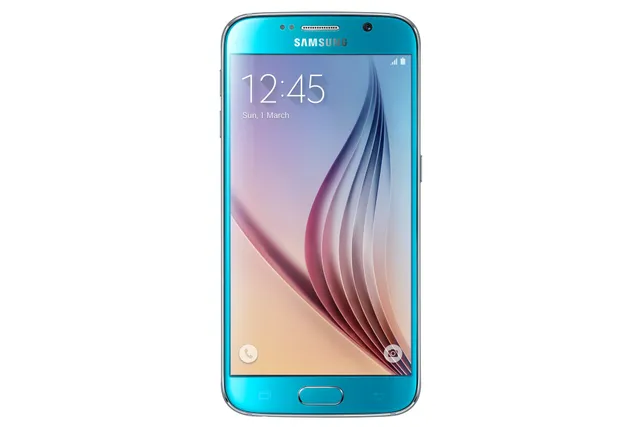
Phone · Samsung Galaxy S6
Stock firmware and official updates for the Samsung Galaxy S6 (SM-G9208), by region.
 China CHMBuildG9208ZMU2ERJ1AndroidAndroid 7Security patchAug 2018ReleasedOct 29, 2018DetailsWhat's new
 Taiwan BRIBuildG9208ZTU2ERK2AndroidAndroid 7Security patchNov 2018ReleasedNov 12, 2018DetailsWhat's new
Samsung's official release notes, newest first.
- Other bug fixes ㆍThe Stability of WiFi has been improved. - The latest Android security patch has been applied. ㆍDevice security has been further enhanced.
Released for 1 CSC: BRI
Source: Samsung- The latest Android security patch has been applied. ㆍDevice security has been further enhanced.
Released for 1 CSC: BRI
Source: Samsung- The latest Android security patch has been applied. ㆍDevice security has been further enhanced.
Released for 1 CSC: CHM
Source: Samsung- The latest Android security patch has been applied. ㆍDevice security has been further enhanced.
Released for 1 CSC: CHM
Source: SamsungTaken from the SM-G920F; this model can differ (chipset, network bands).
- My Samsung app will be removed from the preload app after the service is terminated. - Added new feature ㆍThe SamsungMembers App is added. - The latest Android security patch has been applied. ㆍDevice security has been further enhanced.
Released for 1 CSC: BRI
Source: Samsung- The latest Android security patch has been applied. ㆍDevice security has been further enhanced.
Released for 1 CSC: BRI
Source: Samsung- The latest Android security patch has been applied. ㆍDevice security has been further enhanced.
Released for 1 CSC: BRI
Source: Samsung- The latest Android security patch has been applied. ㆍDevice security has been further enhanced.
Released for 1 CSC: BRI
Source: Samsung- Improved performance ㆍImproved Samsung Members application enter/exit animation speed. - Other bug fixes ㆍFixed the issue that the GPS icon can't be opened. - The latest Android security patch has been applied. ㆍDevice security has been further enhanced.
Released for 1 CSC: CHM
Source: Samsung- Improved performance ㆍImproved app enter/exit animation speed. - Other bug fixes ㆍFixed an issue that of forcibly terminating while running Peel remote application. - The latest Android security patch has been applied. ㆍDevice security has been further enhanced.
Released for 1 CSC: BRI
Source: Samsung- Improved performance ㆍThe stability of Samsung input methodis improved. - The latest Android security patch has been applied. ㆍDevice security has been further enhanced.
Released for 1 CSC: BRI
Source: Samsung- OS upgrade - Android 7.0 Nougat - Provides new UX - Improved usability of the Notification feature and Quick settings button - Improved usability of the Multi window and setting menu - Efficient space for installation of downloaded apps, improved speed of system upgrade and app installation - Clock usability has been improved - After upgrad, Migu Reader need to be replaced to new version, the previous data is deleted. - lovev ,CMCC Life, Weibo are not supported again, which will be removed. - The latest Android security patch has been applied. ㆍDevice security has been further enhanced ※ The Festival effect will not be supported from this version onwards, and any related content that you downloaded previously will not be supported either. ※ If you are using Gear IconX, please make sure to update to the latest version before upgrading to the Nougat OS. ※ Some apps that haven't been optimised for Android Nougat might not work properly after the upgrade. In this case, upgrade the app to the latest version via Galaxy Apps. ※ The functionality of some features may differ after the upgrade. Some apps may not function normally. ※ Errors during the upgrade may cause data loss. Back up any important data before upgrading.
Released for 1 CSC: CHM
Source: Samsung- Improved that the contact name cannot be display when upgrade to Android 7.0 Nougat - The latest Android security patch has been applied. ㆍDevice security has been further enhanced.
Released for 1 CSC: BRI
Source: Samsung- OS upgrade - Android 7.0 Nougat - Provides new UX and various performance modes - Improved usability of the Notification feature and Quick settings button - Improved usability of the Multi window and setting menu - Efficient space for installation of downloaded apps, improved speed of system upgrade and app installation - Clock usability has been improved. Dual clock widget will be reset to default - Gallery wigdet will be reset to default
Released for 1 CSC: BRI
Source: Samsung- Other bug fixes ㆍTurkey time zone mistake is modified. - The latest Android security patch has been applied. ㆍDevice security has been further enhanced.
Released for 1 CSC: BRI
Source: Samsung- Other bug fixes ㆍTurkey time zone mistake is modified. - The latest Android security patch has been applied. ㆍDevice security has been further enhanced.
Released for 1 CSC: CHM
Source: Samsung- Other bug fixes ㆍfix the issue The phone can't tap the X icon in GreetingCard - Improved performance ㆍThe Stability of Samsung Pay Function has been improved ㆍThe quality of VoLTE has been improved. - The latest Android security patch has been applied. ㆍDevice security has been further enhanced.
Released for 1 CSC: CHM
Source: Samsung- Improved performance ㆍThe quality of VoLTE has been improved. ㆍThe Stability of Samsung Pay Function has been improved - Other bug fixes ㆍFixes an issue that Call waiting can not work under 2G/3G mode - The latest Android security patch has been applied. ㆍDevice security has been further enhanced.
Released for 1 CSC: CHM
Source: Samsung- The latest Android security patch has been applied. ㆍDevice security has been further enhanced.
Released for 1 CSC: BRI
Source: Samsung- The latest Android security patch has been applied. ㆍDevice security has been further enhanced.
Released for 1 CSC: BRI
Source: Samsung- The latest Android security patch has been applied. ㆍDevice security has been further enhanced.
Released for 1 CSC: BRI
Source: Samsung- The latest Android security patch has been applied. ㆍDevice security has been further enhanced.
Released for 1 CSC: BRI
Source: Samsung- Added new feature ㆍSamsung pay function has been added. (only NFC mode) - The latest Android security patch has been applied. ㆍDevice security has been further enhanced.
Released for 1 CSC: CHM
Source: Samsung- The latest Android security patch has been applied. ㆍDevice security has been further enhanced.
Released for 1 CSC: BRI
Source: Samsung- Other bug fixes ㆍFixed the issue that weibo is stopped when share from internet ㆍFixed the issue that voice search can't be used from MM market ㆍFixed an error that some users experience that the function of call/message restrictions does not work correctly. ㆍAn intermittent issue where notifications did not work correctly has been resolved. ㆍfixed the issue that the content of message is empty in the specific route. - The latest Android security patch has been applied. ㆍDevice security has been further enhanced.
Released for 1 CSC: CHM
Source: Samsung- The latest Android security patch has been applied. ㆍDevice security has been further enhanced.
Released for 1 CSC: BRI
Source: Samsung- Improve the battery usage time - Fix the problem that float "Com.samsung.faceservice stop"popㆍup
Released for 1 CSC: BRI
Source: Samsung- OS upgrade : Android 6.0 Marshmallow - The new TouchWiz provides a brandㆍnew visual design and enhanced usability - Quick connect makes device connection more convenient - Fingerprints combined with pattern, PIN and password provide enhanced security for lock screen function - Advanced power saving mode restricts background data and extends battery life - Apply the new vibration mode ※ Before Urgrade, please update Gear manager to latest version ※ Android 6.0 Marshmallow does not support the Decrypt device function anymore. If encryption function is not used anymore, Please disable encryption before the device is upgraded. (Settings → Lock sreen and security → Other security settings → Disable encrypt device) ※ Some apps may be incompatible after OS upgraded. please update the apps to the latest version via Galaxy Apps. And 139mail, Chinese Poetry, 随e行WLAN, AndGame, Fetion, 咪咕音乐, AndContacts, CMCC Navi are not supported again, will be removed. ※ Data Usage widget may disappear on home screen after OS upgraded, please access smart manager application if you used. ※ Smart manager widget lose Battery and Security function. Storage and RAM function will be remained ※ Smart stay may disappear in quick panel ※ bubbles function may disappear in messages settings ※ After Upgrade, Private mode doesn't support Internet browser (Sbrowser 4.0 version doesn't support private mode)
Released for 1 CSC: CHM
Source: Samsung- OS upgrade : Android 6.0 Marshmallow - The new TouchWiz provides enhanced usability and an updated visual design. - Quick connect helps you easily find and connect to nearby devices by showing currently connected devices and previous connections. - Fingerprints are securely protected. An alternative unlock method (pattern, PIN, or password) is required to add fingerprints. - Advanced power saving mode restricts background data and extends battery life. - A new vibration pattern concept has been applied. - Settings for the following have been reset: Theme, Email, Icon/Widget ※ Before OS 6.0 upgrading, please be sure to update the Samsung Gear to the latest version. ※ Android 6.0 Marshmallow does not support the Decrypt device function. If your mobile device is encrypted, encryption cannot be disabled after upgrading. If you want encryption to be disabled after upgrading, it must be disabled before you upgrade your device. To disable encryption go to Settings→ Lock screen and security→ Other security settings, then select Decrypt device. ※ After upgrade, Google Settings and Messenger are not supported again, which will be removed. ※ Some apps may be incompatible after OS upgraded. please update the apps to the latest version via Galaxy Apps. ※ Smart manager widget lose Battery and Security function. Storage and RAM function will be remained ※ Smart stay may disappear in quick panel ※ bubbles function may disappear in messages settings ※ After Upgrade, Private mode doesn't support Internet browser (Sbrowser 4.0 version doesn't support private mode) ※ Some apps that were installed via the Lollipop OS may need to be updated after upgrading to the Marshmallow OS. Go to Galaxy Apps or Play Store to update apps. ※ If present, the Email shortcut on your home screen will be removed during the upgrade. It can be added to the home screen again after upgrading. ※ Some changes may vary depending on country or network operator. ※ The functionality of some features may differ after the upgrade. Some apps may not function normally. ※ Errors during the upgrade may cause data loss. Back up any important data before upgrading.
Released for 1 CSC: BRI
Source: Samsung- Sogou Engine Porting in Samsung Keypad. - Improved performance with efficient memory management ㆍOptimized closing unused applications ㆍSW Update improvement ( Schedule Update, Update Notice function )
Released for 1 CSC: CHM
Source: Samsung- Upgrade the Smart Manager - Improved the FOTA speed - Improved heating problem in some cases(playing specific game) - Apply the Andriod regular security patch - Performance improvement by efficient system management
Released for 1 CSC: BRI
Source: Samsung- Upgrade the Smart Manager - Improved the FOTA speed - Improved heating problem in some cases(playing specific game) - Apply the Andriod regular security patch - Performance improvement by efficient system management
Released for 1 CSC: CHM
Source: Samsung- OS upgrade : 5.1.1 (Lollipop) - Performance improvement by efficient memory management ㆍClosing applications which have not been used for a long time automatically ㆍAutomatic removal of unnecessary files ㆍNotifying unstable applications - Optimization of battery usage time - Security Enhancements - Improved the User Interface and stability - New and / or enhanced features.
Released for 1 CSC: CHM
Source: Samsung
