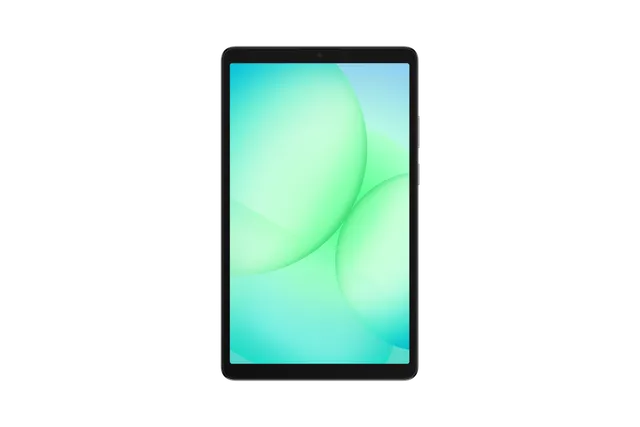
Gray
Tablet · Samsung Galaxy Tab A11 8.7
Stock firmware and official updates for the Samsung Galaxy Tab A11 8.7 (SM-X130), by region.
 EEA (Europe) EUXBuildX130XXS5BZI3AndroidAndroid 16Security patchAug 2026ReleasedSep 28, 2026DetailsWhat's new
 Egypt EGYBuildX130XXS5BZI3AndroidAndroid 16Security patchAug 2026ReleasedSep 28, 2026DetailsWhat's new
Samsung's official release notes, newest first.
• Security The device is protected with improved security. These changes may vary depending on the model, country, or network operator of the customer environment.
Released for 9 CSCs: CAU, EGY, EUX, EUY, ILO, PAK, SER, SOZ, TUR
Source: Samsung• Stability and reliability Device behavior has been improved. These changes may vary depending on the model, country, or network operator of the customer environment.
Released for 9 CSCs: CAU, EGY, EUX, EUY, ILO, PAK, SER, SOZ, TUR
Source: Samsung• Security The device is protected with improved security. These changes may vary depending on the model, country, or network operator of the customer environment.
Released for 9 CSCs: CAU, EGY, EUX, EUY, ILO, PAK, SER, SOZ, TUR
Source: Samsung• Security The device is protected with improved security. These changes may vary depending on the model, country, or network operator of the customer environment.
 Georgia CAU
 Israel ILOBuildX130XXS5BZI3AndroidAndroid 16Security patchAug 2026ReleasedSep 28, 2026DetailsWhat's new
 None-EEA (Europe) EUYBuildX130XXS5BZI3AndroidAndroid 16Security patchAug 2026ReleasedSep 28, 2026DetailsWhat's new
 Pakistan PAKBuildX130XXS5BZI3AndroidAndroid 16Security patchAug 2026ReleasedSep 28, 2026DetailsWhat's new
 Russia SERBuildX130XXS5BZI3AndroidAndroid 16Security patchAug 2026ReleasedSep 28, 2026DetailsWhat's new
 Türkiye TURBuildX130XXS5BZI3AndroidAndroid 16Security patchAug 2026ReleasedSep 28, 2026DetailsWhat's new
 Uzbekistan SOZBuildX130XXS5BZI3AndroidAndroid 16Security patchAug 2026ReleasedSep 28, 2026DetailsWhat's new
Released for 9 CSCs: CAU, EGY, EUX, EUY, ILO, PAK, SER, SOZ, TUR
One UI 8.5 Visual design Fresh new look One UI seamlessly integrates into your daily routine by combining immersive visuals with meaningful personalization for a more refined and sophisticated design. Transparent blur effects add depth and make content easier to navigate, while floating elements react organically to your workflow for a more focused experience. Through familiar and intuitive data visualization, One UI delivers a design that feels both personal and relatable, helping you focus on what matters. Home and Lock screens New downloadable wallpapers Discover new wallpapers featuring interactive elements. Wallpapers are downloadable so they don’t use up your storage space when not in use. More customizable clock fonts Personalize your Lock screen clock. You can now adjust the thickness of more font styles to match your preferred look. Weather Enhanced weather widget Quickly check upcoming precipitation in the Weather widget on your Home screen. The widget now shows a graph if precipitation is expected in the next few hours. Pollen index Check how much pollen is in the air to help manage your allergies. You can check pollen levels for trees, grass, and ragweed. Clock Weather alarm backgrounds Wake up to an alarm that gets you ready for the day’s weather. Your alarm screen can now show the current weather conditions as a background when it rings. Time zone converter Compare time zones at a glance. The new slider in the Clock app makes it easy to check the time difference between places around the world. Connectivity Quickly connect to Smart View devices Connect to your favorite display faster. You can now add a shortcut on your Home screen to instantly mirror your tablet’s screen to a TV or other display device. Quick Share Avoid unwanted sharing requests You can now set Quick Share to only receive files from other devices signed in to your Samsung account or Google account. Samsung Health Upgraded sharing experience Share your workouts your way. Mix and match your exercise stats with photos from your workout to create the perfect social media post. Battery and power Revamped battery info See your battery use more clearly. The redesigned Battery settings screen makes it easier to check remaining time, charging status, and daily usage over the past week. Improved Power saving Use Power saving to make your battery last longer without charging. Choose Standard for moderate savings and customizable limits, or choose Maximum to turn off all non-essential features and make your battery last as long as possible. Security and privacy Turn off Auto blocker temporarily If you need to temporarily disable Auto blocker's security protection, a new option lets you turn it on automatically 30 minutes later so you don't forget. Accessibility Control magnification with mouse or keyboard Keep what you need magnified in view with these new options. You can make the magnified area follow the cursor as you type or move when you change focus using the keyboard. When using a mouse, you can make the magnified area shift as you move the pointer to the edge of the screen. Dwell action and Corner actions The Auto action after pointer stops feature has been divided into 2 features. Dwell action lets you set custom actions when your mouse stops moving for a certain amount of time. Corner actions let you set a different action for each corner of the screen. Even more improvements More customizable quick panel Arrange your quick settings just the way you like them. You can now add, remove, reorder, and reorganize controls in the quick panel. Insert tables in Samsung Notes Organize information in your notes with tables. You can adjust column widths, colors, and border designs while the auto calculation feature helps you stay productive and save time. Redesigned New tab page The page that appears when you open a new tab in Samsung Browser has been redesigned to help you quickly access the websites and features you need the most. The New tab page now shows the current security status as well as open tabs from Samsung Browser on other devices. Partial screen recording Include only what you need in your screen recordings. You can now select only the part of the screen that you want to record. Calculator nudges Save time on calculations. Numbers and formulas copied to your clipboard will be suggested when you open Calculator so you can enter them with a quick tap. Press and hold the side button to access your digital assistant You can change what the Side button does in Settings. Circle it, find it. Hear it, find it Circle to Search with Google allows you to search anything on your screen and get information faster with AI Overviews. Just circle an object—including images, videos, or text—and you'll get results immediately. You can even search for a song that you hear in the moment without switching apps.
Released for 9 CSCs: CAU, EGY, EUX, EUY, ILO, PAK, SER, SOZ, TUR
Source: Samsung• Security The device is protected with improved security. These changes may vary depending on the model, country, or network operator of the customer environment.
Released for 9 CSCs: CAU, EGY, EUX, EUY, ILO, PAK, SER, SOZ, TUR
Source: Samsung• Security The device is protected with improved security. These changes may vary depending on the model, country, or network operator of the customer environment.
Released for 9 CSCs: CAU, EGY, EUX, EUY, ILO, PAK, SER, SOZ, TUR
Source: Samsung• Security The device is protected with improved security. These changes may vary depending on the model, country, or network operator of the customer environment.
Released for 9 CSCs: CAU, EGY, EUX, EUY, ILO, PAK, SER, SOZ, TUR
Source: SamsungOne UI 8.0 (Android 16) Personalization Enhanced Lock screen widgets Do more on your Lock screen with brief widgets. 2 x 2 size widgets are now available, and the widget area is now larger so you can add even more widgets. You can choose either a horizontal or vertical widget layout. Productivity Check stock prices without unlocking Stocks you follow on Google Finance with big price changes will appear on your Now bar at the end of the trading day. Easier file sharing with Quick Share It's never been easier to send and receive files. Tap the Quick Share button in quick settings to get started. You can receive files while the Quick Share screen is open and send files to others directly from Quick Share. Sticky notes Add quick annotations on top of documents in Samsung Notes. There's no limit to the number of sticky notes you can add, and it's easy to remove them later without disturbing the original document. Find downloads fast You can now filter files based on the app that was used to download them. Works in the Downloaded and Recent views in My Files. Multi-pane file browsing It's easier to keep track of file paths when using My Files on a large screen. When you open a new folder, a new pane will be opened to show what's inside so you can easily get back to where you came from. Redesigned Samsung Internet Access the features you need quickly. The Samsung Internet menu has been optimized to make it easy to access the features you use most. You can also customize the layout to match your personal preferences. Multitasking Enhanced split screen view While 2 apps are open in split screen view, you can push one app against the edge of the screen to keep it partially visible while giving most of your focus to the other app. Tap the smaller app any time to switch between them quickly. Calendar Manage reminders in Calendar You can easily create reminders in the Calendar app without opening the Reminder app. Whenever you tap the + button, you'll have the choice of adding an event or a reminder. You can also drag and drop reminders on your calendar to reschedule them. Add events quickly When you start adding an event in the quick add menu, you'll get suggestions for event names and times based on your past events. Just tap one of the suggestions to add an event without additional typing. Samsung Health Bedtime guidance Get to sleep at the right time so you wake up feeling refreshed. The new Bedtime guidance feature analyzes your sleep data and recommends the best time to go to sleep each night. Running challenges In addition to step challenges, you can now challenge your friends to run. You can set a target distance and see who gets there the fastest or set a time limit and see who runs the farthest. Food recording reminders Stay on track to meet your calorie goals. You can now set reminders for recording your food intake in Samsung Health. Photo and video Swipe up or down to open quick controls Access quick controls in Camera even quicker than before by swiping up or down anywhere in the preview area. In Camera settings, change the Swipe up/down option to open quick controls. Audio enhancements Quick access to Galaxy Buds settings It's easier than ever before to control your Galaxy Buds. You can now adjust Buds settings directly from your tablet's Settings without the need to open the Galaxy Wearable app. Security and privacy Enhanced Secure Folder Keep sensitive apps and data in a separate, protected area of your tablet. You can now set Secure Folder to close apps and prevent notifications when you lock it. You can also completely hide and encrypt your Secure Folder for maximum protection. Show or hide notification content while locked The option to show or hide notification content while your tablet is locked is now located in Notifications settings. Choose to show content for quick access to notifications without unlocking your tablet, or choose to hide content to keep your notifications private and prevent others from seeing them. Accessibility Pinch and zoom with the Assistant menu The Assistant menu now provides more ways to zoom in and out on the screen. In addition to dragging with one finger, you can now adjust the zoom level by pressing buttons on the screen. Control mouse actions with your keyboard If you can't or don't want to use a mouse, turn on Mouse keys in Accessibility settings to use your physical keyboard to move the mouse pointer, click, hold, and scroll. Magnify your keyboard You can now make the keys on the on-screen keyboard larger so they're easier to see and tap. Turn on Magnify keyboard while typing in Magnification settings to try it. Modes and routines New preset routines Check out the new preset routines for weather and other advanced conditions. Use them as they are, or customize them to meet your needs. New routine actions New actions are available for getting data from the Clock, Calendar, and Samsung Notes apps. After you get data, you can use it in other conditions or actions in your routine. Even more improvements Easily organize alarms You can now add existing alarms to an alarm group by tapping the + button on the Alarm group screen. You can also add an alarm group to a widget on your Home screen so you can turn all of the alarms in the group on or off with a single tap. Enhanced app notification settings You can now choose the pop-up notification style for each app separately in the app’s notification settings. Revamped weather visuals The Weather app now provides more rich and realistic images to help you intuitively understand the current weather conditions.
Released for 9 CSCs: CAU, EGY, EUX, EUY, ILO, PAK, SER, SOZ, TUR
Source: Samsung
