Silver
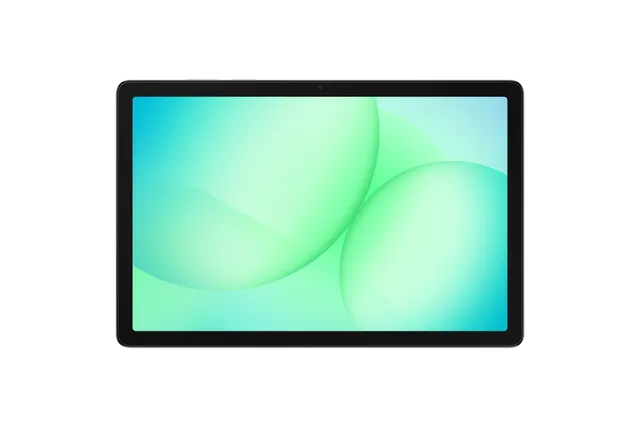
Tablet · Samsung Galaxy Tab A11+
Stock firmware and official updates for the Samsung Galaxy Tab A11+ (SM-X236C), by region.
 China CHCBuildX236CZCS5BZF2AndroidAndroid 16Security patchMay 2026ReleasedJul 8, 2026DetailsWhat's new
Samsung's official release notes, newest first.
• Security The device is protected with improved security. These changes may vary depending on the model, country, or network operator of the customer environment.
Released for 1 CSC: CHC
Source: SamsungOne UI 8.5 Visual design Fresh new look One UI seamlessly integrates into your daily routine by combining immersive visuals with meaningful personalization for a more refined and sophisticated design. Transparent blur effects add depth and make content easier to navigate, while floating elements react organically to your workflow for a more focused experience. Through familiar and intuitive data visualization, One UI delivers a design that feels both personal and relatable, helping you focus on what matters. Home and Lock screens New downloadable wallpapers Discover new wallpapers featuring interactive elements. Wallpapers are downloadable so they don’t use up your storage space when not in use. More customizable clock fonts Personalize your Lock screen clock. You can now adjust the thickness of more font styles to match your preferred look. Clock Weather alarm backgrounds Wake up to an alarm that gets you ready for the day’s weather. Your alarm screen can now show the current weather conditions as a background when it rings. Time zone converter Compare time zones at a glance. The new slider in the Clock app makes it easy to check the time difference between places around the world. Connectivity Storage Share Access your files anywhere. Files from your other Samsung phones, tablets, and PCs are available in the My Files app on your tablet. You can also access your tablet's files on other Samsung devices, even your TV. Auto Hotspot Share your tablet's internet connection more easily. You can now share your hotspot with your Samsung account family group, or create your own hotspot sharing group with anyone you choose. Family device sharing Easily connect and share files, screens, cameras, storage and more with your family. Family device sharing lets you use features like S Share, Camera Share, Storage Share, Auto Hotspot, and Multi control with Galaxy devices that belong to your family members. Quickly connect to Smart View devices Connect to your favorite display faster. You can now add a shortcut on your Home screen to instantly mirror your tablet’s screen to a TV or other display device. Battery and power Revamped battery info See your battery use more clearly. The redesigned Battery settings screen makes it easier to check remaining time, charging status, and daily usage over the past week. Improved Power saving Use Power saving to make your battery last longer without charging. Choose Standard for moderate savings and customizable limits, or choose Maximum to turn off all non-essential features and make your battery last as long as possible. Security and privacy Turn off Auto blocker temporarily If you need to temporarily disable Auto blocker's security protection, a new option lets you turn it on automatically 30 minutes later so you don't forget. Accessibility Dwell action and Corner actions The Auto action after pointer stops feature has been divided into 2 features. Dwell action lets you set custom actions when your mouse stops moving for a certain amount of time. Corner actions let you set a different action for each corner of the screen. Even more improvements More customizable quick panel Arrange your quick settings just the way you like them. You can now add, remove, reorder, and reorganize controls in the quick panel. Early alerts for reminders Get alerts before reminders are due to make sure you don’t forget important tasks. You can choose how far in advance to get an alert for each reminder. Insert tables in Samsung Notes Organize information in your notes with tables. You can adjust column widths, colors, and border designs while the auto calculation feature helps you stay productive and save time. Partial screen recording Include only what you need in your screen recordings. You can now select only the part of the screen that you want to record. Calculator nudges Save time on calculations. Numbers and formulas copied to your clipboard will be suggested when you open Calculator so you can enter them with a quick tap.
Taken from the SM-X236B; this model can differ (chipset, network bands).
Released for 1 CSC: CHC
• Security The device is protected with improved security. These changes may vary depending on the model, country, or network operator of the customer environment.
Released for 1 CSC: CHC
Source: Samsung• Security The device is protected with improved security. These changes may vary depending on the model, country, or network operator of the customer environment.
Released for 1 CSC: CHC
Source: Samsung• Stability and reliability Device behavior has been improved. • Security The device is protected with improved security. These changes may vary depending on the model, country, or network operator of the customer environment.
Released for 1 CSC: CHC
Source: Samsung
