WHITE
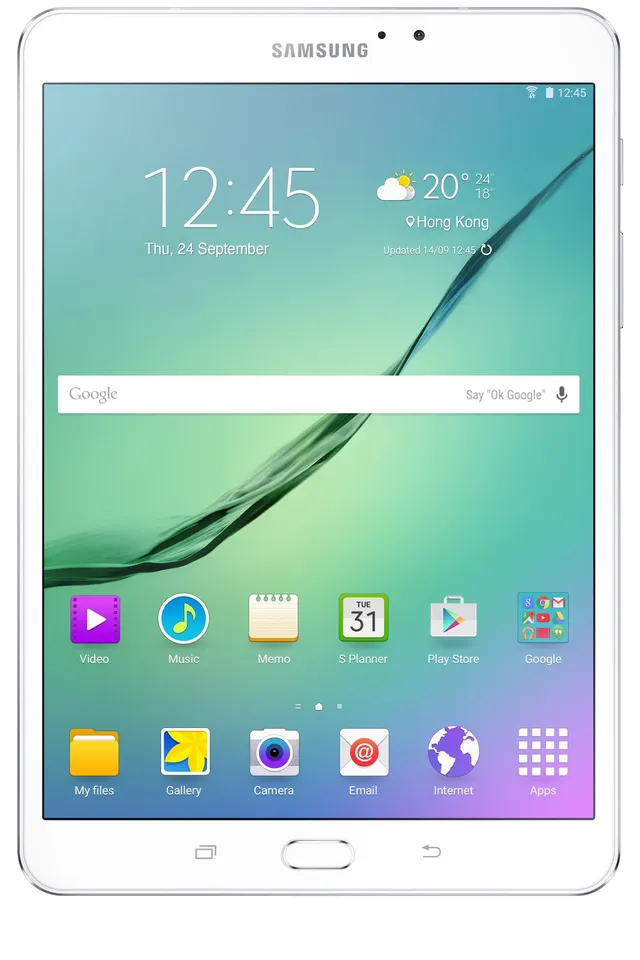
Tablet · Samsung Galaxy Tab S2 8.0
Stock firmware and official updates for the Samsung Galaxy Tab S2 8.0 (SM-T710), by region.
 Australia XSABuildT710XXS2DTK1AndroidAndroid 7Security patchJan 2018ReleasedDec 21, 2020DetailsWhat's new
Samsung's official release notes, newest first.
- The latest Android security patch has been applied. ㆍDevice security has been further enhanced.
Released for 1 CSC: CHN
Source: Samsung· Device stability improvements, bug fixes. · New and / or enhanced features. · Further improvements to performance.
Released for 7 CSCs: CHO, COO, EON, MXO, PEO, TPA, TTT
Source: Samsung· Device stability improvements, bug fixes. · New and / or enhanced features. · Further improvements to performance.
Released for 1 CSC: ZTO
Source: Samsung Brazil ZTO
 Chile CHOBuildT710XXS2DTKAAndroidAndroid 7Security patchJan 2018ReleasedNov 27, 2020DetailsWhat's new
 China CHNBuildT710ZCS2DTI1AndroidAndroid 7Security patchAug 2017ReleasedDec 2, 2020DetailsWhat's new
 Colombia COOBuildT710XXS2DTKAAndroidAndroid 7Security patchJan 2018ReleasedNov 27, 2020DetailsWhat's new
 Ecuador EONBuildT710XXS2DTKAAndroidAndroid 7Security patchJan 2018ReleasedNov 27, 2020DetailsWhat's new
 Hong Kong SAR China TGYBuildT710ZSS2AQB1AndroidAndroid 5Security patch—BuiltFeb 4, 2017DetailsDownload
 Mexico MXOBuildT710XXS2DTKAAndroidAndroid 7Security patchJan 2018ReleasedNov 27, 2020DetailsWhat's new
 New Zealand XNZBuildT710XXS2DTK1AndroidAndroid 7Security patchJan 2018ReleasedDec 21, 2020DetailsWhat's new
 Panama TPABuildT710XXS2DTKAAndroidAndroid 7Security patchJan 2018ReleasedNov 27, 2020DetailsWhat's new
 Peru PEOBuildT710XXS2DTKAAndroidAndroid 7Security patchJan 2018ReleasedNov 27, 2020DetailsWhat's new
 Singapore XSPBuildT710XXS2DTK1AndroidAndroid 7Security patchJan 2018ReleasedDec 21, 2020DetailsWhat's new
 Trinidad & Tobago TTTBuildT710XXS2DTKAAndroidAndroid 7Security patchJan 2018ReleasedNov 27, 2020DetailsWhat's new
 United Arab Emirates XSGBuildT710XXU2DQI6AndroidAndroid 7Security patch—BuiltSep 13, 2017DetailsDownload
· Device stability improvements, bug fixes. · New and / or enhanced features. · Further improvements to performance.
Released for 1 CSC: ZTO
Source: Samsung- OS upgrade - Android 7.0 Nougat - Provides new UX - Improved usability of the Notification feature and Quick settings button - Improved usability of the Multi window and setting menu - Efficient space for installation of downloaded apps, improved speed of system upgrade and app installation - Clock usability has been improved. - After upgrade, "Baidu search widget","Baidu Map","Weibo","Samsung Cloud" will be deleted. - The latest Android security patch has been applied. ㆍDevice security has been further enhanced · After upgrade to N OS, please re-add Weather widget ※ Some apps that haven't been optimised for Android Nougat might not work properly after the upgrade. In this case, upgrade the app to the latest version via Galaxy Apps. ※ The functionality of some features may differ after the upgrade. Some apps may not function normally. ※ Errors during the upgrade may cause data loss. Back up any important data before upgrading.
Released for 1 CSC: CHN
Source: SamsungㆍOS upgrade - Android 6.0 Marshmallow ㆍThe new TouchWiz provides enhanced usability and an updated visual design. ㆍQuick connect helps you easily find and connect to nearby devices by showing currently connected devices and previous connections. ㆍFingerprints are securely protected. An alternative unlock method (pattern, PIN, or password) is required to add fingerprints. ㆍA new vibration pattern concept has been applied. ※ Before OS 6.0 upgrading, please be sure to update the Samsung Gear to the latest version. ※ Android 6.0 Marshmallow does not support the Decrypt device function. If your mobile device is encrypted, encryption cannot be disabled after upgrading. If you want encryption to be disabled after upgrading, it must be disabled before you upgrade your device. To disable encryption go to Settings - Lock screen and security - Other security settings, then select Decrypt device. ※ After upgrade, Samsung Magazine substitute for Samsung Reader. Samsung Reader provide E-book contents additional. ※ Some apps may be incompatible after OS upgraded. please update the apps to the latest version via Galaxy Apps. ※ Email, Data Usage, and Samsung magazine widgets may disappear on home screen after OS upgraded, please set these widgets or relative application again if you used. ※ Smart manager widget lose Battery and Security function. Storage and RAM function will be remained. ※ Smart stay may disappear in quick panel. ※ bubbles function may disappear in messages settings. ※ After Upgrade, Private mode doesn't support Internet browser (Sbrowser 4.0 version doesn't support private mode) ※ The temperature of the device may temporarily increase during the software upgrade or update because of the data download and associated behaviours.
Released for 1 CSC: CHN
Source: Samsung- Increased battery usage time - Faster execution speed of applications - Performance improvement by efficient memory management * Closing applications which have not been used automatically * Notifying unstable applications - Security Enhancements
Released for 1 CSC: CHN
Source: SamsungㆍDevice stability improvements, bug fixes. ㆍNew and / or enhanced features. ㆍFurther improvements to performance.
Released for 1 CSC: CHN
Source: Samsung