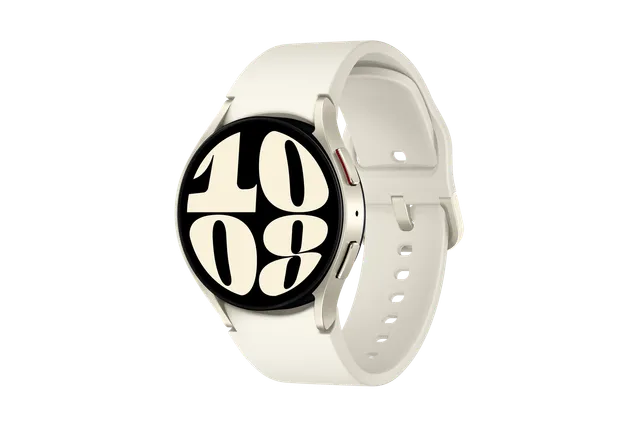
Gold
Watch · Samsung Galaxy Watch6
Stock firmware and official updates for the Samsung Galaxy Watch6 (SM-R9450), by region.
 China CHCBuildR9450ZCS2CZF5AndroidWear OS 6Security patchJul 2026ReleasedJul 9, 2026DetailsWhat's new
Samsung's official release notes, newest first.
• Security The device is protected with improved security. These changes may vary depending on the model, country, or network operator of the customer environment.
Released for 1 CSC: CHC
Source: Samsung• Security The device is protected with improved security. These changes may vary depending on the model, country, or network operator of the customer environment.
Released for 1 CSC: CHC
Source: Samsung• Stability and reliability Device behavior has been improved. These changes may vary depending on the model, country, or network operator of the customer environment.
Released for 1 CSC: CHC
Source: Samsung• Stability and reliability Device behavior has been improved. These changes may vary depending on the model, country, or network operator of the customer environment.
Released for 1 CSC: CHC
Source: SamsungTaken from the SM-R945F; this model can differ (chipset, network bands).
• Security The device is protected with improved security. These changes may vary depending on the model, country, or network operator of the customer environment.
Released for 1 CSC: CHC
Source: SamsungOne UI 8 Watch Upgrade Get things done Stay on top of important tasks with the Now bar Check the information you need right now and start essential features straight from your watch face. Ongoing tasks will appear in the Now bar at the bottom of your watch face so you can check key information quickly. Do more with double pinch Just pinch your thumb and index finger together twice to scroll through notifications, control music, take pictures, and more. You can also customize what happens when you double pinch on the watch face, music controller, as well as alarm, calendar, and reminder alerts. Choose the actions you need most in each situation. Mark reminders as important Mark reminders as important by tapping the Star icon. You can choose to have important reminders pinned to the top of the list to make sure you notice them. Get reminders at specific places You can now set location-based reminders on your watch. For example, you can make your watch remind you to do the laundry when you arrive at home. New charging effects When your watch is charging, the new screen layout and animations make it easier to check the current battery level and remaining charging time. Stay connected Easily respond to notifications and alerts Use gestures to quickly respond to notifications and alerts. When a notification appears, you can double pinch to view the details or send a reply. You can also shake your wrist to return to the watch face. Enhanced notification view Notifications on your watch are now easier to use with an attractive new design. Notifications from the same app are stacked vertically, allowing you to view more notifications with fewer swipes. Smarter notification settings It's now easier to decide how to receive notifications from your phone on your watch. If you choose Smart device selection, notifications will appear on your phone only when you're using it and on your watch when you're not using your phone. If you choose Always show on both, notifications will always appear on both your phone and watch. Upgrade your health Bedtime guidance Get to sleep at the right time so you wake up feeling refreshed. The new Bedtime guidance feature analyzes your sleep data and recommends the best time to go to sleep each night. Mindfulness Manage stress and anxiety in your daily life with the new Mindfulness feature in Samsung Health. You can keep track of your moods and emotions and practice breathing exercises to reduce stress. Tailored to you Find the perfect watch face It's now easier to find the watch face that's right for you. Just choose a few keywords such as your preferred style, color, and information to show. The best matches will be suggested from our collection of more than 300 watch faces. Recommended watch faces Discover new watch faces that you might like. Watch faces with colors, style, or information similar to your current watch face will be recommended on the watch face selection screen. Create your own tiles Create your own custom tiles that show the information you need. You can even combine information from different apps into a single tile. You can include weather information, calendar events, reminders, and more. Personalized Apps screen Featured apps now appear at the top of your Apps screen to give you quick access to the apps you need the most. Apps will be featured based on how often you use them and other usage patterns. You can also view your apps as a list with names instead of only icons. Choose calendars to show on your watch You can now choose which calendars to show in the Calendar app on your watch. You can show all of the same calendars that are on your phone or customize to show only the calendars you need.
Released for 1 CSC: CHC
Source: Samsung• Stability and reliability Device behavior has been improved. • Security The device is protected with improved security. These changes may vary depending on the model, country, or network operator of the customer environment.
Released for 1 CSC: CHC
Source: Samsung• Stability and reliability The stability has been improved. • Security The device is protected with improved security.
Released for 1 CSC: CHC
Source: SamsungOne UI 6 Watch Upgrade A new look for your watch Discover new watch faces Express your individual style with these new premium watch faces. Spatial Number provides an analog clock on top of large bold digits. Simple Digital is for people who prefer a minimalist design. Ultra Info Board lets you quickly check your workout information. You can find these watch faces in the new featured watch faces section of the Galaxy Wearable app. You can also browse watch faces by keyword including colors, styles, and complications. One UI visual enhancements Watch components such as buttons and toggles have been redesigned for greater consistency with One UI components on your Galaxy phone. You also get a new default font with a more stylish and modern feel. You’ll see the new font if the default font is selected in Settings. If you’re using a different font, you’ll still see that font after upgrading to One UI 6 Watch. Enhanced tile graphics The initial screen of each tile has been redesigned with stunning visuals and a more consistent feel. Unlock a healthier you Monitor your energy levels with Galaxy AI Samsung Health's new AI-powered energy score shows your physical and mental condition based on your sleep and physical activity. If your energy score is low, it may be best to take a rest. If your energy score is high, it could be time set a personal best in your favorite exercise. Galaxy AI provides personalized insights and motivation to keep you on the right track. Get more detailed sleep analysis New sleep insights give you more detailed and accurate analysis of your sleep quality. Your comprehensive sleep report now includes your heart rate, respiratory rate, and the amount of time it takes you to fall asleep after you lie down. Wear your watch at night to get the new sleep information. Make your own workout routines Combine a series of different exercises together for a custom workout routine. You can set targets for sets, reps, time, and more. After you start your routine, your watch can automatically switch to the next exercise when you meet your target. You can optionally add breaks in between exercises. When your routine is finished, you can view your results for the entire routine all in one place. Control your watch like a pro Do more with double pinch Take quick action without touching the screen by pinching your thumb and index finger together twice. You can answer calls, turn off alarms, scroll through notifications, control music, take pictures, and more with just one hand. When space is available, a finger icon will appear on buttons that can be controlled with a double pinch. Scroll through notifications and tiles quickly Quickly swipe the screen left or right from the watch face to scroll through multiple notifications or tiles at once. The speed of your swipe determines how many notifications or tiles you scroll through. View ongoing activities all at once Tap the bottom of your watch face to view a list of ongoing activities such as phone calls, exercises, or music playing. Tap an item in the list to easily switch between them. Convenient one-handed use with Universal gestures Universal gestures now makes it even easier to use your watch without touching the screen. A new gesture lets you easily go back to the previous screen, and when you have an incoming phone call or ringing alarm, you can use universal gestures immediately without any additional actions. Customize your watch Show weather info that’s important to you You can now edit your weather tile to show the weather information that you care about the most. Choose from a daily forecast, hourly forecast, precipitation, sunrise and sunset times, weather insights, and more. Show 2 world clocks at the same time Customize your world clock tile to show the times in 2 different cities at once so you can quickly check the time difference. Control notifications without opening your phone Choose which watch apps are allowed to send you notifications directly on your watch without opening the Galaxy Wearable app on your phone. Automate your watch with modes Modes you set up on your phone, such as Sleep mode, Exercise mode, or Theater mode, can now automatically control more of your watch's settings based on what you’re doing or where you are. In addition to Watch faces and Do not disturb, modes can now also control Always On Display, Raise wrist to wake, Touch screen to wake, Touch bezel to wake, Sound mode, and Disconnection alerts. Works with phones running One UI 6.1.1 or higher. Even more improvements Reply quickly with your favorite emojis You can set the emojis you use most as favorites so they're always available to send as a quick response. Manage calendar events directly from your watch You can quickly add or edit events right from your wrist without the need to use your phone. Calendar weekly view has also been updated to show you how many events you have on each day. Make your battery last longer When Power saving is turned on, you can also choose to limit health features like workout auto detection and background heart rate measurements to make your battery last even longer than before. Automatically turn on your watch while charging Use your watch right away without the need to turn on the watch when charging is finished. To use this feature, Auto power on needs to be turned on in Settings. Automatically connect to Bluetooth audio devices When you start playing music on your watch, your Bluetooth headphones or speaker will automatically connect for playback if it's paired with your watch or phone. If no paired Bluetooth audio devices are available to connect, music will play through your watch’s speaker if your music app supports it.
Released for 1 CSC: CHC
Source: Samsung• Stability and reliability Stabilization codes for touch-screen operation have been applied.
Released for 1 CSC: CHC
Source: Samsung• Touch Screen Panel (TSP) Firmware The firmware is updated to the latest version. • Stability and reliability The stability has been improved.
Released for 1 CSC: CHC
Source: Samsung
