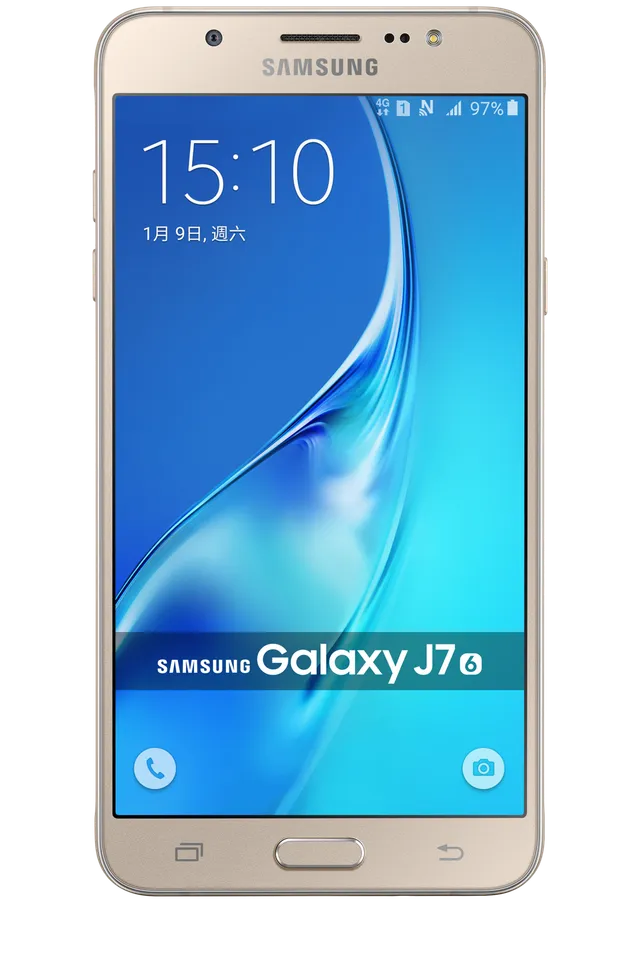
GOLD
Phone · Samsung Galaxy J7 (2016)
Stock firmware and official updates for the Samsung Galaxy J7 (2016) (SM-J7108), by region.
 Hong Kong SAR China TGYBuildJ7108ZHS2BRC1AndroidAndroid 6Security patch—ReleasedApr 13, 2018DetailsWhat's new
Samsung's official release notes, newest first.
- The latest Android security patch has been applied. ㆍDevice security has been further enhanced.
Released for 1 CSC: TGY
Source: Samsung- The latest Android security patch has been applied. ㆍDevice security has been further enhanced.
Released for 1 CSC: CHM
Source: Samsung- The latest Android security patch has been applied. ㆍDevice security has been further enhanced.
Released for 1 CSC: TGY
Source: Samsung- My Knox service will terminate after 2017/12/19. ( Existing installation My Knox application can be used, you can use this function untill you uninstall it or make factory reset. ) - Improved performance ㆍBroadcom Wlan firmware security patched. - The latest Android security patch has been applied. ㆍDevice security has been further enhanced.
Released for 1 CSC: CHM
Source: Samsung- Other bug fixes ㆍFixed the issue that alarm app terminated after back up from PC Smart Switch. ㆍBattery capacity display error in Samsung member app has been resolved. - The latest Android security patch has been applied. ㆍDevice security has been further enhanced.
Released for 1 CSC: CHM
Source: Samsung- The latest Android security patch has been applied. ㆍDevice security has been further enhanced.
Released for 1 CSC: TGY
Source: Samsung- The latest Android security patch has been applied. ㆍDevice security has been further enhanced.
Released for 1 CSC: TGY
Source: SamsungㆍThe latest Android security patch has been applied. - Device security has been further enhanced.
Released for 1 CSC: CHM
Source: Samsung- The latest Android security patch has been applied. ㆍDevice security has been further enhanced.
Released for 1 CSC: CHM
Source: SamsungㆍOS upgrade - Android 6.0 Marshmallow ㆍThe new TouchWiz provides enhanced usability and an updated visual design. ㆍA new vibration pattern concept has been applied. ※ Android 6.0 Marshmallow does not support the Decrypt device function. If your mobile device is encrypted, encryption cannot be disabled after upgrading. If you want encryption to be disabled after upgrading, it must be disabled before you upgrade your device. To disable encryption go to Settings - Lock screen and security - Other security settings, then select Decrypt device. ※ Some apps that were installed via the Lollipop OS may need to be updated after upgrading to the Marshmallow OS. Go to Galaxy Apps to update apps. ※ Email etc. widget may disappear on home screen after OS upgraded, please set these widgets or relative application again if you used. ※ Rename Smart Manager Widget to Quick Clean. Remain CLEAN ALL item of the original nine items.You can clean storage and ram directly after clicking it. ※ Smart stay may disappear in quick panel. ※ bubbles function may disappear in messages settings, ※ After upgrade, 飞信,lovev will be deleted. ※ Errors during the upgrade may cause data loss. Back up any important data before upgrading. ※ The temperature of the device may temporarily increase during the software upgrade or update because of the data download and associated behaviours.
Released for 1 CSC: CHM
Source: Samsung- The latest Android security patch has been applied. ㆍDevice security has been further enhanced.
Released for 1 CSC: TGY
Source: SamsungㆍOS upgrade - Android 6.0.1 Marshmallow ㆍThe new TouchWiz provides enhanced usability and an updated visual design. ㆍAdvanced power saving mode restricts background data and extends battery life. ㆍA new vibration pattern concept has been applied. ㆍSettings for the following have been reset: Theme, Email, Icon/Widget ※ Android 6.0 Marshmallow does not support the Decrypt device function. If your mobile device is encrypted, encryption cannot be disabled after upgrading. If you want encryption to be disabled after upgrading, it must be disabled before you upgrade your device. To disable encryption go to Settings - Lock screen and security - Other security settings, then select Decrypt device. ※ Some apps that were installed via the Lollipop OS may need to be updated after upgrading to the Marshmallow OS. Go to Galaxy Apps or Play Store to update apps. ※ If present, the Email shortcut on your home screen will be removed during the upgrade. It can be added to the home screen again after upgrading. ※ Some changes may vary depending on country or network operator. ※ The functionality of some features may differ after the upgrade. Some apps may not function normally. ※ Errors during the upgrade may cause data loss. Back up any important data before upgrading.
Released for 1 CSC: TGY
Source: SamsungㆍDevice stability improvements, bug fixes. ㆍNew and / or enhanced features. ㆍFurther improvements to performance.
Released for 1 CSC: CHM
Source: Samsung- The latest Android security patch has been applied. ㆍDevice security has been further enhanced.
Released for 1 CSC: CHM
Source: Samsung- Device stability improvements, bug fixes. - Further improvements to performance. - apply the Android regular security patch
Released for 1 CSC: TGY
Source: Samsung- Enhance the speed to grab a red envelope - Solve Play Video Click notification bar to play silent problem - The flash flashes solve problems - The Quick Setup NFC solve problems Error
Released for 1 CSC: CHM
Source: Samsung