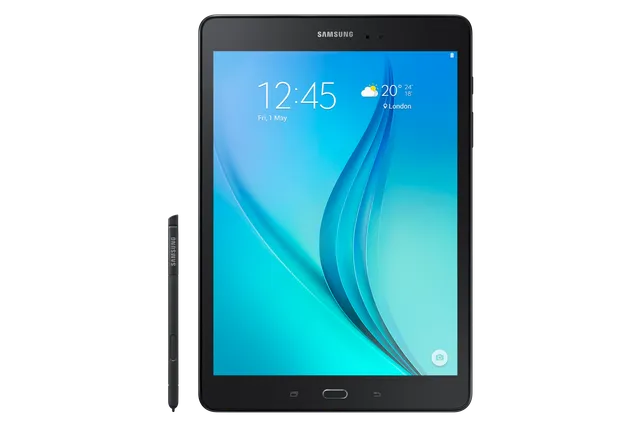
Black
Tablet · Samsung Galaxy Tab A 9.7
Stock firmware and official updates for the Samsung Galaxy Tab A 9.7 (SM-P550), by region.
 Argentina AROBuildP550XXS1CTK4AndroidAndroid 7Security patchAug 2017ReleasedDec 10, 2020DetailsWhat's new
 Australia XSABuildP550XXS1CTI1AndroidAndroid 7Security patchAug 2017ReleasedOct 19, 2020DetailsWhat's new
Samsung's official release notes, newest first.
· Device stability improvements, bug fixes. · New and / or enhanced features. · Further improvements to performance.
Released for 9 CSCs: ARO, CHO, COO, EON, MXO, PEO, TPA, TTT, UPO
Source: Samsung Austria ATO
 Brazil ZTOBuildP550XXS1CTK2AndroidAndroid 7Security patchAug 2017ReleasedNov 28, 2020DetailsWhat's new
 Chile CHOBuildP550XXS1CTK4AndroidAndroid 7Security patchAug 2017ReleasedDec 10, 2020DetailsWhat's new
 Colombia COOBuildP550XXS1CTK4AndroidAndroid 7Security patchAug 2017ReleasedDec 10, 2020DetailsWhat's new
 Ecuador EONBuildP550XXS1CTK4AndroidAndroid 7Security patchAug 2017ReleasedDec 10, 2020DetailsWhat's new
 Hong Kong SAR China TGYBuildP550ZSU1APK1AndroidAndroid 5Security patch—ReleasedDec 28, 2016DetailsWhat's new
 Mexico MXOBuildP550XXS1CTK4AndroidAndroid 7Security patchAug 2017ReleasedDec 10, 2020DetailsWhat's new
 New Zealand XNZBuildP550XXS1CTI2AndroidAndroid 7Security patchAug 2017ReleasedOct 30, 2020DetailsWhat's new
 Panama TPABuildP550XXS1CTK4AndroidAndroid 7Security patchAug 2017ReleasedDec 10, 2020DetailsWhat's new
 Paraguay UPOBuildP550XXS1CTK4AndroidAndroid 7Security patchAug 2017ReleasedDec 10, 2020DetailsWhat's new
 Peru PEOBuildP550XXS1CTK4AndroidAndroid 7Security patchAug 2017ReleasedDec 10, 2020DetailsWhat's new
 Singapore XSPBuildP550XXS1CTI1AndroidAndroid 7Security patchAug 2017ReleasedOct 19, 2020DetailsWhat's new
 Trinidad & Tobago TTTBuildP550XXS1CTK4AndroidAndroid 7Security patchAug 2017ReleasedDec 10, 2020DetailsWhat's new
· Device stability improvements, bug fixes. · New and / or enhanced features. · Further improvements to performance.
Released for 1 CSC: ZTO
Source: Samsung- The latest Android security patch has been applied. ㆍDevice security has been further enhanced.
Released for 1 CSC: CHN
Source: Samsung- Removed the Baidu Maps app. - The latest Android security patch has been applied. ㆍDevice security has been further enhanced.
Released for 1 CSC: CHN
Source: Samsung- Samsung Cloud service was terminated, after On January 20 day in 2017. • Cloud interworking task of the My files and gallery was deleted. - The latest Android security patch has been applied. • Device security has been further enhanced.
Released for 1 CSC: CHN
Source: Samsung- Improved performance ㆍThe device performance has enhanced with efficient system management ㆍA speed was improved when using the apps. ㆍThe available battery usage time can be extended through management of auto run apps and unused apps. - The latest Android security patch has been applied. ㆍDevice security has been further enhanced.
Released for 2 CSCs: BRI, TGY
Source: Samsung• Improved performance - S Planner application is updated. - S Browser application is updated. - Sinaweibo application is updated. • The latest Android security patch has been applied. - Device security has been further enhanced.
Released for 1 CSC: CHN
Source: Samsung· OS upgrade - Android 6.0 Marshmallow · The new TouchWiz provides a brand-new visual design and enhanced usability · Quick connect makes device connection more convenient · Advanced Network power saving mode restricts background data and extends battery life · Settings for the following have been reset: Email, Icon/Widget ※ After upgrade, Samsung Magazine will be replaced by Samsung Reader, and GameBox and Search icon will be deleted. ※ Android 6.0 Marshmallow does not support the Decrypt device function anymore. If encryption function is not used anymore, Please disable encryption before the device is upgraded. (Settings →Lock screen and security → Other security settings → Disable encrypt device) ※ Some apps may be incompatible after OS upgraded. please update the apps to the latest version via Galaxy Apps. ※ If present, the Email shortcut on your home screen will be removed during the upgrade. It can be added to the home screen again after upgrading. ※ The functionality of some features may differ after the upgrade. Some apps may not function normally. ※ Errors during the upgrade may cause data loss. Back up any important data before upgrading.
Released for 1 CSC: CHN
Source: Samsung- Improved performance with efficient memory management . Optimized closing unused applications . Notification of unstable applications - Security Enhancements - Improved the stability
Released for 1 CSC: CHN
Source: Samsung- Device stability improvements, bug fixes. - New and / or enhanced features. - Further improvements to performance.
Released for 1 CSC: CHN
Source: Samsung