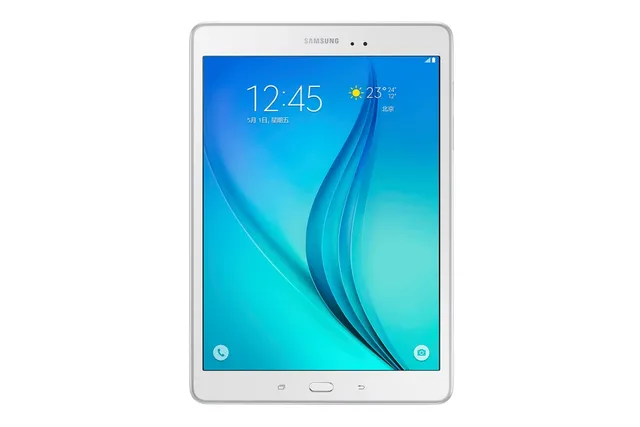
Tablet · Samsung Galaxy Tab A 9.7
Stock firmware and official updates for the Samsung Galaxy Tab A 9.7 (SM-T555C), by region.
Samsung's official release notes, newest first.
- The latest Android security patch has been applied. ㆍDevice security has been further enhanced.
Released for 1 CSC: CHN
Source: Samsung- The latest Android security patch has been applied. ㆍDevice security has been further enhanced.
Released for 1 CSC: CHN
Source: SamsungThe latest Android security patch has been applied. ㆍDevice security has been further enhanced.
Released for 1 CSC: CHN
Source: Samsung- The latest Android security patch has been applied. ㆍDevice security has been further enhanced.
Released for 1 CSC: CHN
Source: SamsungTaken from the SM-T555; this model can differ (chipset, network bands).
- The latest Android security patch has been applied. ㆍDevice security has been further enhanced.
Released for 1 CSC: CHN
Source: SamsungOS upgrade - Android 6.0 Marshmallow · The new TouchWiz provides enhanced usability and an updated visual design. · Quick connect helps you easily find and connect to nearby devices by showing currently connected devices and previous connections. · A new vibration pattern concept has been applied. · Add the Multi-User Mode ※ Android 6.0 Marshmallow does not support the Decrypt device function. If your mobile device is encrypted, encryption cannot be disabled after upgrading. If you want encryption to be disabled after upgrading, it must be disabled before you upgrade your device. To disable encryption go to Settings - Lock screen and security - Other security settings, then select Decrypt device. ※ After upgrade, Samsung Magazine substitute for Samsung Reader. Samsung Reader provide E-book contents additional. ※ After upgrade, GameBox will be deleted. ※ Smart manager widget lose Battery and Security function. Storage and RAM function will be remained. ※ bubbles function may disappear in messages settings. ※ Email etc. widget may disappear on home screen after OS upgraded, please set these widgets or relative application again if you used. ※ Some apps that were installed via the Lollipop OS may need to be updated after upgrading to the Marshmallow OS. Go to Galaxy Apps to update apps. ※ The functionality of some features may differ after the upgrade. Some apps may not function normally. ※ Errors during the upgrade may cause data loss. Back up any important data before upgrading. ※ Some changes may vary depending on country or network operator.
Released for 1 CSC: CHN
Source: Samsung- upgrade the Smart manager - apply the Andriod regular security patch - Improved performance with efficient memory management . Optimized closing unused applications
Released for 1 CSC: CHN
Source: Samsung- Device stability improvements, bug fixes. - New and / or enhanced features. - Further improvements to performance.
Released for 1 CSC: CHN
Source: Samsung