TITANIUMGRAY
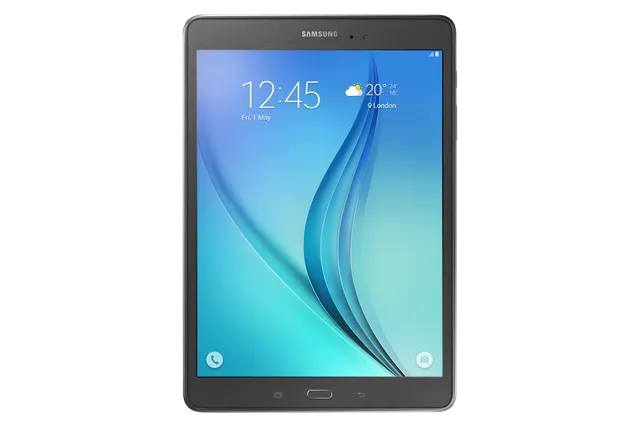
Tablet · Samsung Galaxy Tab A 9.7
Stock firmware and official updates for the Samsung Galaxy Tab A 9.7 (SM-P555M), by region.
 Bolivia BVOBuildP555MUBS1CTK2AndroidAndroid 7Security patchAug 2017ReleasedJan 12, 2021DetailsWhat's new
 Brazil ZTABuildP555MUBS1CTJCAndroidAndroid 7Security patchAug 2017ReleasedDec 22, 2020DetailsWhat's new
Samsung's official release notes, newest first.
· Device stability improvements, bug fixes. · New and / or enhanced features. · Further improvements to performance.
Released for 6 CSCs: BVO, COO, EON, TPA, TTT, UPO
Source: Samsung· Device stability improvements, bug fixes. · New and / or enhanced features. · Further improvements to performance.
Released for 1 CSC: CHO
Source: Samsung· Device stability improvements, bug fixes. · New and / or enhanced features. · Further improvements to performance.
Released for 2 CSCs: ZTA, ZVV
Source: SamsungBrazil ZTOBrazil ZVVBuildP555MUBS1CTJCAndroidAndroid 7Security patchAug 2017ReleasedDec 22, 2020DetailsWhat's new Chile CHOBuildP555MUBS1CTK3AndroidAndroid 7Security patchAug 2017ReleasedDec 31, 2020DetailsWhat's new
 Colombia COOBuildP555MUBS1CTK2AndroidAndroid 7Security patchAug 2017ReleasedJan 12, 2021DetailsWhat's new
 Ecuador EONBuildP555MUBS1CTK2AndroidAndroid 7Security patchAug 2017ReleasedJan 12, 2021DetailsWhat's new
 Panama TPABuildP555MUBS1CTK2AndroidAndroid 7Security patchAug 2017ReleasedJan 12, 2021DetailsWhat's new
 Paraguay UPOBuildP555MUBS1CTK2AndroidAndroid 7Security patchAug 2017ReleasedJan 12, 2021DetailsWhat's new
 Puerto Rico PCTBuildP555MUBU1BSE2AndroidAndroid 6Security patch—ReleasedSep 13, 2019DetailsWhat's new
 Trinidad & Tobago TTTBuildP555MUBS1CTK2AndroidAndroid 7Security patchAug 2017ReleasedJan 12, 2021DetailsWhat's new
· Device stability improvements, bug fixes. · New and / or enhanced features. · Further improvements to performance.
Released for 3 CSCs: ZTA, ZTO, ZVV
Source: Samsung· OS upgrade - Android 6.0.1 Marshmallow · A new Ultra data saving mode function has been added · The new TouchWiz provides enhanced usability and an updated visual design. · Quick connect helps you easily find and connect to nearby devices by showing currently connected devices and previous connections. · Advanced power saving mode restricts background data and extends battery life. · A new vibration pattern concept has been applied. · Settings for the following have been reset: Theme, Email, Icon/Widget ※ Android 6.0 Marshmallow does not support the Decrypt device function. If your mobile device is encrypted, encryption cannot be disabled after upgrading. If you want encryption to be disabled after upgrading, it must be disabled before you upgrade your device. To disable encryption go to Settings - Lock screen and security - Other security settings, then select Decrypt device. ※ Some apps that were installed via the Lollipop OS may need to be updated after upgrading to the Marshmallow OS. Go to Galaxy Apps or Play Store to update apps. ※ If present, the Email shortcut on your home screen will be removed during the upgrade. It can be added to the home screen again after upgrading. ※ Some changes may vary depending on country or network operator. ※ The functionality of some features may differ after the upgrade. Some apps may not function normally. ※ Errors during the upgrade may cause data loss. Back up any important data before upgrading.
Released for 1 CSC: PCT
Source: Samsung


